github.com/NVIDIA/NVSentinel @v1.13.0
Chat with this repoWhat it actually does AI analysis from the code graph — generated when you open this
README
NVSentinel



GPU Fault Detection and Remediation for Kubernetes
NVSentinel automatically detects, classifies, and remediates hardware and software faults in GPU nodes. It monitors GPU health, system logs, and cloud provider maintenance events, then takes action: cordoning faulty nodes, draining workloads, and triggering break-fix workflows.
[!NOTE] Beta / Stable NVSentinel is ready for production testing and use. APIs, configurations, and features may change between releases. If you encounter issues, please open an issue or start a discussion.
🚀 Quick Start
Prerequisites
- Kubernetes 1.25+
- Helm 3.0+
- NVIDIA GPU Operator (includes DCGM for GPU monitoring)
Installation
NVSENTINEL_VERSION=v1.12.0
# Install from GitHub Container Registry
helm install nvsentinel oci://ghcr.io/nvidia/nvsentinel \
  --version "$NVSENTINEL_VERSION" \
  --namespace nvsentinel \
  --create-namespace

# View chart information
helm show chart oci://ghcr.io/nvidia/nvsentinel --version "$NVSENTINEL_VERSION"
✨ Key Features
- 🔍 Comprehensive Monitoring: Real-time detection of GPU, NVSwitch, and system-level failures
- 🔧 Automated Remediation: Intelligent fault handling with cordon, drain, and break-fix workflows
- 📦 Modular Architecture: Pluggable health monitors with standardized gRPC interfaces
- 🔄 High Availability: Kubernetes-native design with replica support and leader election
- ⚡ Real-time Processing: Event-driven architecture with immediate fault response
- 📊 Persistent Storage: MongoDB-based event store with change streams for real-time updates
- 🛡️ Graceful Handling: Coordinated workload eviction with configurable timeouts
- 🏷️ Metadata Enrichment: Automatic augmentation of health events with cloud provider and node metadata information
🧪 Complete Setup Guide
For a full installation with all dependencies, follow these steps:
1. Install cert-manager (for TLS)
helm repo add jetstack https://charts.jetstack.io --force-update
helm upgrade --install cert-manager jetstack/cert-manager \
  --namespace cert-manager --create-namespace \
  --version v1.19.1 --set installCRDs=true \
  --wait
2. Install Prometheus (for metrics)
helm repo add prometheus-community https://prometheus-community.github.io/helm-charts --force-update
helm upgrade --install prometheus prometheus-community/kube-prometheus-stack \
  --namespace monitoring --create-namespace \
  --set prometheus.enabled=true \
  --set alertmanager.enabled=false \
  --set grafana.enabled=false \
  --set kubeStateMetrics.enabled=false \
  --set nodeExporter.enabled=false \
  --wait
3. Install NVSentinel
NVSENTINEL_VERSION=v1.12.0

helm upgrade --install nvsentinel oci://ghcr.io/nvidia/nvsentinel \
  --namespace nvsentinel --create-namespace \
  --version "$NVSENTINEL_VERSION" \
  --timeout 15m \
  --wait
4. Verify Installation
kubectl get pods -n nvsentinel
kubectl get nodes  # Verify GPU nodes are visible

# Run comprehensive validation
./scripts/validate-nvsentinel.sh --version "$NVSENTINEL_VERSION" --verbose
Testing: The example above uses default settings. For production, customize values for your environment.
Production: By default, only health monitoring is enabled. Enable fault quarantine and remediation modules via Helm values. See Configuration below.
🎮 Try the Demo
Demo Videos
See NVSentinel in action — click any thumbnail to watch:
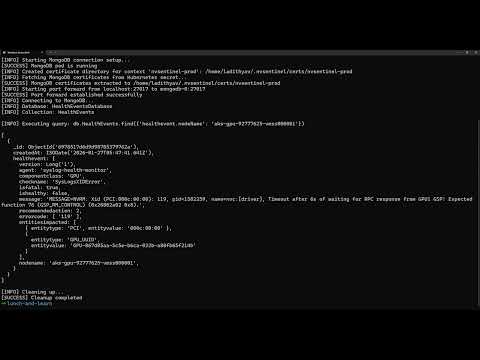 End-to-End
|
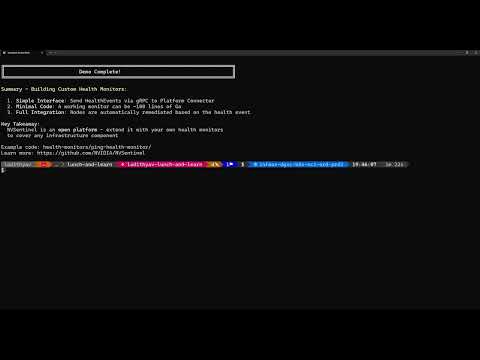 Custom Health Monitors
|
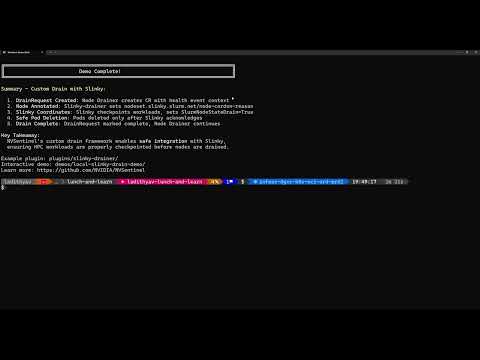 Custom Drain Plugins
|
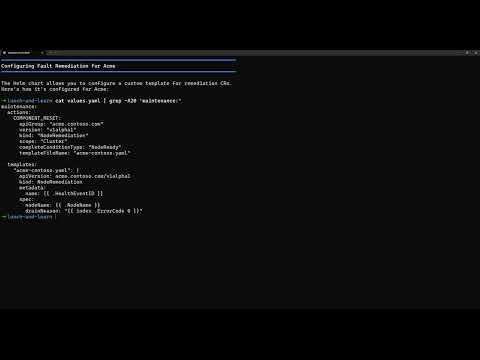 Extensible Remediation
|
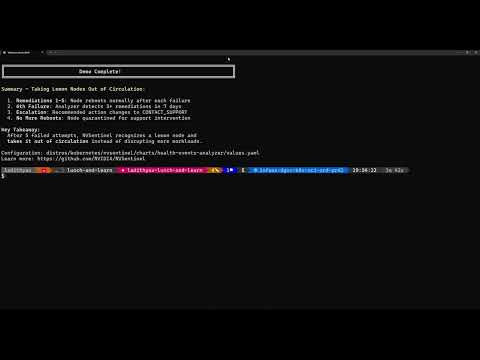 Health Events Analyzer
|
See the demos directory for full descriptions.
Run It Locally
Want to try NVSentinel without GPU hardware? Run our Local Fault Injection Demo:
- 🚀 5-minute setup - runs entirely in a local KIND cluster
- 🔍 Real pipeline - see fault detection → quarantine → node cordon
- 🎯 No GPU required - uses simulated DCGM for testing
cd demos/local-fault-injection-demo
make demo  # Automated: creates cluster, installs NVSentinel, injects fault, verifies cordon
Perfect for learning, presentations, or CI/CD testing!
🏗️ Architecture
NVSentinel follows a microservices architecture with modular health monitors and core processing modules:
graph LR
    subgraph "Health Monitors"
        GPU["GPU Health Monitor

(DCGM Integration)"]
        SYS["Syslog Health Monitor

(Journalctl)"]
        CSP["CSP Health Monitor

(CSP APIs)"]
        K8SOM["Kubernetes Object Monitor

(CEL Policies)"]
    end

    subgraph "Core Processing"
        PC["Platform Connectors

(gRPC Server)"]
        STORE[("MongoDB Store

(Event Database)")]
        FQ["Fault Quarantine

(Node Cordon)"]
        ND["Node Drainer

(Workload Eviction)"]
        FR["Fault Remediation

(Break-Fix Integration)"]
        HEA["Health Events Analyzer

(Pattern Analysis)"]
        LBL["Labeler

(Node Labels)"]
    end

    subgraph "Kubernetes Cluster"
        K8S["Kubernetes API

(Nodes, Pods, Events)"]
    end

    GPU -->|gRPC| PC
    SYS -->|gRPC| PC
    CSP -->|gRPC| PC
    K8SOM -->|gRPC| PC

    PC -->|persist| STORE
    PC <-->|update status| K8S

    FQ -.->|watch changes| STORE
    FQ -->|cordon| K8S

    ND -.->|watch changes| STORE
    ND -->|drain| K8S

    FR -.->|watch changes| STORE
    FR -->|create CRDs| K8S

    HEA -.->|watch changes| STORE

    LBL -->|update labels| K8S

    K8SOM -.->|watch changes| K8S
Data Flow: 1. Health Monitors detect hardware/software faults and send events via gRPC to Platform Connectors 2. Platform Connectors validate, persist events to MongoDB, and update Kubernetes node conditions 3. Core Modules independently watch MongoDB change streams for relevant events 4. Modules interact with Kubernetes API to cordon, drain, label nodes, and create remediation CRDs 5. Labeler monitors pods to automatically label nodes with DCGM and driver versions
Note: All modules operate independently without direct communication. Coordination happens through MongoDB change streams and Kubernetes API.
⚙️ Configuration
NVSentinel is highly configurable with options for each module. For complete configuration documentation, see the Helm Chart README.
Quick Configuration Overview
global:
  dryRun: false  # Test mode - log actions without executing

  # Health Monitors (enabled by default)
  gpuHealthMonitor:
    enabled: true
  syslogHealthMonitor:
    enabled: true

  # Core Modules (disabled by default - enable for production)
  faultQuarantine:
    enabled: false
  nodeDrainer:
    enabled: false
  faultRemediation:
    enabled: false
  janitor:
    enabled: false
  mongodbStore:
    enabled: false
Configuration Resources: - Helm Chart Configuration Guide: Complete configuration reference - values-full.yaml: Detailed reference with all options - values.yaml: Default values
📦 Module Details
For detailed module configuration, see the Helm Chart Configuration Guide.
🔍 Health Monitors
- GPU Health Monitor: Monitors GPU hardware health via DCGM - detects thermal issues, ECC errors, and XID events
- Syslog Health Monitor: Analyzes system logs for hardware and software fault patterns via journalctl
- CSP Health Monitor: Integrates with cloud provider APIs (GCP/AWS) for maintenance events
- Kubernetes Object Monitor: Policy-based monitoring for any Kubernetes resource using CEL expressions
🏗️ Core Modules
- Platform Connectors: Receives health events from monitors via gRPC, persists to MongoDB, and updates Kubernetes node status
- Fault Quarantine: Watches MongoDB for health events and cordons nodes based on configurable CEL rules
- Node Drainer: Gracefully evicts workloads from cordoned nodes with per-namespace eviction strategies
- Fault Remediation: Triggers external break-fix systems by creating maintenance CRDs after drain completion
- Janitor: Executes node reboots and terminations via cloud provider APIs
- Health Events Analyzer: Analyzes event patterns and generates recommended actions
- Event Exporter: Streams health events to external systems in CloudEvents format
- MongoDB Store: Persistent storage for health events with real-time change streams
- Labeler: Automatically labels nodes with DCGM and driver versions for self-configuration
- Metadata Collector: Gathers GPU and NVSwitch topology information
- Log Collection: Collects diagnostic logs and GPU reports for troubleshooting
🖥️ GPU Support
NVSentinel has been validated on the following NVIDIA GPU architectures:
| Architecture | Example GPUs |
|---|---|
| Volta | V100 |
| Ampere | A100 |
| Hopper | H100 |
| Ada Lovelace | L4 Tensor Core GPU, L40, L40S |
| Blackwell | B200, GB200, GB300, RTX Pro 6000 |
NVSentinel is designed to work with any GPU supported by the NVIDIA GPU Operator. Architectures and GPUs not listed above have not been formally validated but may work in your environment.
Note: Most NVSentinel components (health monitoring, fault quarantine, remediation) do not compile GPU code and work across all validated architectures. The optional nccl-loopback preflight check (NCCL bandwidth test) compiles GPU kernels and targets Ampere, Ada Lovelace, Hopper, and Blackwell only — it does not support Volta (V100). Disable or skip this check on Volta nodes via the preflight configuration.
📋 Requirements
- Kubernetes: 1.25 or later
- Helm: 3.0 or later
- NVIDIA GPU Operator: For GPU monitoring capabilities (includes DCGM)
- Storage: Persistent storage for MongoDB (recommended 10GB+)
- Network: Cluster networking for inter-service communication
🤝 Contributing
We welcome contributions! Here's how to get started:
Ways to Contribute: - 🐛 Report bugs and request features via issues - 🧭 See what we're working on in the roadmap - 📝 Improve documentation - 🧪 Add tests and increase coverage - 🔧 Submit pull requests to fix issues - 💬 Help others in discussions
Getting Started: 1. Read the Contributing Guide for guidelines 2. Check the Development Guide for setup instructions 3. Browse open issues for opportunities
All contributors must sign their commits (DCO). See the contributing guide for details.
💬 Support
- 🐛 Bug Reports: Create an issue
- ❓ Questions: Start a discussion
- 🔒 Security: See Security Policy
Stay Connected
- ⭐ Star this repository to show your support
- 👀 Watch for updates on releases and announcements
- 🔗 Share NVSentinel with others who might benefit
📄 License
This project is licensed under the Apache License 2.0 - see the LICENSE file for details.
Built with ❤️ by NVIDIA for GPU infrastructure reliability
Extension points exported contracts — how you extend this code
EntryIterator (Interface)Core symbols most depended-on inside this repo
ErrorShape
Languages
Modules by API surface
Datastores touched
For agents
$ claude mcp add NVSentinel \
  -- python -m otcore.mcp_server <graph>