github.com/NPC-Worldwide/incognide @v0.2.22
Chat with this repoWhat it actually does AI analysis from the code graph — generated when you open this
README

Incognide
Explore the unknown and build the future.



Download for Linux, macOS, and Windows
Incognide unifies chat, code, documents, web browsing, and media into a tileable workspace with intelligent context and composable automations.
Built for seamless workflows, Incognide eliminates distractions and context switching. A path-based organization keeps your work structured naturally, while auto-saving workspaces let you resume any project exactly where you left off. No more juggling desktops, drowning in browser tabs, or hunting for scattered files.
Highlights
- Write and run code, use terminals, build reusable workflows and tools that chain together natural language and templateable code through jinja execution templates.
- Browse the web, read and annotate PDFs, view 3D STL models, analyze data and create dashboards, compile LaTeX.
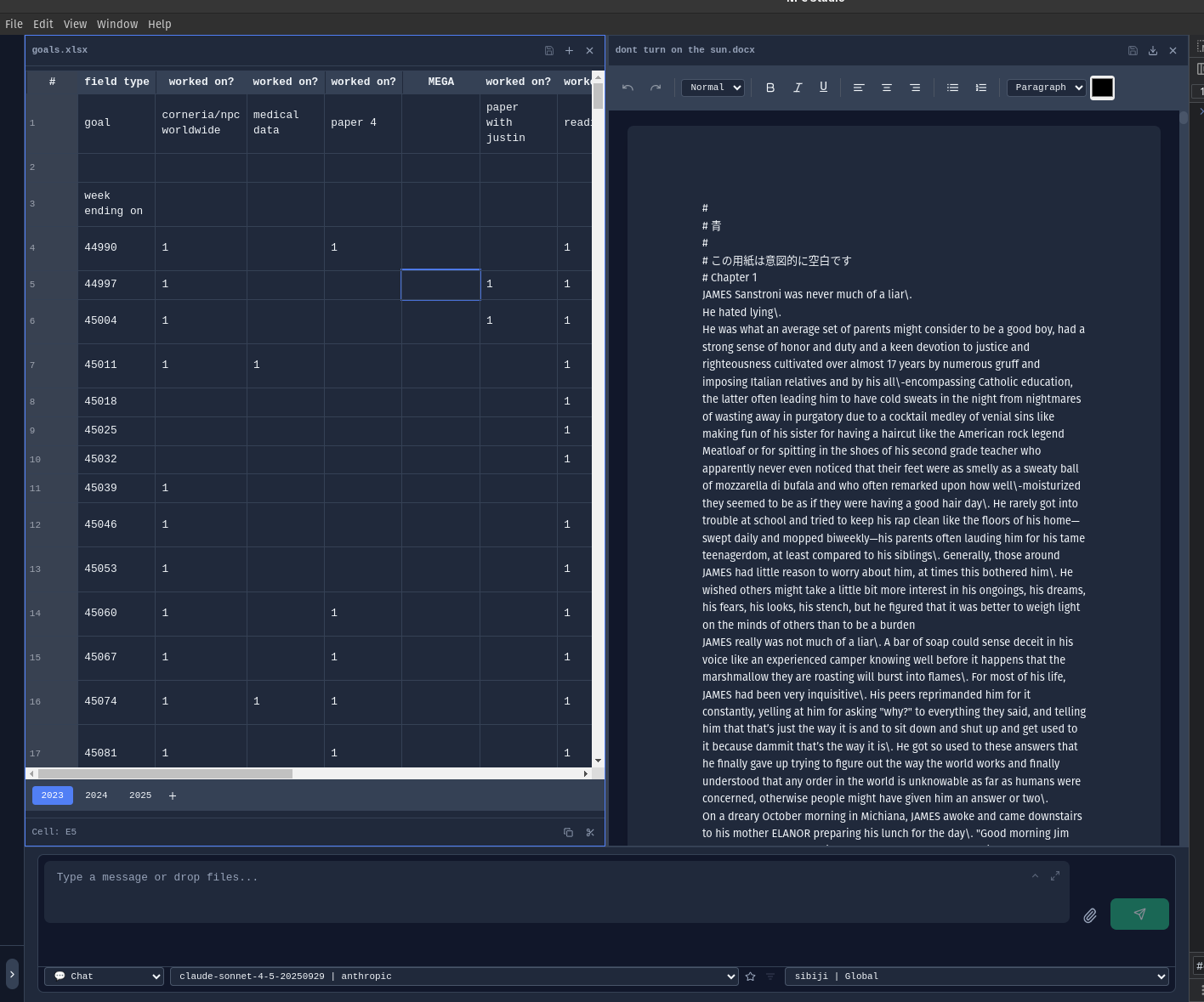
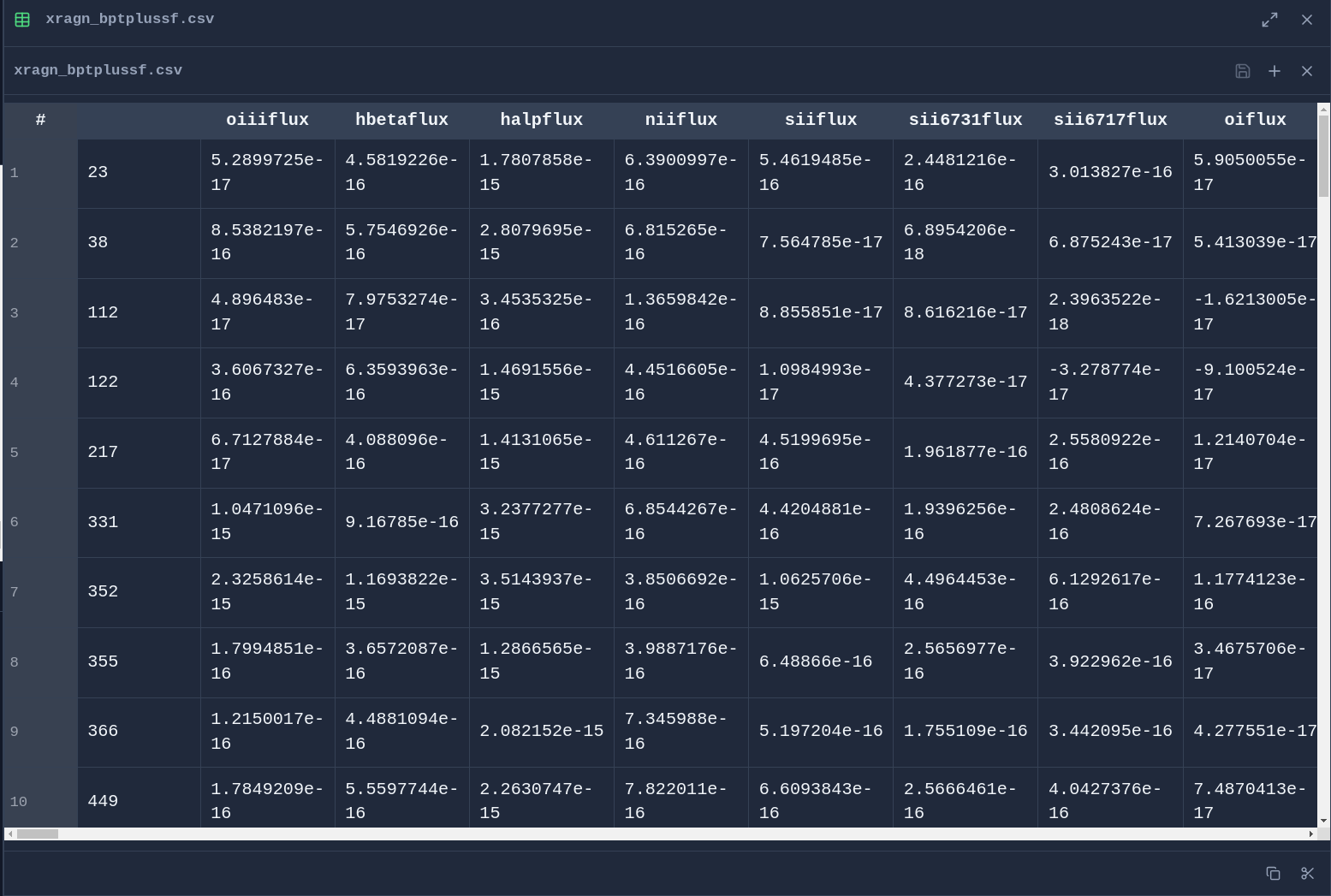
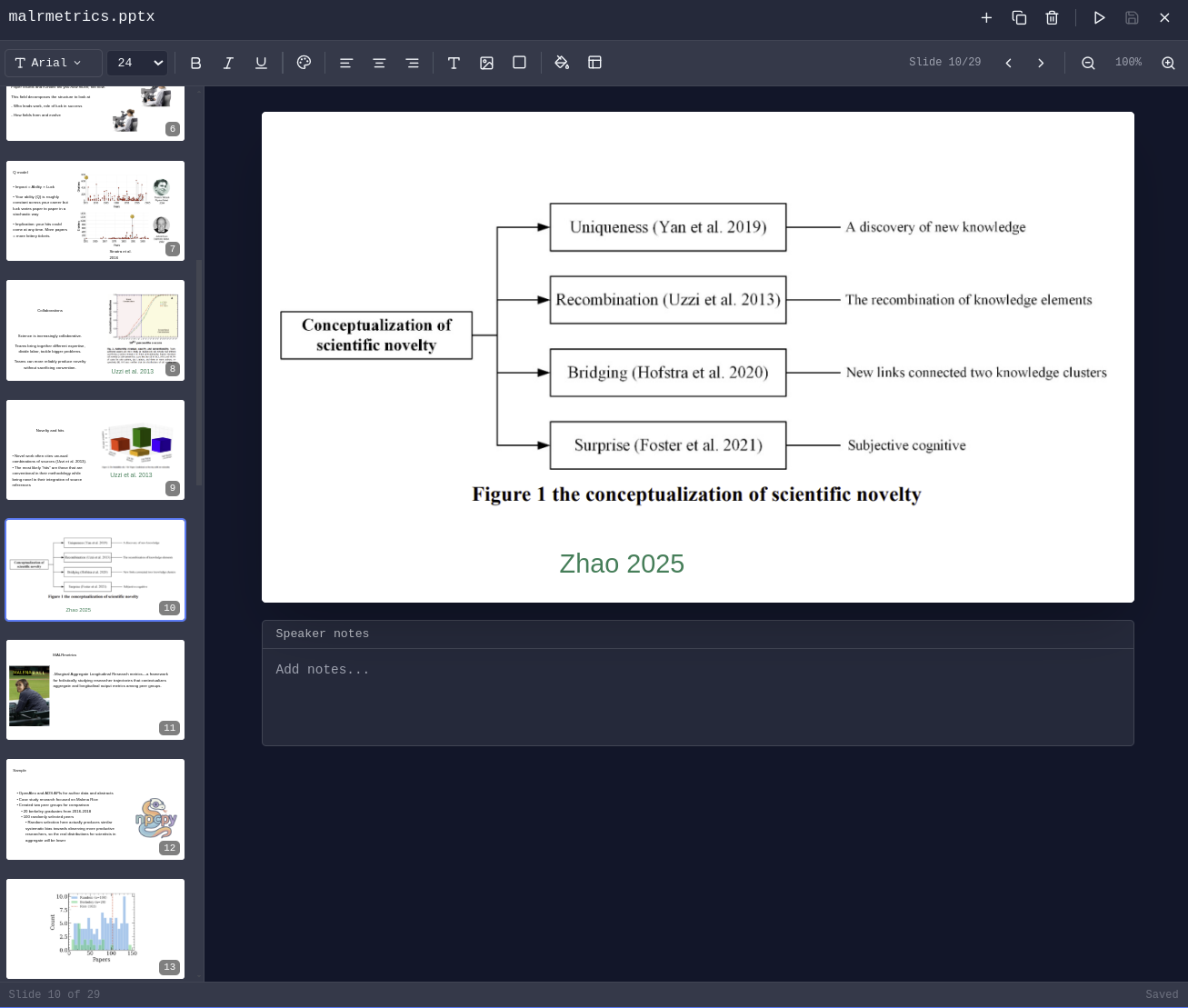
- Edit DOCX, XLSX, PPTX.
- Arrange chats, editors, PDFs, browsers, terminals, 3D viewers as your work evolves — each tab maintains independent state.
- Manage agents, have them run on scheduled jobs, edit team context, integrate with MCP Servers, approve or reject suggested memories, prune and evolve knowledge graphs.
- Schedule automated memory extraction, knowledge graph evolution, and context compression.
- Fine-tune text models using curated data from your conversations and memories.
- Built-in Pomodoro timer with programmable schedules and break enforcement.
Setup
1. Install
Download the installer for your platform from enpisi.com/incognide, run it, and launch Incognide. Linux, macOS, and Windows are supported.
2. First launch — setup wizard
On first launch the wizard walks you through five steps:
- Welcome — intro screen.
- Preferences — theme (dark/light) and the data directory for teams, models, and configs (default
~/.incognide). - Defaults — default web search engine, default terminal shell (auto-detected per platform:
system/zsh/bashon mac/linux,powershellon Windows), and activity tracking opt-in (local only, used for next-action predictions). - Usage path — pick one of:
- No AI — workspace only (files, code, browsers, terminals, docs, maps). No model calls.
- Cloud AI — OpenAI / Anthropic / Gemini / etc. via API keys.
- Local AI — Ollama / LM Studio / llama.cpp / oMLX running on your machine.
- Cloud keys (cloud-ai path) or Local models (local-ai path). See step 3 below for details.
The wizard writes preferences to localStorage (theme, fonts, shortcuts, UI defaults) and settings to ~/.incogniderc .
3. Connect a model provider
Local providers
The setup wizard (Local Models step) and the in-app Model Manager both probe these endpoints and binary locations:
| Provider | Server port | Binary / app checks |
|---|---|---|
| Ollama | 11434 | ollama in PATH; /Applications/Ollama.app on macOS |
| LM Studio | 1234 | lms in PATH; /Applications/LM Studio.app on macOS |
| llama.cpp | 8080 | llama-server, llama-cli, or koboldcpp in PATH |
| oMLX | 8000 | omlx in PATH; /Applications/oMLX.app (macOS only) |
Each tile shows one of three states: Running (server responds), Installed (not running) (binary or app found but port is dead), or Not found. The Model Manager has Start/Stop buttons when the binary is installed:
- Ollama:
open -a Ollama(macOS) orollama serve(Linux). Stop viapkill -f 'ollama serve'(or kill from the Windows system tray). - LM Studio:
lms server start/lms server stopif thelmsCLI is present; otherwise the app launches and you start the server from the Developer tab. - llama.cpp: requires a model path to start, so Incognide prints the exact command (
llama-server -m <model.gguf> --port 8080) for you to run in a terminal. Stop viapkill -f llama-server. - oMLX:
open -a oMLXlaunches the menu-bar app; stop/start the server from its menu-bar icon.
GGUF / GGML model files can be loaded directly without a server, but only if llama.cpp or koboldcpp is installed — the Model Manager's GGUF tab depends on that engine and shows "Not found" otherwise.
Cloud providers
Add API keys on the Cloud keys step of the wizard, or later in Settings → Global Settings or Team Management → API keys. Keys are stored in ~/.incogniderc as export <PROVIDER>_API_KEY=....
4. Local setup for fine-tuning
Inference with LLMs is routed through the bundled backend (including calls to locally running models with llama.cpp, omlx, etc), but users can also fine-tune models within incognide. To accomplish this, you need to specify a Python virtual environment with the heavy packages (torch+ transformers etc.). For such calls, Incognide shells out to the specified venv instead of including these dependencies in the bundled backend to keep the packaged executable small.
- Open Team Management (Users icon in the right sidebar or the settings screen).
- Go to the Python Env tab.
- Choose an environment for the current workspace:
- Detected: list of venvs/pyenv/conda/uv environments found under the workspace, homedir, and common paths.
- Create new venv: creates
<workspace>/.venv(or the name you pick) with the system Python. - Custom path: point at any existing Python interpreter.
- With an environment selected, click Install packages and pick one of the bundles:
PyTorch (CPU)—torch torchvision torchaudioPyTorch (CUDA)— same plus the CUDA index URL for GPU buildsDiffusers (Image Gen)—diffusers transformers accelerate safetensorsTransformers (LLM)—transformers accelerate safetensors sentencepieceWhisper (Speech)—openai-whisper
Or install any specific package by name.
5. Data directory
Incognide stores teams, NPCs, jinxes, memories, knowledge graphs, and model configs under the data directory you picked in step 2 (default ~/.incognide). Changing it in Settings → Global Settings → Default Directory updates ~/.incogniderc's INCOGNIDE_DATA_DIRECTORY.
6. Troubleshooting
- Backend unhealthy indicator in the status bar — right-click the
npcpyicon in the status bar for Restart / View Logs. Logs live in~/Library/Logs/Incognide/(macOS),~/.config/Incognide/logs/(Linux), or%APPDATA%\Incognide\logs\(Windows). - Tutorial didn't highlight anything — the tutorial opens the Help pane before it starts so the workspace highlight has a target. If it runs before any pane is open you'll see an un-highlighted step; re-run it from Settings → Replay Tutorial.
Table of Contents
- Office & Productivity
- Development
- 3D & Media
- Research & Knowledge Management
- Model Training & Fine-tuning
- AI Chat & Agents
- Focus & Productivity
- Settings & Customization
- Keyboard Shortcuts
- Setup
- Development Setup
- Community
- License
Office & Productivity
Document Editing
Create and edit Office documents directly in Incognide without needing external applications or cloud services.
Word Documents (DOCX) - Full rich text editing with formatting, tables, and images:
Spreadsheets (XLSX & CSV) - Edit data with formula support and cell formatting:
Presentations (PPTX) - View and edit PowerPoint presentations:
PDF Management
Read, annotate, and analyze PDF documents with AI assistance.
Highlight & Annotate - Mark up PDFs with highlights that persist across sessions:

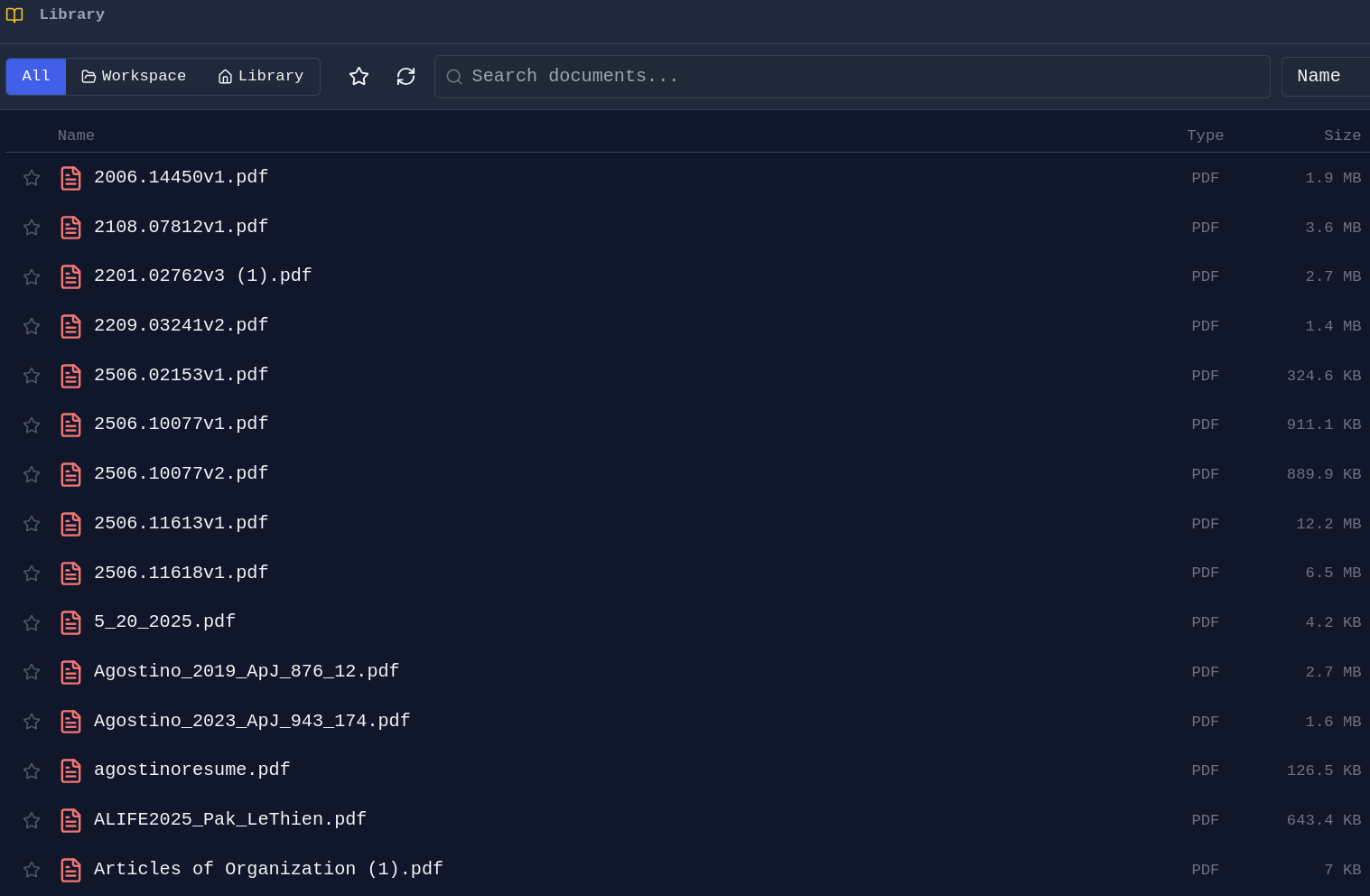
PDF Library - Browse and organize your PDF collection:
File Management
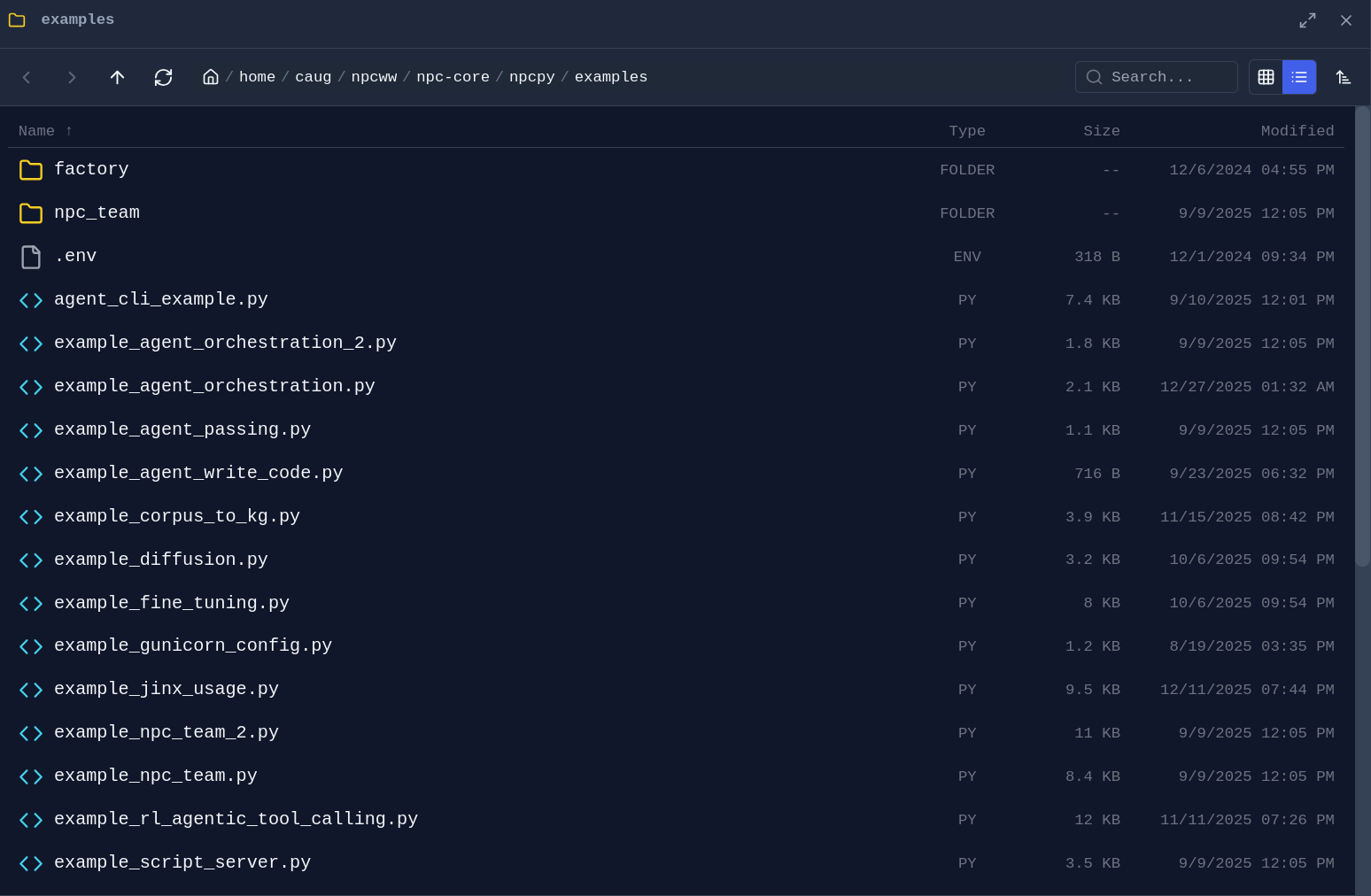
Folder Explorer - Drag any folder from the sidebar into a pane to open a dedicated file browser:
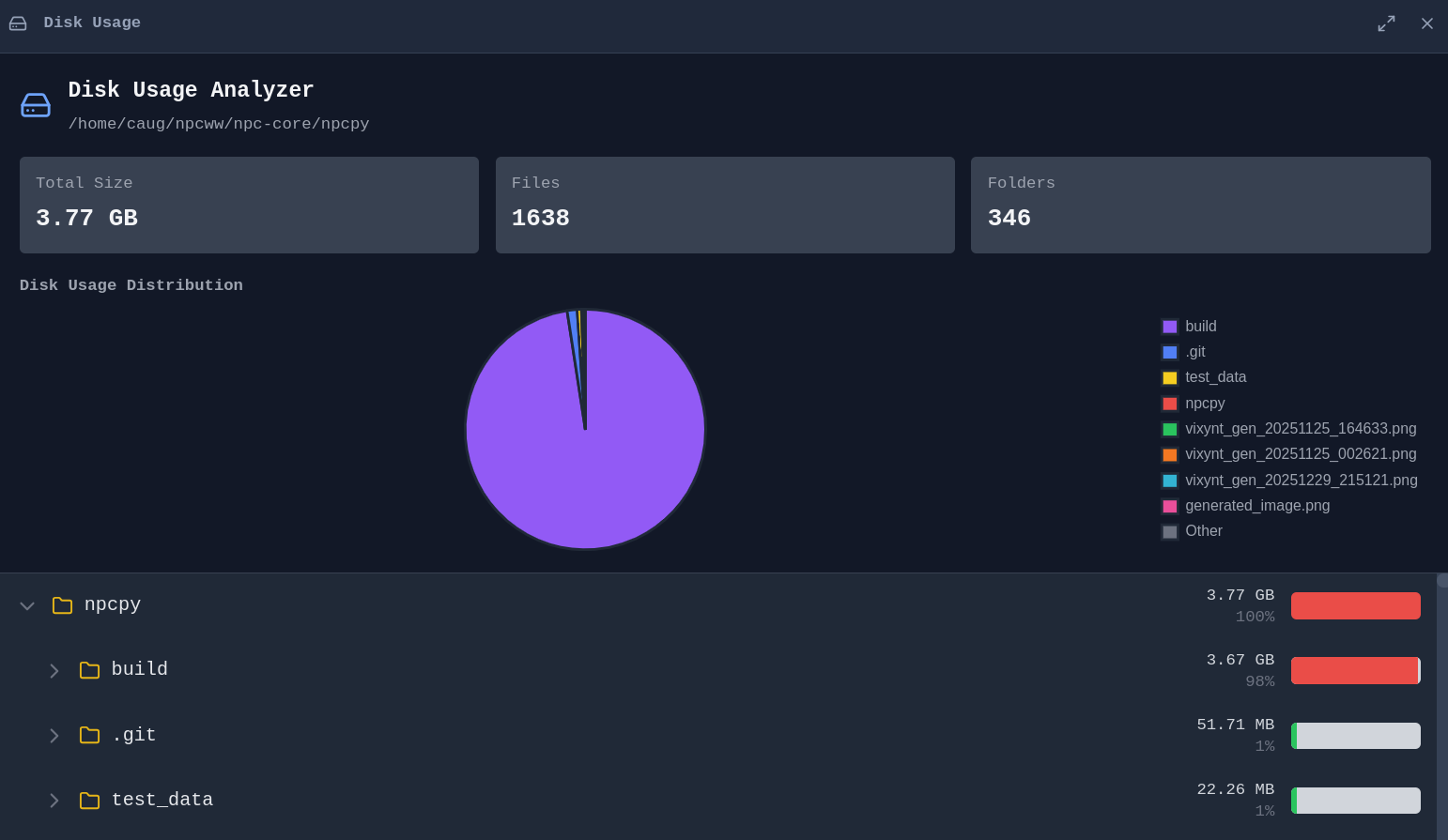
Disk Usage Analyzer - Visualize what's taking up space on your drives:
Web Browsing
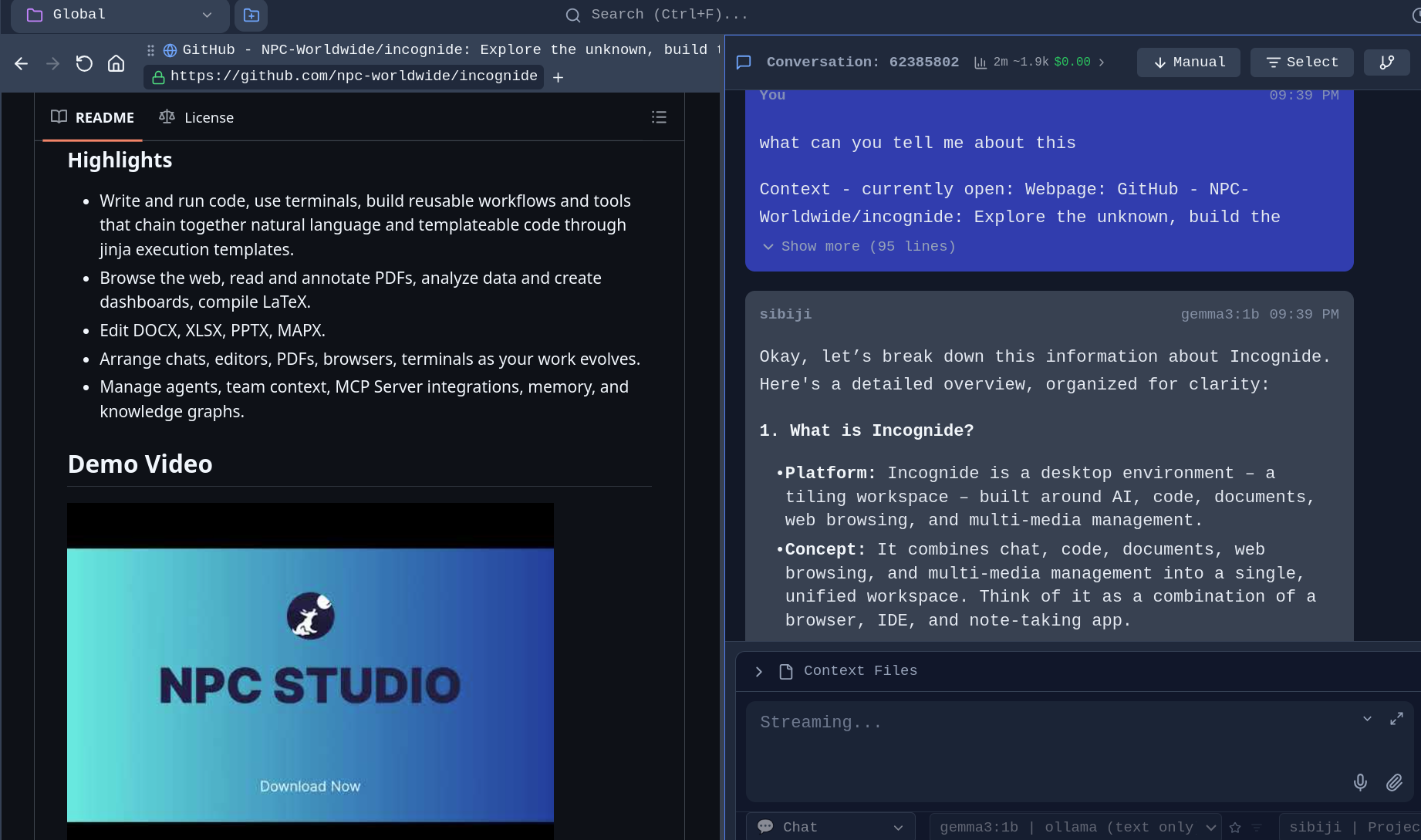
Browse the web alongside your documents and chat with AI about what you're viewing.
Integrated Browser - No need to switch to a separate browser window:
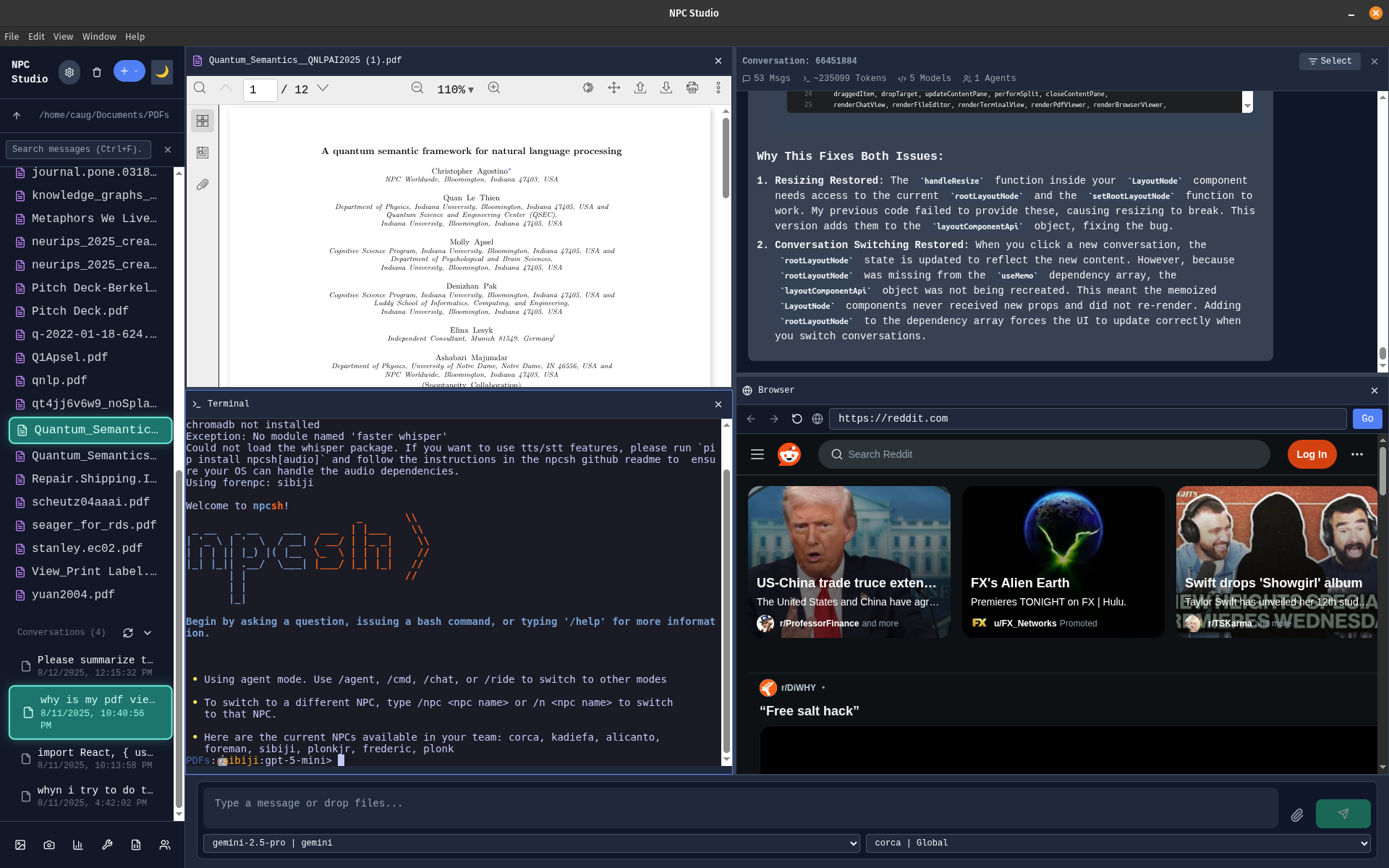
Tileable configuration - Browse while viewing PDF with a terminal open and a chat window:
Development
Code Editing
Write code with syntax highlighting, run scripts, and compile documents.
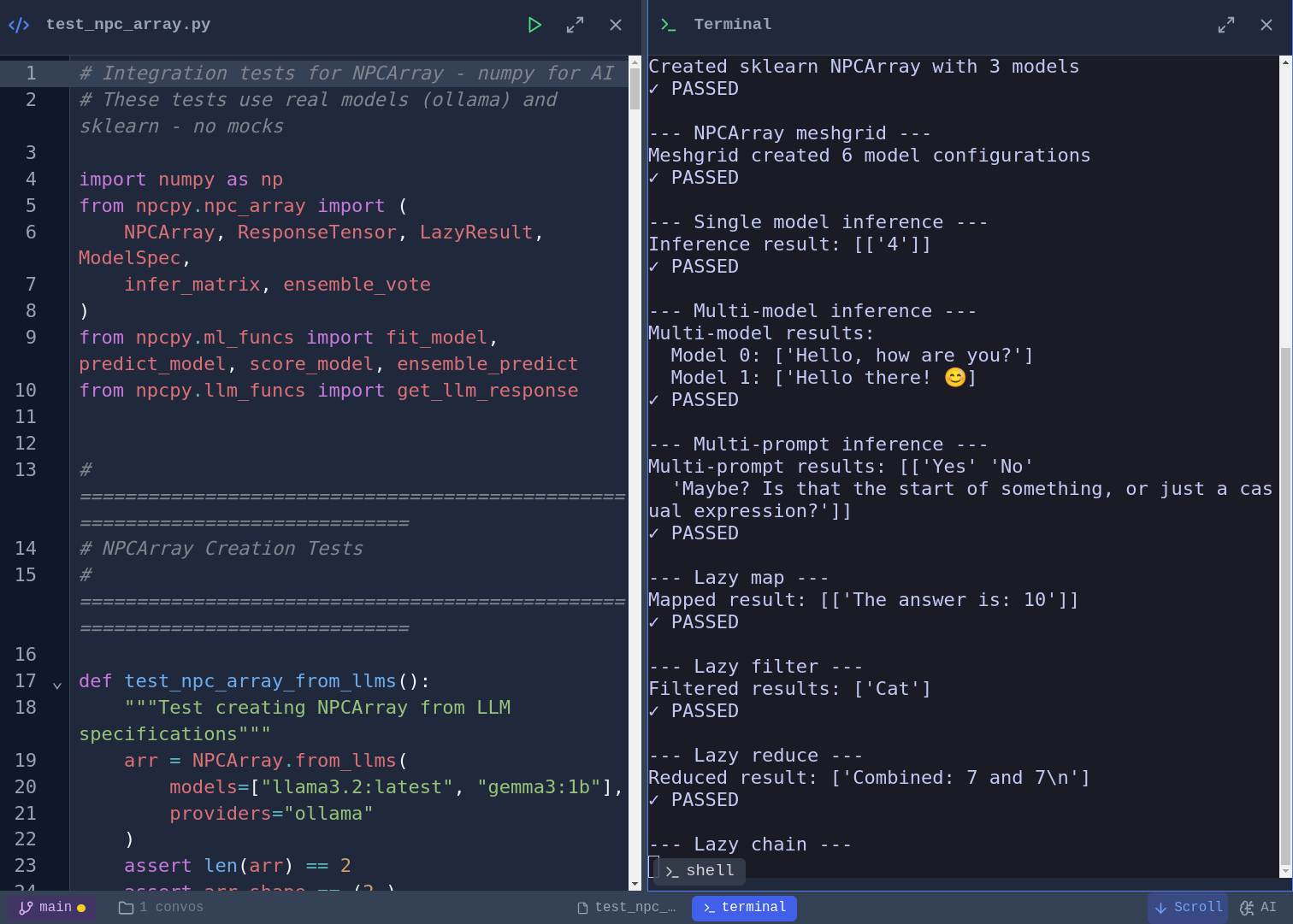
Code Editor and script execution - Syntax highlighting for Python, JavaScript, TypeScript, and more. Vim, Emacs, and Nano keybinding modes with a toggleable cheat sheet. Run Python scripts directly and see output inline:
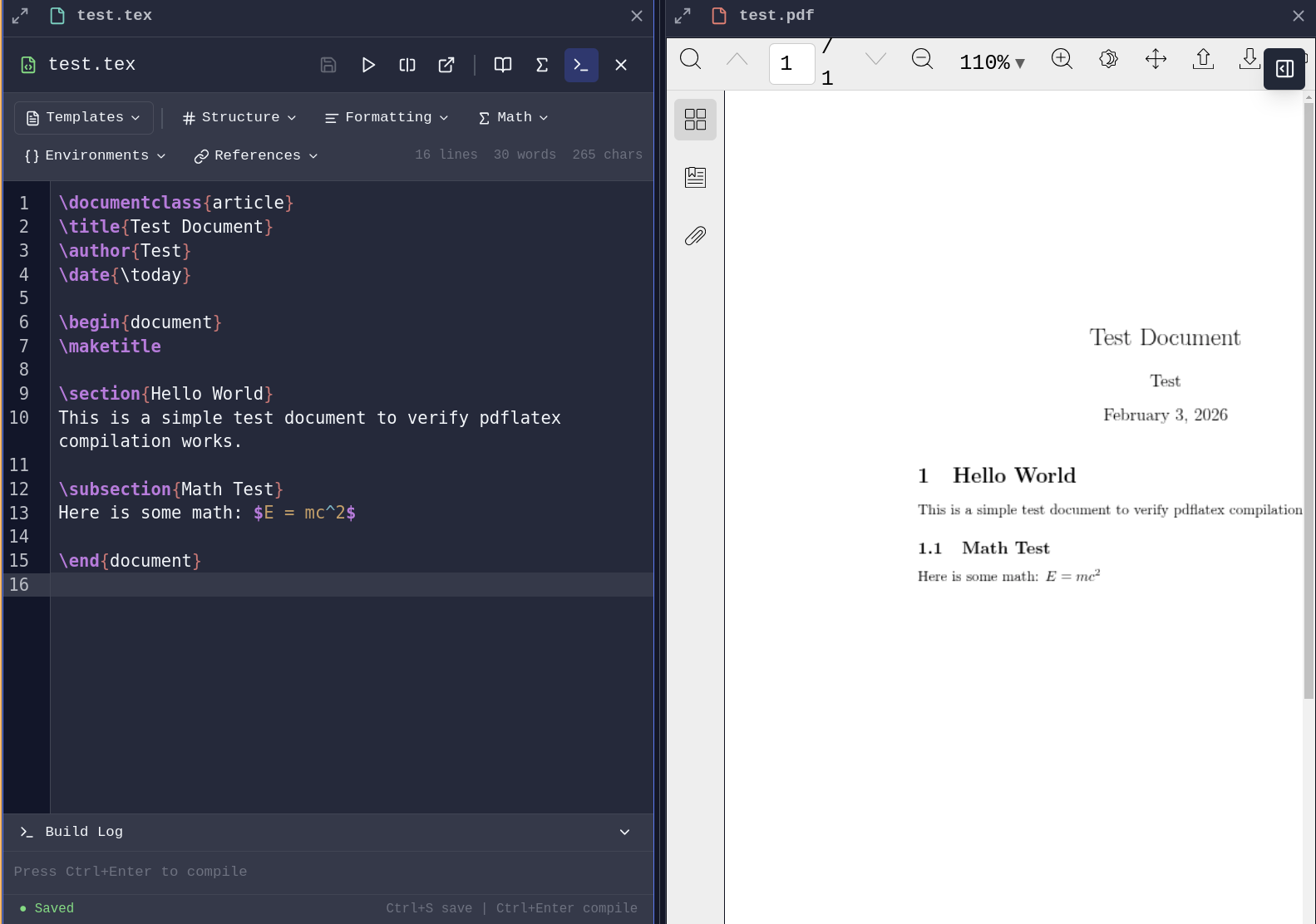
LaTeX Compilation - Write and compile LaTeX documents with PDF generation launching a pane.
AI-Assisted Development
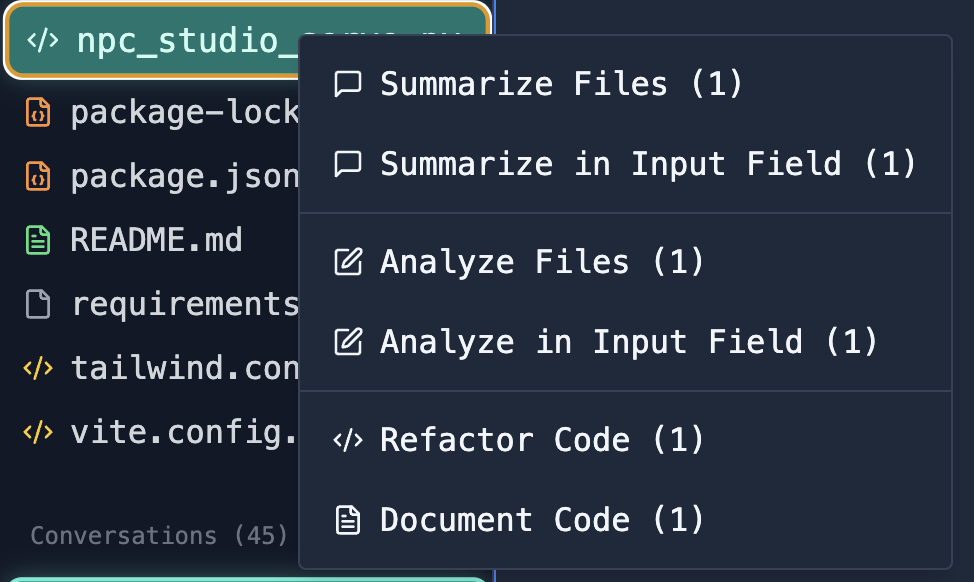
File Analysis - Select files and ask AI to analyze, explain, or refactor code:
Database Tools
Connect to databases, explore schemas, and run queries.
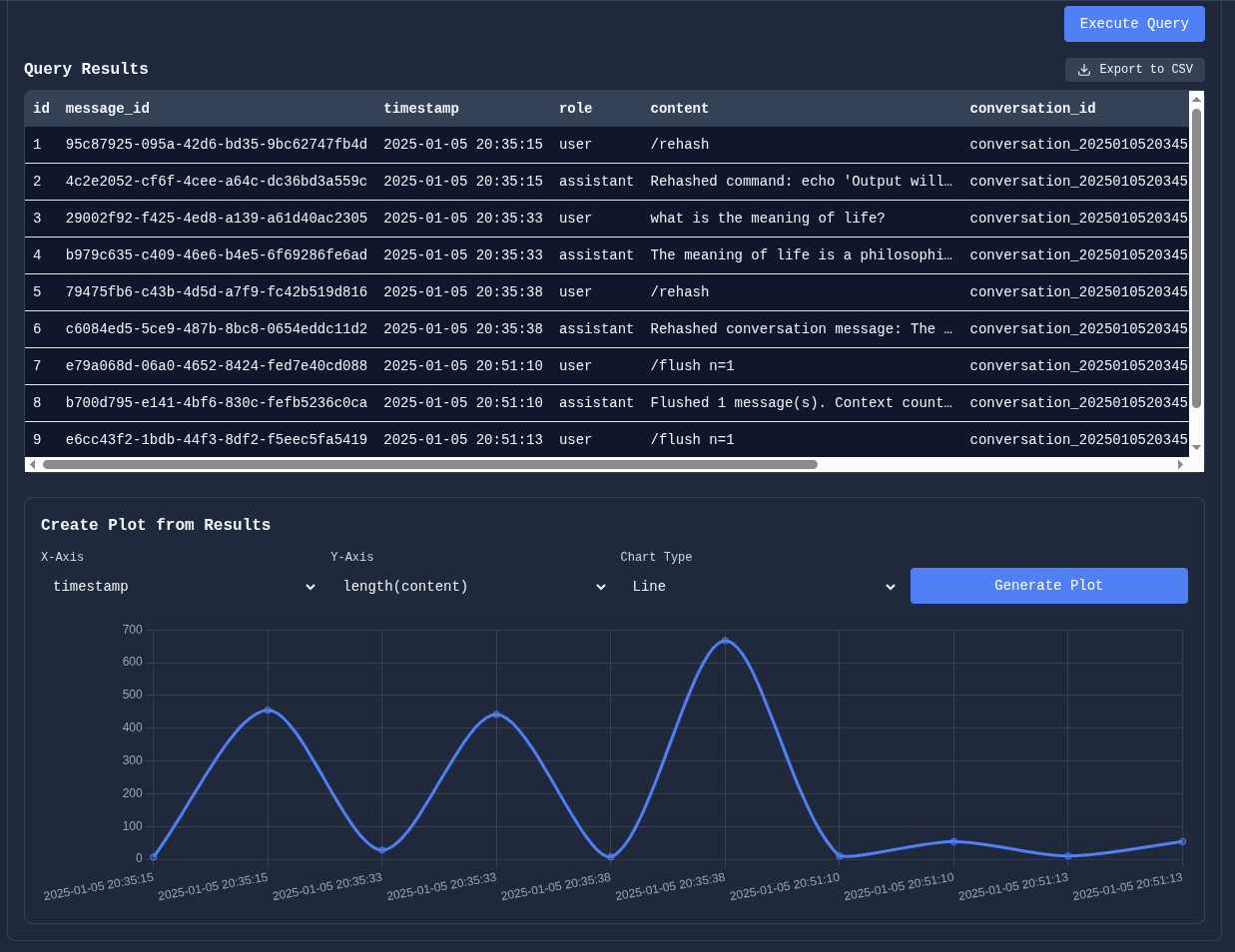
Schema Viewer and SQL Querying - Investigate your database structure, write queries manually or with natural language.
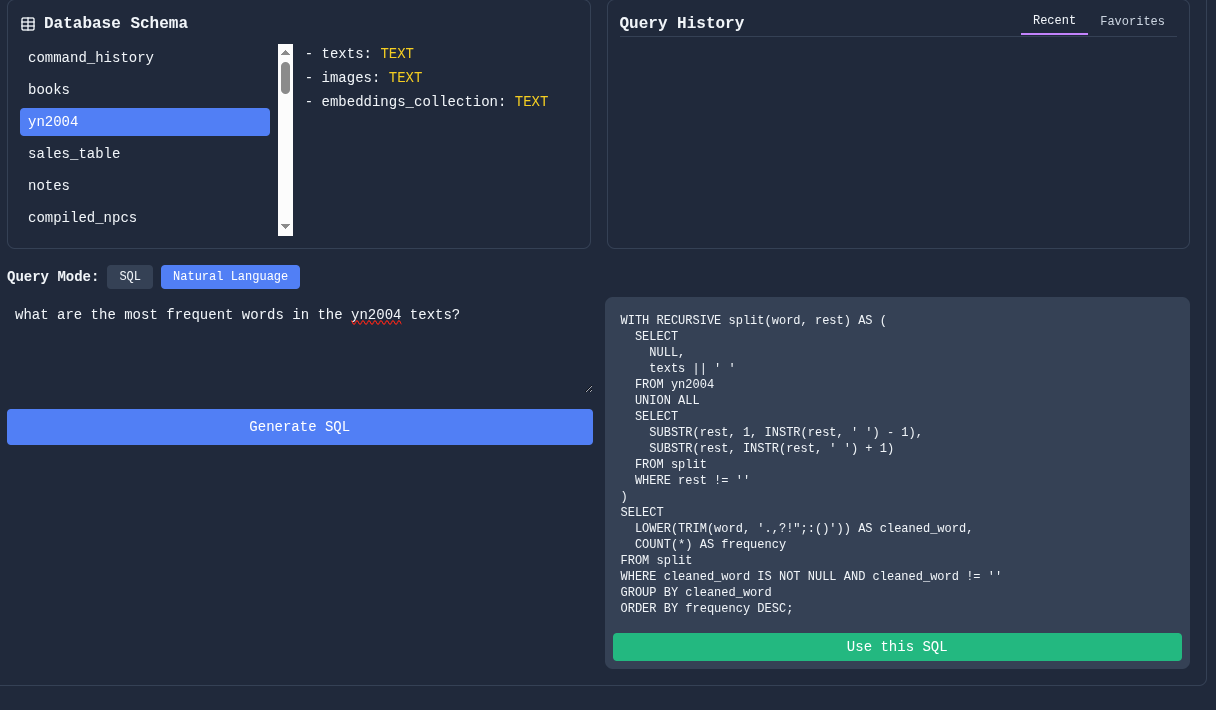
Manipulate table results and plot data directly for quick analysis:
Git Integration
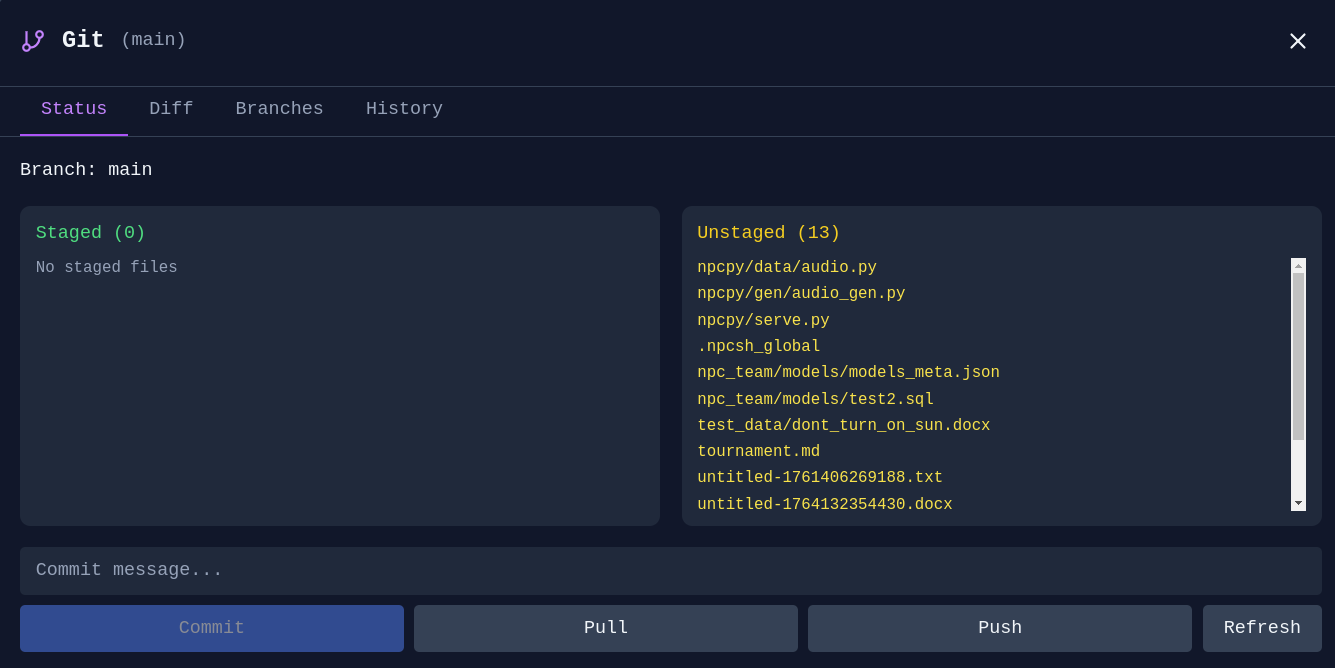
Git Manager - Stage, commit, and manage branches without leaving Incognide:
STL Viewer
View 3D models directly in Incognide.
Features: - Orbit, pan, and zoom with mouse controls - Wireframe, axes, and grid toggles in the pane header - Quick axis views (X, Y, Z) for front/side/top perspectives - Adjustable mesh color and opacity - Screenshot export of the current viewport - Model info: triangle count, vertex count, and bounding box dimensions
Research & Knowledge Management
Data Analysis
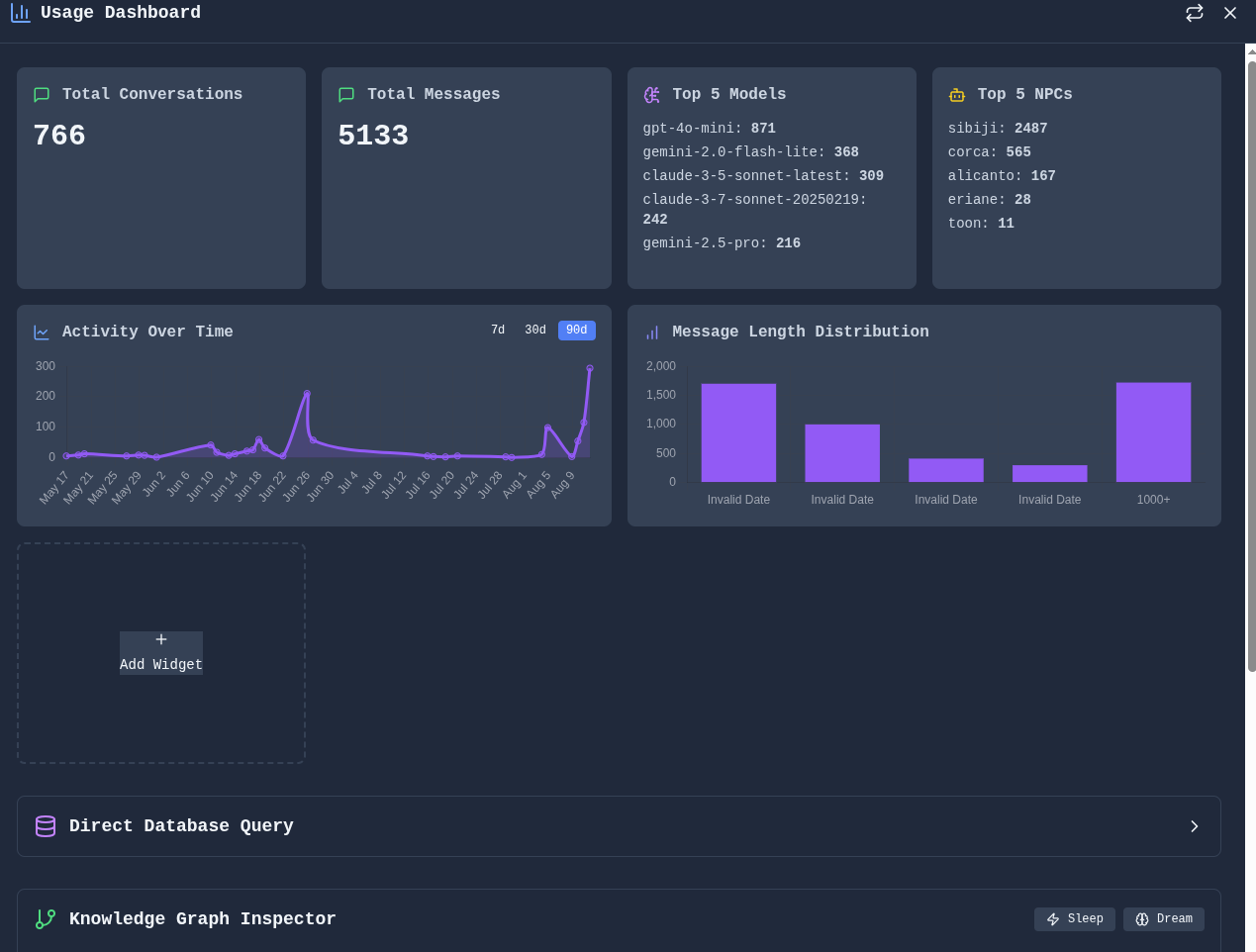
Build dashboards and visualizations from your data.
Data Dashboard - Composable widgets for analytics and visualization:
Knowledge Graphs
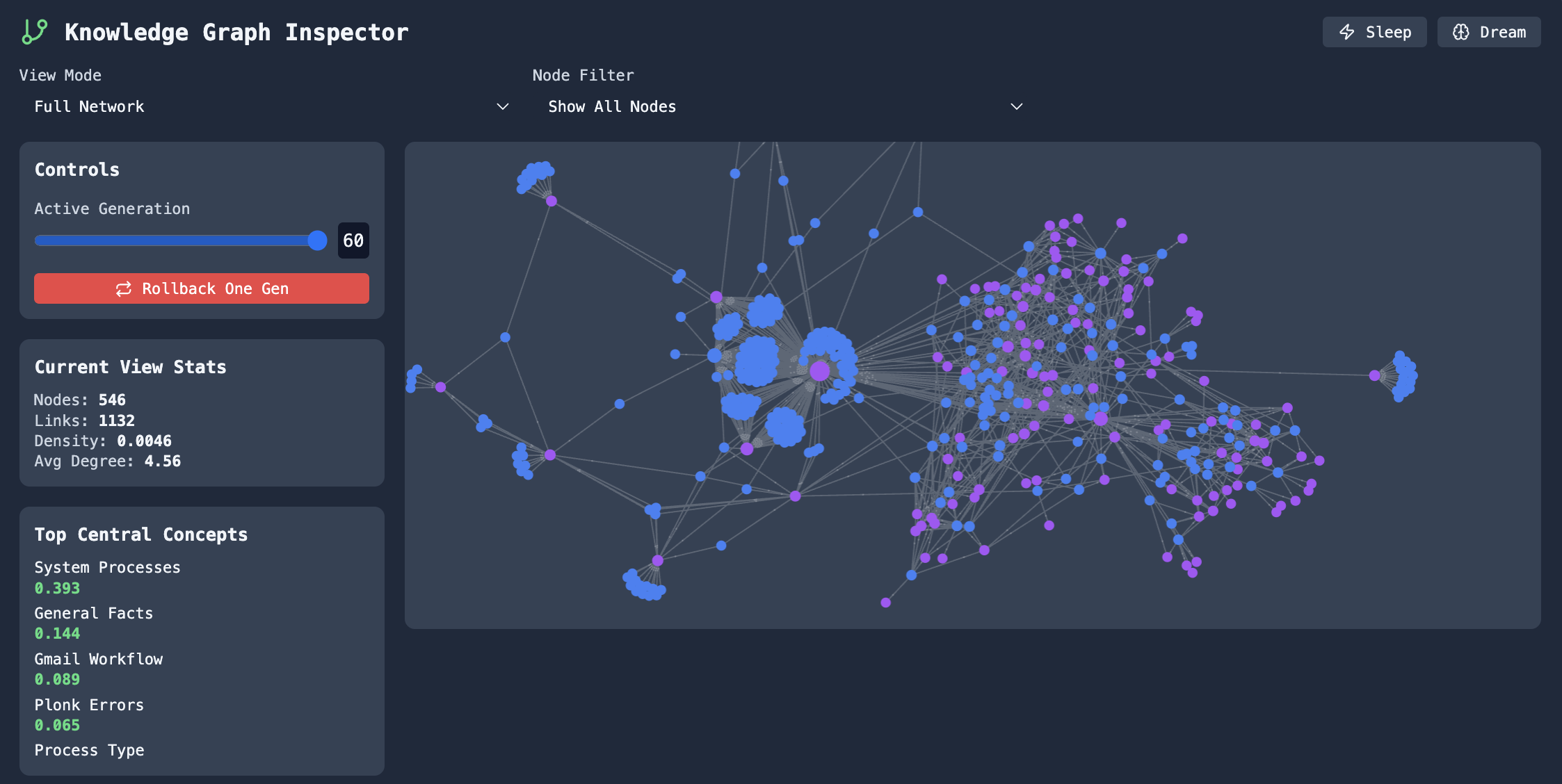
Explore connections between concepts and entities.
Graph Explorer - Navigate and edit knowledge graphs built from your conversations:
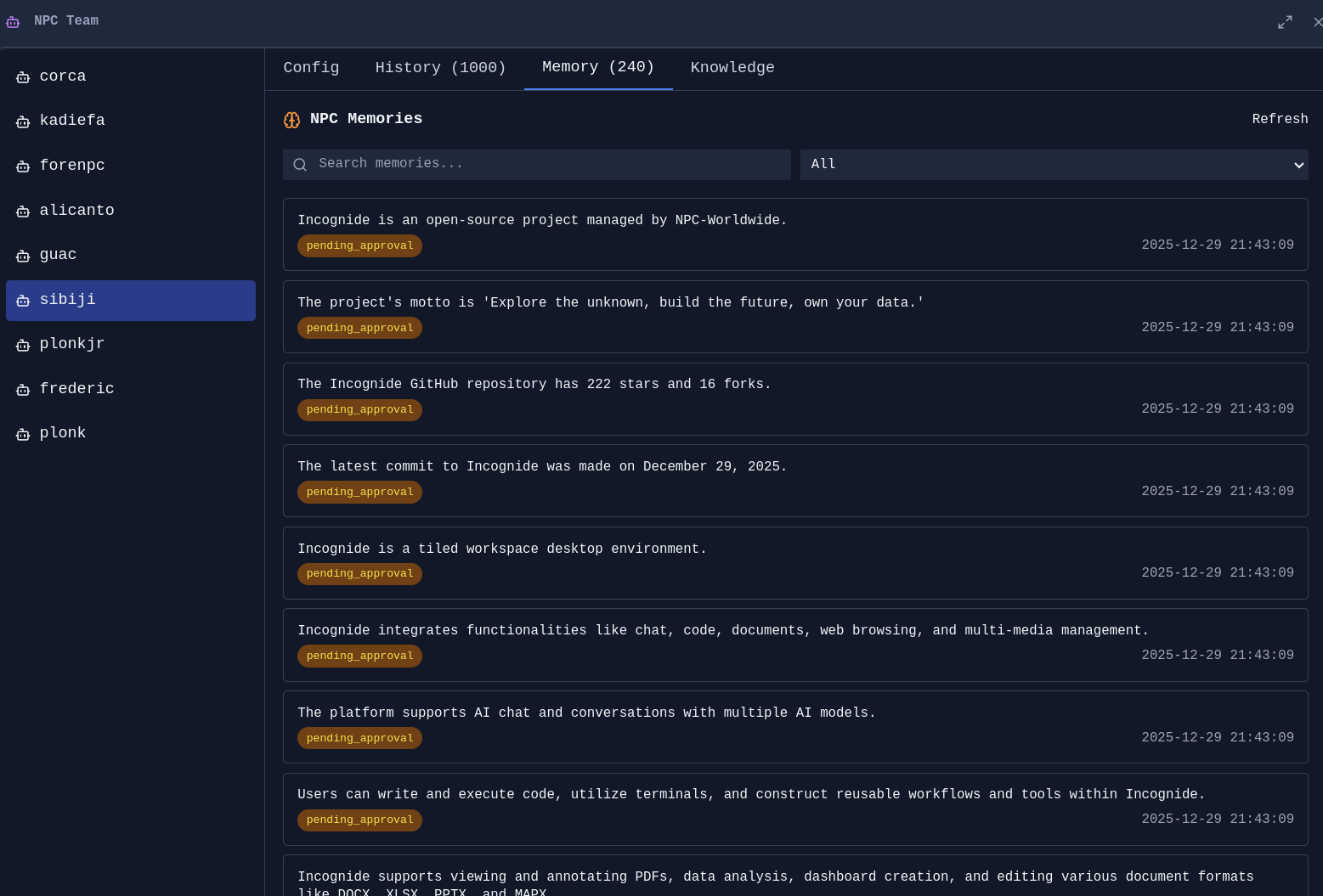
Memory & Context
Memory Management - Review, edit, and organize what your agents remember:

Agent Memories - See what context agents have learned from conversations:
Model Training & Fine-tuning
Train custom AI models using your own data—no coding required. Incognide provides first-class UI for curating training data from your conversations and memories, then fine-tuning models locally.
Text Model Training
Fine-tune language models using curated subsets of your AI interactions and memories.
Data Curation - Select specific conversations, memories, and agent interactions to use as training data:
Features: - Browse and filter your conversation history - Select individual messages or entire conversations for training - Export agent memories
Extension points exported contracts — how you extend this code
Window (Interface)Core symbols most depended-on inside this repo
logShape
Languages
Modules by API surface
Datastores touched
For agents
$ claude mcp add incognide \
  -- python -m otcore.mcp_server <graph>