github.com/NEKOparapa/AiNiee @AiNiee7.2.3 sqlite
README


Introduction🧾
AiNiee is a tool specializing in AI translation,
enabling one-click automatic translation of complex long-text content such as games, books, subtitles, and documents.
-
All-in-One Format Support, Broad Coverage
- 🎮 Game Translation: In-depth support for game text export tools like Mtool, Renpy, Translator++, ParaTranzr, VNText, and SExtractor.
- 📚 Diverse Support: Effortlessly processes I18Next data, Epub/TXT e-books, Srt/Vtt/Lrc subtitles, Word/PDF/MD documents, and more.
-
Smart & Efficient, Saves Time & Effort
- 🚀 One-Click Operation: Simply drag and drop; automatically identifies files and languages, no setup required.
- ⏱️ Rapid Translation: Get your translated text in the time it takes to enjoy a cup of tea.
-
Optimized for Long Texts, Exceptional Quality
-
🎯 Overcoming Limitations: Employs techniques like streamlined translation formats, chain-of-thought translation, AI glossaries, and contextual awareness to ensure coherence and accuracy in long-text translations.
-
💎 Quality Focus: Supports prompt adjustments for basic instructions, character introductions, background settings, translation styles, etc. Equipped with features such as one-click AI refinement, one-click AI formatting, and AI terminology extraction, it caters to users who demand higher translation quality.
-
Three Steps to Use AiNiee 📢
-
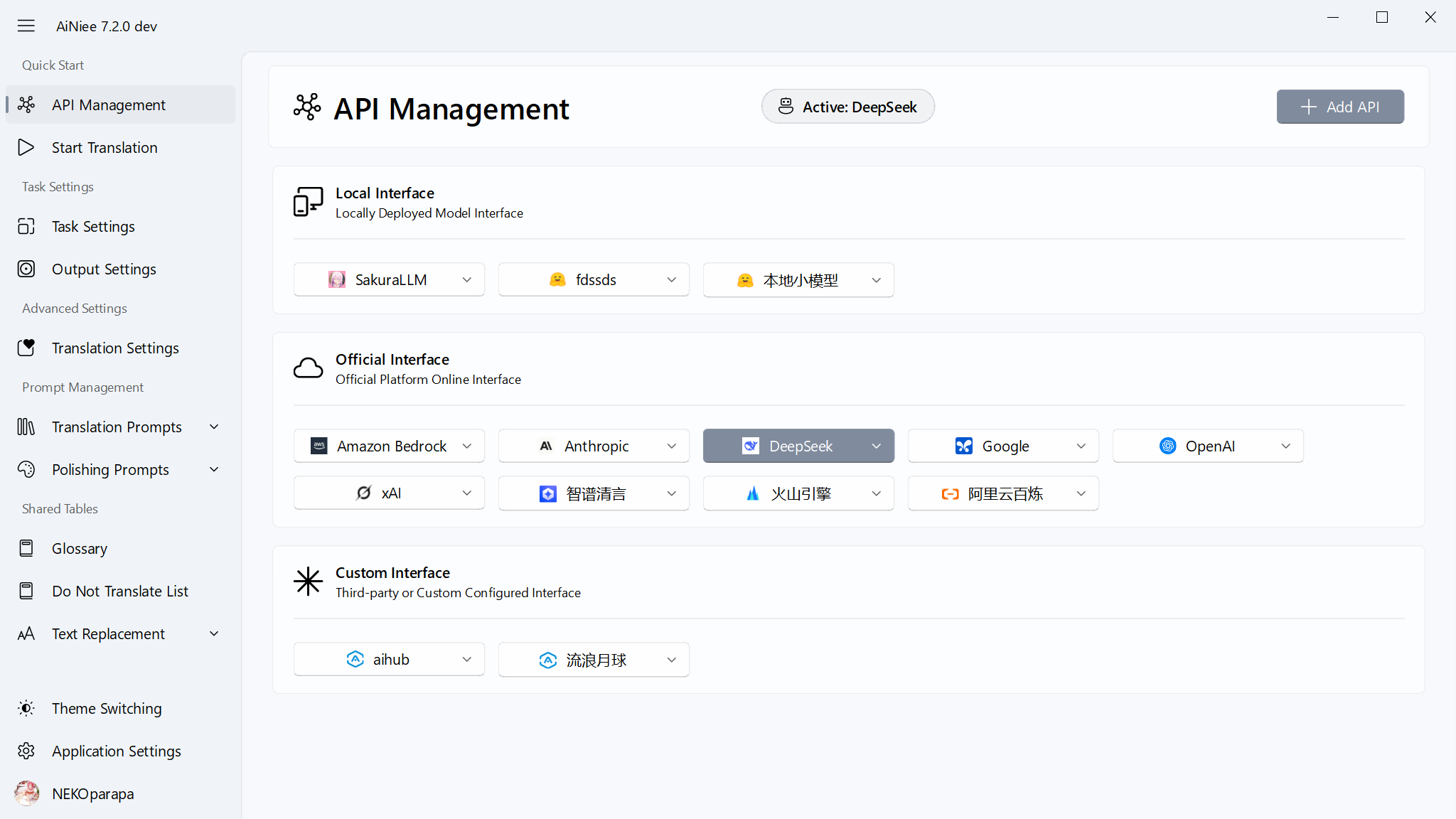
Step 1: Configure Interface
-
Online Interface: Paid but cost-effective, no GPU requirements, full language support, Interface Setup Guide - DeepSeek
-
Online Interface: Same as above, if DeepSeek official website is not accessible, you can use this alternative, Interface Setup Guide - Volcano Engine
-
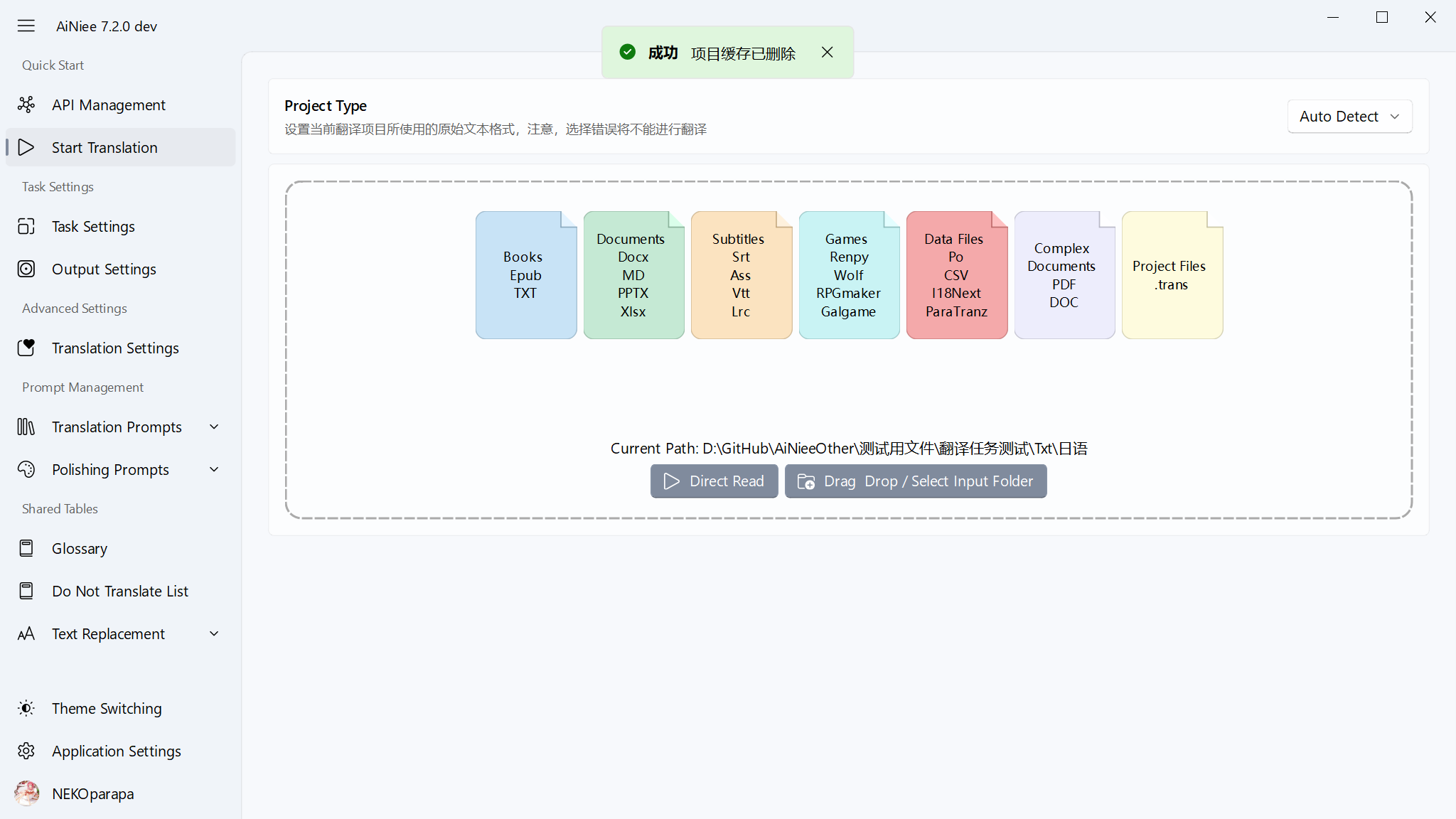
Step 2: Drag into the folder
-
Target Language: In the translation settings, change the target language to the one you need.
-
Input Folder: Place the original files in this folder; novels, subtitles, documents can be translated directly, games require text extraction tools
-
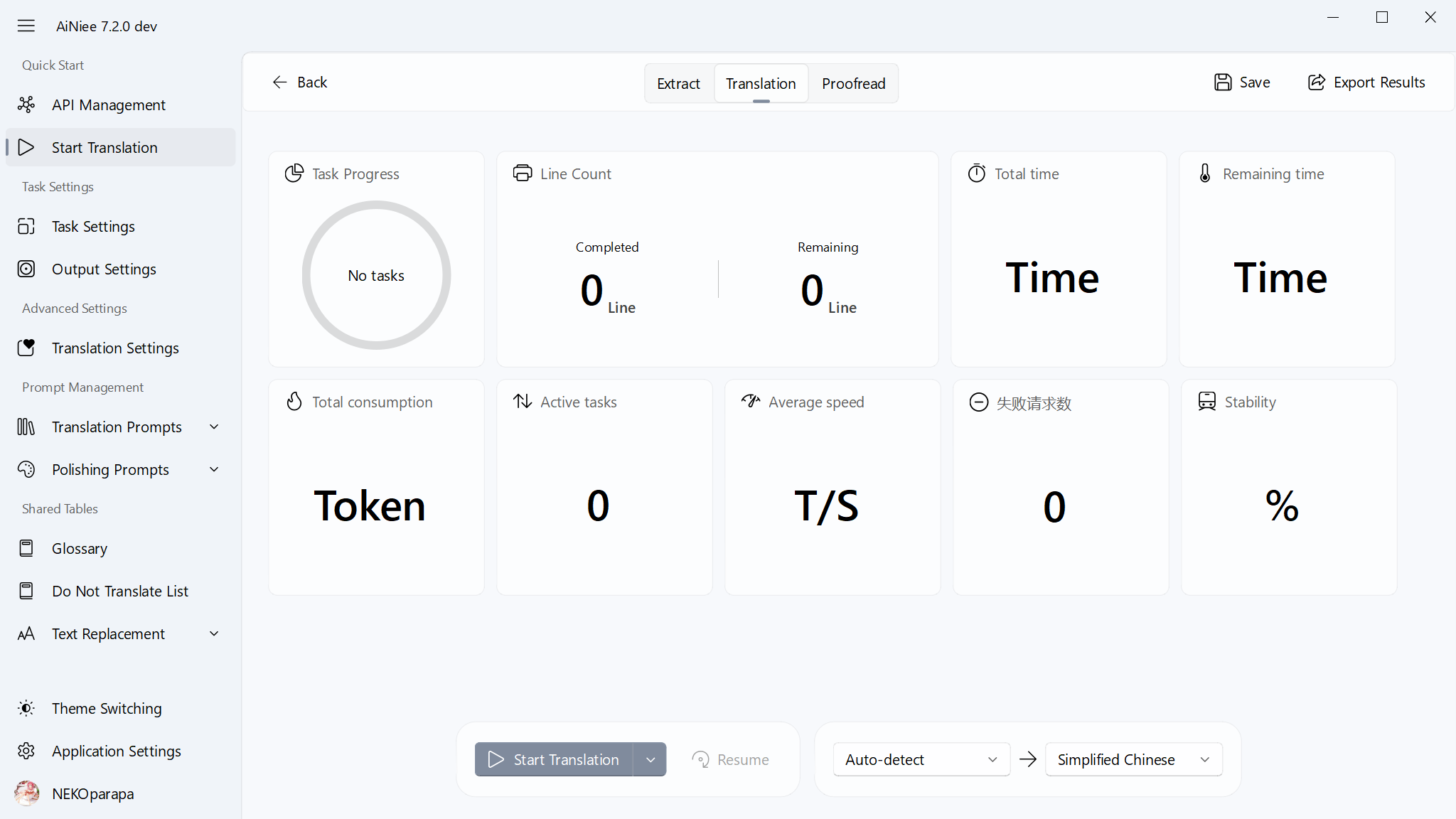
Step 3: Start Translation
-
Click the start button and wait for the task to complete.
Feature Description
Settings Description
Table Description
Other Notes
-
Multiple Key RotationIf you want to use multiple keys to distribute the load and speed up translation based on the number of keys, please use keys from the same account type. When inputting, add an English comma between each key, without line breaks. For example: key1,key2,key3
-
Batch File TranslationSimply place all files that need translation into the input folder. It also supports multi-folder structures.
-
Configuration MigrationConfiguration information is stored in
resource/config.json. When you download a new version, you can copy this file to theresourcefolder of the new version.
Contribution Guidelines
-
Improve or Add Supported Files: Requires some programming ability to pull the source code and make improvements. Specific file reading code is in the ModuleFolders\FileReader and FileOutputer folders. Reader-Writer System Development Guide. UI support is in UserInterface\Setting\ProjectSettingsPage. -
Improve the Regex Library: A comprehensive regex library will greatly help with in-game embedding work and benefit future game translation work and other translation users. The regex library is in the Resource\Regex folder -
Improve Interface Translation: The UI text for multilingual interfaces may not be translated accurately or appropriately. You can submit your modification suggestions or make changes directly. Localization text is in the Resource\Localization folder
Special Statement
AiNiee's continuous development and iteration to this day is due to ongoing personal research and development of key functional frameworks since the project's inception, user feedback and suggestions, and the joint efforts and creations of contributors through PRs. This is a process of continuous exploration, improvement, and joint construction over two years, which has formed AiNiee's relatively mature and complete AI translation system today. Please respect the open-source spirit while using and learning, attribute the source project, and don't forget to give the project a star.
This AI translation tool is for personal legal use only. Any direct or indirect illegal profit-making activities using this tool are not within the scope of authorization and are not supported or endorsed.
Community Groups: TG Group: https://t.me/+JVHbDSGo8SI2Njhl
Core symbols most depended-on inside this repo
traShape
Languages
Modules by API surface
Dependencies from manifests, versioned
For agents
$ claude mcp add AiNiee \
  -- python -m otcore.mcp_server <graph>