github.com/MudOnTire/antd-pro-page-tabs @v0.2.5
Chat with this repoWhat it actually does AI analysis from the code graph — generated when you open this
README
antd-pro-page-tabs
Page tabs component for umi or ant design pro projects. 🚴🏻
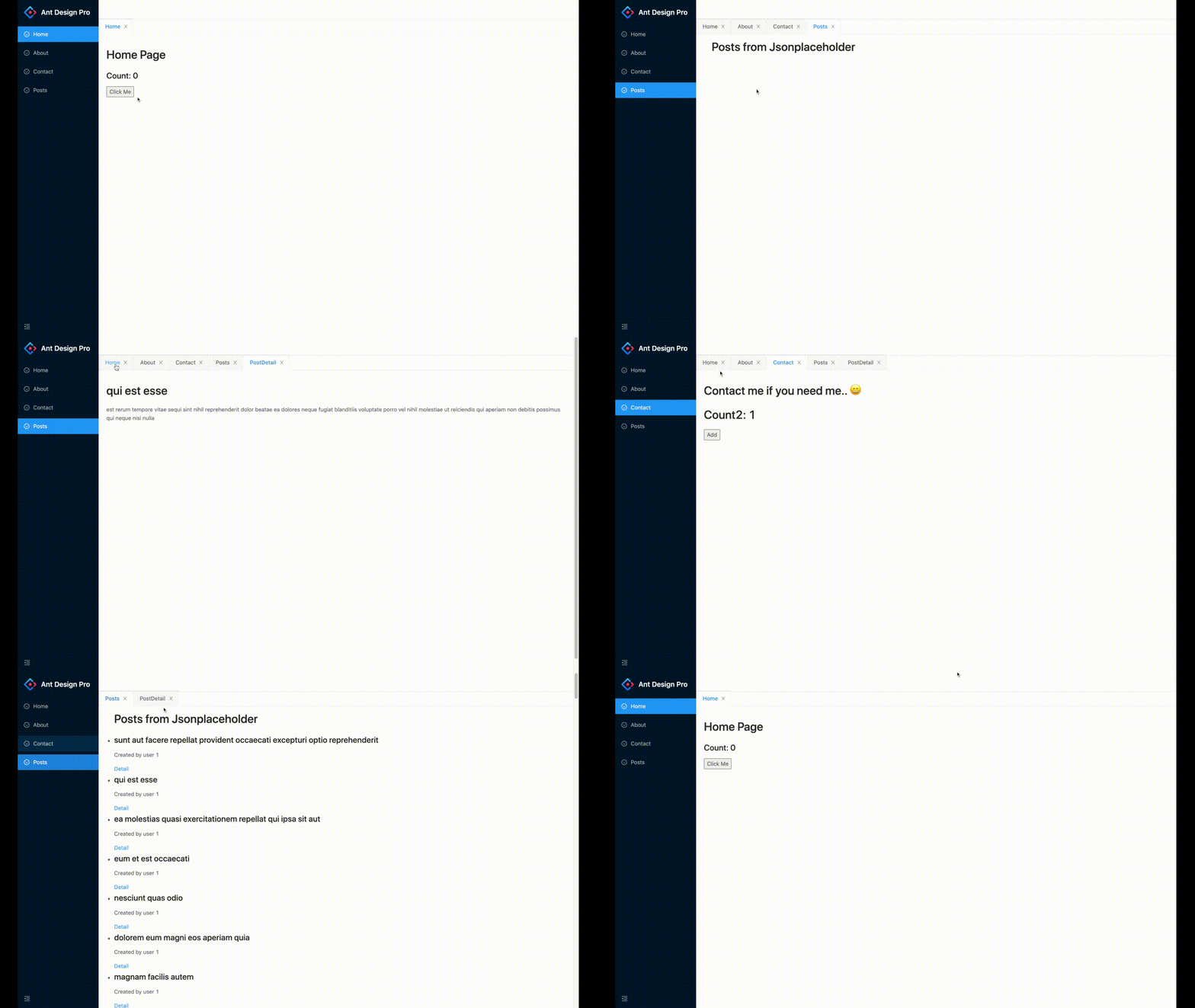
Demos
Features
-
Enable/disable opening pages in tab by setting
RouteWatcheror not -
Keep pages' states alive when switching between tabs
-
Close opened tabs by click
xbutton -
Tab and route is a one-to-one relationship, pages of different route will be in different tabs, different pages of same route (like news detail pages) will be in the same tab (new page replace the old)
-
If all tabs are closed, page of root route
'/'will be opened -
With right-click context menus to: 1. close target tab; 2. close tabs to the right; 3. close all tabs.
-
I18n support
Requirements
-
React >= 16.8.x (I use react hooks under the hood)
-
UmiJS >= 3.x
-
Ant Design >= 4
Usage
📦📦 Install
yarn add antd-pro-page-tabs
or
npm install antd-pro-page-tabs
🔧🔧 Setup
This project depends on umi's routing system and @umijs/plugin-layout
, all top level routes should be wrapped in a TabLayout, and pages need to be displayed in a Tab should be wrapped by a RouteWatcher in order to notify the library when that page open..
Since umi's config file only receive strings as route component's values, we can create two files in our project and import/export TabLayout and RouteWatcher from the library.
For example, we create TabLayout.tsx and RouteWatcher.tsx in src/components/PageTab:
TabLayout.tsx:
import { TabLayout } from 'antd-pro-page-tabs';

export default TabLayout;
To customize context menu labels, you can:
import React from 'react'
import { TabLayout } from 'antd-pro-page-tabs';

const contextMenuLabels = {
  closeTab: '关闭标签',
  closeRightTabs: '关闭右侧标签',
  closeAllTabs: '关闭所有标签'
}

export default (props: any) => {
  const { children } = props
  return (
    <TabLayout {...props} contextMenuLabels={contextMenuLabels} />
  )
}
And, here we go!

RouteWatcher.tsx
import { RouteWatcher } from 'antd-pro-page-tabs';

export default RouteWatcher;
🌍🌍 I18N
If your website need i18n, you can dynamically set a tabLocalName with its value set to a local version:
import React from 'react';
import { RouteWatcher } from 'antd-pro-page-tabs';
import { useIntl } from 'umi';

export default function (props: any) {
  const intl = useIntl();
  const { route } = props;
  if (route.tabLocalId) {
    route.tabLocalName = intl.formatMessage({ id: route.tabLocalId, defaultMessage: route.name });
  }
  return <RouteWatcher {...props} />
}
Next, we update the routing configuration of our project:
const RouteWatcher = '@/components/PageTab/RouteWatcher';

export default {
  ...
  // i18n support
  locale: {
    default: 'zh-CN',
    antd: true,
    baseNavigator: true,
    baseSeparator: '-',
  },
  routes: [
    {
      path: '/',
      component: '@/components/PageTab/TabLayout',
      flatMenu: true, // lift sub-routes up to top
      routes: [
        {
          name: 'Home',
          tabLocalId: 'menu.Home', // id for i18n
          icon: 'smile',
          path: '/home',
          component: '@/pages/home',
          wrappers: [RouteWatcher],
        },
        {
          name: 'About',
          tabLocalId: 'menu.About',
          icon: 'smile',
          path: '/about',
          component: '@/pages/about',
          wrappers: [RouteWatcher],
        },
        {
          name: 'Contact',
          tabLocalId: 'menu.Contact',
          icon: 'smile',
          path: '/contact',
          component: '@/pages/contact',
          wrappers: [RouteWatcher],
        }
      ],
    },
  ],
}
💥 Don't forget to set flatMenu of the root route to true, it will hide the root route menu and lift the sub-routes to the top level, and then menus will be created for them.
💎💎 How to use with BasicLayout?
If your projects use customized layouts such as BasicLayout instead of pro-layout directly,to use page tabs with these layouts we can simply wrap children with TabLayout component:
BasicLayout.js:
import { TabLayout } from 'antd-pro-page-tabs';

function BasicLayout(props){
  return (


      <TabLayout {...props}>
        {children}
      </TabLayout>


  )
}
You can find the full demo Here!
Todos
-
Add APIs to close specific tabs programmatically
-
Add APIs to enable customizing tab bar or tab styles
-
etc..
Any suggestion is welcomed. Enjoy! 🎈
Extension points exported contracts — how you extend this code
Core symbols most depended-on inside this repo
Shape
Languages
Modules by API surface
For agents
$ claude mcp add antd-pro-page-tabs \
  -- python -m otcore.mcp_server <graph>