hub / github.com/MontFerret/ferret
github.com/MontFerret/ferret @v1.0.0
5,398 symbols
17,167 edges
689 files
995 documented · 18%
README
Ferret
<a href="https://goreportcard.com/report/github.com/MontFerret/ferret">
    <img alt="Go Report Status" src="https://goreportcard.com/badge/github.com/MontFerret/ferret">
</a>
<a href="https://github.com/MontFerret/ferret/actions">
    <img alt="Build Status" src="https://github.com/MontFerret/ferret/workflows/build/badge.svg">
</a>
<a href="https://codecov.io/gh/MontFerret/ferret">
    <img src="https://codecov.io/gh/MontFerret/ferret/branch/master/graph/badge.svg" />
</a>
<a href="https://discord.gg/kzet32U">
    <img alt="Discord Chat" src="https://img.shields.io/discord/501533080880676864.svg">
</a>
<a href="https://t.me/montferret_chat">
    <img alt="Discord Chat" src="https://raw.githubusercontent.com/Patrolavia/telegram-badge/master/chat.svg">
</a>
<a href="https://github.com/MontFerret/ferret/releases">
    <img alt="Ferret release" src="https://img.shields.io/github/release/MontFerret/ferret.svg">
</a>
<a href="https://opensource.org/licenses/Apache-2.0">
    <img alt="Apache-2.0 License" src="http://img.shields.io/badge/license-Apache-brightgreen.svg">
</a>
<a href="https://www.montferret.dev/try" style="margin: 0 15px">
    <span>Try it!</span>
</a>
<a href="https://www.montferret.dev/docs/introduction" style="margin: 0 15px">
    <span>Docs</span>
</a>
<a href="https://github.com/MontFerret/cli" style="margin: 0 15px">
    <span>CLI</span>
</a>
<a href="https://github.com/MontFerret/lab" style="margin: 0 15px">
    <span>Test runner</span>
</a>
<a href="https://github.com/MontFerret/worker" style="margin: 0 15px">
    <span>Web worker</span>
</a>
What is it?
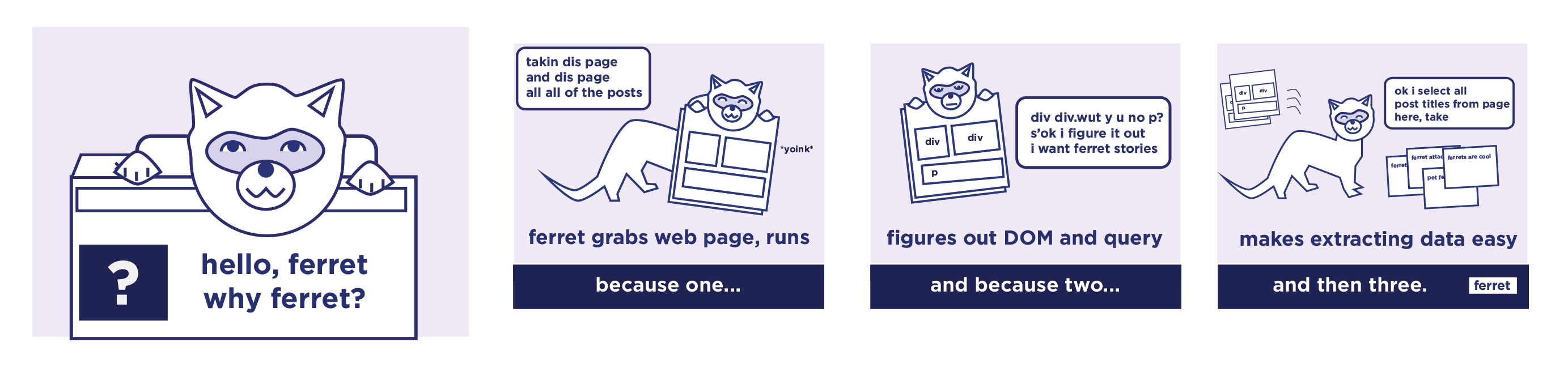
ferret is a web scraping system. It aims to simplify data extraction from the web for UI testing, machine learning, analytics and more.
ferret allows users to focus on the data. It abstracts away the technical details and complexity of underlying technologies using its own declarative language.
It is extremely portable, extensible, and fast.
Read the introductory blog post about Ferret here!
Features
- Declarative language
- Support of both static and dynamic web pages
- Embeddable
- Extensible
Installation
CLI
Install the Ferret CLI using Go:
go install github.com/MontFerret/cli/ferret@latest
Make sure your $GOPATH/bin is in your PATH.
As a Library
Add Ferret to your Go project:
go get github.com/MontFerret/ferret
Documentation
Documentation is available at our website.
Different languages
- Ferret for python. Pyfer
Contributors
Extension points exported contracts — how you extend this code
Source (Interface)Source represents a custom source of system events [6 implementers]
pkg/drivers/cdp/events/source.go
Measurable (Interface)
Measurable represents an interface of a value that can has length. [12 implementers]
pkg/runtime/collections/collection.go
IProgramContext (Interface)
IProgramContext is an interface to support dynamic dispatch. [1 implementers]
pkg/parser/fql/fql_parser.go
Option (FuncType)
(no doc)
options.go
Option (FuncType)
(no doc)
pkg/compiler/options.go
AssertionFn (FuncType)
(no doc)
pkg/stdlib/testing/base/assertion.go
HTMLNode (Interface)
HTMLNode is an interface from which a number of DOM API object types inherit. It allows those types to be treated simila [4 …
pkg/drivers/value.go
Value (Interface)
Value represents an interface of any type that needs to be used during runtime [23 implementers]
pkg/runtime/core/value.go
Core symbols most depended-on inside this repo
NewIntcalled by 1539
pkg/runtime/values/int.go
NewString
called by 735
pkg/runtime/values/string.go
String
called by 403
pkg/runtime/core/type.go
Unwrap
called by 345
pkg/runtime/core/value.go
New
called by 314
pkg/compiler/compiler.go
Run
called by 299
pkg/runtime/program.go
NewObjectProperty
called by 284
pkg/runtime/values/object.go
NewArrayWith
called by 283
pkg/runtime/values/array.go
Shape
Languages
Go89%
TypeScript11%
Modules by API surface
pkg/parser/fql/fql_parser.go1,741 symbols
e2e/pages/static/assets/docsearch.min.js218 symbols
e2e/pages/static/assets/analytics.js154 symbols
pkg/parser/fql/fqlparser_base_listener.go149 symbols
pkg/parser/fql/fqlparser_listener.go145 symbols
pkg/drivers/value.go95 symbols
pkg/drivers/http/element.go82 symbols
pkg/drivers/cdp/dom/element.go79 symbols
e2e/pages/static/assets/jquery-3.3.1.slim.min.js78 symbols
pkg/parser/fql/fqlparser_visitor.go73 symbols
pkg/parser/fql/fqlparser_base_visitor.go73 symbols
pkg/compiler/visitor.go53 symbols
Dependencies from manifests, versioned
github.com/PuerkitoBio/goqueryv1.10.3 · 1×
github.com/andybalholm/cascadiav1.3.3 · 1×
github.com/antchfx/htmlqueryv1.3.4 · 1×
github.com/antchfx/xpathv1.3.4 · 1×
github.com/antlr4-go/antlr/v4v4.13.1 · 1×
github.com/corpix/uarandv0.2.0 · 1×
github.com/davecgh/go-spewv1.1.1 · 1×
github.com/gobwas/globv0.2.3 · 1×
github.com/golang/groupcachev0.0.0-2021033122475 · 1×
github.com/gopherjs/gopherjsv1.17.2 · 1×
github.com/gorilla/cssv1.0.1 · 1×
github.com/gorilla/websocketv1.5.3 · 1×
For agents
$ claude mcp add ferret \
  -- python -m otcore.mcp_server <graph>