github.com/MomenSherif/react-oauth @v0.3.1
Chat with this repoWhat it actually does AI analysis from the code graph — generated when you open this
README
React OAuth2 | Google
Google OAuth2 using the new Google Identity Services SDK for React @react-oauth/google🚀
Install
$ npm install @react-oauth/google@latest

# or

$ yarn add @react-oauth/google@latest
Playground
Seamless sign-in and sign-up flows
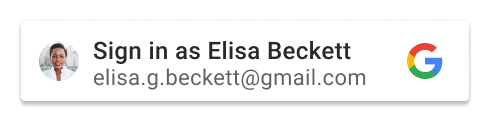
Sign In With Google
Add a personalized and customizable sign-up or sign-in button to your website.
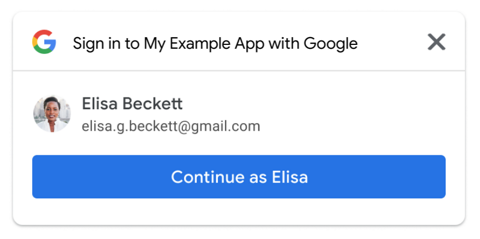
One-tap sign-up
Sign up new users with just one tap, without interrupting them with a sign-up screen. Users get a secure, token-based, passwordless account on your site, protected by their Google Account.
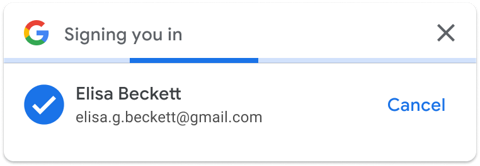
Automatic sign-in
Sign users in automatically when they return to your site on any device or browser, even after their session expires.
User authorization for Google APIs (with custom button)
OAuth 2.0 implicit and authorization code flows for web apps
The Google Identity Services JavaScript library helps you to quickly and safely obtain access tokens necessary to call Google APIs. Your web application, complete either the OAuth 2.0 implicit flow, or to initiate the authorization code flow which then finishes on your backend platform.
How to use
- Get your Google API client ID
Key Point: Add both
http://localhostandhttp://localhost:<port_number>to the Authorized JavaScript origins box for local tests or development.
-
Configure your OAuth Consent Screen
-
Wrap your application with
GoogleOAuthProvider
import { GoogleOAuthProvider } from '@react-oauth/google';

<GoogleOAuthProvider clientId="<your_client_id>">...</GoogleOAuthProvider>;
Sign In With Google
import { GoogleLogin } from '@react-oauth/google';

<GoogleLogin
  onSuccess={credentialResponse => {
    console.log(credentialResponse);
  }}
  onError={() => {
    console.log('Login Failed');
  }}
/>;
One-tap
import { useGoogleOneTapLogin } from '@react-oauth/google';

useGoogleOneTapLogin({
    onSuccess: credentialResponse => {
        console.log(credentialResponse);
    },
    onError={() => {
        console.log('Login Failed')
    }}
});
or
import { GoogleLogin } from '@react-oauth/google';

<GoogleLogin
  onSuccess={credentialResponse => {
    console.log(credentialResponse);
  }}
  onError={() => {
    console.log('Login Failed');
  }}
  useOneTap
/>;
If you are using one tap login, when logging user out consider this issue may happen, to prevent it call
googleLogoutwhen logging user out from your application.
import { googleLogout } from '@react-oauth/google';

googleLogout();
Automatic sign-in
auto_selectproptrue
<GoogleLogin
    ...
    auto_select
/>

useGoogleOneTapLogin({
    ...
    auto_select
});
Custom login button (implicit & authorizaion code flow)
Implicit flow
import { useGoogleLogin } from '@react-oauth/google';

const login = useGoogleLogin({
  onSuccess: tokenResponse => console.log(tokenResponse),
});

<MyCustomButton onClick={() => login()}>
  Sign in with Google 🚀{' '}
</MyCustomButton>;
Authorization code flow
Requires backend to exchange code with access and refresh token.
import { useGoogleLogin } from '@react-oauth/google';

const login = useGoogleLogin({
  onSuccess: codeResponse => console.log(codeResponse),
  flow: 'auth-code',
});

<MyCustomButton onClick={() => login()}>
  Sign in with Google 🚀{' '}
</MyCustomButton>;
Checks if the user granted all the specified scope or scopes
import { hasGrantedAllScopesGoogle } from '@react-oauth/google';

const hasAccess = hasGrantedAllScopesGoogle(
  tokenResponse,
  'google-scope-1',
  'google-scope-2',
);
Checks if the user granted any of the specified scope or scopes
import { hasGrantedAnyScopeGoogle } from '@react-oauth/google';

const hasAccess = hasGrantedAnyScopeGoogle(
  tokenResponse,
  'google-scope-1',
  'google-scope-2',
);
API
GoogleOAuthProvider
| Required | Prop | Type | Description |
|---|---|---|---|
| ✓ | clientId | string |
Google API client ID |
| onScriptLoadSuccess | function |
Callback fires on load gsi script success | |
| onScriptLoadError | function |
Callback fires on load gsi script failure |
GoogleLogin
| Required | Prop | Type | Description |
|---|---|---|---|
| ✓ | onSuccess | (response: CredentialResponse) => void |
Callback fires with credential response after successfully login |
| onError | function |
Callback fires after login failure | |
| type | standard | icon |
Button type type | |
| theme | outline | filled_blue | filled_black |
Button theme | |
| size | large | medium | small |
Button size | |
| text | signin_with | signup_with | continue_with | signin |
Button text. For example, "Sign in with Google", "Sign up with Google" or "Sign in" | |
| shape | rectangular | pill | circle | square |
Button shape | |
| logo_alignment | left | center |
Google logo alignment | |
| width | string |
button width, in pixels | |
| locale | string |
If set, then the button language is rendered | |
| useOneTap | boolean |
Activate One-tap sign-up or not | |
| promptMomentNotification | (notification: PromptMomentNotification) => void |
PromptMomentNotification methods and description | |
| cancel_on_tap_outside | boolean |
Controls whether to cancel the prompt if the user clicks outside of the prompt | |
| auto_select | boolean |
Enables automatic selection on Google One Tap | |
| ux_mode | popup | redirect |
The Sign In With Google button UX flow | |
| login_uri | string |
The URL of your login endpoint | |
| native_login_uri | string |
The URL of your password credential handler endpoint | |
| native_callback | (response: { id: string; password: string }) => void |
The JavaScript password credential handler function name | |
| prompt_parent_id | string |
The DOM ID of the One Tap prompt container element | |
| nonce | string |
A random string for ID tokens | |
| context | signin | signup | use |
The title and words |
Extension points exported contracts — how you extend this code
GoogleOAuthContextProps (Interface)Core symbols most depended-on inside this repo
useGoogleOAuthShape
Languages
Modules by API surface
For agents
$ claude mcp add react-oauth \
  -- python -m otcore.mcp_server <graph>