github.com/Matrix86/flowdownloader @v1.1.6
Chat with this repoWhat it actually does AI analysis from the code graph — generated when you open this
README
Flowdownloader 

Flowdownloader allows you to download video from a server that uses the HLS (Http Live Streaming) protocol to get and play the streaming.
For example it can download the video showed by FlowPlayer or JW Player.
How it works
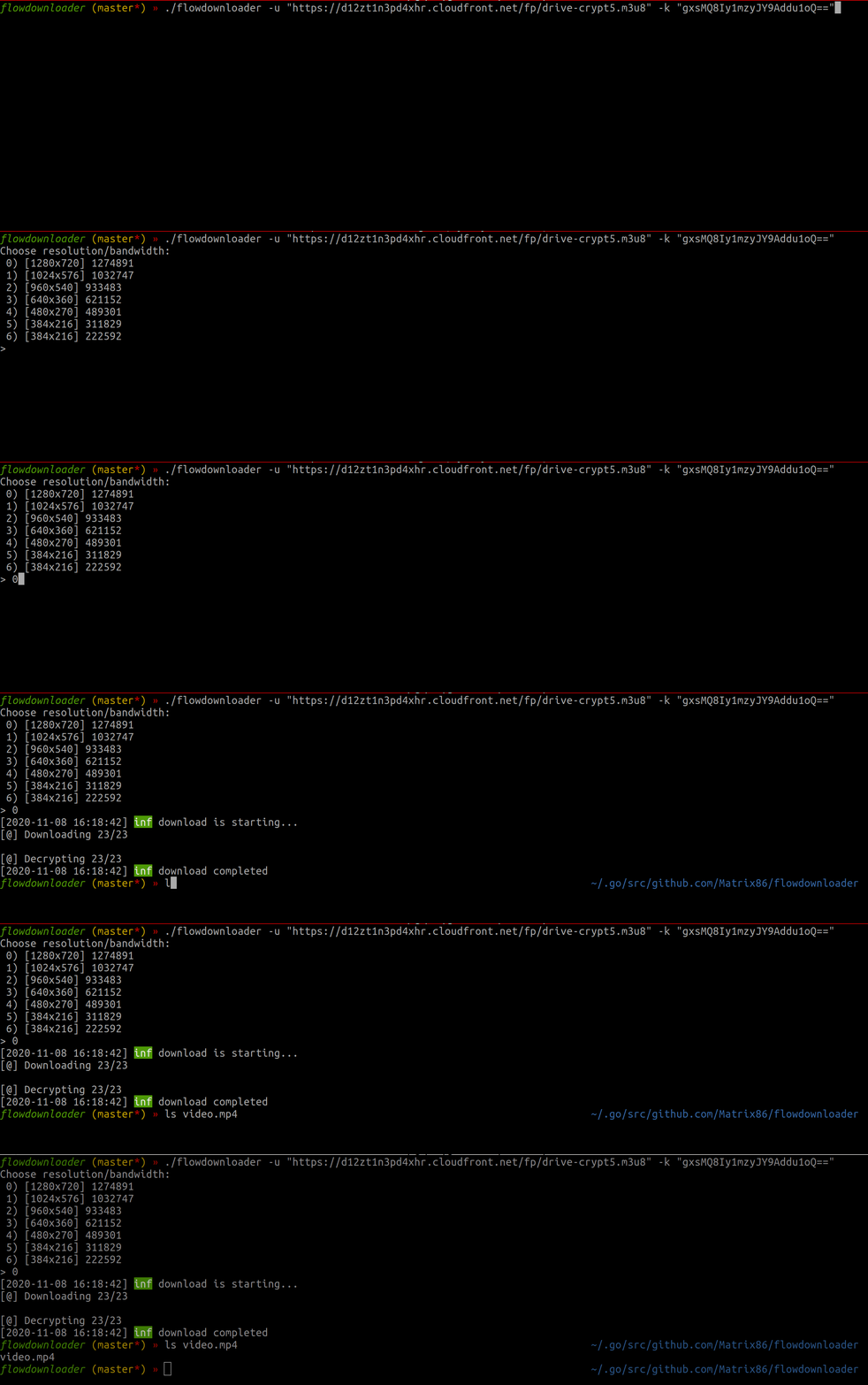
You need to find the URL of the main index file with extension m3u8 and pass it to the tool with the flag -u. You can easily find it using the web inspector of your browser.
Sometimes the server need authentication or has some check like the referer. In this case you can specify the cookies or the referer that flowdownloader should use in the requests.
Note: you can export the cookies using a tool like EditThisCookie
If the video segments are encrypted, you have to find the decription key. The key can be embedded in the player tag, or downloaded from a URL.
You can pass it to the flowdownloader through the parameter -k, specifying a URL or a string encoded with base64.
These info can be found with the network tab of the web inspector, searching for m3u8 url, and key files.
Installation
To compile and install the tool you need a configured Go installation and launch:
go get -u github.com/Matrix86/flowdownloader/…
A Dockerfile is also present. You can use it to create your build or download it with:
docker pull matrix86/flowdownloader
Usage
Usage of ./flowdownloader:
  -c string
        File with authentication cookies.
  -debug
        Enable debug logs.
  -k string
        AES key (base64 encoded or http url)
  -o string
        Output File (default "video.mp4")
  -r string
        Set the http referer.
  -s    If true the url used on -u parameter will be considered as the secondary index url.
  -u string
        Url master m3u8
  -w int
        Number of workers to download the segments (default 4)
Chrome extension
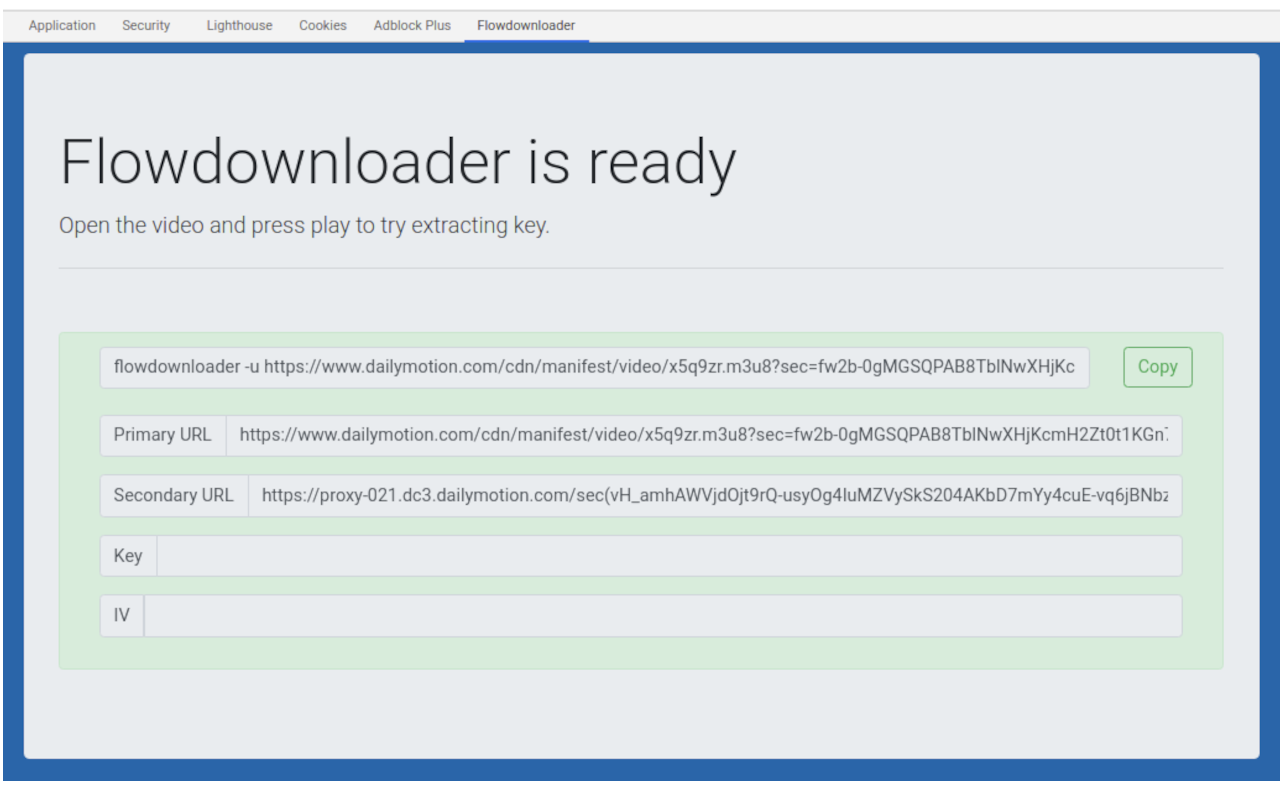
Using the Chrome extension is it possible to extract key and URL directly from the browser.
Once installed you'll find a new tab
in the webinspector called "Flowdownloader".
Open the page with the video, open the WebInspector and go to the Flowdownloader tab. Press play on the video and enjoy :)
Link to the Chrome Store here
Extension points exported contracts — how you extend this code
Callback (FuncType)Core symbols most depended-on inside this repo
renderCommandShape
Languages
Modules by API surface
For agents
$ claude mcp add flowdownloader \
  -- python -m otcore.mcp_server <graph>