github.com/ManuelPeinado/ImageLayout @parent-1.0.4
Chat with this repoWhat it actually does AI analysis from the code graph — generated when you open this
README
ImageLayout
A layout that arranges its children in relation to a background image. The layout of each child is specified in image coordinates (pixels), and the conversion to screen coordinates is performed automatically.
The background image is adjusted so that it fills the available space.
For some applications this might be a useful replacement for the now deprecated AbsoluteLayout.
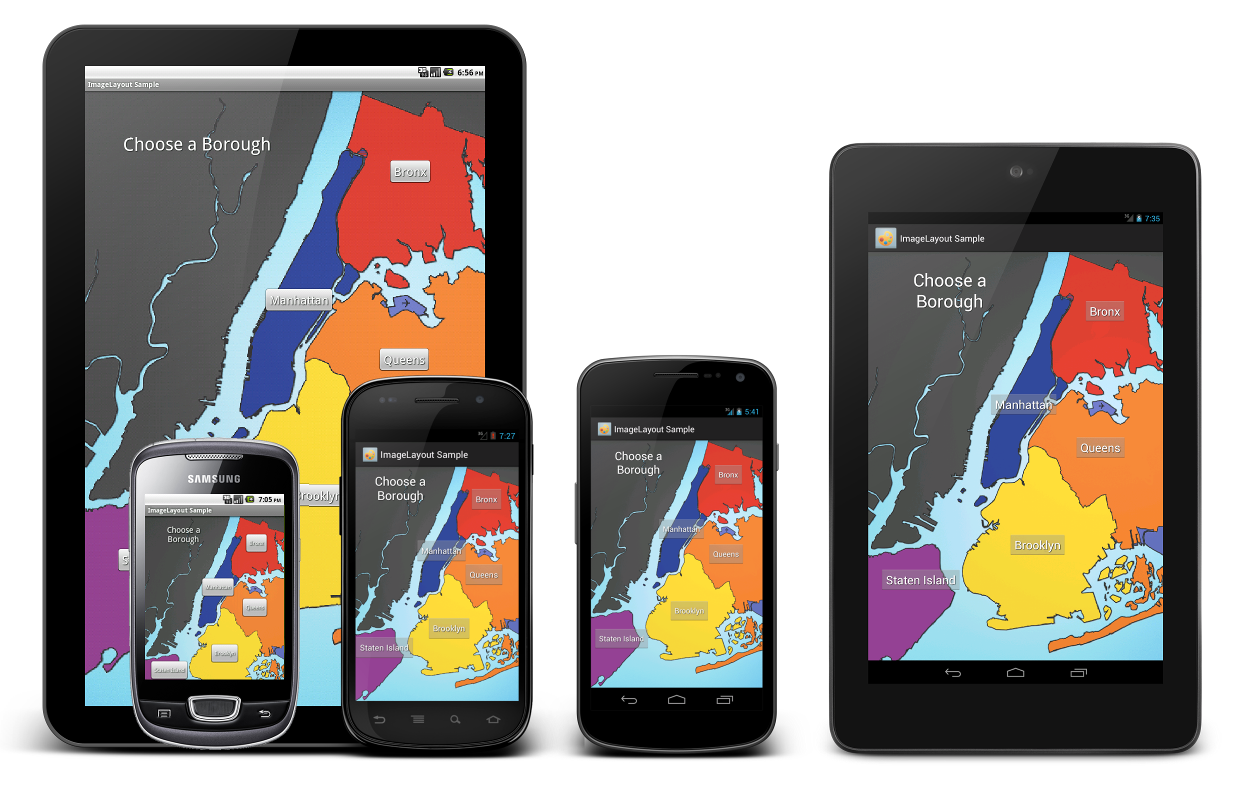
Try out the sample application:

Or browse the source code of the sample application for a complete example of use.
Including in your project
If you’re using Eclipse with the ADT plugin you can include ImageLayout as a library project. Just create a new Android project in Eclipse using the library/ folder as the existing source, and add a reference to it to your application project.
If you use maven to build your Android project you can simply add a dependency for this library.
<dependency>
    <groupId>com.github.manuelpeinado.imagelayout</groupId>
    <artifactId>library</artifactId>
    <version>1.0.4</version>
    <type>apklib</type>
</dependency>
Usage
Adding to your layout
Add an element named com.manuelpeinado.imagelayout.ImageLayout to your XML layout. This element should have the following attributes:
| Attribute | Description |
|---|---|
| custom:image | The drawable to be used as the background for the view. |
| custom:imageWidth |
custom:imageHeight | The dimensions of the image in which the layout coordinates of the children are expressed. |
In addition, you can use the following optional attributes:
| Attribute | Description |
|---|---|
| custom:fit | Determines how the background image is drawn. Accepted values are vertical, horizontal, both and auto (the default). Check the "Fit attribute" sample in the demo application to see these different modes in action. |
Adding children
You can add child views to your ImageLayout just like you would to any other ViewGroup. But instead of using the android:layout_width and android:layout_height attributes to control the layout of children, you should use the following:
| Attribute | Description |
|---|---|
| custom:layout_width |
custom:layout_height | Similar to android:layout_width/height, but expressed in image coordinates | |custom:layout_maxWidth
custom:layout_maxHeight| Similar to android:layout_maxWidth/maxHeight, but expressed in image coordinates. | | custom:layout_centerX
custom:layout_centerY|Center of the child view, in image coordinates.| |custom:layout_left
custom:layout_top
custom:layout_right
custom:layout_bottom|Bounds of the child view, in image coordinates.|
Note that depending of your application you will use a different combination of these attributes. You might for example specify a value for custom:right in order to align the right side of your view with a given feature of the image, and custom:centerY to align the same view vertically with another feature.
Also note that the size-related attributes such as custom:layout_width are not mandatory. If you don't specify any of them for a given dimension, the view is measured in the traditional "wrap content" fashion.
View size adjustment
You can have your ImageLayout fill its parent by specifying match_parent in both its android:layout_width and android:layout_height attributes. But, since the aspect ratio of the image will typically differ from the aspect of ratio of the parent view, this will result in a waste of screen real state in the form of blank margins around the image.
To prevent this, simply use wrap_content in either android:layout_width or android:layout_height. This will cause the ImageLayout to adopt a size which matches the aspect ratio of its image.
Please note that the result of using wrap_content for both android:layout_width and android:layout_height is unspecified.
Who's using it
Does your app use ImageLayout? If you want to be featured on this list drop me a line.
Developed By
Manuel Peinado Gallego - manuel.peinado@gmail.com


License
Copyright 2013 Manuel Peinado

Licensed under the Apache License, Version 2.0 (the "License");
you may not use this file except in compliance with the License.
You may obtain a copy of the License at

   http://www.apache.org/licenses/LICENSE-2.0

Unless required by applicable law or agreed to in writing, software
distributed under the License is distributed on an "AS IS" BASIS,
WITHOUT WARRANTIES OR CONDITIONS OF ANY KIND, either express or implied.
See the License for the specific language governing permissions and
limitations under the License.
Core symbols most depended-on inside this repo
setFitModeShape
Languages
Modules by API surface
For agents
$ claude mcp add ImageLayout \
  -- python -m otcore.mcp_server <graph>