github.com/Maddious/RiTA-DiscordBot @main
Chat with this repoBrowse by type
What it actually does AI analysis from the code graph — generated when you open this
README

Rita
Breaking the language barrier for free.






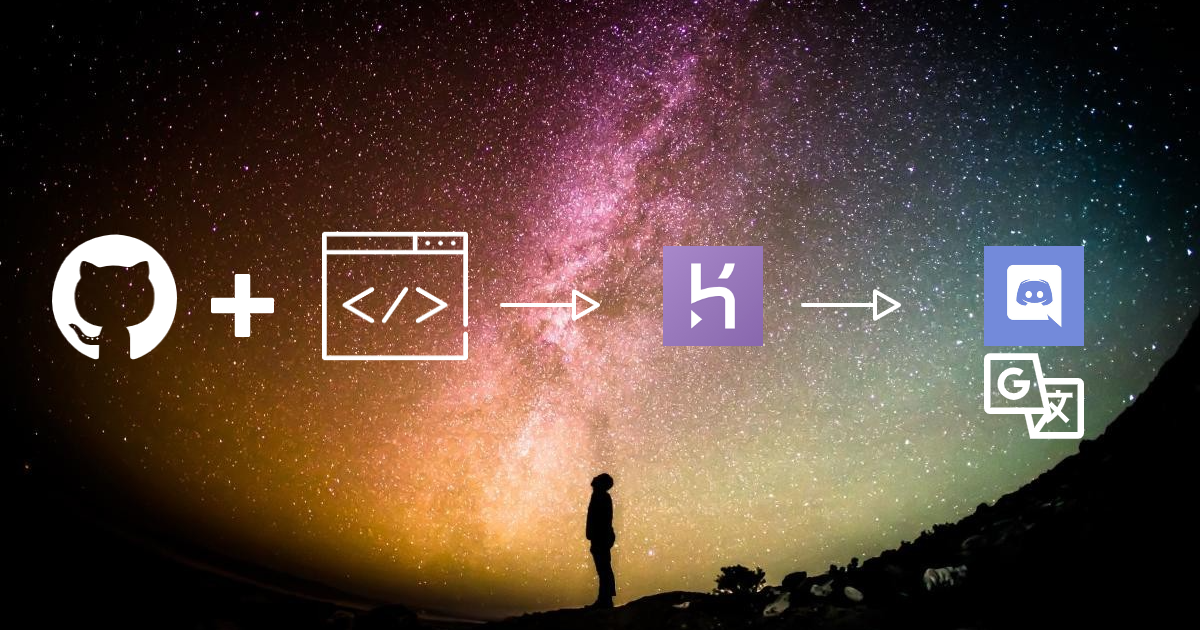
An open-source, free Discord Translator Bot built using google-translate-api and Discord.js.
If you like what we are doing, please star our repo using the top-right star icon
:book: Table of Contents
Please note some of these links direct you towards our website
Click to expand contents
- Setting up Rita
- Setting up Rita locally
- How to Update your Bot
- Coming Soon
- Heroku Database Support
- Setup on a Raspberry Pi
- Whats New with Rita
- Features
- Usage
- How to Update your Database Manually
- C-3PO to RITA Bot Migration
- Webhook Log Setup
- Common Issues
- Command Wiki
:computer: Setting up Rita Translator on Heroku

1. Fork this repository.
- If you don't yet have a Github account, create one! It's free and easy.
-
Click here or use the button in the upper righthand side of this page to fork the repository so that it will be associated with your Github account.
-
Please star our project if you like it using the top-right Star icon. Every star helps us!

2. Create a new Discord Application in the Discord Developer Portal
- Give app a friendly name and click the Create App button
- I like the name C-3PO, but feel free to pick something different if you fear George Lucas's wrath. Maybe C-4PO
- Take note of the app CLIENT ID, you will need it later
- Scroll down to the Bot section
- Click the Create a Bot User button
- Click the Yes, do it! button
- Copy the bot's TOKEN, you will need it later
3. Create a Heroku account (It's free!)
- Create a new app. It's name must be unique and composed of all lowercase letters and dashes. Something like
yourname-discordbotis fine - Under Deployment Method select Github. Connect to your Github account and search for this repository by name.
-
Scroll down to the manual deploy section, and select the Master branch. Click deploy branch, and wait for the successfully deployed message.
-
Go to the Resources tab and look for the addons section. Search 'Postgres', and add a 'Hobby Dev - Free' version of Heroku Postgres. This will be automatically attached as your bot's database.
- Go to the Settings tab. Click to reveal Config Variables, then add then add the following:
- KEY: = DISCORD_TOKEN
- Value: = Your discord bot's token that you copied earlier.
- KEY: = NODE_MODULES_CACHE
- Value: = false
- This is to ensure that when the bot updates it does not use any old Dependencies that Heroku has stored and gets fresh ones from the package.json file
- Go to the Overview tab and click configure dynos. Turn off the default
web npm startdyno and turn on theworker node src/bot.jsdyno. Your bot will now be up and running!
Make sure that you have added the Heroku Postgres Addon in the Resources Tab of Heroku or else your bot shall not run!
- If you have any issues running your bot join our Discord Server
4. Invite your bot to your server and configure it!
-
Replace the CLIENTID string in the following URL with your own apps client id from Step 2:
- https://discordapp.com/oauth2/authorize?&client_id=CLIENTID&scope=bot&permissions=8
-
Visit the resulting URL and add your bot to any server where you have admin privileges.
-
Once added, your bot should show up as online, now go back to Heroku and go to the "Deploy" section, scroll down to "Manual Deploy" and deploy the master branch. Once finished deploying type in
!t settings dbfix,!t settings updatedband!t embed onor!t embed offin chat and you are good to go!- Your bot is now setup and ready for any translation you have for it to do. Use the commands
!t helpand!t help modulesto learn more about the commands Rita has!
- Your bot is now setup and ready for any translation you have for it to do. Use the commands
-
Important Note
- The
!t embedcommand is changeable whenever you like. It simply decides wether you would like translations to be sent as Webhooks (more user-like, profile picture) or embed (bot sends message with anembed message contintaining user profile picture.)
:floppy_disk: How to Update to Stable Branch on Heroku
1. Checklist
- You must have a bot already running on your server, if not then refer to Setting up a New Bot
2. Make a Pull Request to your Fork from this Repo
- Complete a Pull Request from the master Branch of ZyC0R3/Rita to your master branch.
- Detailed instructions with example can be found here
3. Deploy Updated Fork in Heroku
- Log in to your Heroku account.
- Select the bot you made in Step 3 of Setting up a New Bot
- Under Deployment Method make sure you have Github selected, ensure Connect to GitHub has the correct repository selected, Scroll down to the "Manual deploY" section, and select the master branch. Click deploy branch, and wait for the successfully deployed message.
4. Updating Database
- Once the bot has been deployed with the successfully updated fork you will need to update the database using some commands.
- Run the following commands in order
!t settings updatedb!t settings dbfix!t embed onor!t embed off(value of the translation style)
:desktop_computer: Running Rita Locally
The bot can also be run locally on a device. The local setup requires more steps since the database needs to be setup and the development tools need be installed. Please note that for the bot to continue running 24/7, the process of node src/bot.js should always remain online and thus your PC/hosting device must remain online too
1. Create a local database
Any Database that runs with SQL Sequelize can be used. My recommendation is to use the SQL Lite database since the setup is fast and access is easy. Copy the connection details to the database for the next step. Example: The connection to a sqlite database with the name database.db stored at the same level of this README file would be ./database.db.
2. Install necessary software
Install node.js and make sure you have Git and npm installed
4. Install the bot
- Run
git clone https://github.com/Zyc0r3/RitaBot - Download dependencies using
npm install
5. Create a new .env File
Rename the existing .env.example file and name it .env. Edit the Values of DISCORD_TOKEN, and the DATABASE_URL according to the values that you in Step 2 of "Setting Up a New Bot" .
* DATABASE_URL needs to be the path to the database file (if you set DATABASE_URL to any of these values: ./database.db, C:/FOLDER/ok.db, ../random.db they will all work because they lead to a directory in which SQLite then creates the .db file )
* Example - DATABASE_URL = C:\Admin\Rita_Development\test.db
5. Invite your bot to your server and configure it!
- Replace the CLIENTID string in the following URL with your own apps client id: https://discordapp.com/oauth2/authorize?&client_id=CLIENTID&scope=bot&permissions=8
-
Visit the resulting URL and add your bot to any server where you have admin privileges.
-
Once added, your bot should show up as online. However, the first deploy is always broken so you have to turn it off and deploy the bot again.
- When you first run it restart/deploy the bot once(again) and then type in chat the following commands:
!t settings dbfix!t settings updatedb!t embed onor!t embed off
- Your bot is now setup and ready for any translation you have for it to do. Use the commands
!t helpand!t help modulesto learn more about the commands Rita has!
:bulb: Coming Soon!
- Error Message Support Section.
- Auto Reverse translation for the auto function.
!t tasks #TargetChannelImplementation.- Introduction of a Streamlined Command Handler. (This will be done as a New Project)
- Update to Discord.js V12 (V1.3.0)
- Allow Bot Translation (V1.3.0)
- Webhooks (
!t embed offversion) using Nickname instead of Username (1.3.0) - Check what language translation requests are orignally in to stop unnecessary translations and to make automatic-same channel translation ethical (1.3.0)
- Discord slash commands introduction
:clap: Supporters
:star_struck: Credits & License
This project was originally released by Aziz under the MIT license. He chose to take the project private/commercial at version 0.4.2 Beta. Bobby Johnson forked the project and renamed it Louie after his dog. AlooAkbar forked Louie and added the necessary modifications for simple and free deployment of the bot using Heroku. ZyC0R3 Picked up the fork and as part of a team fixed over 200 errors and brought it in to the modern age, All would like to thank Aziz for his hard work and making these early versions OSS so that others may learn and build on his hard work to share with the community.
:sunglasses: Design Team
- Zycore / ZyC0R3
- Artanis / ArtanisTheOne
- Balthazar / Jshep89
- Z3US / cyberlooper
- Maddious / MadIndex
- defqon.1 / wdaniel1985
:yum: What is Rita and who are we?
Rita is the culmination of many things, it started with a mobile game, a community of gamers, a discord server of different languages and a desire to all be understood. She is a Real-Time Translator Bot for use on Discord, Hosted using Heroku and Local Devices and Completly 100% Free. She is maintained by a small group of users, each with different backgrounds and some learning as we go.
:world_map: Why did you make Rita?
The mobile game itself would get old, fast. The community around it, however, is what kept us going. The one downside was we didn't all speak the same language. The game we played translated our conversations for us but Discord didn't, so the server admins used a translation bot called C-3P0. This introduction is the start of the story.
:rocket: The history of Rita?
There are loads of different translation bots out there, some are amazing, some are expensive, some are free but have limits, and others are just rubbish. C-3P0 checked all these boxes.
*Originally called discord-translator and made by Aziz, then forked By NotMyself and renamed Louie, forked again By AlooAkbar and renamed C-3P0, its code was neglected
Core symbols most depended-on inside this repo
Shape
Languages
Modules by API surface
For agents
$ claude mcp add RiTA-DiscordBot \
  -- python -m otcore.mcp_server <graph>