github.com/LouisYLWang/Sync-Sofa @1.0.6
Chat with this repoWhat it actually does AI analysis from the code graph — generated when you open this
README
Sync Sofa - streaming video playback synchronizer extension
This chrome extension allows multi-user sync streaming video in a fast, simple and stable way.

Sync Sofa is a full stack web extension support a easy-to-use and stable way to synchronize streaming playback for multiple users. It can improve the experience when users from different locations want to share a video/movie remotely. Currently, the feartures include:
- 2 party connection: either party can be the host of a sync room and the other can join with connection code.
- sync pause/play: each user pause/play the video, the other side will do the same
- sync play process bar control: the playing time change will also affect other side user
- out-of-sync notification: if any party disconnected/left the room, the other user will be notified.
- Sync Sofa - streaming video playback synchronizer extension
- Supported list
- Installation
- Setting
- Usage
- VLC support
- Self-hosting Guide
- Release History
- Meta
- Contributing
Supported list
- Iqiyi
- Youku
- Tencent Cloud
- Tencent Video
- YouTube
- Mango TV
- Local mp4 file via Browser
- Local video file via VLC media player
Installation
Google Chrome
Install from Chrome Web Store
- Open Sync Sofa - Online Video Synchronizer - Chrome Web Store in your Chrome
- Click
Add to Chromebutton - Choose
Add extension
Install from local .crx file
- Open Github release page
- Download
sync_sofa.[version].crx, [version] is the number of the latest version - Open
chrome://extensions/in your Chrome - Turn on
Developer mode(in the top right corner) - Drag
sync_sofa.[version].crxinto thechrome://extensions/page - Choose
Add extension
Notices: If the extension is disabled by Chrome, try Install from chrome web store or Install from unpackaged folder.
This extension is not listed in the Chrome Web Store and may have been added without your knowledge.
Install from unpackaged folder
- Download stable version or development version (with new features and some bugs maybe)
- Unzip the
.zipfile you downloaded - Open
chrome://extensions/in your Chrome - Turn on
Developer mode(in the top right corner) - Click
Load unpacked(in the top left corner) - Choose
[download_path]/[unzip folder]/client/chrome_extension - Click
select
Microsoft Edge:
Install from Microsoft Edge Addons
- Open Sync Sofa - Online Video Synchronizer - Microsoft Edge Addons in your Microsoft Edge
- Click
Getbutton
Firefox (will be supported in later version)
Setting
😊 This part is optional, we have already set default options for you, if you are not interested, please skip to next part.
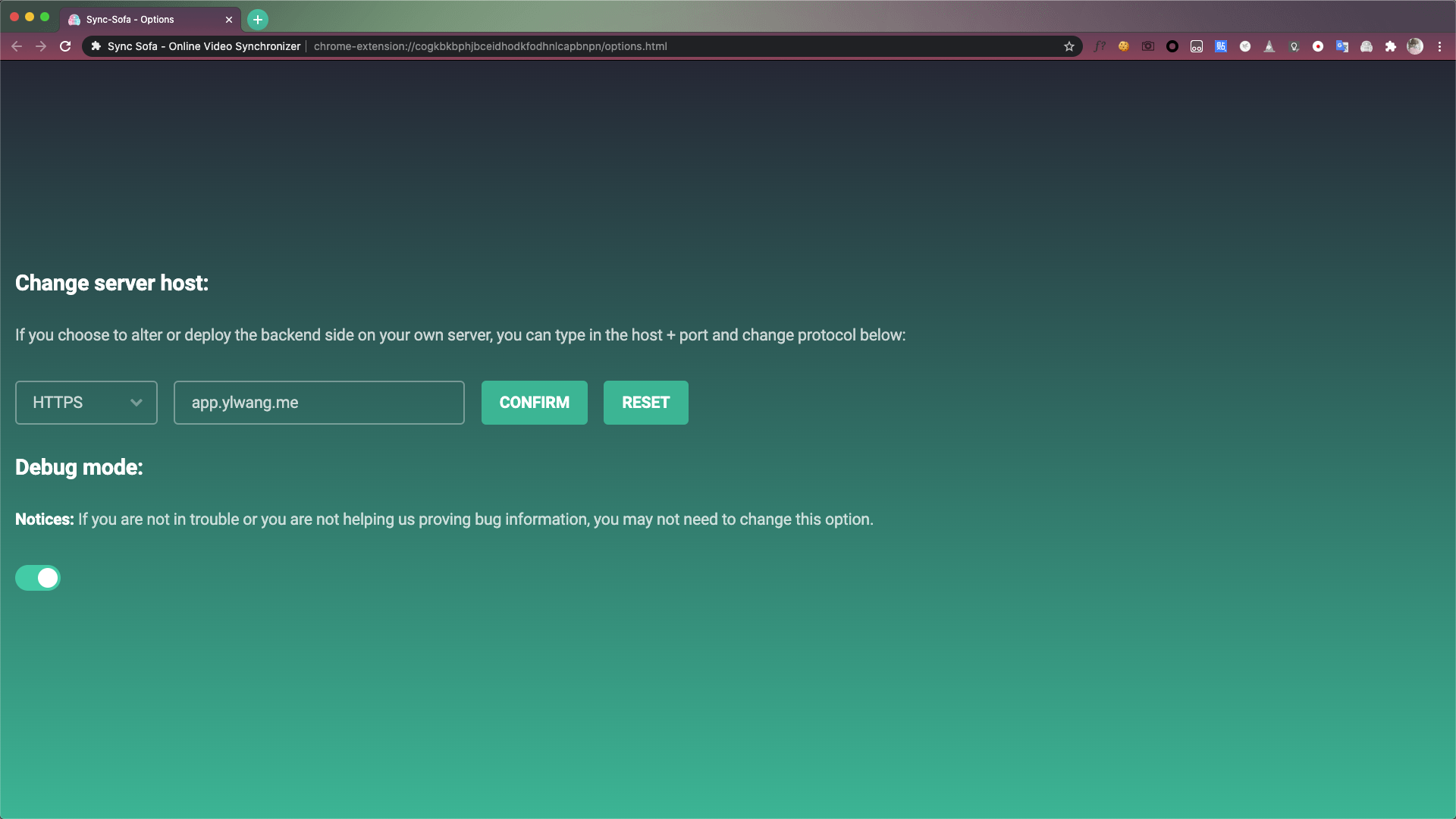
Options page
There are two ways to visit options page.
- Right click
Sync Sofaextension, chooseOptions. - Left click
Sync Sofaextension, chooseSettingicon in popup page.
Your webpage should be like this:
Usage
Notices
⚠️ Before use, please make sure the version number of two clients are consistent.
⚠️ If you want to play local .mp4 file, please enable Allow access to file URLs in extension details page, for example, chrome://extensions/?id=djhbgkadejdmihbngglpnogjookpadjl in Chrome.
⚠️ If there are multiple versions of extensions in your browser, please enable one and disable others.
Open a video page
You two don't have to open the same webpage, you play the video via local .mp4 file and your partner watch it one some video websites, is ok as long as you both watch the same video actually (source providers are different).
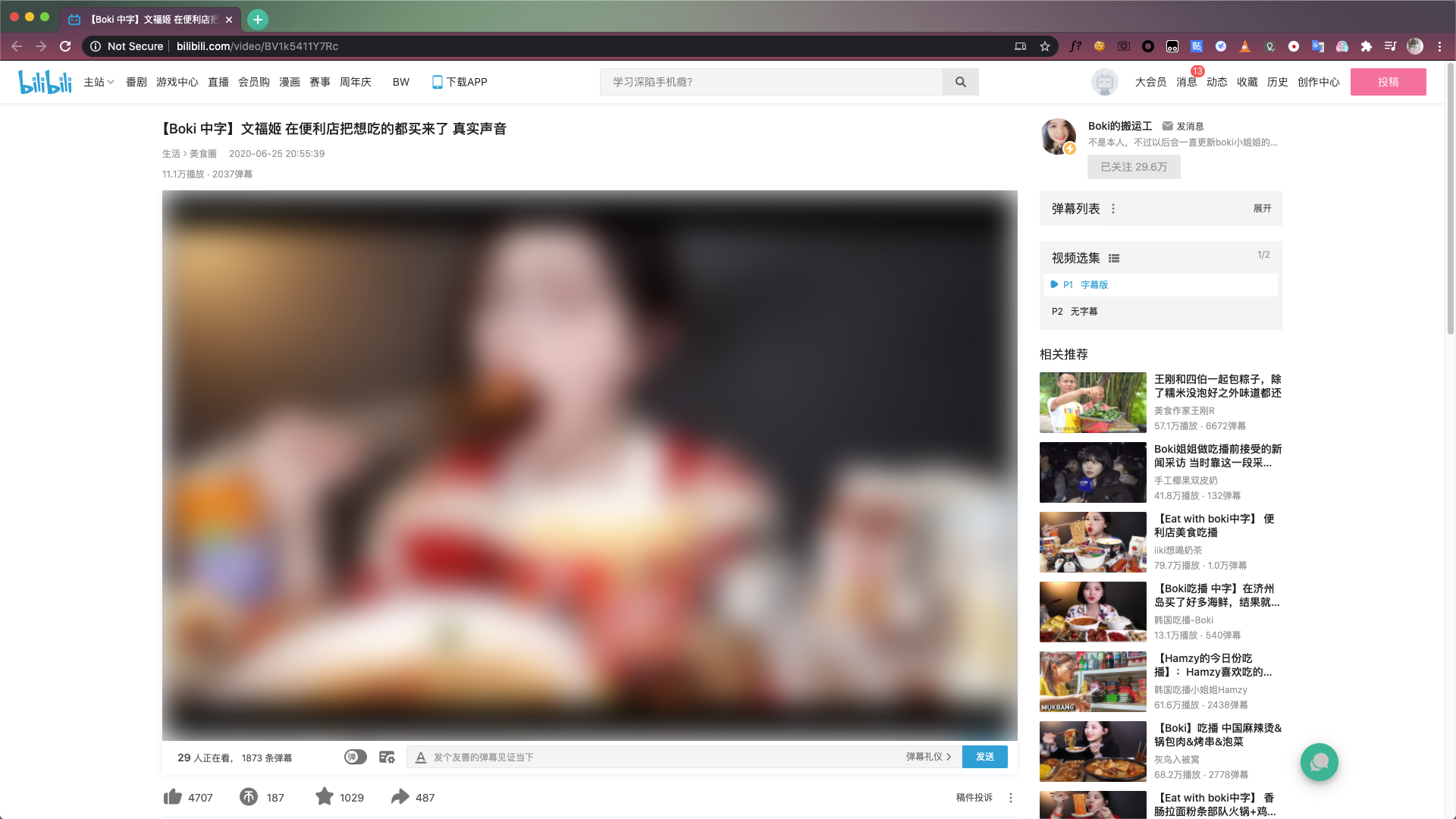
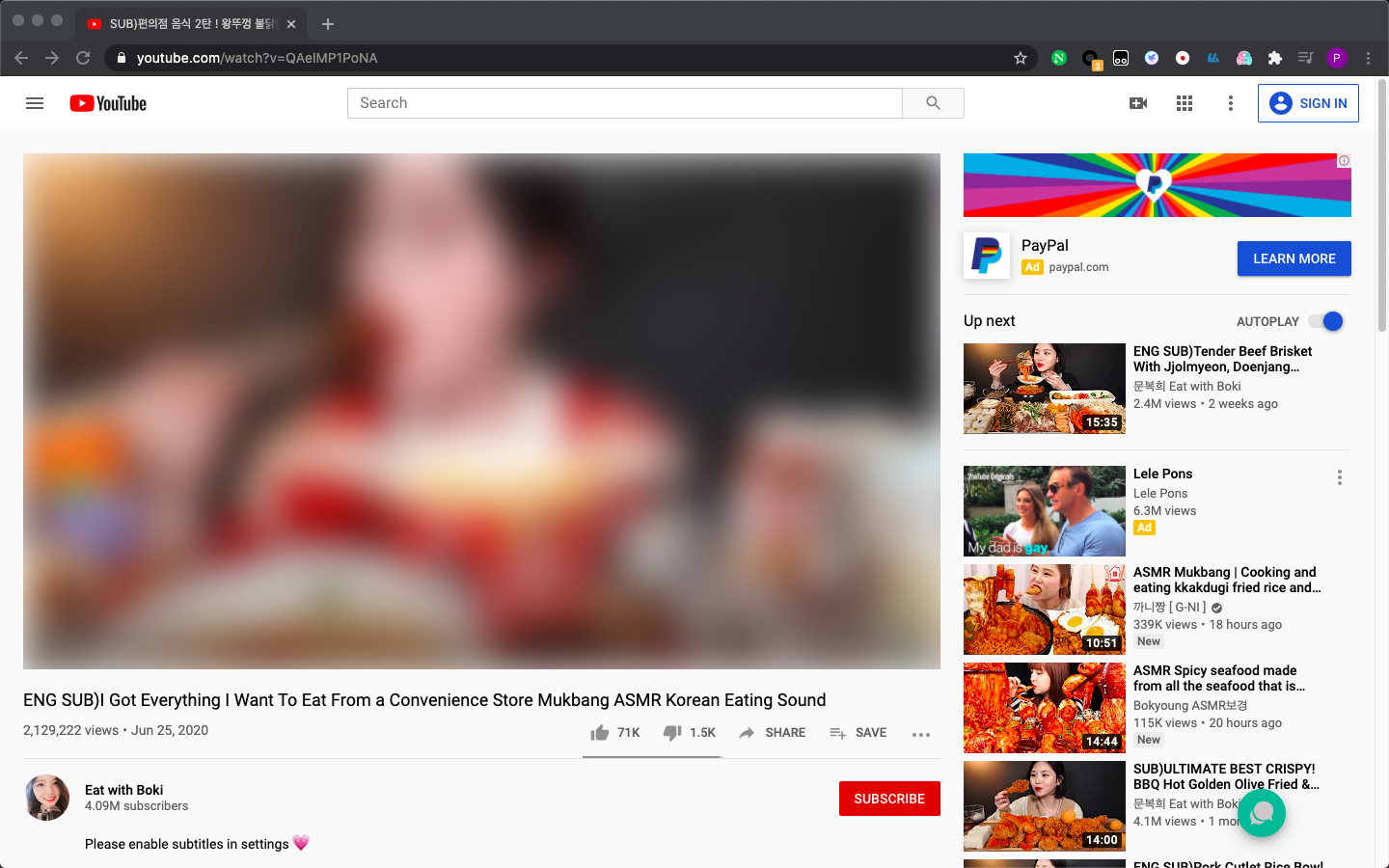
In this doc, for example, User A will watch the video on Bilibili and User B will do it on Youtube. Here is the webpage:
If there are any ads before the video, watch them before the next step.
Request new code
Click the Sync Sofa extension and then click REQUEST NEW CODE button.
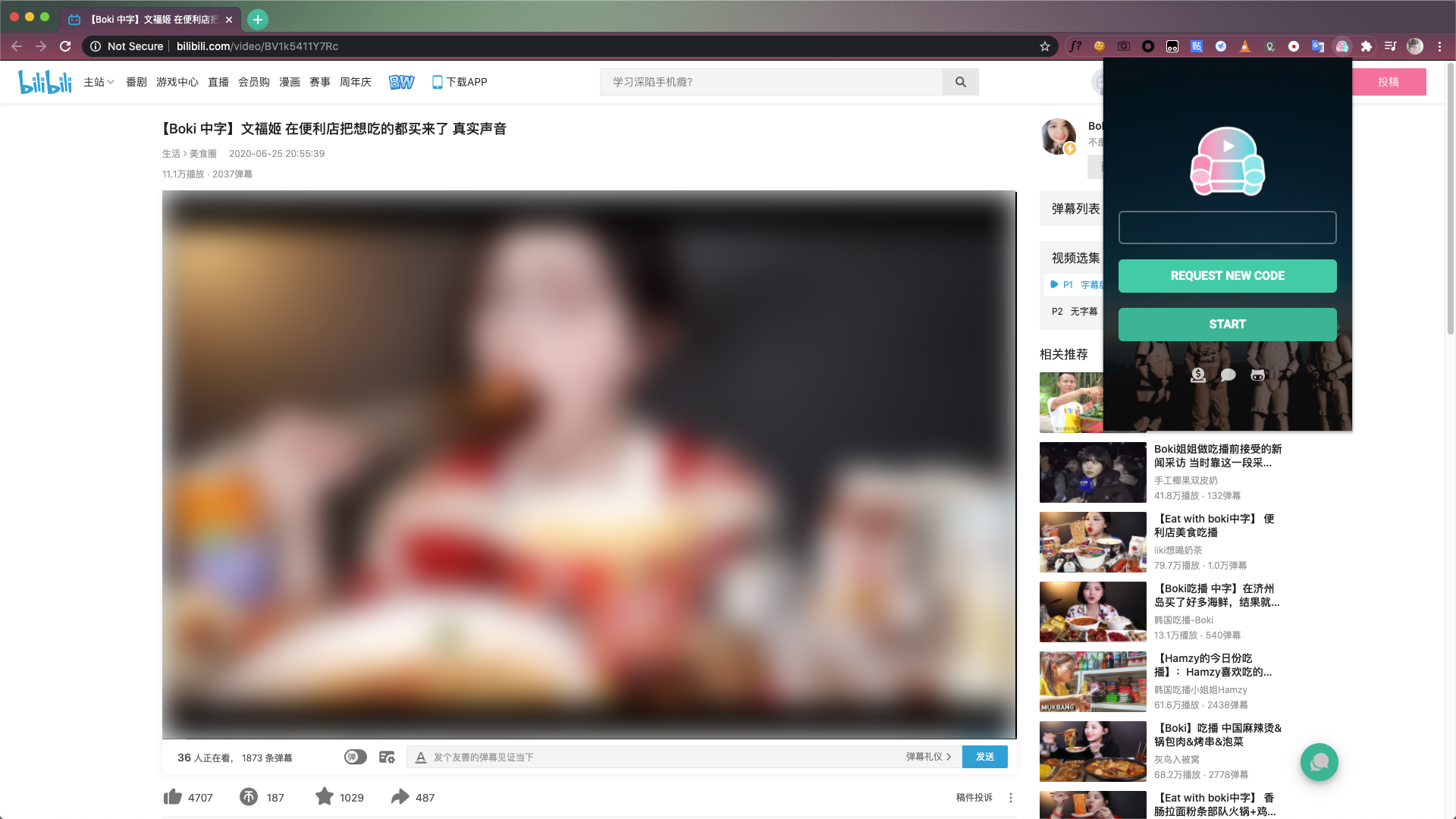
If nothing goes wrong you will receive a message like Room created and room code copied to clipboard, and the room code has been copied to your clipboard, send it to your partner.
Start connection
Your partner receives the room code, click the Sync Sofa extension, paste it in the input area and click START button.
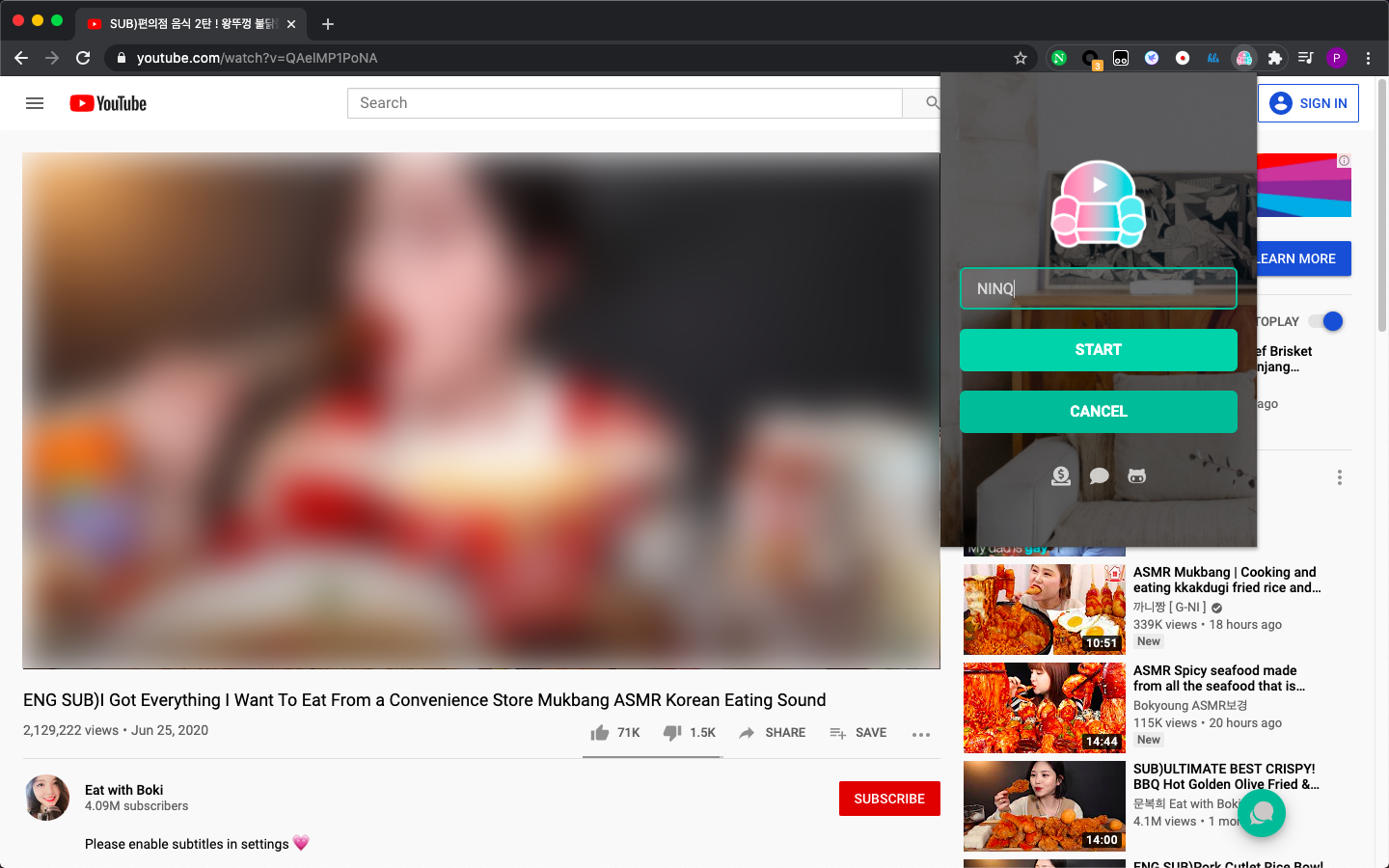
Enjoy yourselves
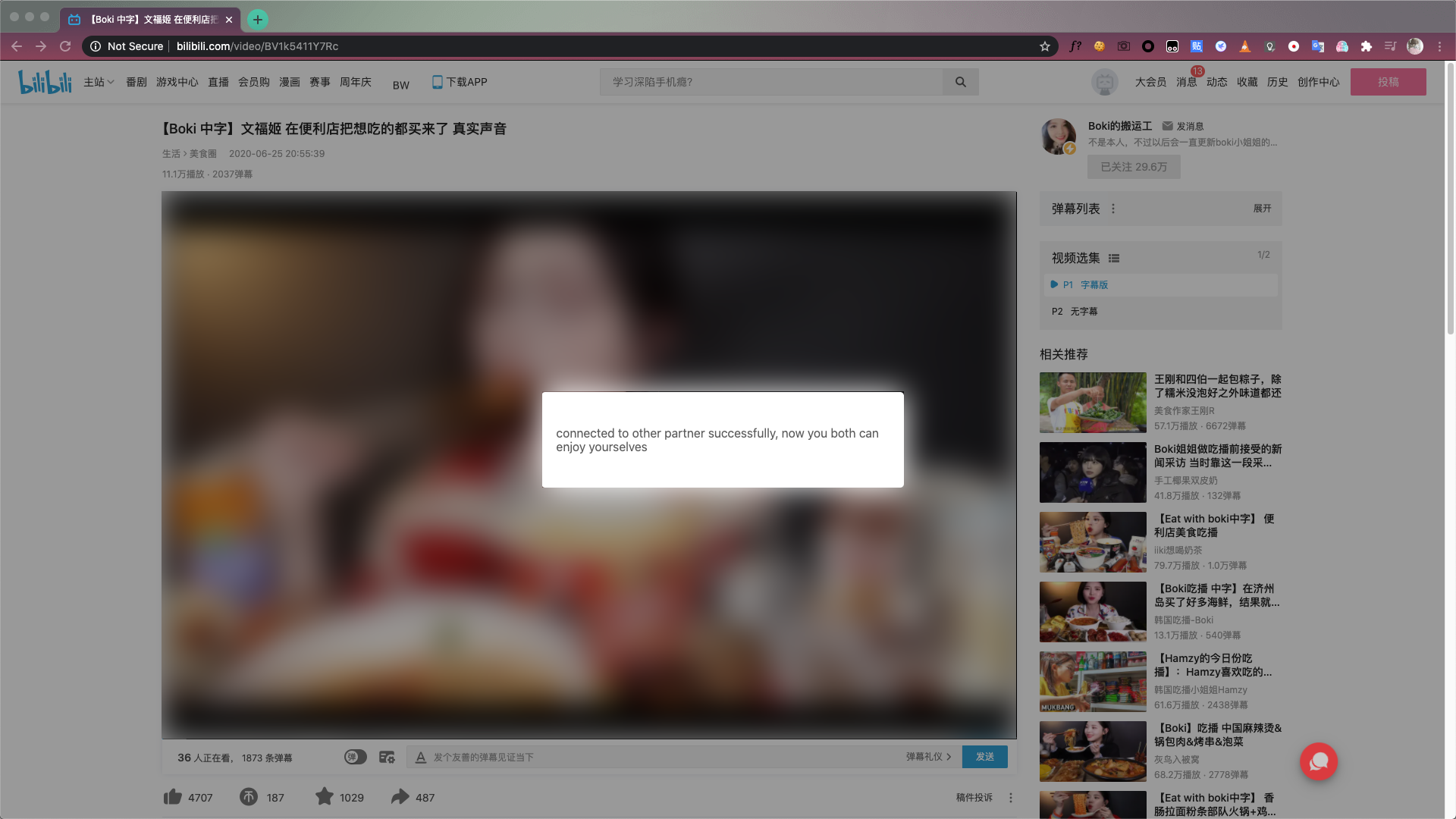
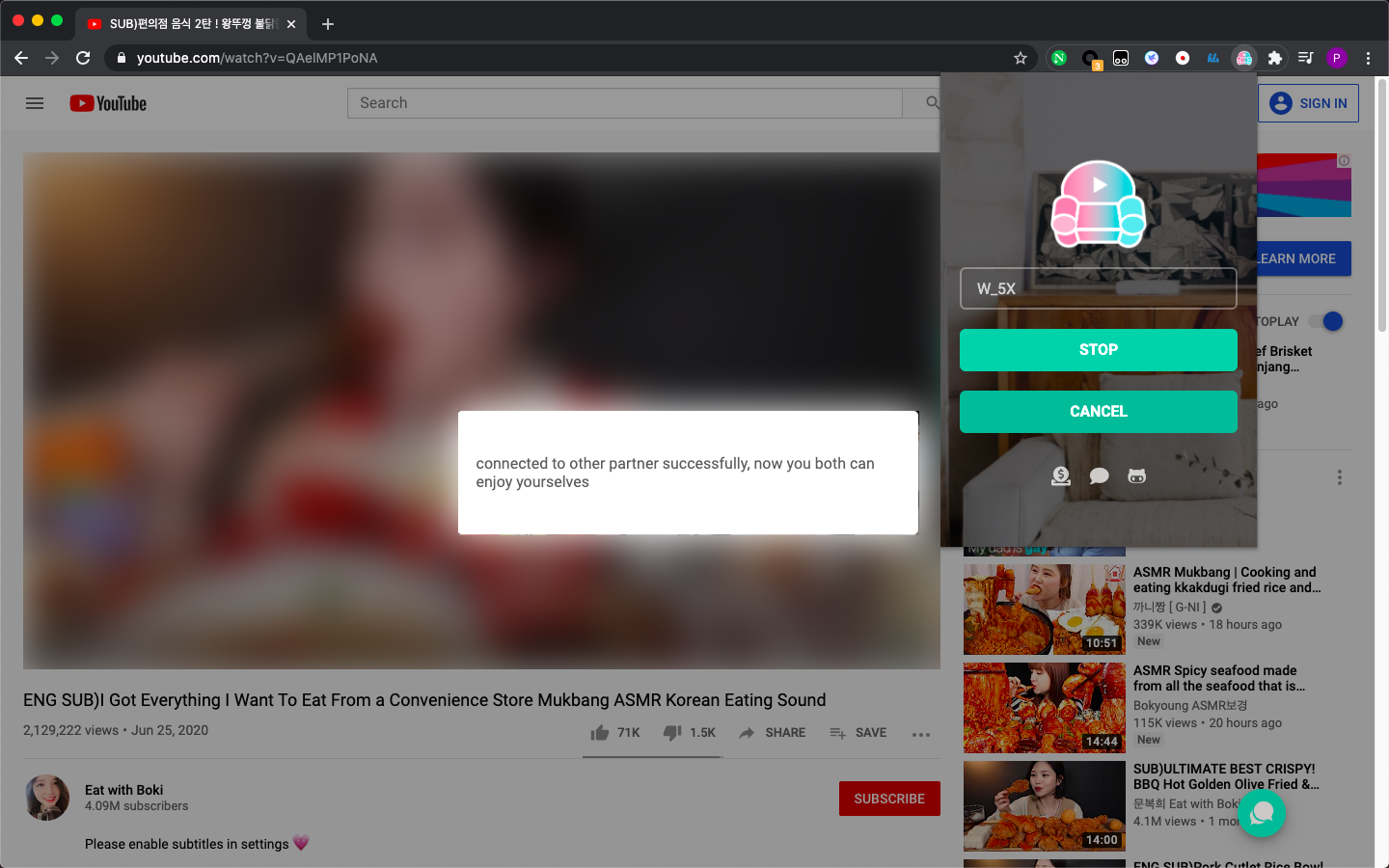
Now you can play the video, your operations will be synced to your partner. Enjoy yourselves!
VLC support
If you and your partner play video via VLC media player, Sync Sofa can also synchronize your operations.
Start VLC on the server with the Web Interface
First we need to enable controlling VLC via our browser, here is the official documentation:
- Control VLC via a browser
-
Open VLC media player
- Go
Tools → Preferences (select "All" radio-button) → Interface → Main interfaces, check "Web"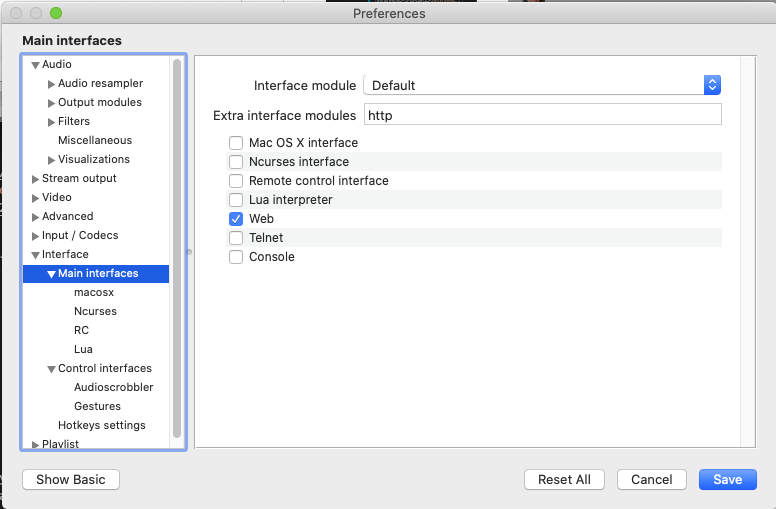
- Go
Tools → Preferences (select "All" radio-button) → Interface → Main interfaces → Lua, setLua HTTP - Password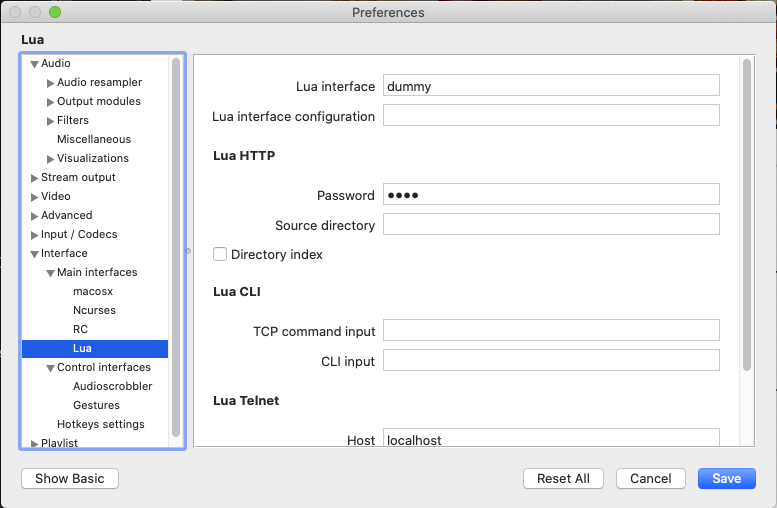
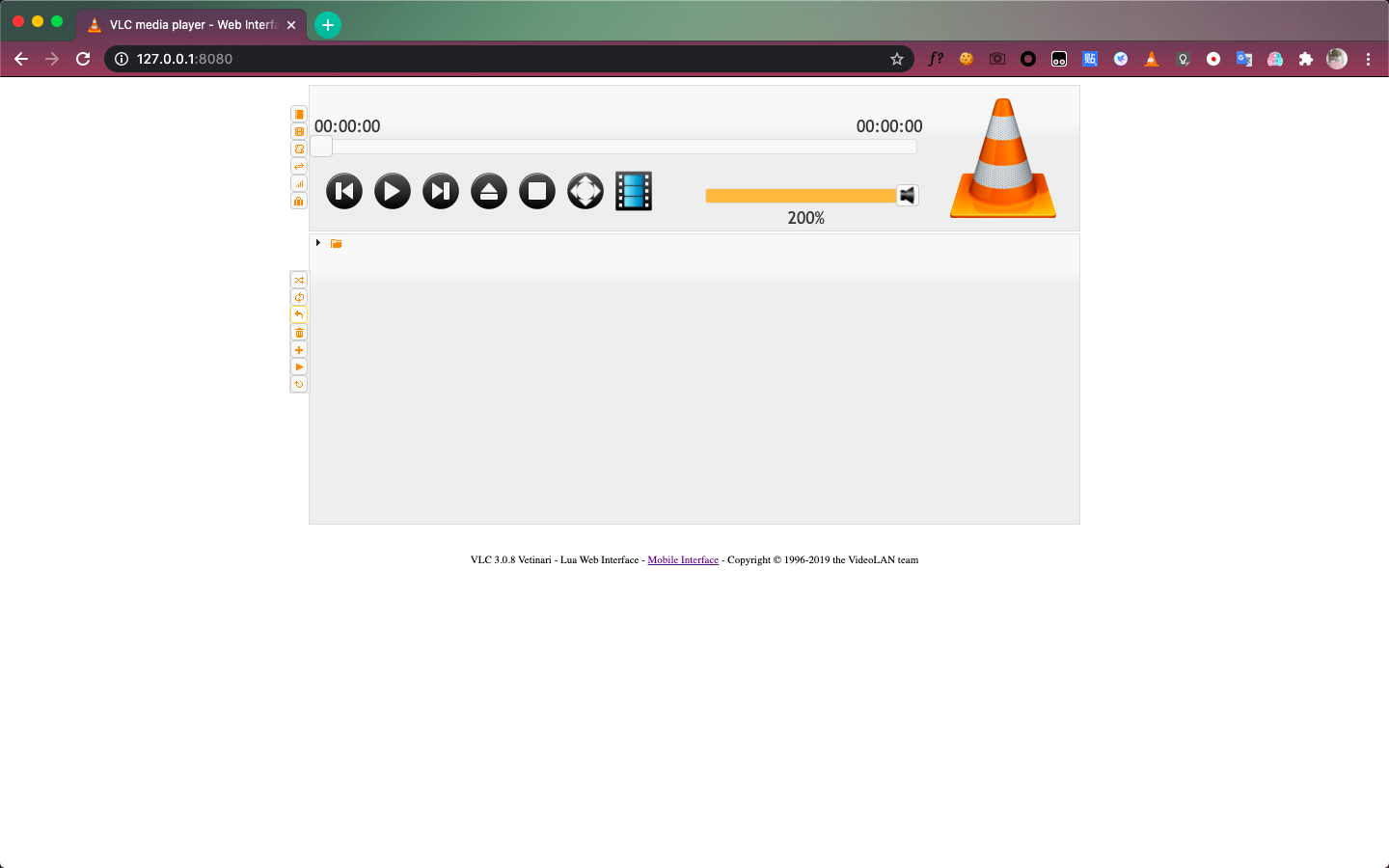
SaveandreopenVLC media player- Open http://127.0.0.1:8080/ in your browser
Your webpage should be like this:
Request new code
Open http://127.0.0.1:8080/, click the Sync Sofa extension and then click REQUEST NEW CODE button.
If nothing goes wrong you will receive a message like Room created and room code copied to clipboard, and the room code has been copied to your clipboard, send it to your partner.
Start connection
Your partner receives the room code, click the Sync Sofa extension, paste it in the input area and click START button.
Enjoy yourselves
Now you can play the video, your operations will be synced to your partner. Enjoy yourselves!
Notice:
⚠️ Keep your browser open and http://127.0.0.1:8080/ itself.
Close Controller webpage
After your video is finished, please click STOP button on Sync Sofa extension manually or just close http://127.0.0.1:8080/.
Self-hosting Guide
Notices:
⚠️ Before hosting, make sure your server can communicate securely with HTTPS and link to an domain name. All deploy script are based on Let's Encrypt certificates, you can customize with your own SSL certificate providers.
Without Docker
1. Get binary executable file
-
If you want to alter the source code and build yourself, make sure you have golang environment in your server, then run script below to get and build binary file:
shell= go get github.com/LouisYLWang/Sync-Sofa/server cd $GOPATH/src/github.com/LouisYLWang/Sync-Sofa/server go install cd $GOPATH/bin -
If you want to only deploy the binary file:
- Open Github release page
- Download
serverbinary file for linux server - Download
config.jsonfile to the same directory of binary file
2. In the directory of binary file, adjust config file base on your need:
-
Config file variables:
addr: port of serverrunmode:- dev: developing mode
- prod: producting mode
tlsdir: TLS certificate pathstlskey: TLS certificate privatekey pathtlscert: TLS certification pathfeedbackservice: an add-on for feedback notificationsmtpserverhost: feedback mail server hostsmtpserverport: feedback mail server portfeedbackemailaddr: feedback mail sender address (without @your-mail.host)feedbackemailpswd: feedback mail sender passwordrecipients: a list of feedback receivers mail address (with @your-mail.host)
Notices:
addr,runmodeare mandatory,tlskey,tlscertare required for TLS connection -
example config file:
```json=
{
"addr": ":443",
"runmode": "prod",
"tlsdir": {
"tlskey": "/etc/letsencrypt/live/your.host.url/privkey.pem",
"tlscert": "/etc/letsencrypt/live/your.host.url/fullchain.pem"
},
"feedbackservice":{
"smtpserverhost": "smtp.gmail.com",
"smtpserverport": "578",
"feedbackemailaddr": "sender_mail_name",
"feedbackemailpswd": "password",
"recipients":[
"receiver1_mail_name@mail.host",
"receiver2_mail_name@mail.host"
]
}
}
**3. Run `./server` to delopy the server, deployment is successful if you see:**
found config file, read parameters from config file... server is listening at {your_port_number}...
### With Docker
Make sure docker service is runing on your server, make change to the script blow and run:

```sh
docker pull louisylwang/watchtogether

docker run -d \
-p {your docker internal port}:{your external port} \
-v /etc/letsencrypt:/etc/letsencrypt:ro \ #if you use letsencrypt
-e ADDR=:{your port} \
-e TLSKEY={your tlskey name} \
-e TLSCERT={your tlscert name} \
-e SMTPSERVERHOST= {feedback mail server host} \
-e SMTPSERVERPORT= {feedback mail server port} \
-e FEEDBACKEMAILADDR= {feedback mail sender address} \
-e FEEDBACKEMAILPSWD= {feedback mail sender password} \
-e RUNMODE={"prod"/"dev"} \
-e RECIPIENTS= {a string with all targeted email address, separate by ",". exp: "rec1@mail.addr, rec2@mail.addr"}
--name {your docker image name} louisylwang/watchtogether
--restart=always
Release History
v1.0.5
🛠 update on 12 May 2020
Improve stability
Test for a new logic to avoid infinite echo back (each party repeat the last operation of other party) : introduce a queue as a buffer of operation and if the operations is beyond frequency threshold, the client will automatically to halt and cool down for sometime.
Add support for edge browser (beta)
v1.0.4
🛠 update on 10 May 2020
Now user will get notification when they successfully connected to each other Improve stability, better sync performance Change the notification UI using sweetalert
v1.0.3
🛠 update on 8 May 2020
improve stability & UX logic Added support of following websites: - iqiyi - youku - weiyun - tencent video
Fixed the support of duonao live; Removed the support of 91mjw (temporarily); Refined documentation, will add more detail in next verison;
v1.0.2
🛠 update on 31 Mar 2020
Add support of play process bar control sync Fixed the issue that when syncing playing time, there is the possibility to crash the extension
v0.0.1
🛠 update on 26 Mar 2020 (beta version)
Add support of 2 parties
Core symbols most depended-on inside this repo
Shape
Languages
Modules by API surface
For agents
$ claude mcp add Sync-Sofa \
  -- python -m otcore.mcp_server <graph>