github.com/Lioncat6/OSC-Chat-Tools @v1.5.72
Chat with this repoWhat it actually does AI analysis from the code graph — generated when you open this
README
OSC Chat Tools
An OSC script I made for VRChat. Now with UI! - Feature Requests are encouraged. You need something added? Let me know
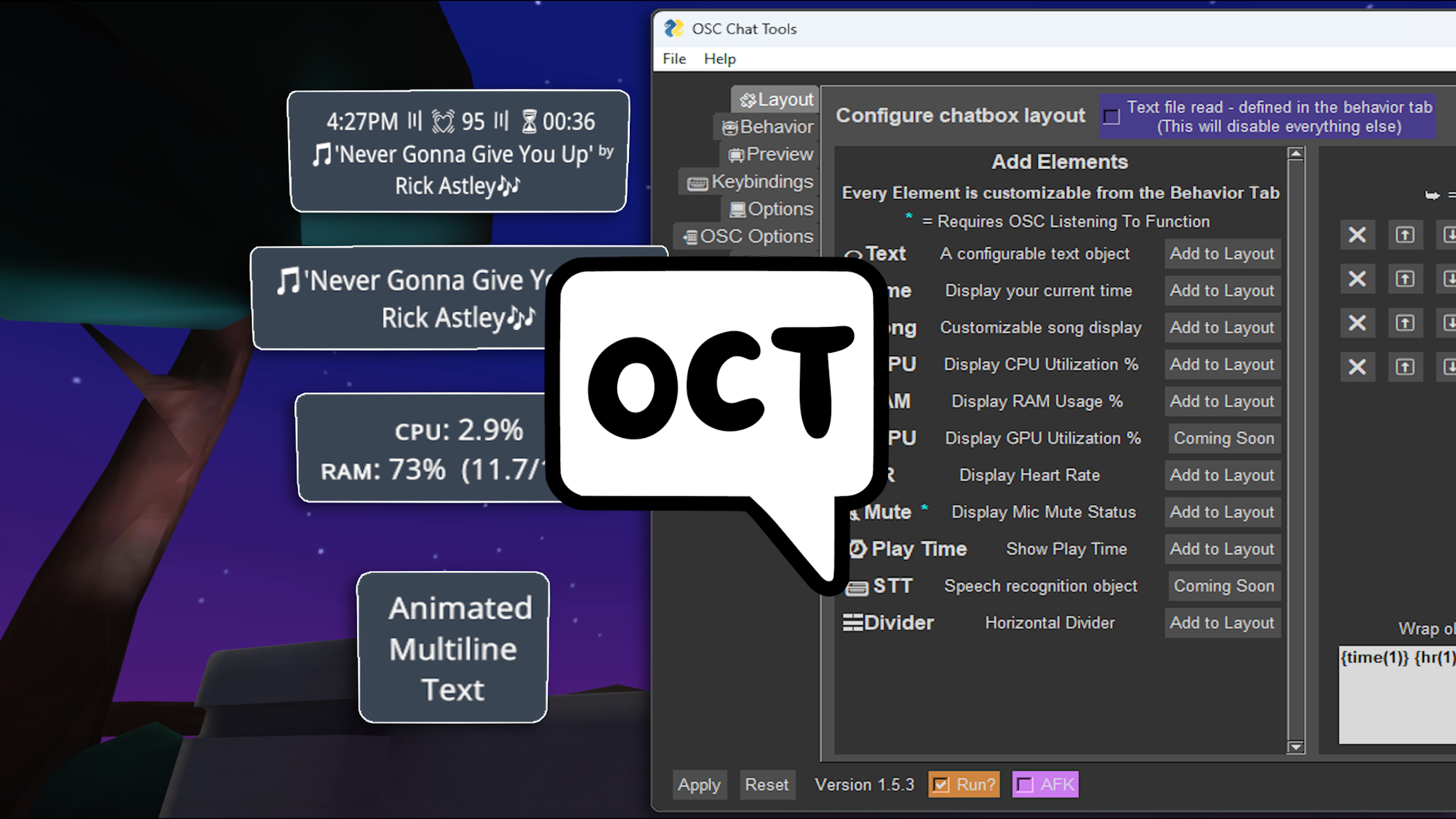
OCT Is a standalone program used for interacting with Vrchat's OSC to send chat messages to the chatbox as well as other data in some cases
Having Issues?
- Read the FAQ
- Message me on discord https://discord.gg/invite/hWCuPXvq66
- Create an issue https://github.com/Lioncat6/OSC-Chat-Tools/issues
Guides: (More Coming Soon)
Features
- Fully customizable layout with divider and newline toggles
- Animated text
- Current time
- Song info using the Windows media manager and now the Spotify API!
- CPU Info
- RAM Info
- Heart rate info using Pulsoid or HypeRate
- AFK message activated with a keyboard shortcut or using the OSC to watch for when the player activates AFK mode in-game
- Customizable keyboard shortcuts
- OSC Port forwarding (So multiple programs can listen to the OSC!)
- Customizable OSC Listen port/address
- TONS of customizability
Installation:
Exe file
- https://github.com/Lioncat6/OSC-Chat-Tools/releases/latest
- Windows SmartScreen will complain due to it not being signed
Build it yourself
(Not recommended cause things might be broken before release)
- Install python https://www.python.org/downloads/
- Install all of the required Python modules (pip install {module name}):
- FreeSimpleGUI
- argparse
- datetime
- python-osc
- keyboard
- asyncio
- psutil
- winsdk
- websocket-client
- pyperclip
- pynvml
- tendo
- In a command prompt window in the folder the osc-chat-tools.py is located in:
- pip install PyInstaller
- python -m PyInstaller -wF --icon=oscicon.ico --clean osc-chat-tools.py
- Or run the included build.bat file
- The resulting exe will be located in the dist folder
Run it locally
- Install python https://www.python.org/downloads/
- Clone the repo and run
osc-chat-tools.py
Side note... the windows now playing song functionality will show whatever the last thing you were listening to was... including any website or video you were watching... So be careful.
Keyboard Shortcuts
All keyboard shortcuts can be rebound
- P Toggle Chatbox
- end Toggle AFK
To get a Pulsoid Token
- First set up a Pulsoid account and link a device: https://pulsoid.net/registration
- Next, grab a Pulsoid token using one of the two below methods:
- OCT Pulsoid App link
- https://pulsoid.net/ui/keys - If you have a BRO Subscription
- Paste the copied token into the behavior tab under the
💓HRsection
Video Guide - Last update 1.5.6
- https://www.youtube.com/watch?v=8D23oUzb-0Q
Coming soon:
- Code refactor (In the works)
- Modular plugins system to replace hardcoded objects
- Switch to a different ui, most likely to py-qt
- Speech To Text (Almost Done!)
- Framerate
- Ping
- VR/Desktop Display
- Other fun shit!
Core symbols most depended-on inside this repo
Shape
Languages
Modules by API surface
For agents
$ claude mcp add OSC-Chat-Tools \
  -- python -m otcore.mcp_server <graph>