github.com/Kunzisoft/AndroidClearChroma @2.6
Chat with this repoWhat it actually does AI analysis from the code graph — generated when you open this
README

AndroidClearChroma
 A customisable material color picker view for Android.
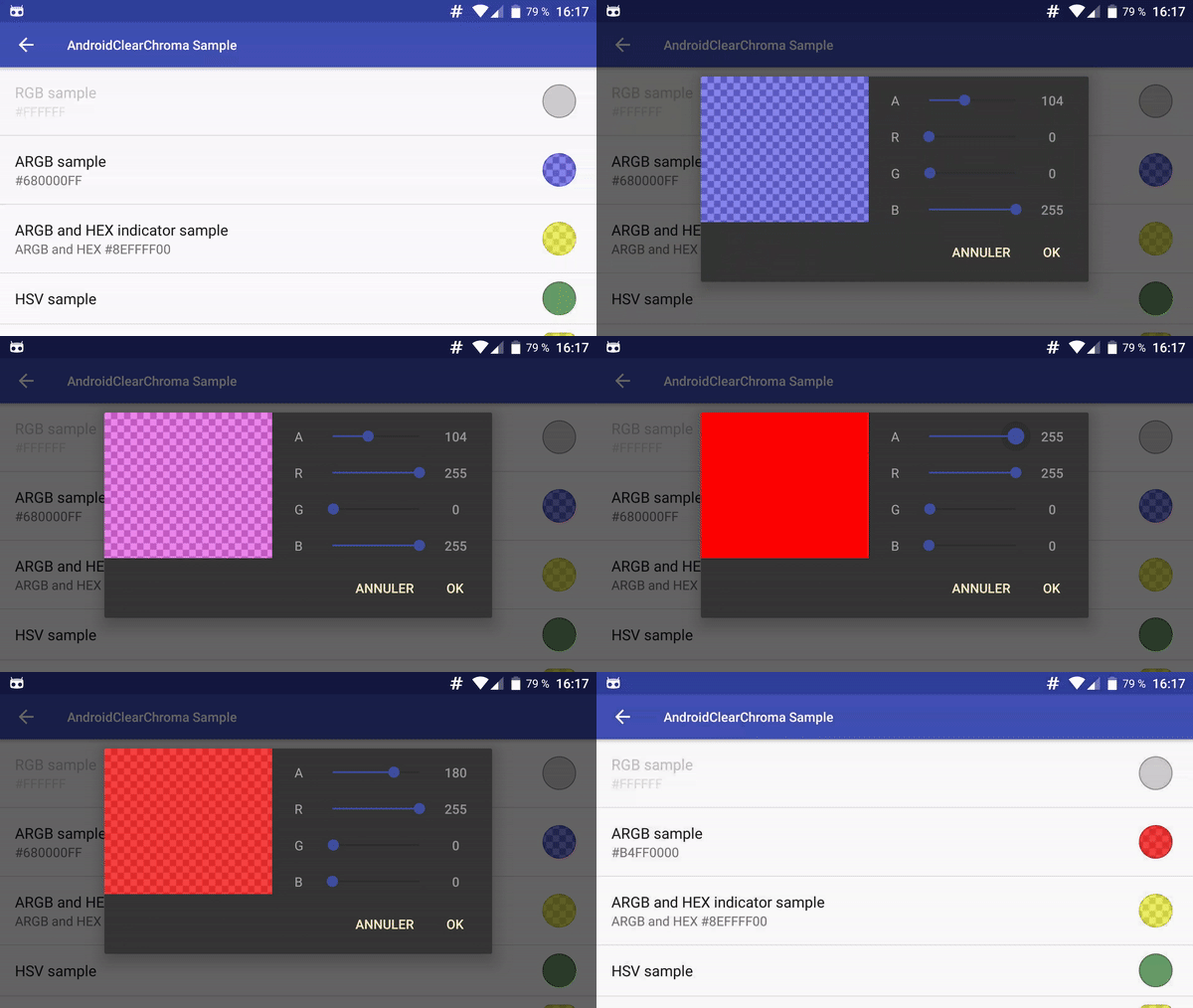
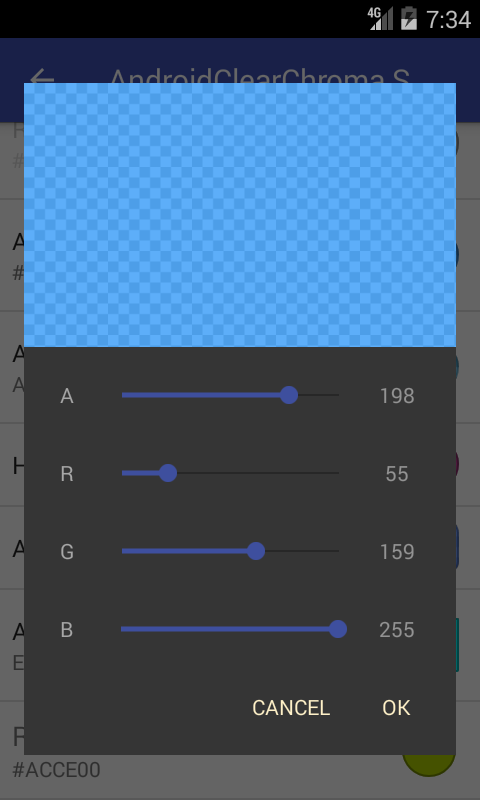
- supports RGB, ARGB, HSV, HSL, CMYK, CMYK255 color modes (with alpha preview)
- can indicate current color in either DECIMAL or HEXADECIMAL mode
- can be used as Dialog, Fragment or as Preference.
- can select custom shape for preview color in preference
- add color as part of summary string
Contribution
You can contribute in different ways to help.
- Add features by a pull request.
- Donate (。◕‿◕。) will be used to create free and open source applications.
Installation
Add the JitPack repository in your build.gradle at the end of repositories:
    allprojects {
        repositories {
            ...
            maven { url "https://jitpack.io" }
        }
    }
And add the dependency
replacing ${version} with the version number in jitpack
    dependencies {
            implementation 'com.github.Kunzisoft:AndroidClearChroma:${version}'
    }
AndroidClearChroma uses AndroidX as compat library.
Usage
ChromaColorView
To display a color view in a layout
    <com.kunzisoft.androidclearchroma.view.ChromaColorView
        xmlns:chroma="http://schemas.android.com/apk/res-auto"
        android:id="@+id/chroma_color_view"
        android:layout_width="match_parent"
        android:layout_height="match_parent"
        chroma:chromaInitialColor="@color/colorAccent"
        chroma:chromaColorMode="HSV"
        chroma:chromaIndicatorMode="HEX" />
Attributes
chroma:chromaInitialColordefault colorchroma:chromaColorModeRGB, ARGB, HSV, HSL, CMYK or CMYK255chroma:chromaIndicatorModeHEX or DECIMAL
See ViewColorActivity.java for complete sample.
ChromaDialog
To display a color picker DialogFragment from your Activity:
new ChromaDialog.Builder()
    .initialColor(Color.GREEN)
    .colorMode(ColorMode.ARGB) // RGB, ARGB, HVS, CMYK, CMYK255, HSL
    .indicatorMode(IndicatorMode.HEX) //HEX or DECIMAL; Note that (HSV || HSL || CMYK) && IndicatorMode.HEX is a bad idea
    .create()
    .show(getSupportFragmentManager(), "ChromaDialog");
To display a color picker DialogFragment from your Fragment:
new ChromaDialog.Builder()
    .initialColor(Color.GREEN)
    .colorMode(ColorMode.ARGB) // RGB, ARGB, HVS, CMYK, CMYK255, HSL
    .indicatorMode(IndicatorMode.HEX) //HEX or DECIMAL; Note that (HSV || HSL || CMYK) && IndicatorMode.HEX is a bad idea
    .create()
    .show(getChildFragmentManager(), "ChromaDialog");
Fragment
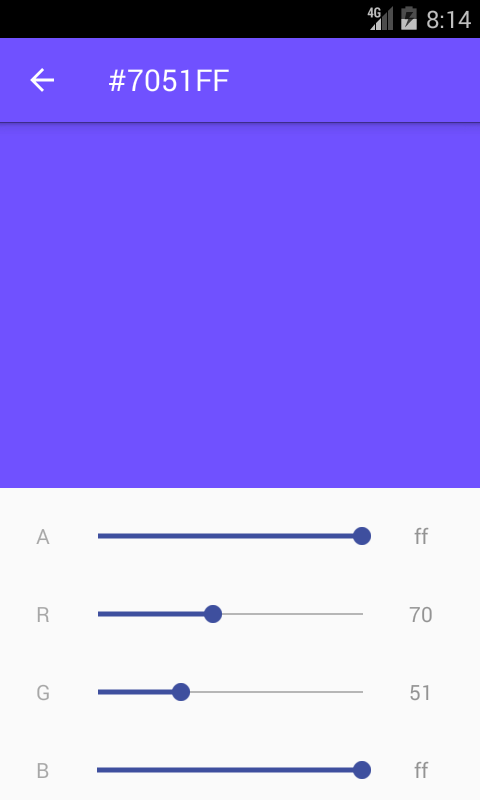
Simply call it in XML layout with :
<?xml version="1.0" encoding="utf-8"?>
<FrameLayout xmlns:android="http://schemas.android.com/apk/res/android"
    xmlns:tools="http://schemas.android.com/tools"
    android:orientation="vertical"
    android:layout_width="match_parent"
    android:layout_height="match_parent">

    <fragment android:name="com.kunzisoft.androidclearchroma.fragment.ChromaColorFragment"
        android:id="@+id/activity_color_fragment"
        android:layout_width="match_parent"
        android:layout_height="wrap_content"
        tools:layout="@layout/chroma_color_fragment" />

</FrameLayout>
Unfortunately, you can't customize a fragment in XML. You must initialize the fragment programmatically and use the FragmentManager to add it to your layouts.
Example :
    ChromaColorFragment chromaColorFragment = ChromaColorFragment.newInstance(Color.BLUE, ColorMode.ARGB, IndicatorMode.HEX);
    getSupportFragmentManager()
    .beginTransaction()
    .replace(R.id.container_color_fragment, chromaColorFragment, TAG_COLOR_FRAGMENT)
    .commit();
See FragmentColorActivity.java for complete sample.
Listeners
Your parent Activity or Fragment must implement the listener interfaces.
OnColorSelectedListener
OnColorSelectedListener contains two methods :
void onPositiveButtonClick(@ColorInt int color)called when positiveButton is clicked and
void onNegativeButtonClick(@ColorInt int color) called when negativeButton is clicked.
OnColorChangedListener
OnColorChangedListener contains method
void onColorChanged(@ColorInt int color) called when color is changed in view.
See MainActivity.java for complete sample of ChromaDialog
Style
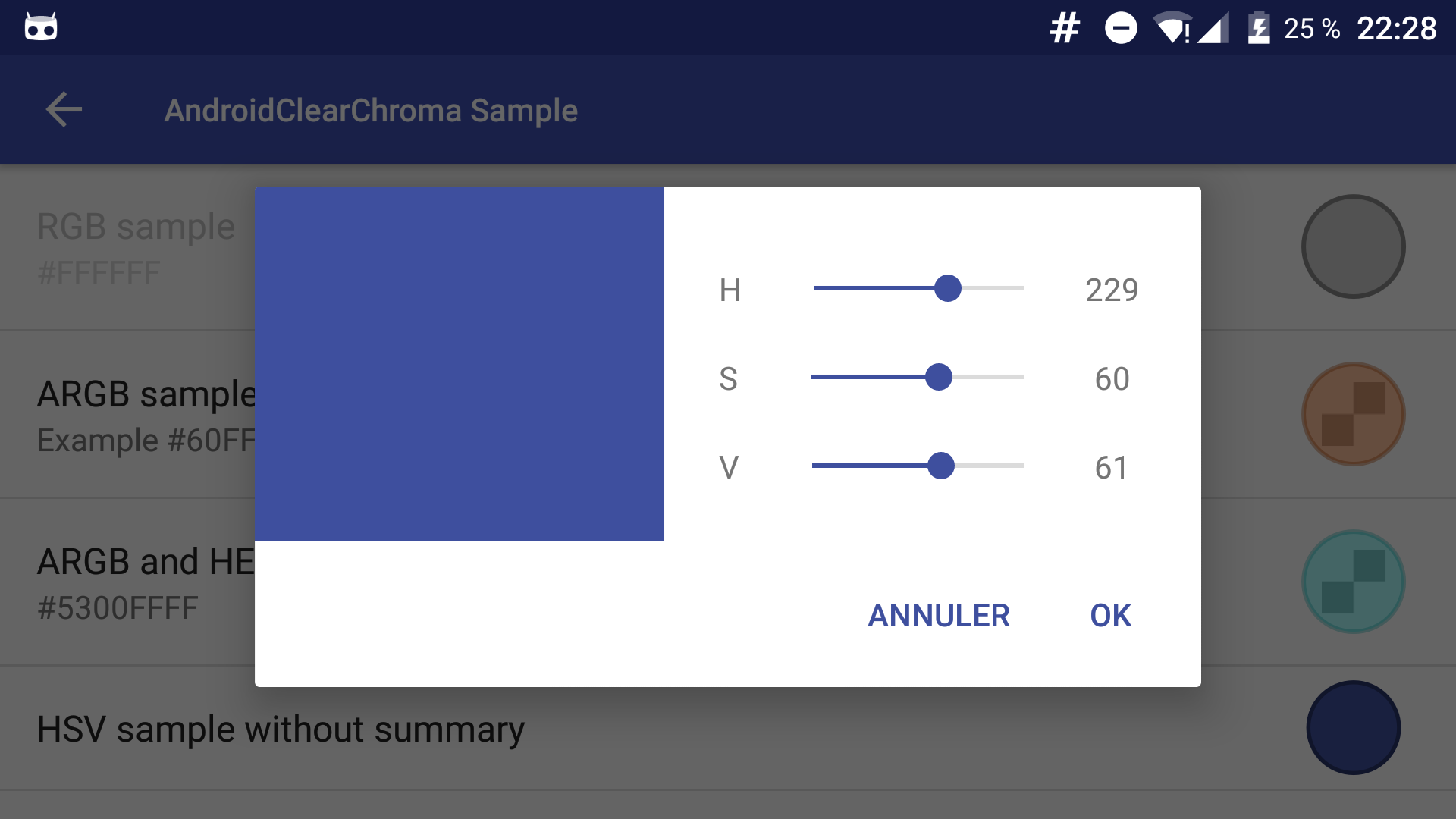
AndroidClearChroma uses the DialogFragment style of your app.
Preference
You must add a preferenceTheme node in your activity :
<style name="AppTheme.Settings" parent="AppTheme">
    <item name="preferenceTheme">@style/PreferenceThemeOverlay.v14.Material</item>
</style>
or (for API < 14)
<style name="AppTheme.Settings" parent="AppTheme">
    <item name="preferenceTheme">@style/PreferenceThemeOverlay</item>
</style>
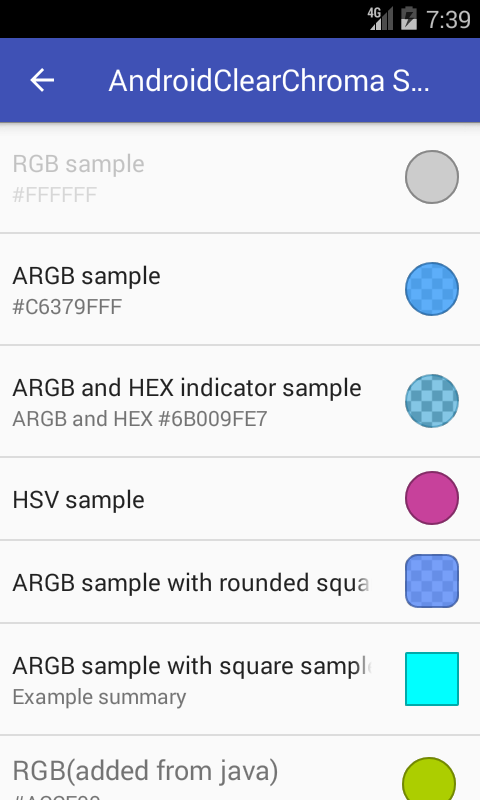
A. Add Preference to your *.xml preference layout:
    <com.kunzisoft.androidclearchroma.ChromaPreferenceCompat
        xmlns:chroma="http://schemas.android.com/apk/res-auto"
        android:key="chroma_preference_key"
        android:title="HSV sample"
        android:summary="text and [color] string"
        android:defaultValue="@color/colorAccent"
        chroma:chromaShapePreview="ROUNDED_SQUARE"
        chroma:chromaColorMode="HSV"
        chroma:chromaIndicatorMode="HEX" />
Attributes
- Add [color] in
summaryto show current color as string chroma:chromaInitialColordefault colorchroma:chromaColorModeRGB, ARGB, HSV, HSL, CMYK or CMYK255chroma:chromaIndicatorModeHEX or DECIMALchroma:chromaShapePreviewCIRCLE, SQUARE or ROUNDED_SQUARE
B. Or you can add preferences dynamically from the code:
    ChromaPreferenceCompat pref = new ChromaPreferenceCompat(getContext());
    pref.setTitle("RGB(added from java)");
    pref.setSummary("Summary ...");
    pref.setColorMode(ColorMode.RGB);
    pref.setIndicatorMode(IndicatorMode.HEX);
    pref.setKey("any_key_you_need");
    getPreferenceScreen().addPreference(pref);
Use ChromaPreferenceFragmentCompat as a superclass for managing fragments in Preferences.
public class ColorPreferenceFragmentCompat extends ChromaPreferenceFragmentCompat {

        @Override
        public void onCreatePreferences(Bundle bundle, String s) {
            addPreferencesFromResource(R.xml.prefs); // load your ChromaPreferenceCompat prefs from xml
        }
    }
Then get the color from the preference.
SharedPreferences preferences = PreferenceManager.getDefaultSharedPreferences(context);
@ColorRes int color = preferences.getInt("chroma_preference_key", ContextCompat.getColor(context, R.color.colorPrimary));
Bonus
Method for formatted output of a given color:
ChromaUtil.getFormattedColorString(int color, boolean showAlpha);
Video for create the sample icon (in French)
This project is a fork of VintageChroma by Pavel Sikun.
License
Copyright 2019 JAMET Jeremy.
Licensed under the Apache License, Version 2.0 (the "License"); you may not use this file except in compliance with the License. You may obtain a copy of the License at
http://www.apache.org/licenses/LICENSE-2.0
Unless required by applicable law or agreed to in writing, software distributed under the License is distributed on an "AS IS" BASIS, WITHOUT WARRANTIES OR CONDITIONS OF ANY KIND, either express or implied. See the License for the specific language governing permissions and limitations under the License.
Extension points exported contracts — how you extend this code
AbstractColorMode (Interface)Core symbols most depended-on inside this repo
getProgressShape
Languages
Modules by API surface
For agents
$ claude mcp add AndroidClearChroma \
  -- python -m otcore.mcp_server <graph>