github.com/KomputeProject/kompute @v0.9.0
Chat with this repoBrowse by type
What it actually does AI analysis from the code graph — generated when you open this
README





|
KomputeThe general purpose GPU compute framework for cross vendor graphics cards (AMD, Qualcomm, NVIDIA & friends) |
Blazing fast, mobile-enabled, asynchronous, and optimized for advanced GPU acceleration usecases.
💬 Join the Discord & Community Calls 🔋 Documentation 💻 Blog Post ⌨ Examples 💾
Kompute is backed by the Linux Foundation as a hosted project by the LF AI & Data Foundation.

|

|
Principles & Features
- Flexible Python module with C++ SDK for optimizations
- Asynchronous & parallel processing support through GPU family queues
- Mobile enabled with examples via Android NDK across several architectures
- BYOV: Bring-your-own-Vulkan design to play nice with existing Vulkan applications
- Explicit relationships for GPU and host memory ownership and memory management
- Robust codebase with 90% unit test code coverage
- Advanced use-cases on machine learning 🤖, mobile development 📱 and game development 🎮.
- Active community with monthly calls, discord chat and more
Getting Started
Below you can find a GPU multiplication example using the C++ and Python Kompute interfaces.
You can join the Discord for questions / discussion, open a github issue, or read the documentation.
Your First Kompute (C++)
The C++ interface provides low level access to the native components of Kompute, enabling for advanced optimizations as well as extension of components.
void kompute(const std::string& shader) {

    // 1. Create Kompute Manager with default settings (device 0, first queue and no extensions)
    kp::Manager mgr;

    // 2. Create and initialise Kompute Tensors through manager

    // Default tensor constructor simplifies creation of float values
    auto tensorInA = mgr.tensor({ 2., 2., 2. });
    auto tensorInB = mgr.tensor({ 1., 2., 3. });
    // Explicit type constructor supports uint32, int32, double, float and bool
    auto tensorOutA = mgr.tensorT<uint32_t>({ 0, 0, 0 });
    auto tensorOutB = mgr.tensorT<uint32_t>({ 0, 0, 0 });

    std::vector<std::shared_ptr<kp::Tensor>> params = {tensorInA, tensorInB, tensorOutA, tensorOutB};

    // 3. Create algorithm based on shader (supports buffers & push/spec constants)
    kp::Workgroup workgroup({3, 1, 1});
    std::vector<float> specConsts({ 2 });
    std::vector<float> pushConstsA({ 2.0 });
    std::vector<float> pushConstsB({ 3.0 });

    auto algorithm = mgr.algorithm(params,
                                   // See documentation shader section for compileSource
                                   compileSource(shader),
                                   workgroup,
                                   specConsts,
                                   pushConstsA);

    // 4. Run operation synchronously using sequence
    mgr.sequence()
        ->record<kp::OpTensorSyncDevice>(params)
        ->record<kp::OpAlgoDispatch>(algorithm) // Binds default push consts
        ->eval() // Evaluates the two recorded operations
        ->record<kp::OpAlgoDispatch>(algorithm, pushConstsB) // Overrides push consts
        ->eval(); // Evaluates only last recorded operation

    // 5. Sync results from the GPU asynchronously
    auto sq = mgr.sequence();
    sq->evalAsync<kp::OpTensorSyncLocal>(params);

    // ... Do other work asynchronously whilst GPU finishes

    sq->evalAwait();

    // Prints the first output which is: { 4, 8, 12 }
    for (const float& elem : tensorOutA->vector()) std::cout << elem << "  ";
    // Prints the second output which is: { 10, 10, 10 }
    for (const float& elem : tensorOutB->vector()) std::cout << elem << "  ";

} // Manages / releases all CPU and GPU memory resources

int main() {

    // Define a raw string shader (or use the Kompute tools to compile to SPIRV / C++ header
    // files). This shader shows some of the main components including constants, buffers, etc
    std::string shader = (R"(
        #version 450

        layout (local_size_x = 1) in;

        // The input tensors bind index is relative to index in parameter passed
        layout(set = 0, binding = 0) buffer buf_in_a { float in_a[]; };
        layout(set = 0, binding = 1) buffer buf_in_b { float in_b[]; };
        layout(set = 0, binding = 2) buffer buf_out_a { uint out_a[]; };
        layout(set = 0, binding = 3) buffer buf_out_b { uint out_b[]; };

        // Kompute supports push constants updated on dispatch
        layout(push_constant) uniform PushConstants {
            float val;
        } push_const;

        // Kompute also supports spec constants on initalization
        layout(constant_id = 0) const float const_one = 0;

        void main() {
            uint index = gl_GlobalInvocationID.x;
            out_a[index] += uint( in_a[index] * in_b[index] );
            out_b[index] += uint( const_one * push_const.val );
        }
    )");

    // Run the function declared above with our raw string shader
    kompute(shader);
}
Your First Kompute (Python)
The Python package provides a high level interactive interface that enables for experimentation whilst ensuring high performance and fast development workflows.
from .utils import compile_source # using util function from python/test/utils

def kompute(shader):
    # 1. Create Kompute Manager with default settings (device 0, first queue and no extensions)
    mgr = kp.Manager()

    # 2. Create and initialise Kompute Tensors through manager

    # Default tensor constructor simplifies creation of float values
    tensor_in_a = mgr.tensor([2, 2, 2])
    tensor_in_b = mgr.tensor([1, 2, 3])
    # Explicit type constructor supports uint32, int32, double, float and bool
    tensor_out_a = mgr.tensor_t(np.array([0, 0, 0], dtype=np.uint32))
    tensor_out_b = mgr.tensor_t(np.array([0, 0, 0], dtype=np.uint32))

    params = [tensor_in_a, tensor_in_b, tensor_out_a, tensor_out_b]

    # 3. Create algorithm based on shader (supports buffers & push/spec constants)
    workgroup = (3, 1, 1)
    spec_consts = [2]
    push_consts_a = [2]
    push_consts_b = [3]

    # See documentation shader section for compile_source
    spirv = compile_source(shader)

    algo = mgr.algorithm(params, spirv, workgroup, spec_consts, push_consts_a)

    # 4. Run operation synchronously using sequence
    (mgr.sequence()
        .record(kp.OpTensorSyncDevice(params))
        .record(kp.OpAlgoDispatch(algo)) # Binds default push consts provided
        .eval() # evaluates the two recorded ops
        .record(kp.OpAlgoDispatch(algo, push_consts_b)) # Overrides push consts
        .eval()) # evaluates only the last recorded op

    # 5. Sync results from the GPU asynchronously
    sq = mgr.sequence()
    sq.eval_async(kp.OpTensorSyncLocal(params))

    # ... Do other work asynchronously whilst GPU finishes

    sq.eval_await()

    # Prints the first output which is: { 4, 8, 12 }
    print(tensor_out_a)
    # Prints the first output which is: { 10, 10, 10 }
    print(tensor_out_b)

if __name__ == "__main__":

    # Define a raw string shader (or use the Kompute tools to compile to SPIRV / C++ header
    # files). This shader shows some of the main components including constants, buffers, etc
    shader = """
        #version 450

        layout (local_size_x = 1) in;

        // The input tensors bind index is relative to index in parameter passed
        layout(set = 0, binding = 0) buffer buf_in_a { float in_a[]; };
        layout(set = 0, binding = 1) buffer buf_in_b { float in_b[]; };
        layout(set = 0, binding = 2) buffer buf_out_a { uint out_a[]; };
        layout(set = 0, binding = 3) buffer buf_out_b { uint out_b[]; };

        // Kompute supports push constants updated on dispatch
        layout(push_constant) uniform PushConstants {
            float val;
        } push_const;

        // Kompute also supports spec constants on initalization
        layout(constant_id = 0) const float const_one = 0;

        void main() {
            uint index = gl_GlobalInvocationID.x;
            out_a[index] += uint( in_a[index] * in_b[index] );
            out_b[index] += uint( const_one * push_const.val );
        }
    """

    kompute(shader)
Interactive Notebooks & Hands on Videos
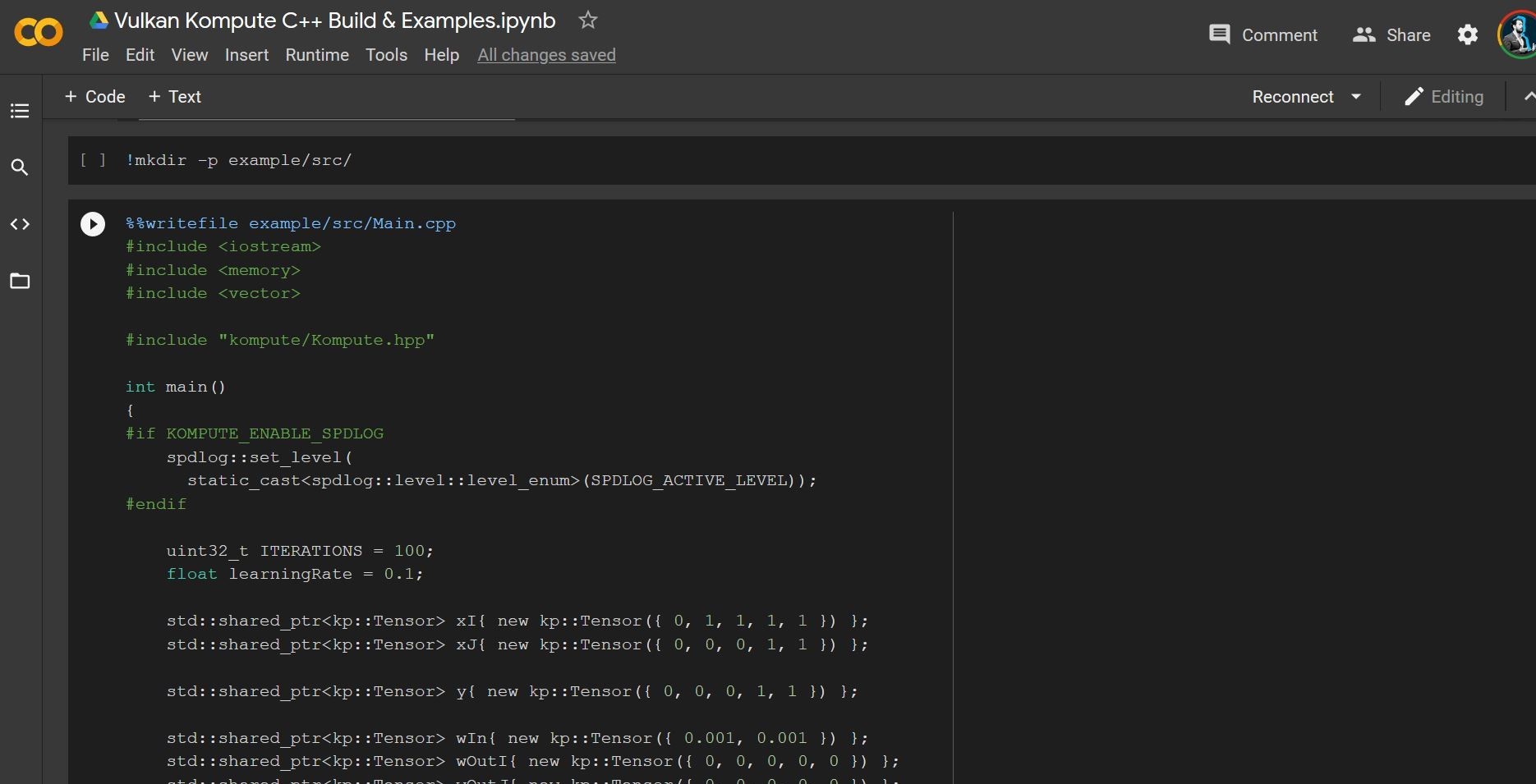
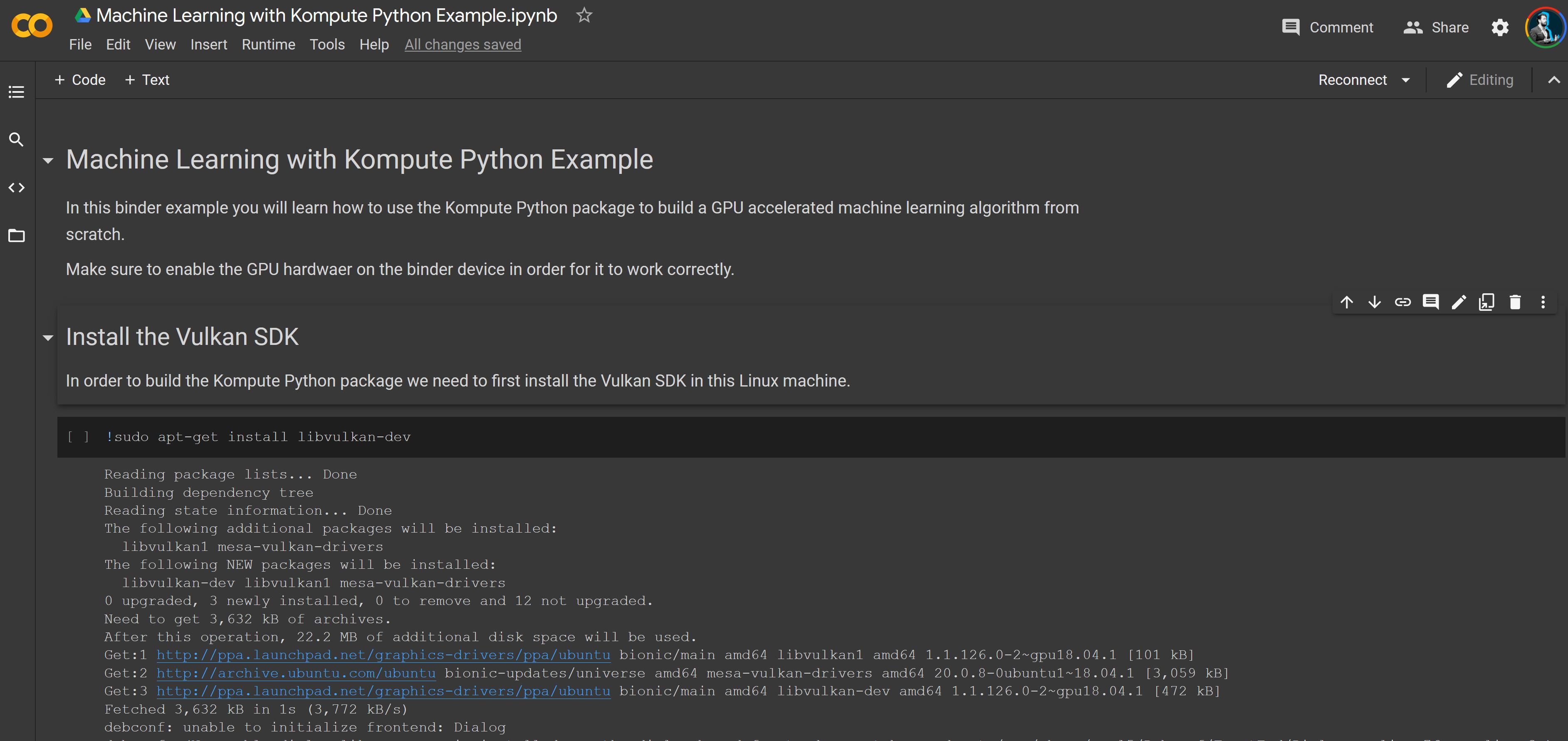
You are able to try out the interactive Colab Notebooks which allow you to use a free GPU. The available examples are the Python and C++ examples below:
Try the interactive C++ Colab from Blog Post |
Try the interactive Python Colab from Blog Post |
|
|
You can also check out the two following talks presented at the FOSDEM 2021 conference.
Both videos have timestamps which will allow you to skip to the most relevant section for you - the intro & motivations for both is almost the same so you can skip to the more specific content.
Watch the video for C++ Enthusiasts |
Watch the video for Python & Machine Learning Enthusiasts |
|
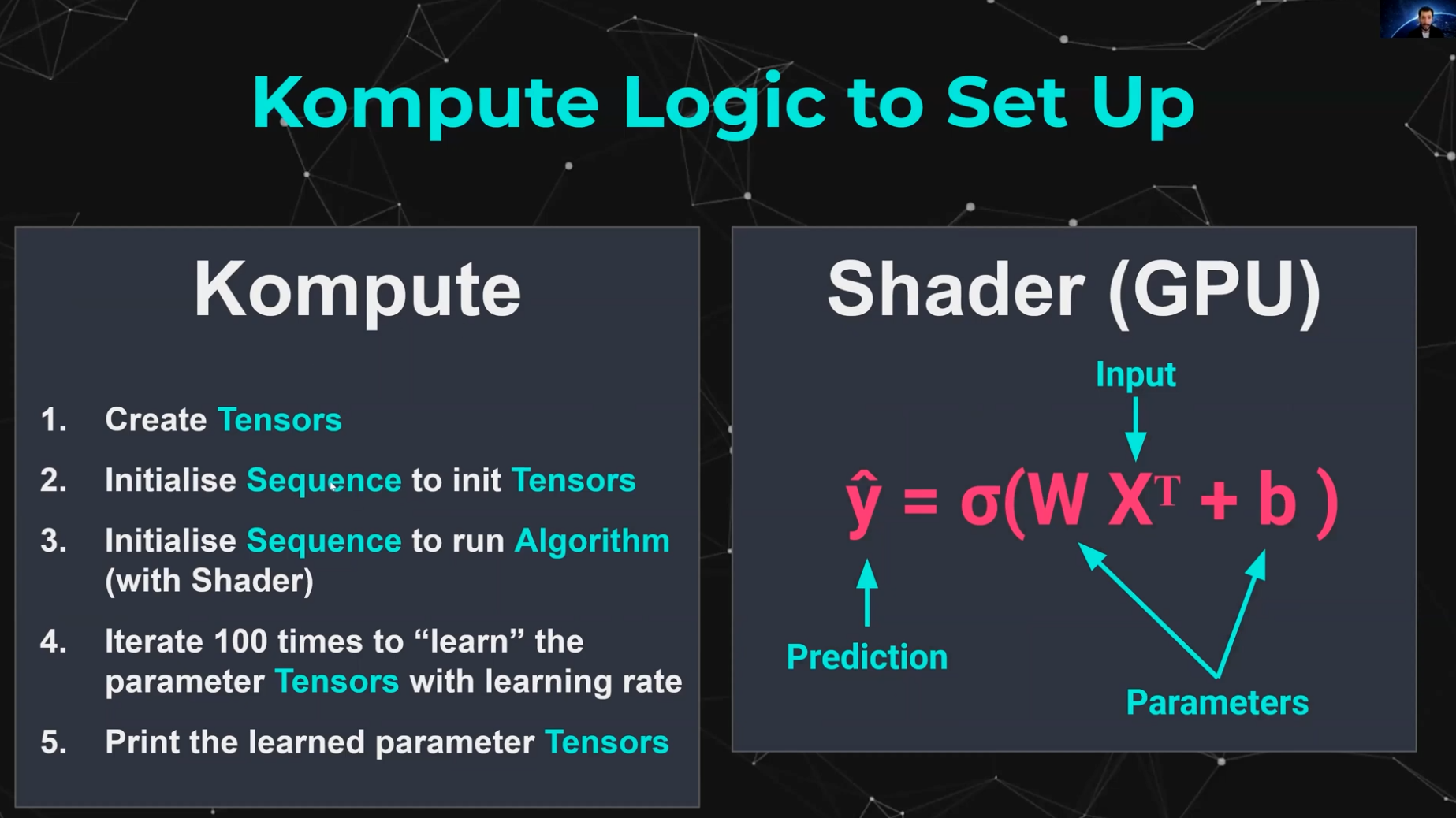
|
Architectural Overview
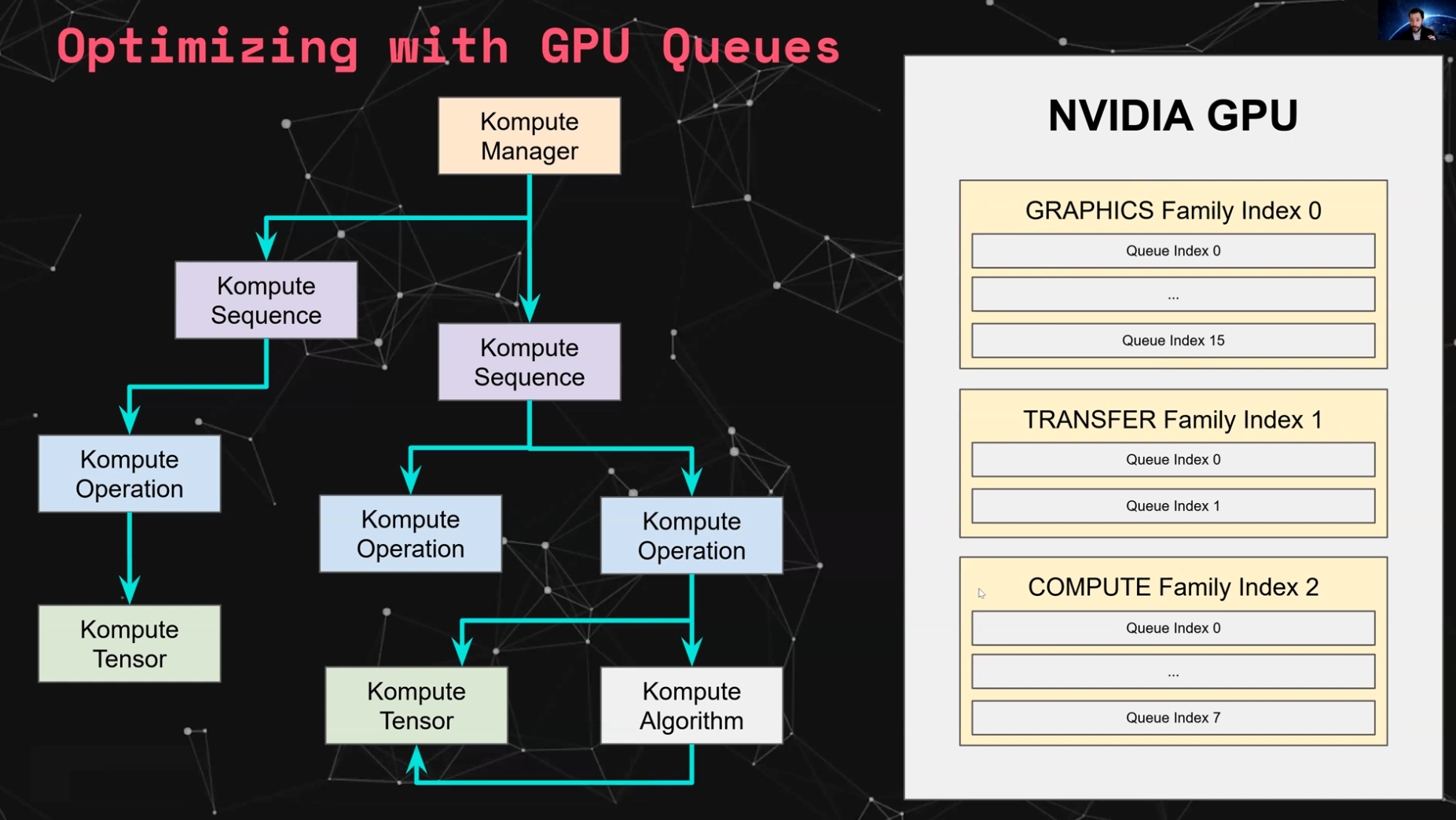
The core architecture of Kompute includes the following: * Kompute Manager - Base orchestrator which creates and manages device and child components * Kompute Sequence - Container of operations that can be sent to GPU as batch * Kompute Operation (Base) - Base class from which all operations inherit * Kompute Tensor - Tensor structured data used in GPU operations * Kompute Algorithm - Abstraction for (shader) logic executed in the GPU
To see a full breakdown you can read further in the C++ Class Reference.
| Full Architecture | Simplified Kompute Components |
|---|---|
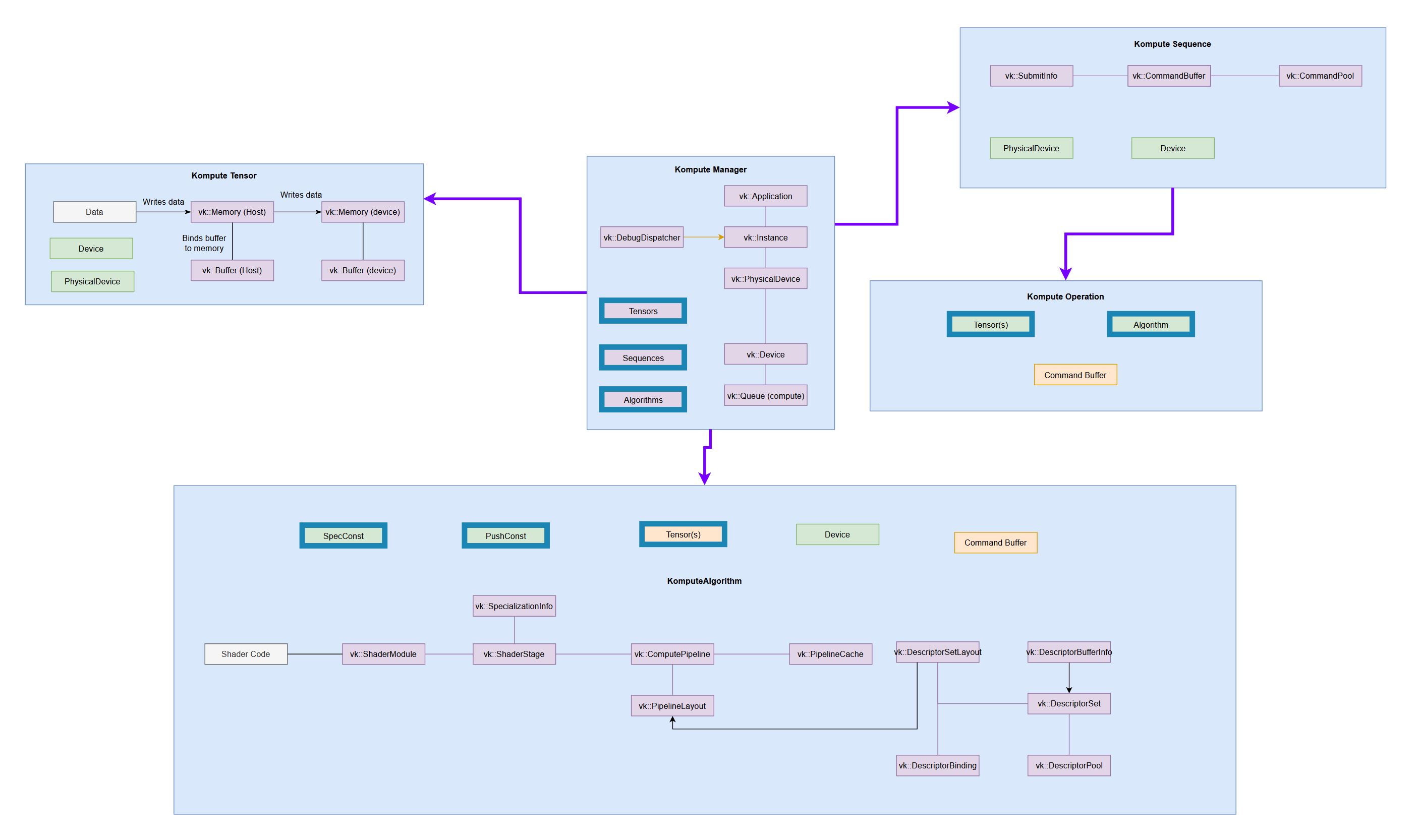 (very tiny, check the
 |
Core symbols most depended-on inside this repo
Shape
Languages
Modules by API surface
For agents
$ claude mcp add kompute \
  -- python -m otcore.mcp_server <graph>