github.com/Kesomannen/gale @1.17.0
Chat with this repoWhat it actually does AI analysis from the code graph — generated when you open this
README




A modern and lightweight mod manager for Thunderstore, built with Svelte and Tauri.
Features
- Support for all 150+ games on Thunderstore, including Lethal Company, R.E.P.O and Risk Of Rain 2
- An intuitive and responsive interface
- Tiny download size and resource usage
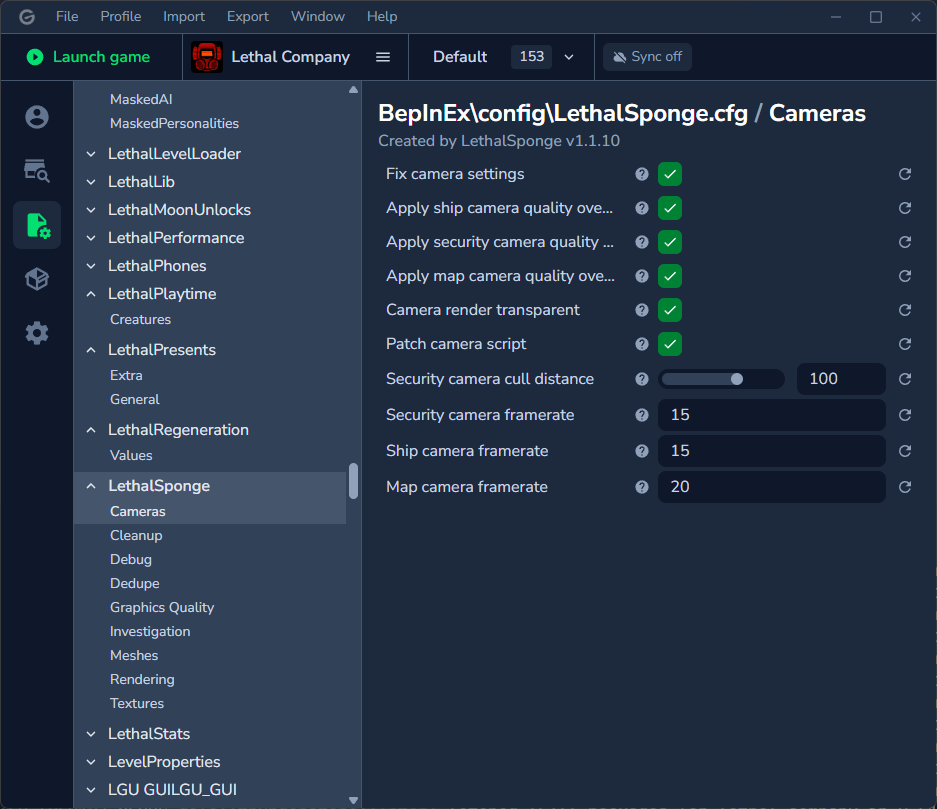
- Feature-rich mod config editor
- Automatic profile syncing
Installation
Windows
<b>Manual (Thunderstore)</b>
- Go to the Thunderstore page and click Manual Download.
- Extract the downloaded .zip file (for example by right-clicking and choosing Extract All).
-
Run the
Gale_X.X.X_x64_en-US.msifile inside of the extracted folder.Manual (Github)
-
Go to Releases.
- Download the
Gale_X.X.X_x64_en-US.msifile for your desired version (the latest is recommended). -
Run the downloaded file.
Scoop
Gale is available as an independently hosted Scoop app:
powershell
  scoop install https://raw.githubusercontent.com/Kesomannen/scoop-games/refs/heads/master/bucket/gale.json
To update, run:
powershell
  scoop uninstall gale
  scoop install https://raw.githubusercontent.com/Kesomannen/scoop-games/refs/heads/master/bucket/gale.json
Efforts are in progress to submit the app to the Scoop games bucket to make installation and updating more straightforward.
[!NOTE] You might get a prompt saying "Windows has protected your PC". In this case, click
More InfoandRun Anyway.[!TIP] If you're unsure about the safety of this app, I would suggest running it through a service like VirusTotal.
Linux
<b>Arch</b>
Gale is available as a community-maintained AUR package.
Example installation command:
bash
  yay -S gale-bin
<b>Debian</b>
Gale is available as a .deb package in Releases. After downloading, install with:
bash
  sudo dpkg -i Gale_X.X.X_x64_en-US.deb
<b>Fedora</b>
Gale is available as a .rpm package in Releases. After downloading, install with:
bash
  sudo rpm -i Gale_X.X.X_x64_en-US.rpm
<b>Flatpak</b>
Gale is available as an independently hosted Flatpak package:
bash
  flatpak install https://kesomannen.com/com.kesomannen.gale.flatpakref
<b>AppImage</b>
Distribution-agnostic AppImages are available in Releases. After downloading, make the file executable and run it:
bash
  chmod +x Gale_X.X.X_x64_en-US.AppImage
  ./Gale_X.X.X_x64_en-US.AppImage
Want to build it from source? See the wiki.
Screenshots
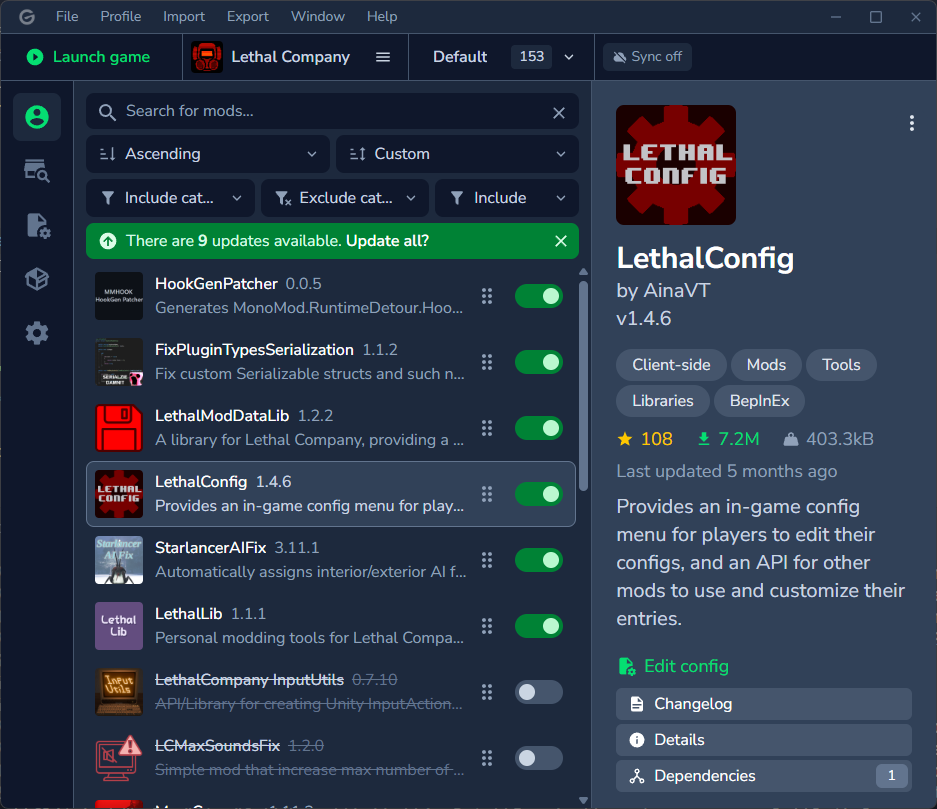
Profile
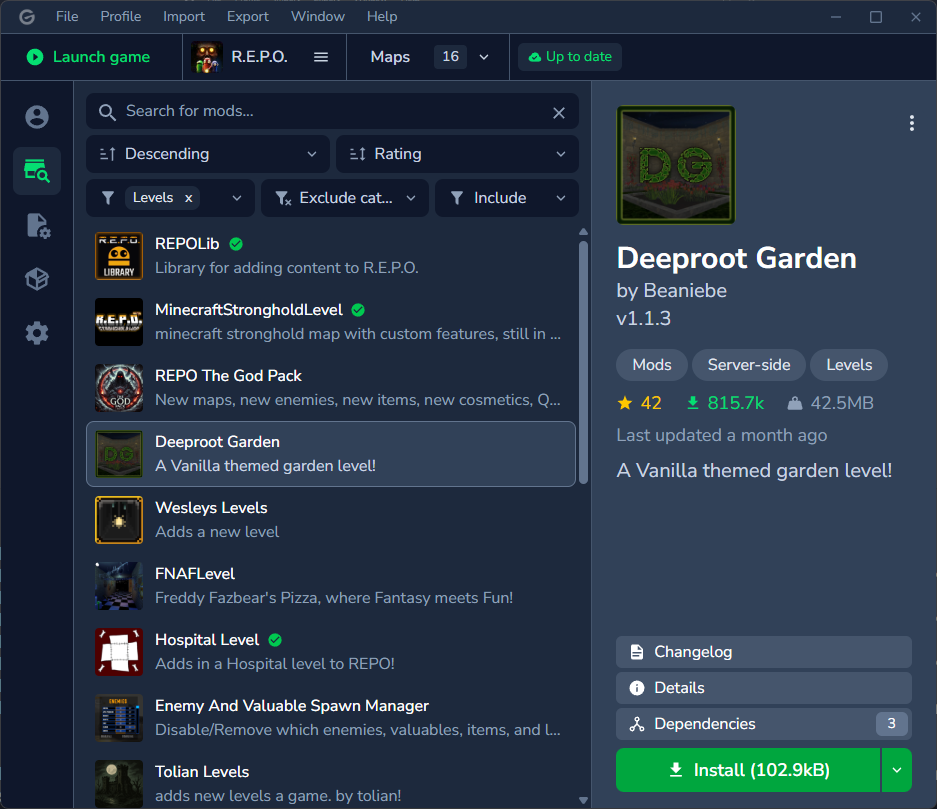
Thunderstore browser
Mod config editor
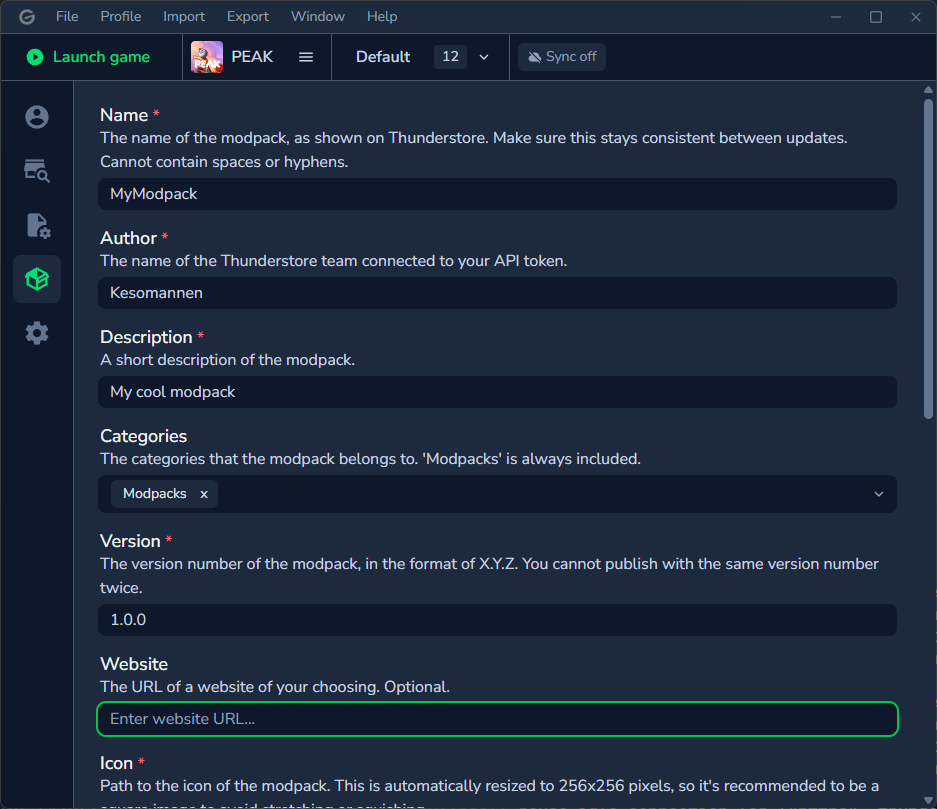
Modpack export
Credits
Material icons licensed under Apache 2.0.
Thanks to Ebkr for helping to navigate the thunderstore API and BepInEx, and of course making the original mod manager!
Still have questions? See the FAQ or a detailed list of features.