github.com/JeffreyCA/lastfm-recently-played-readme @main
Chat with this repoBrowse by type
What it actually does AI analysis from the code graph — generated when you open this
README
Last.fm Recently Played README
Show your recent Last.fm scrobbles on your GitHub profile README. Powered by Cloudflare. Check out spotify-recently-played-readme for a similar integration for Spotify.

[!NOTE] 2026-08-16: This project is now hosted on Cloudflare Workers for cost reasons. The old Vercel endpoint will continue to work, but it's recommended to switch to the new
workers.devaddress (see below).
Getting started
[!NOTE] GitHub caches README images through its own proxy, so new scrobbles may appear within a few minutes rather than instantly.
Just add the following into your README and set the query parameter user to your Last.fm username.
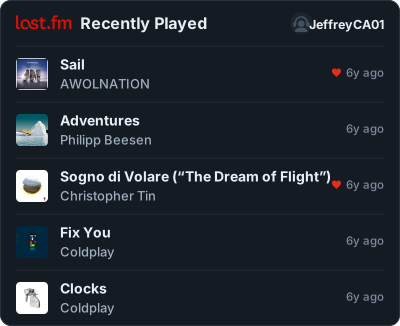
Or make the whole card a link to your Last.fm profile:
[](https://www.last.fm/user/JeffreyCA01)
Customization
Use the configurator to interactively build your widget, or add the query parameters below by hand, e.g. ?user=JeffreyCA01&theme=dracula&count=3.
| Parameter | Description | Default | Values |
|---|---|---|---|
user |
Whose scrobbles to show | required | Last.fm username |
count |
How many tracks. A now-playing track counts as one | 5 |
1-10 |
theme |
Color scheme | dark |
dark, legacy, light, dracula, tokyonight, nord, catppuccin, transparent |
bg_color |
Card background | theme's | hex digits, no # - e.g. 212121 |
text_color |
Track titles. Dividers, borders and placeholders follow it | theme's | hex digits, no # |
artist_color |
The artist line | theme's | hex digits, no # |
meta_color |
Timestamps, the footer and the stats labels | theme's | hex digits, no # |
accent_color |
The now-playing bars, "Scrobbling now", and title hover | theme's | hex digits, no # |
loved_color |
The loved-track heart | theme's | hex digits, no # |
logo_color |
The Last.fm wordmark | d51007 |
hex digits, no # |
width |
Card width in pixels | 400 |
260-1000 |
radius |
Corner rounding | 10 |
0-40 |
art |
Album artwork | 1 |
1 / 0 |
header |
The "Recently Played" row | 1 |
1 / 0 |
logo |
Last.fm wordmark in the header | 1 |
1 / 0 |
profile |
Where your username and picture appear | header |
header, footer-left, footer-right, off |
username |
Show your username in that spot | 1 |
1 / 0 |
avatar |
Show your profile picture in that spot | 1 |
1 / 0 |
time |
"6m ago" timestamps | 1 |
1 / 0 |
stats |
Scrobbles / artists / tracks totals | off |
off, block, block-center, compact |
footer |
What sits below the tracks. Ignored when profile is in the footer |
off |
off, stats, wave |
loved |
Where to mark tracks you've hearted | time |
off, between, between-all, title, time |
Booleans also accept true/false, yes/no, on/off. Numbers outside their range are clamped rather than rejected.
Colors
Every color takes 3, 4, 6 or 8 hex digits (without leading #) - 4 and 8 include alpha.
bg_color is safe on its own: the card picks readable text for whatever background you give it, so ?bg_color=ffffff on the dark theme comes out dark-on-white rather than white-on-white. Set text_color to choose for yourself.
Loved tracks
loved |
Where the indicator (heart icon) goes |
|---|---|
between |
Left of the track name, loved tracks only |
between-all |
Left of the track name, greyed out when not loved |
title |
Right after the track name |
time |
Just before the timestamp (default) |
off |
Hidden |
Automatic light and dark
GitHub supports `
` in READMEs, so the card can follow the reader's theme:
<img src="https://lastfm-recently-played.jeffreyca.workers.dev/svg?user=JeffreyCA01&theme=light">
Examples
Profile stats, in one line
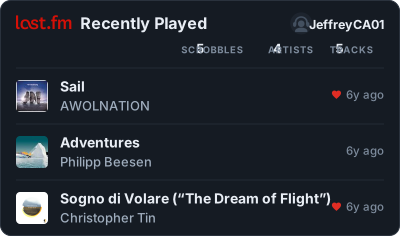
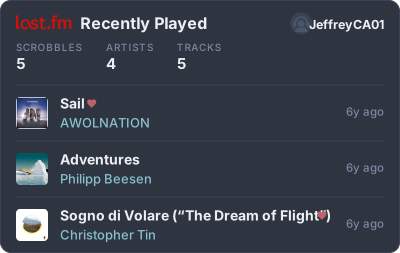
Stats as centred columns, with a wave
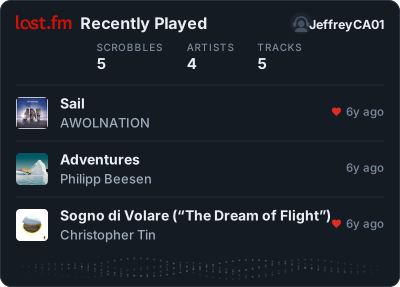
Your profile in the footer instead of the header
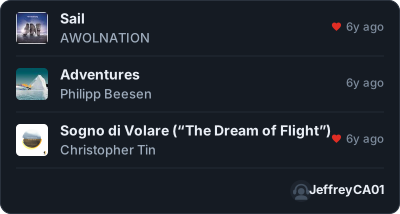
Hearts beside every track, light theme
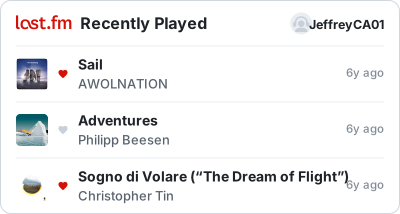
Nord, hearts after the track name, stats as columns
Catppuccin with a custom background
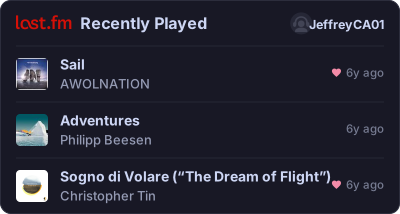
Text only - no artwork, no logo, no picture, square corners
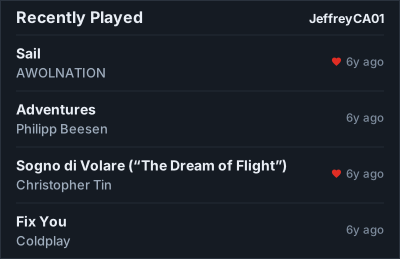
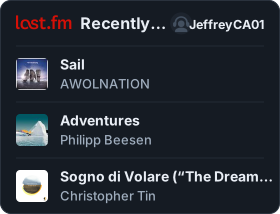
Narrow, for a sidebar or a table cell
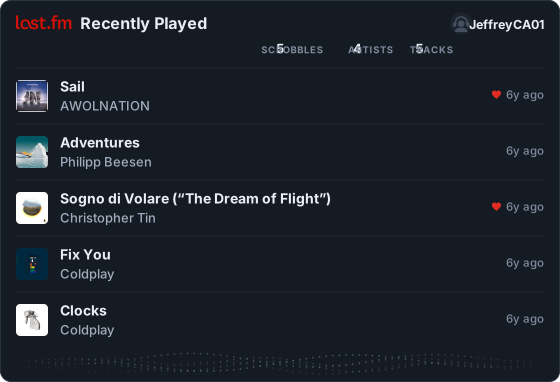
Ten tracks, wide, everything on
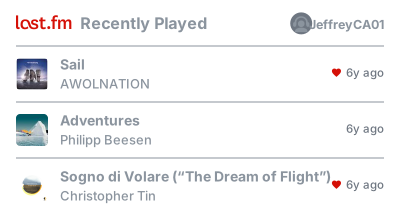
Transparent, to sit on any background
Running locally
Requires Node 22+.
git clone https://github.com/JeffreyCA/lastfm-recently-played-readme.git
cd lastfm-recently-played-readme
npm install
Get a Last.fm API key at last.fm/api/account/create.
cp .dev.vars.example .dev.vars   # then paste your key in
npm run dev
That serves the configurator at http://localhost:8787 and the widget at http://localhost:8787/svg?user=YOUR_USERNAME.
npm run typecheck
npm test
Deploying
That clones the repo into your own account, provisions the Worker, and prompts for LASTFM_API_KEY. Every later push to main redeploys. It fits comfortably inside the free tier.
To deploy by hand instead:
npx wrangler secret put LASTFM_API_KEY
npm run deploy
If you attach a custom domain, a WAF rate-limit rule on /svg (say 60 requests/minute per IP) is worth adding, since the URL is public and anyone can point it at any username. WAF rules need a domain you control; they can't be applied to a *.workers.dev URL.
How it works
The Worker asks Last.fm for your recent tracks, downloads the album art, and renders everything into a single self-contained SVG. Album art is embedded directly in the image, because an SVG displayed in an <img> can't load anything from outside itself.
Track data comes from user.getRecentTracks, which is public - that's why this needs nothing from you but a username. Responses are cached briefly to keep the shared API key well inside Last.fm's limits.
Licence
Not affiliated with Last.fm; the Last.fm name and logo are their trademarks.
Extension points exported contracts — how you extend this code
browse all types & interfaces →
Core symbols most depended-on inside this repo
Shape
Languages
Modules by API surface
For agents
$ claude mcp add lastfm-recently-played-readme \
  -- python -m otcore.mcp_server <graph>