github.com/JasonBuildAI/GoldMind @v1.0.0
Chat with this repoWhat it actually does AI analysis from the code graph — generated when you open this
README

🥇 GoldMind
Next-Generation Multi-Agent Gold Market Intelligence Analysis Engine
A Next-Generation Multi-Agent Gold Market Intelligence Analysis Engine





English | 中文文档
Quick Start • Overview • Agent Principles • System Showcase • Workflow • Contributing
⚡ Overview
GoldMind is an intelligent gold market analysis platform based on LangChain Multi-Agent Architecture, integrating ReAct reasoning framework, RAG (Retrieval-Augmented Generation), and multi-model collaboration technologies to provide investors with deep market insights.
The system is powered by dual engines: GLM-4-Plus (Zhipu AI) and DeepSeek-V3, with specialized Agents collaborating through division of labor: Market Analysis Agent handles technical quantitative analysis, News Intelligence Agent performs sentiment analysis based on real-time search, Institution Research Agent tracks mainstream institutional views, and Investment Advisory Agent generates strategic recommendations by integrating multi-source information. Each Agent achieves result fusion through structured output, forming a panoramic understanding of the gold market.
You only need to: Follow gold market dynamics, the system automatically collects data and analyzes
GoldMind will return: Comprehensive analysis reports integrating price trends, market sentiment, and institutional views
🎯 Core Technical Architecture
🚀 LangChain Multi-Agent Framework
A modular Agent system built on LangChain, with each Agent encapsulating independent analysis logic and toolchains. Through the BaseAgent abstract base class, unified LLM calling interfaces are supported, enabling flexible switching between DeepSeek and Zhipu AI dual-model backends. Agents collaborate through structured data transfer, avoiding single points of failure and enhancing system robustness.
🌐 GLM-4-Plus Real-time Search Enhancement
Integrates Zhipu AI's GLM-4-Plus model's Web Search capability, enabling real-time retrieval and understanding of institutional research reports, financial news, and market dynamics. Compared to traditional static data sources, the system can capture the latest market changes, providing timely information support for analysis.
🧠 DeepSeek Deep Reasoning & Multi-Agent Fusion
Adopts DeepSeek-V3 as the core reasoning engine, leveraging its powerful long-text understanding and logical reasoning capabilities to fuse multi-Agent outputs. Through specially designed fusion Prompts, four-dimensional information (technical, fundamental, sentiment, and institutional views) is integrated to generate investment judgments with logical consistency.
📊 ReAct Reasoning + RAG Retrieval Augmentation
Implements the ReAct (Reasoning + Acting) reasoning pattern within Agents: Thought (analyze current state) → Action (call tools to fetch data) → Observation (integrate observation results) → Final Answer (output conclusion). Combined with RAG technology to retrieve historical prices, news sentiment, and other contextual information from local databases, enhancing LLM factuality and accuracy.
📸 System Showcase
Dashboard
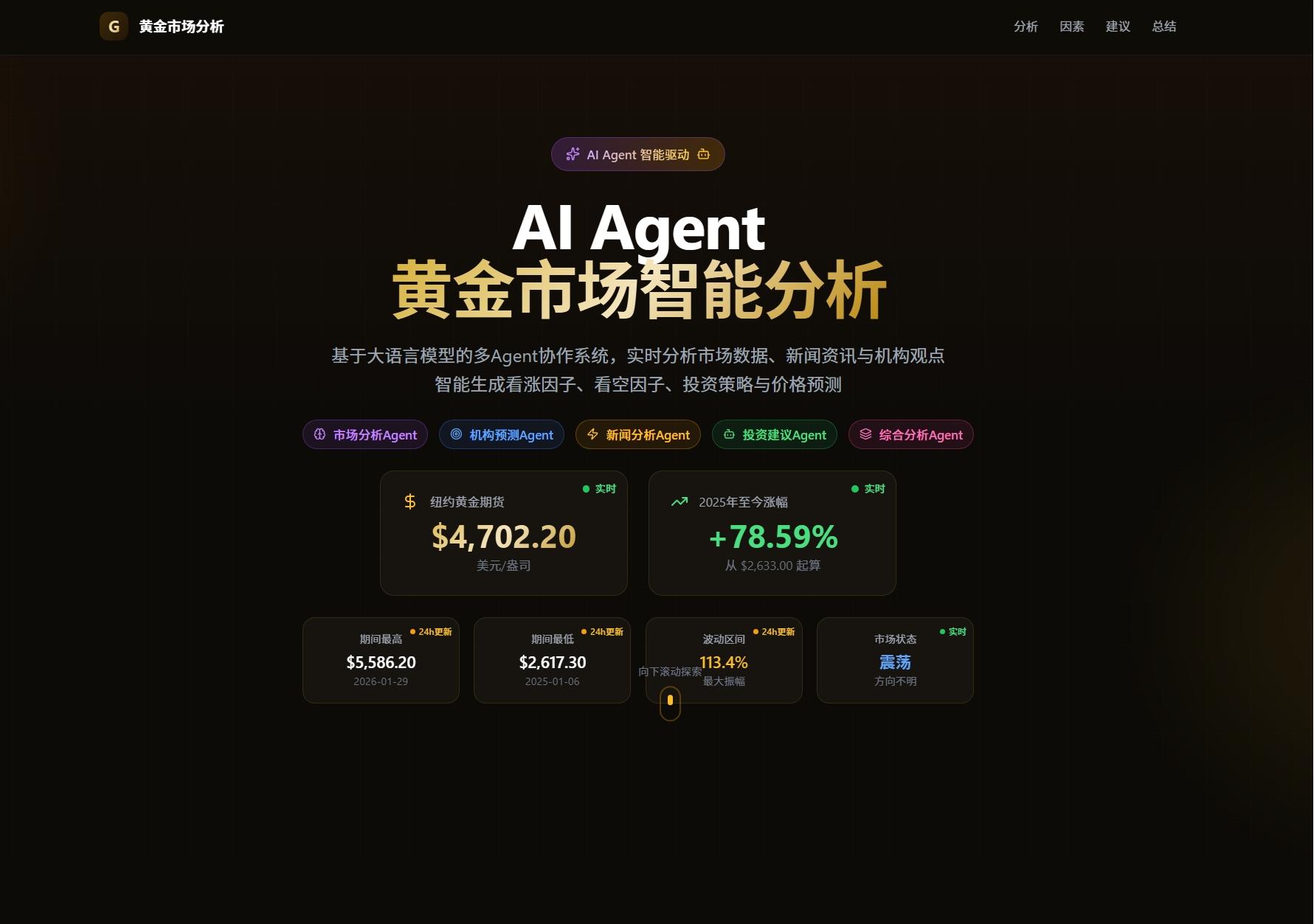
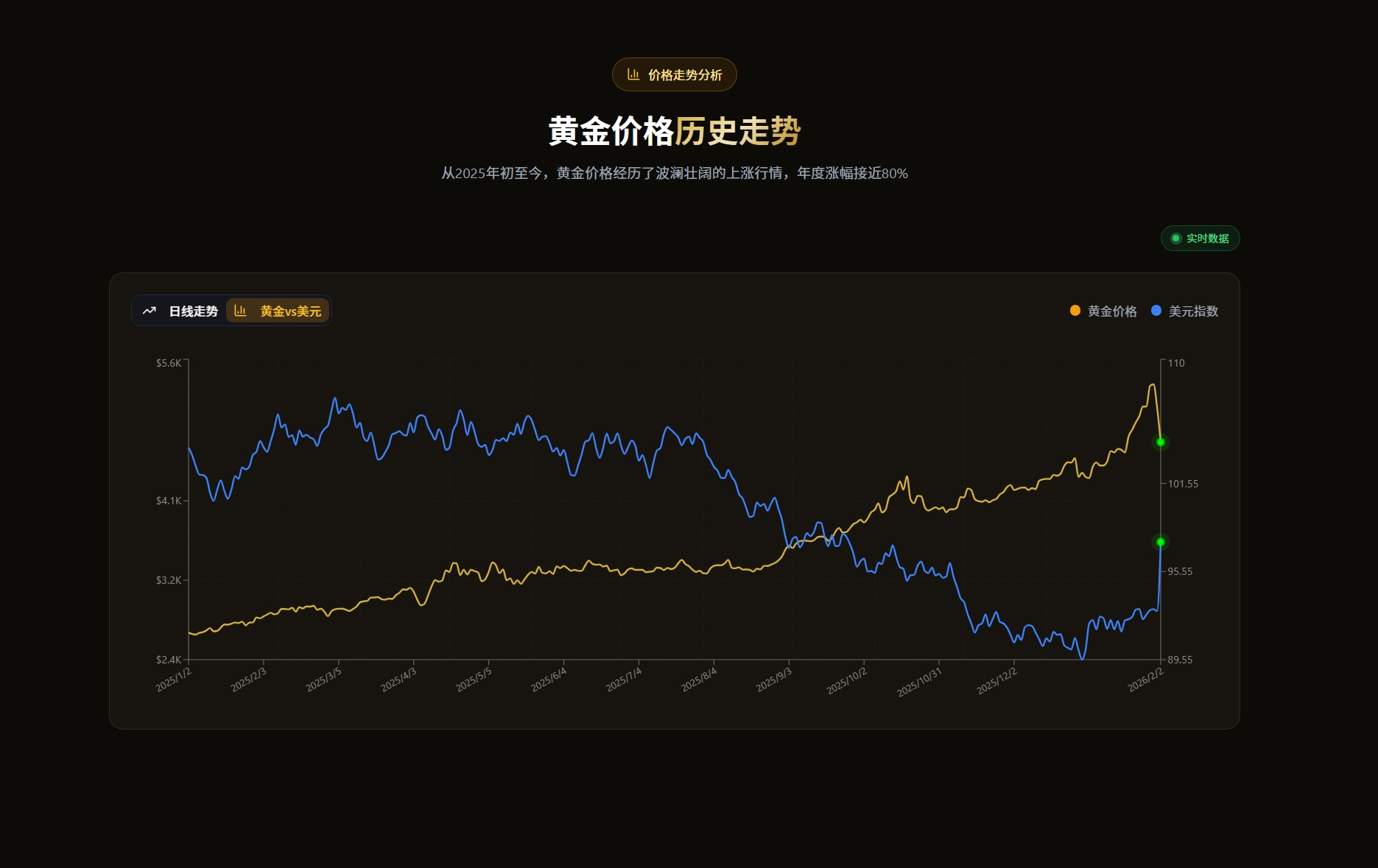
Real-time Price Trends
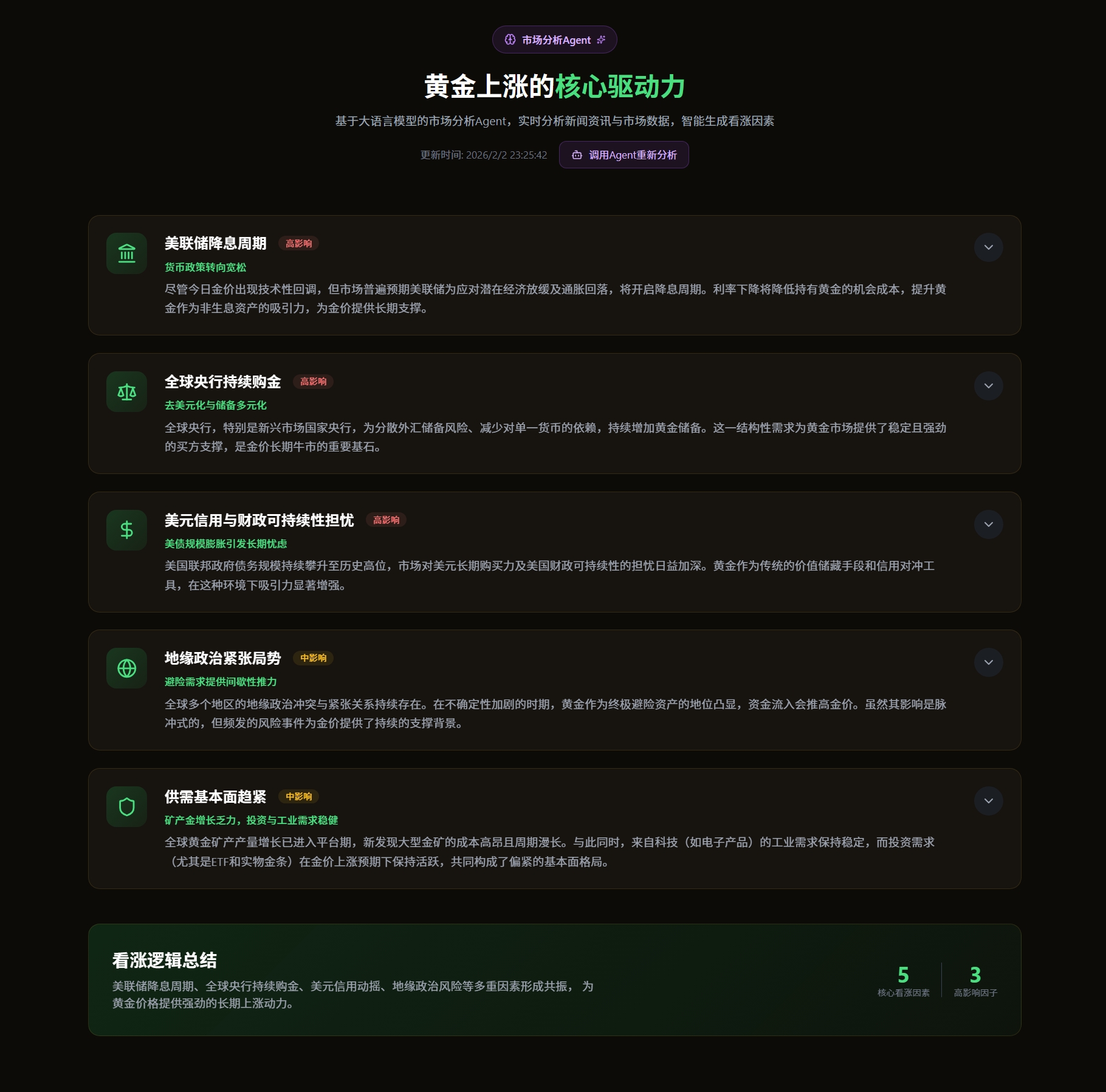
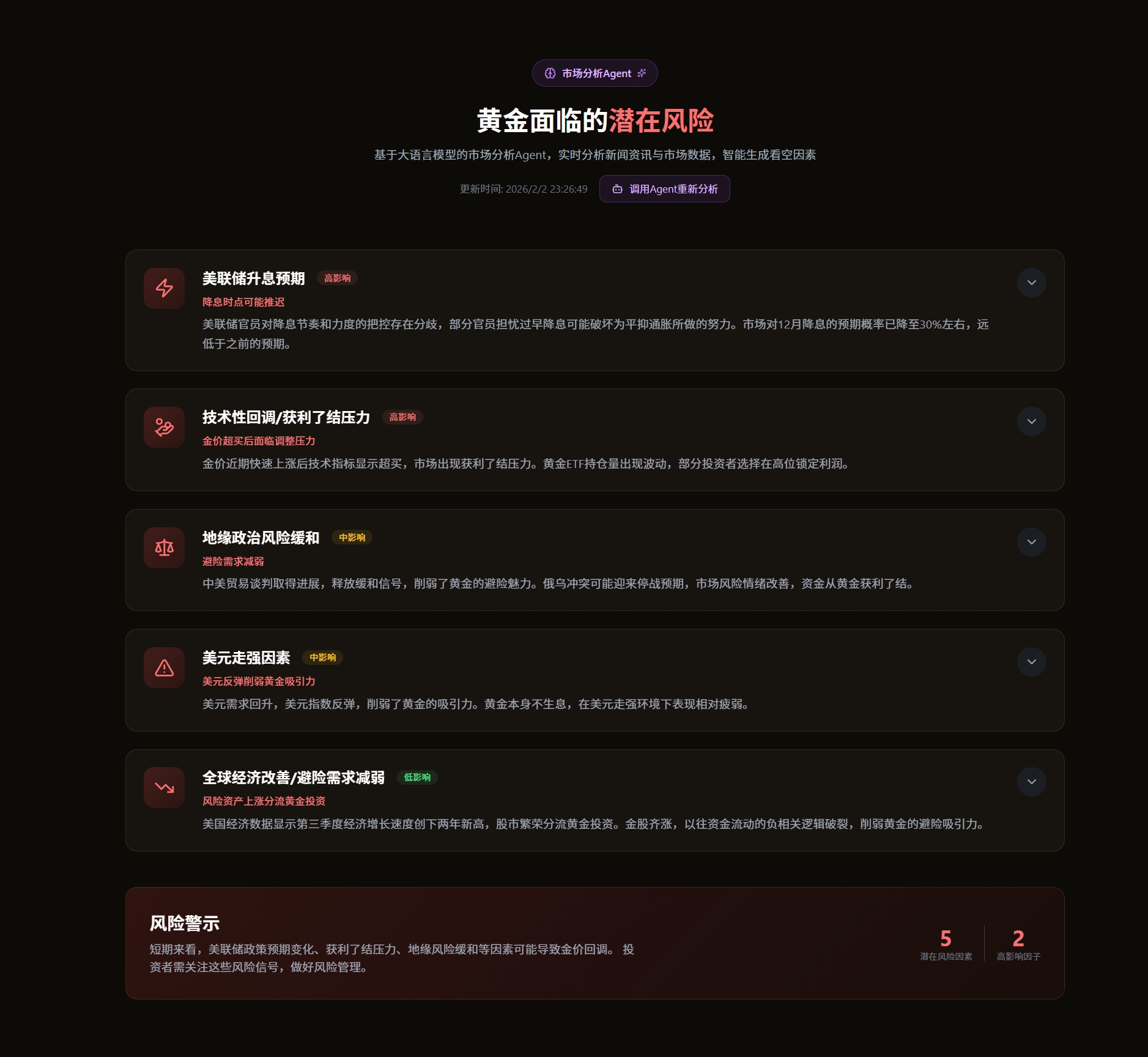
Bullish/Bearish Factor Analysis
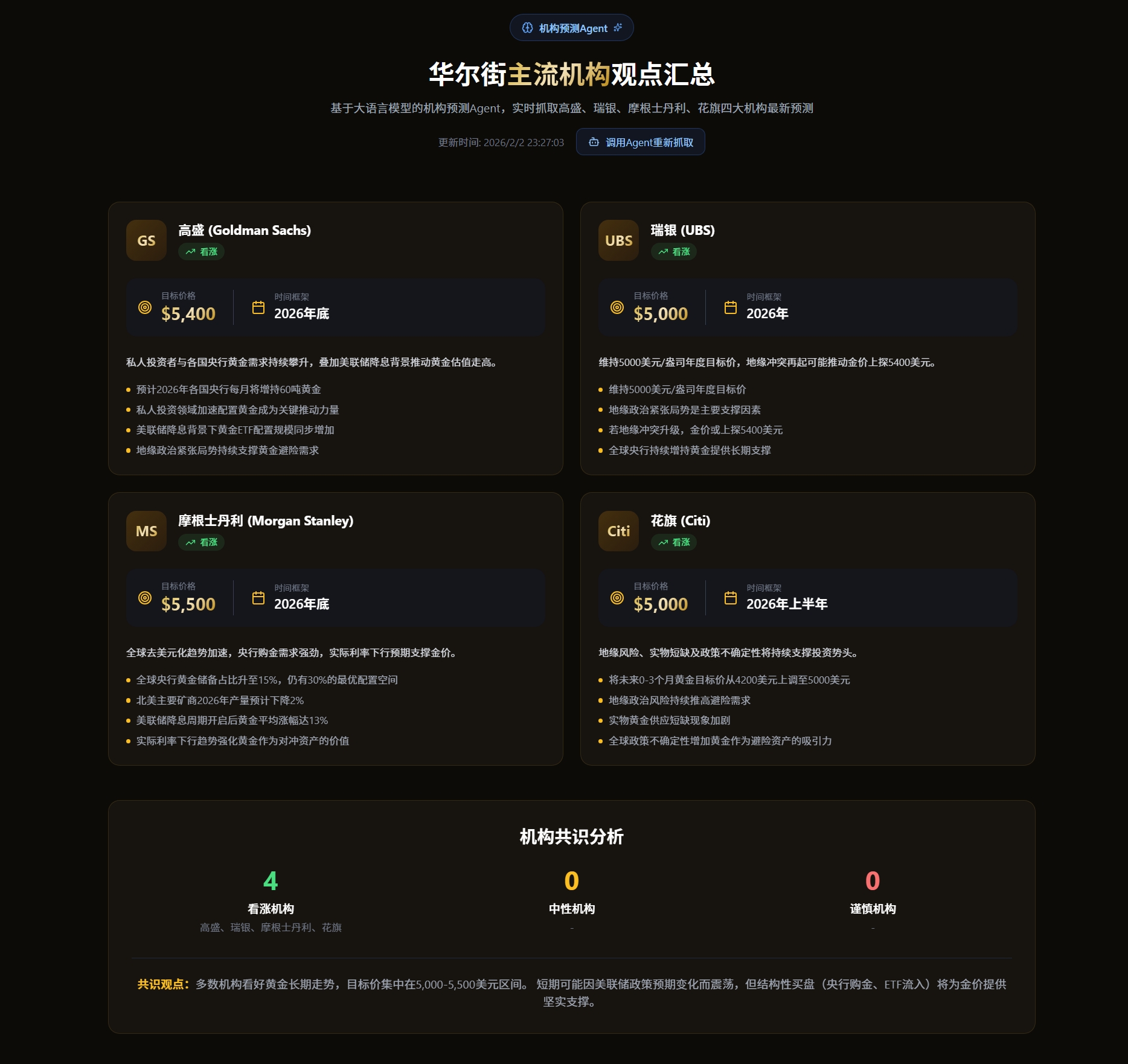
Institutional Views
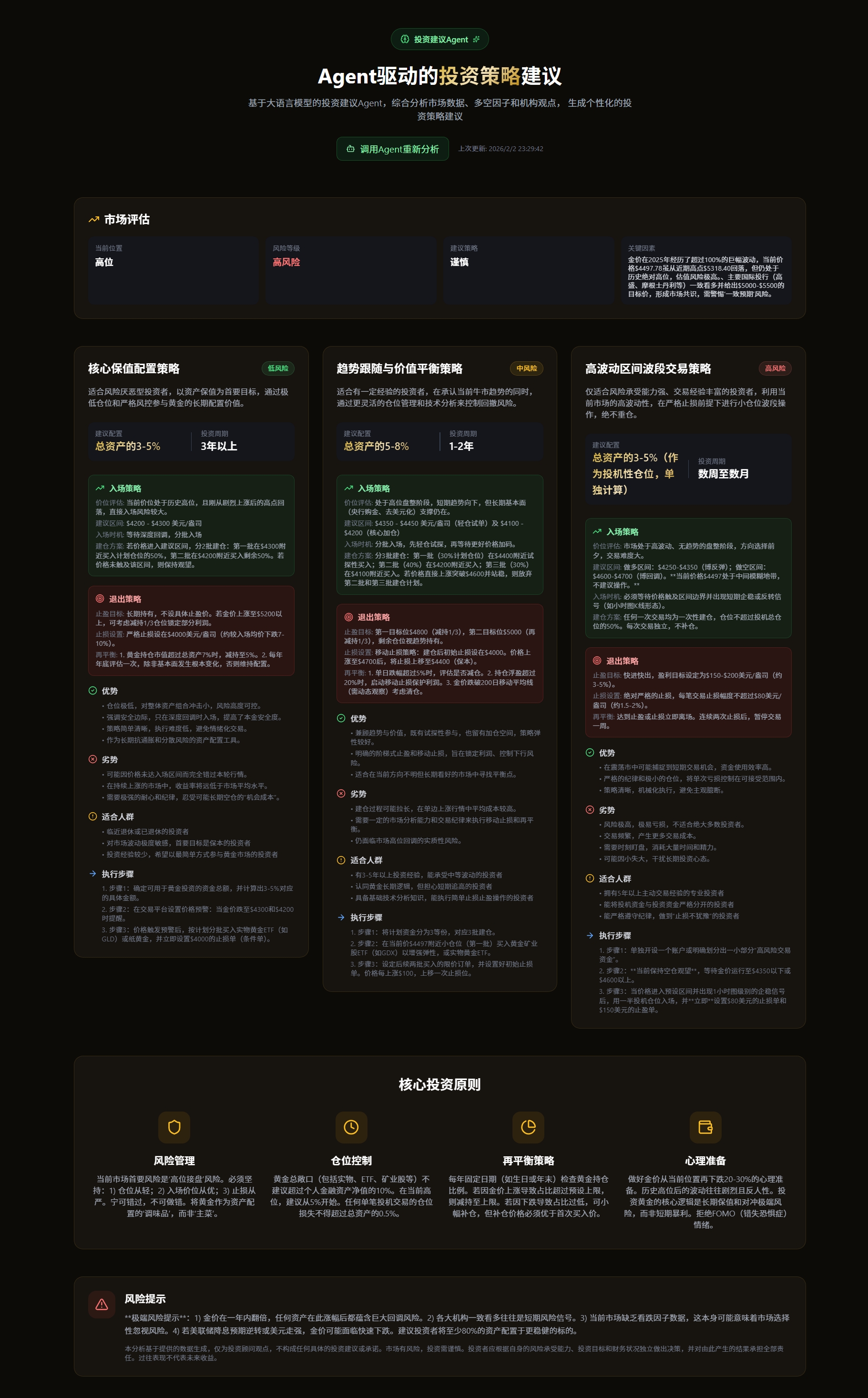
Investment Advice
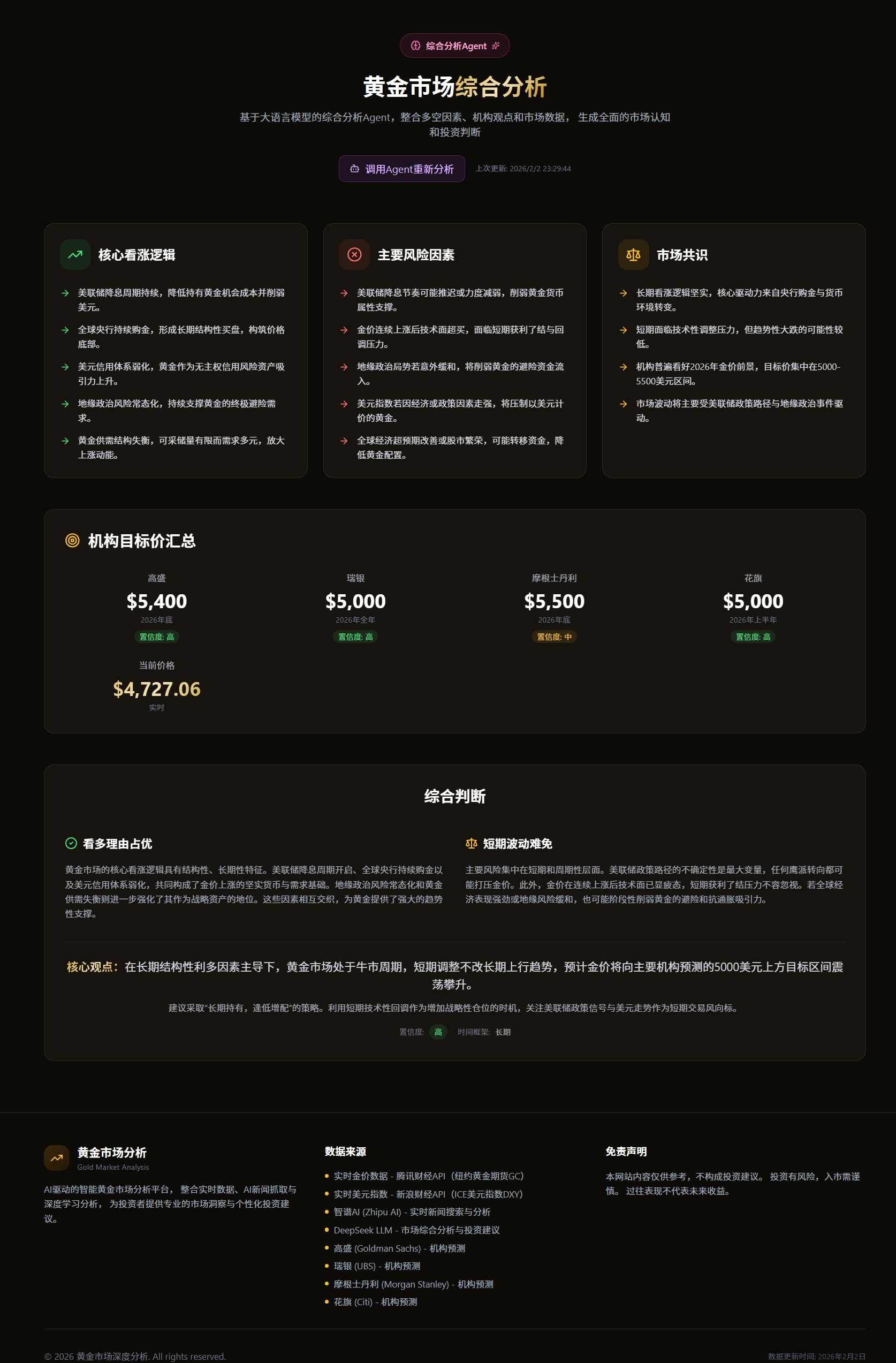
Market Summary
🚀 Quick Start
Prerequisites
| Tool | Version | Description | Check Installation |
|---|---|---|---|
| Node.js | 18+ | Frontend runtime environment, includes npm | node -v |
| Python | 3.11 - 3.12 | Backend runtime environment | python --version |
| MySQL | 8.0+ | Data storage | mysql --version |
Method 1: Local Development (Recommended)
1. Configure Environment Variables
# Copy example configuration file
cd backend
cp .env.example .env

# Edit .env file and fill in necessary API keys
Required Environment Variables:
# ============================================
# Database Configuration
# ============================================
# MySQL database connection URL
DATABASE_URL=mysql+pymysql://root:your_password@localhost:3306/gold_analysis

# ============================================
# AI API Key Configuration
# ============================================
# Zhipu AI - For real-time search, news analysis, institutional forecasts
# Get it at: https://open.bigmodel.cn/
ZHIPU_API_KEY=your_zhipu_api_key_here

# DeepSeek - For deep reasoning and investment advice generation
# Get it at: https://www.deepseek.com/
DEEPSEEK_API_KEY=your_deepseek_api_key_here
2. Install Dependencies
Backend Dependencies:
cd backend

# Create virtual environment (recommended)
python -m venv venv

# Activate virtual environment
# Windows:
venv\Scripts\activate
# macOS/Linux:
source venv/bin/activate

# Install dependencies
pip install -r requirements.txt
Frontend Dependencies:
cd app
npm install
3. Initialize Database
cd backend

# Run database initialization (create tables + seed data)
python init_db.py

# If you want to skip data seeding and only create tables
SKIP_SEED=1 python init_db.py
Manual Data Seeding:
# If initialization skipped data seeding, or you need to update data
python seed_data.py
4. Start Services
Start both frontend and backend (run in project root):
# Windows PowerShell
.\start_all.ps1

# Or start separately
Start Individually:
# Backend (in backend directory)
uvicorn app.main:app --reload --host 0.0.0.0 --port 8000

# Frontend (in app directory)
npm run dev
Service URLs: - Frontend: http://localhost:5173 - Backend API: http://localhost:8000 - API Documentation: http://localhost:8000/docs
Method 2: Docker Deployment
Prerequisites
| Tool | Version | Description | Check Installation |
|---|---|---|---|
| Docker | 20.10+ | Containerization platform | docker --version |
| Docker Compose | 2.0+ | Multi-container orchestration | docker compose version |
⚠️ Network Requirements: Need access to Docker Hub to download images. Users in China may need to configure VPN/proxy.
1. Configure Environment Variables
# Copy example configuration file
cp backend/.env.example backend/.env

# Edit .env file and fill in necessary API keys
Required Environment Variables:
# ============================================
# Database Configuration (for Docker internal use)
# ============================================
MYSQL_ROOT_PASSWORD=your_secure_password
DATABASE_URL=mysql+pymysql://root:your_secure_password@mysql:3306/gold_analysis

# ============================================
# AI API Key Configuration
# ============================================
# Zhipu AI (Zhipu AI) - For real-time search, news analysis, institutional forecasts
# Get it at: https://open.bigmodel.cn/
ZHIPU_API_KEY=your_zhipu_api_key_here

# DeepSeek - For deep reasoning and investment advice generation
# Get it at: https://www.deepseek.com/
DEEPSEEK_API_KEY=your_deepseek_api_key_here
💡 Note:
docker-compose.ymlis configured to automatically loadbackend/.envfile, no need to manually set environment variables.
2. Start Services
# Build and start all services (frontend + backend + database)
docker-compose up -d --build

# Check service status
docker-compose ps

# View logs (observe data initialization progress)
docker-compose logs -f backend
Network Configuration for China Users (if unable to download images):
If using Clash/V2Ray or other proxy tools:
- Enable system proxy or TUN mode
- Configure in Docker Desktop → Settings → Resources → Proxies:
- HTTP Proxy:
http://127.0.0.1:7890 - HTTPS Proxy:
http://127.0.0.1:7890 - Apply & Restart
- Retry
docker-compose up -d --build
⚠️ If network issues cannot be resolved, it is recommended to use Method 1: Local Development.
First-time Startup Notes:
Docker deployment will automatically complete the following initialization: 1. ✅ Create MySQL database and tables 2. ✅ Automatically fetch and populate historical data (gold and US dollar index data from 2025 to present) 3. ✅ Start backend services
The data fetching process may take 1-3 minutes, please observe the logs and wait for initialization to complete.
3. Access Application
Service URLs: - Frontend: http://localhost - Backend API: http://localhost:8000 - API Documentation: http://localhost:8000/docs
💡 Tip: When accessing for the first time, if you see "Loading data", it means the backend is still initializing data, please wait a moment and refresh the page.
🔄 Workflow
``` ┌─────────────────────────────────────────────────────────────────────────────┐ │ GoldMind System Workflow │ └─────────────────────────────────────────────────────────────────────────────┘
 ┌──────────────┐
 │  Data Layer   │
 └──────┬───────┘
        │
 ┌──────▼───────┐     ┌──────────────────────────────────────────────────┐
 │ Data Sources  │────▶│ • Gold Price API (Yahoo Finance)                │
 │               │     │ • US Dollar Index API                            │
 │               │     │ • Web Search (Zhipu AI)                          │
 │               │     │ • News Websites                                  │
 └──────┬───────┘     └──────────────────────────────────────────────────┘
        │
        ▼
 ┌──────────────────────────────────────────────────────────────────────┐
 │                        Agent Analysis Layer                           │
 │  ┌─────────────────┐  ┌─────────────────┐  ┌─────────────────┐      │
 │  │ Market Analysis │  │ News Intelligence│  │Institution      │      │
 │  │     Agent       │  │     Agent       │  │Research Agent   │      │
 │  │                 │  │                 │  │                 │      │
 │  │• Price Trends   │  │• News Search    │  │• Institution    │      │
 │  │• Technical      │  │• Sentiment      │  │  Views Tracking │      │
 │  │  Indicators     │  │  Analysis       │  │• Report         │      │
 │  │• Pattern        │  │• Event          │  │  Analysis       │      │
 │  │  Recognition    │  │  Extraction     │  │                 │      │
 │  └────────┬────────┘  └────────┬────────┘  └────────┬────────┘      │
 │           │                    │                    │               │
 │           └────────────────────┼────────────────────┘               │
 │                                │                                    │
 │                                ▼                                    │
 │                    ┌─────────────────────┐                          │
 │                    │   Data Integration  │                          │
 │                    │   & Structured      │                          │
 │                    │   Output            │                          │
 │                    └──────────┬──────────┘                          │
 └───────────────────────────────┼──────────────────────────────────────┘
                                 │
                                 ▼
 ┌──────────────────────────────────────────────────────────────────────┐
 │                     DeepSeek Fusion Layer                             │
 │                                                                       │
 │  ┌─────────────────────────────────────────────────────────────────┐  │
 │  │              Investment Advisory Agent                           │  │
 │  │
Extension points exported contracts — how you extend this code
PriceData (Interface)Core symbols most depended-on inside this repo
cnShape
Languages
Modules by API surface
Datastores touched
For agents
$ claude mcp add GoldMind \
  -- python -m otcore.mcp_server <graph>