github.com/InteractiveComputerGraphics/splashsurf @v0.14.1
Chat with this repoWhat it actually does AI analysis from the code graph — generated when you open this
README









Surface reconstruction library and CLI for particle data from SPH simulations, written in Rust.
This repository contains of the following components:
- 🛠️ splashsurf: Binary crate with a CLI (command line interface) to quickly run surface reconstructions of SPH particle data files from the terminal. Install with cargo install splashsurf.
- 🧰 splashsurf_lib: Rust library that implements the reconstruction method used by the CLI. Allows integrating the reconstruction procedure directly into other Rust applications. Furthermore, it resembles a framework providing access to individual building blocks to create your own surface reconstruction pipeline.
- 🐍 pysplashsurf: Bindings to the CLI and library for Python. Install with pip install splashsurf and see the README for more details.
- 🎬 splashsurf_studio: Blender add-on built on top of the Python bindings for on-the-fly surface reconstruction. Available from the official Blender extension repository.
This page provides an overview of the CLI's features and high-level notes on implementation of the reconstruction method.


splashsurf is a tool designed to reconstruct surface meshes from SPH particle data.
The first image illustrates the visualization of a set of particles from an SPH fluid simulation made using SPlisHSPlasH.
The particle radius is 0.025.
To ensure that the rendering of a fluid does not resemble a ball pit, a surface mesh must be reconstructed from this particle data.
The second image displays a reconstructed surface mesh of the fluid produced by splashsurf, utilizing a "smoothing length" of 2.2 times the particle radius and a cell size of 1.1 times the particle radius.
The third image showcases a finer reconstruction with a cell size of 0.45 times the particle radius.
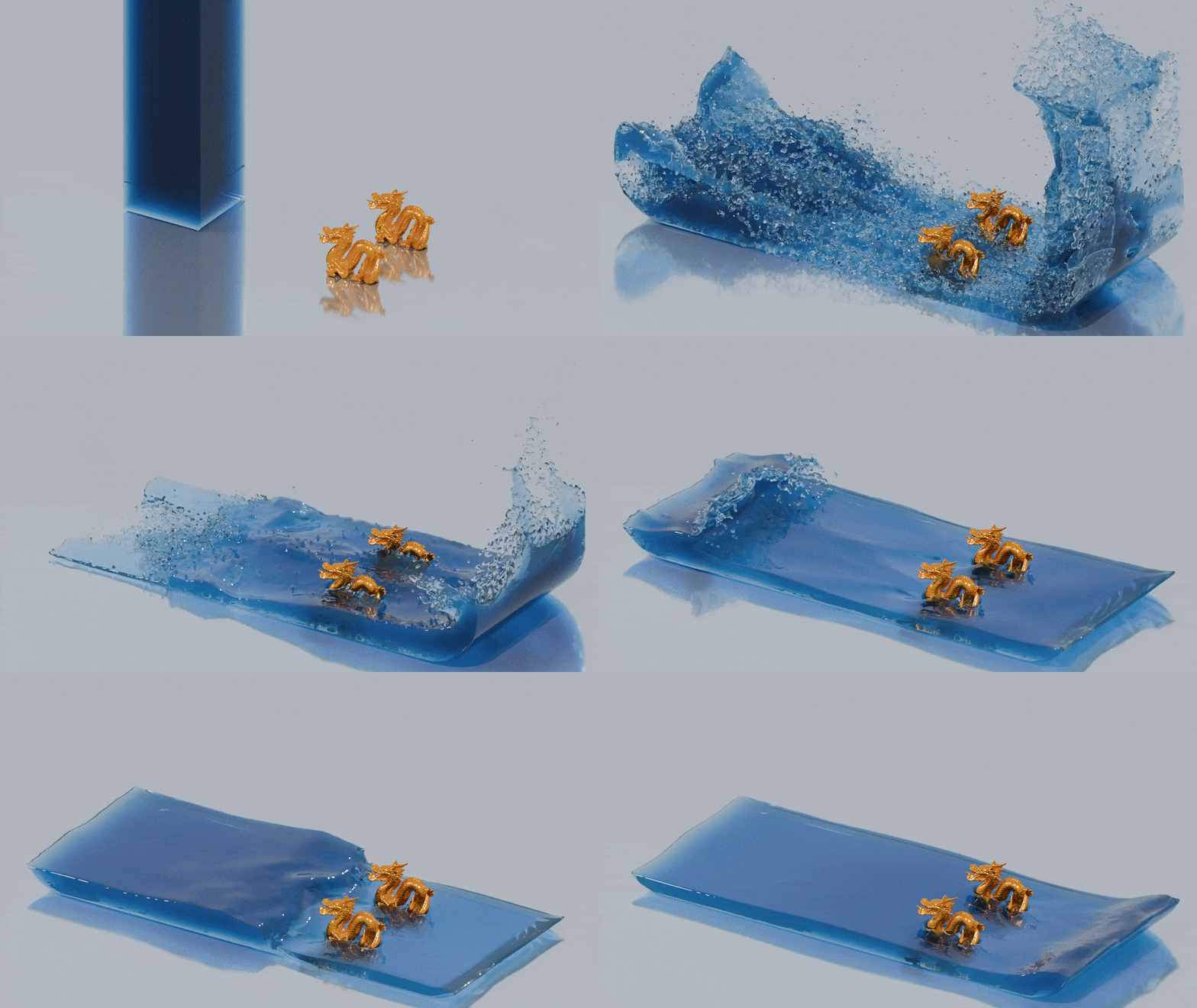
These surface meshes can then be imported into 3D rendering software such as Blender to create stunning water animations.
The result may resemble the following:
Contents
- The splashsurf CLI
- Introduction
- Domain decomposition
- Subdomain grid-based decomposition
- Notes
- Installation
- Usage
- Recommended settings
- Weighted surface smoothing
- Benchmark example
- Sequences of files
- Input file formats
- VTK
- VTU
- BGEO
- PLY
- XYZ
- JSON
- Output file formats
- All command line options
- The reconstruct command
- The convert subcommand
- Citation
- Acknowledgements
- License
The splashsurf CLI
The following sections mainly focus on the CLI of splashsurf. For more information on the library, see the corresponding readme in the splashsurf_lib subfolder or the splashsurf_lib crate on crates.io.
Introduction
The splashsurf CLI provides a "fast" marching cubes based surface reconstruction for particle data from SPH fluid simulations (e.g., performed with SPlisHSPlasH).
The output of this tool is a (closed) triangle mesh of the fluid's surface.
At the moment, it supports computing normals on the surface using SPH gradients and interpolating scalar and vector attributes defined on the particles to the surface.
To get rid of the typical bumps from SPH simulations, it supports a weighted Laplacian smoothing approach detailed below.
As input, it supports reading particle positions from .vtk/.vtu, .bgeo, .ply, .json and binary .xyz (i.e., files containing a binary dump of a particle position array) files.
Required parameters to perform a reconstruction are the kernel radius (its compact support) and particle radius (to compute the volume of particles) used for the original SPH simulation as well as the marching cubes resolution (a default iso-surface threshold is pre-configured).
Domain decomposition
A naive dense marching cubes reconstruction allocating a full 3D array over the entire fluid domain quickly becomes infeasible for larger simulations.
Instead, one could use a global hashmap where only cubes that contain non-zero fluid density values are allocated.
This approach is used in splashsurf if domain decomposition is disabled completely.
However, a global hashmap does not lead to good cache locality and is not well suited for parallelization (even specialized parallel map implementations like dashmap have their performance limitations).
To improve on this situation splashsurf utilizes a domain decomposition approach.
Subdomain grid-based decomposition
Since version 0.10.0, splashsurf implements a domain decomposition approach called the "subdomain grid" approach, toggled with the --subdomain-grid=on flag (default since version 0.11.0).
Here, the goal is to divide the fluid domain into subdomains with a fixed number of marching cubes cells, by default 64x64x64 cubes.
For each subdomain, a dense 3D array is allocated for the marching cubes cells.
Of course, only subdomains that contain any fluid particles are actually allocated.
For subdomains that contain only a tiny number of fluid particles (less than 5% of the largest subdomain), a hashmap is used instead to not waste too much storage.
As most domains are dense, however, the marching cubes triangulation per subdomain is very fast as it can make full use of cache locality.
The triangulation per subdomain can be performed in parallel.
To stitch the resulting meshes together, we ensure that we perform floating point operations in the same order at the subdomain boundaries, thus guaranteeing identical values (this is possible without additional synchronization).
If the field values on the subdomain boundaries are identical from both sides, the marching cubes triangulations will be topologically compatible and can be merged in a post-processing step that can also run in parallel.
Overall, this approach should almost always be faster than the octree-based approach used before version 0.10.0.
Notes
For small numbers of fluid particles (i.e., in the low thousands or less) the domain decomposition may have worse performance due to the task-based parallelism and the additional overhead of domain decomposition and stitching. In this case, you can try to disable the domain decomposition. The reconstruction will then use a global approach parallelized using thread-local hashmaps. For larger quantities of particles, the decomposition approach is always expected to be faster.
Due to the use of hash maps and multi-threading (if enabled), the output of this implementation is not deterministic.
As shown below, the tool can handle the output of large simulations. However, it was not tested with a wide range of parameters and may not be totally robust against corner-cases or extreme parameters. If you experience problems, please report them together with your input data.
Installation
The command-line tool can be built from this repository but is also available on crates.io.
If you have a Rust toolchain installed you can install splashsurf with the command
cargo install splashsurf
Alternatively you can install the Python bindings using pip:
pip install pysplashsurf
Please see the README of the Python bindings for more details.
Usage
Recommended settings
"Good" settings for the surface reconstruction depend on the original simulation and can be influenced by different conventions of different simulators.
The following parameters appear to work well with simulations performed with SPlisHSPlasH.
A typical set of parameters for the reconstruction is:
- particle-radius: the actual radius of the fluid particles in the simulation
- smoothing-length: the smoothing length used for the SPH kernel, usually set to 2.0 times the particle radius (this will use a cubic kernel with a compact support radius of 4.0 times the particle radius)
- surface-threshold: typically a value between 0.6 and 0.7 works well
- cube-size: usually should not be chosen larger than 1.0 to avoid artifacts (e.g., single particles reconstructed a rhomboids), start with a value in the range of 0.75 to 0.5 and decrease/increase it if the result is too coarse or the reconstruction takes too long.
Without further post-processing, these parameters usually lead to quite "bumpy" surfaces.
To obtain smoother surfaces, the parameters can be adjusted as follows:
- particle-radius: can be chosen a bit larger than the particle radius of the actual simulation. A radius around 1.4 to 1.6 times larger than the original SPH particle radius seems appropriate.
- smoothing-length: can be set around 1.2. Larger values smooth out the surface more but also artificially increase the fluid volume.
- surface-threshold: a good value depends on the selected particle-radius and smoothing-length and can be used to counteract a fluid volume increase e.g., due to a larger particle radius. In combination with the other recommended values a threshold of 0.6 seemed to work well.
However, a much more effective way is to perform surface smoothing as described below.
Weighted surface smoothing
The CLI implements the paper "Weighted Laplacian Smoothing for Surface Reconstruction of Particle-based Fluids" (Löschner, Böttcher, Jeske, Bender; 2023) which proposes a fast smoothing approach to avoid typical bumpy surfaces while preventing loss of volume that typically occurs with simple smoothing methods. The following images show a rendering of a typical surface reconstruction (on the right) with visible bumps due to the particles compared to the same surface reconstruction with weighted smoothing applied (on the left):


You can see this rendering in motion in this video.
To apply this smoothing, we recommend the following settings:
- --mesh-smoothing-weights=on: This enables the use of special weights during the smoothing process which preserve fluid details. For more information, we refer to the paper.
- --mesh-smoothing-iters=25: This enables smoothing of the output mesh. The individual iterations are relatively fast, and 25 iterations appeared to strike a good balance between an initially bumpy surface and potential over-smoothing.
- --mesh-cleanup=on/--decimate-barnacles=on: One of the options should be used when applying smoothing, otherwise artifacts can appear on the surface (for more details see the paper). The mesh-cleanup flag enables a general purpose marching cubes mesh cleanup procedure that removes small sliver triangles everywhere on the mesh. The decimate-barnacles enables a more targeted decimation that only removes specific triangle configurations that are problematic for the smoothing. The former approach results in a "nicer" mesh overall but can be slower than the latter.
- --normals-smoothing-iters=10: If normals are being exp
Extension points exported contracts — how you extend this code
Mesh3d (Interface)Core symbols most depended-on inside this repo
iterShape
Languages
Modules by API surface
For agents
$ claude mcp add splashsurf \
  -- python -m otcore.mcp_server <graph>