github.com/HelloGGX/shadcn-vue-mcp @main
Chat with this repoBrowse by type
What it actually does AI analysis from the code graph — generated when you open this
README
ShadcnVue MCP Server - A powerful AI Agent tool that helps developers instantly create high-quality UI components

Shadcn-vue MCP Server is a powerful AI-driven tool that helps developers instantly create beautiful, modern UI components through natural language descriptions. It integrates the shadcn-vue component library and tailwindcss, seamlessly connects with mainstream IDEs, and provides a streamlined UI development workflow.
❌ Without shadcn-vue MCP
Developers face multiple challenges when building UI components:
- ❌ Need to manually check shadcn-vue and tailwindcss4.0 documentation, wasting significant time
- ❌ Component code needs to be written from scratch, inefficient
- ❌ Difficult to achieve design consistency, components lack unified style
- ❌ Hard to implement high-quality components that meet design and coding standards
✅ With shadcn-vue MCP
shadcn-vue MCP provides an intelligent UI component development experience:
- 1️⃣ Simply describe your desired component in natural language
- 2️⃣ MCP automatically generates code compliant with shadcn-vue and tailwindcss standards
- 3️⃣ Get production-ready, design-consistent shadcn-vue UI components
Example usage:
/ui create a navigation bar component
/refine optimize the navbar's responsiveness and accessibility
advantages: - Real-time access to latest shadcn-vue component specifications - Generated code 100% compliant with current version requirements - Based on the LLM.txt file provided by context7 as context, more accurate code generation is achieved - No more repeatedly checking documentation or worrying about version compatibility - Seamless multi-IDE workflow integration
Features
- AI-powered UI generation: Create UI components through natural language descriptions Multi-IDE Support:
- Cursor IDE integration
- Trae support
- VSCode support
- VSCode + Cline integration (Beta)
- Modern component library: Based on shadcn-vue component library and tailwindcss
- TypeScript support: Full TypeScript support for type-safe development
- Intelligent shadcn-vue component documentation query
- Component enhancement: Accessibility support/performance optimization/advanced design improvements/animation improvements
- Real-time component preview generation (coming soon).
Prerequisite
Node.js version 22 or above.
Getting Started
Method 1: CLI Quick Installation
To install shadcn-vue-mcp for all clients automatically via Smithery:
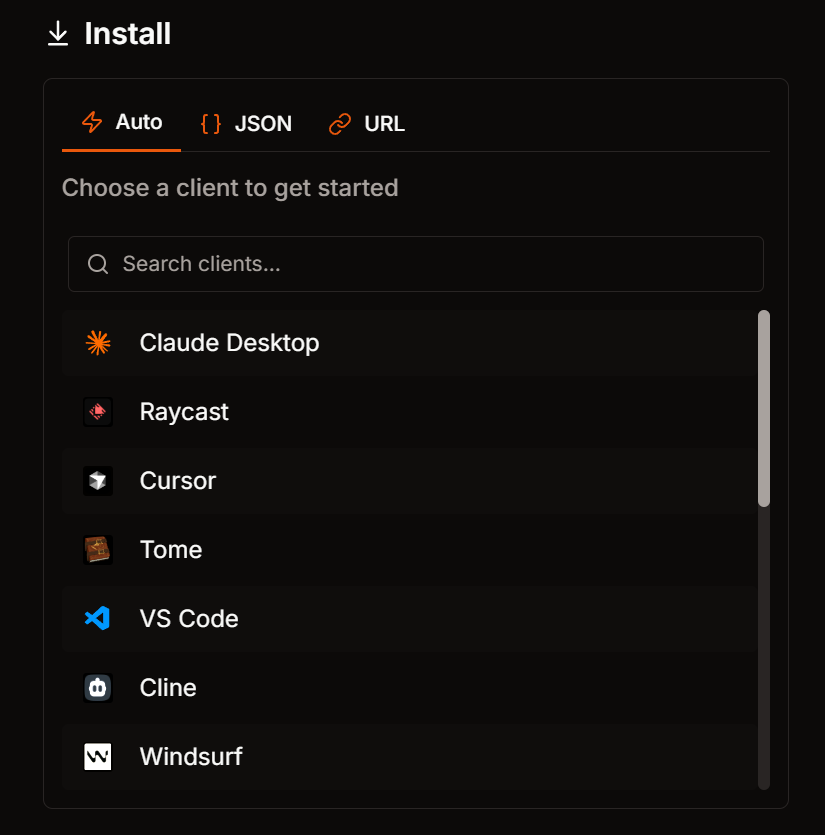
- Supported clients: cursor, windsurf, cline, claude, vscode, vscode-insiders
Note: Take vscode as an example: When you select Auto, run the Smithery CLI command in the terminal:
npx -y @smithery/cli@latest install @HelloGGX/shadcn-vue-mcp --client vscode --profile parental-gayal-aplQPT --key xxxxx
You may get an error: Failed to install @HelloGGX/shadcn-vue-mcp
Error: spawnSync code-insiders.cmd EINVAL
Solution: Downgrade the Node version to 18.20.1 and rerun
Method 2: Manual Configuration
Manually configure AI application (e.g. Claude Desktop).你可以选择JSON选项,并选择对应的操作系统进行复制:
for Mac/Linux:
{
  "mcpServers": {
    "shadcn-vue-mcp": {
      "command": "npx",
      "args": [
        "-y",
        "@smithery/cli@latest",
        "run",
        "@HelloGGX/shadcn-vue-mcp",
        "--key",
        "your api key",
        "--profile",
        "parental-gayal-aplQPT"
      ]
    }
  }
}
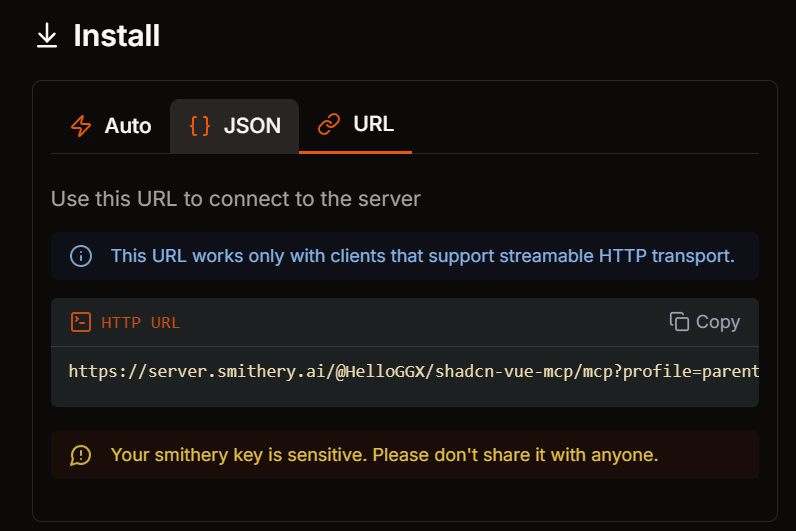
Method 3 URL Quick Installation for copilot
You can also install shadcn-vue-mcp via URL. Step 1. copy the following URL and paste it into the URL field of the Smithery AI application:
Step 2. Open vscode, open copilot and select Agent model
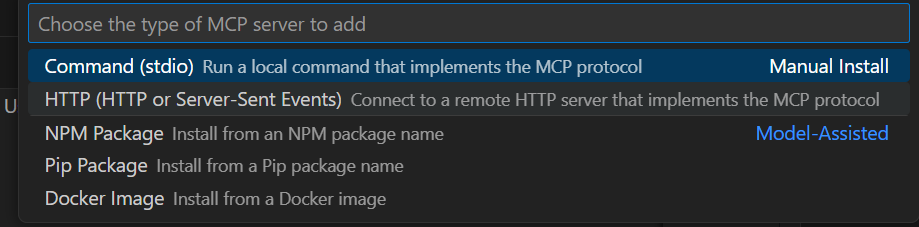
Step 3: Select Add Server

Step 4: choose HTTP
Step 5: paste the URL
Step 6: config like this:
{
    "mcp": {
        "servers": {
            "shadcn-vue-mcp": {
                "url": "https://server.smithery.ai/@HelloGGX/shadcn-vue-mcp/mcp?profile=parental-gayal-aplQPT&api_key=xxxxxxx"
            },
        }
    }
}
Config file locations:
- Cursor:
~/.cursor/mcp.json - Trae:
~/.Trae/mcp.json - Cline:
~/.cline/mcp_config.json - Claude:
~/.claude/mcp_config.json
Tools List
read-usage-doc
Query component documentation
Arguments
- name:
Stringshadcn-vue component name. Example: "button component usage documentation"
read-full-doc
Read full documentation of a component
Use this tool when mentions /doc.
Arguments
- name:
Stringshadcn-vue component name. Example: "button component full documentation"
create-ui
Create UI components
Create Web UI with shadcn/ui components and tailwindcss, Use this tool when mentions /ui
Arguments
- description:
StringDescription of component requirements. Example: "/ui create a flight display component"
refine-code
Enhance and optimize specified component code Refine code, Use this tool when mentions /refine
Arguments
- absolutePathToRefiningFile:
StringAbsolute path to the file that needs refinement.
- context:
StringExtract specific UI elements and aspects needing improvement based on user messages, code, and conversation history.
Result Example
User: /ui create a flight display component
AI: Generated code as follows:

🤝 Contribution Guide
We welcome all contributions! Help us improve @agent/shadcn-vue. Source code is open-sourced on GitHub.
👥 Community & Support
- Discord Community - Join our active community
📝 License
Apache2.0 License
Extension points exported contracts — how you extend this code
browse all types & interfaces →
Core symbols most depended-on inside this repo
Shape
Languages
Modules by API surface
For agents
$ claude mcp add shadcn-vue-mcp \
  -- python -m otcore.mcp_server <graph>