github.com/HannahMitt/HomeMirror @main
Chat with this repoBrowse by type
What it actually does AI analysis from the code graph — generated when you open this
README
HomeMirror
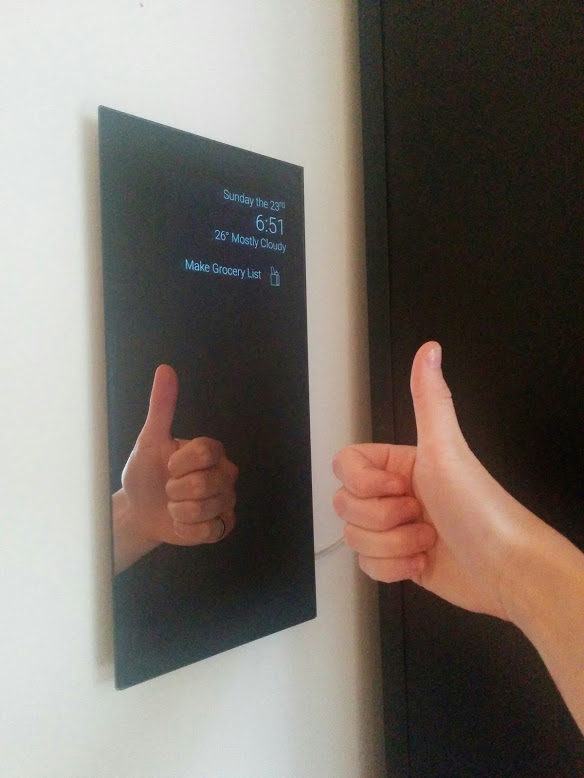
Android application powering the mirror in my house
.jpg)
Note: code unmaintained
This was a fun project, and I may pick it back up again one day. You can still follow the instructions for putting a mirror together, but may need to bring your own light-text-on-dark-background app.
Software
- Day, time, and weather display
- Birthday messages
- Chore reminders
- Biking weather recommendation
- Stock price swings
- Today's new XKCD
- Next calendar event
- Top news headline
- Face detection with mood detection
APIs provided by Yahoo Finance, Forecast.io, the BBC, and XKCD

How to Run
- Clone project
- Get a forecast.io api key
- Add a keys.xml file under res/values with \your_key\
- Import project to Android Studio and run
When its mirror time, I also recommend turning on the device Developer Option: "Stay Awake - Screen will never sleep while charging"
Making a Mirror
Video walk-through on adafruit (Thank you Becky!)
1. Obtain Android device
We had too many. Sad old devices are ideal. I used a 2012 Nexus 7.
2. Obtain two-way mirror
We did this the old-fashioned way, and quested to Canal Plastic Center. A beautiful and highly recommended establishment.
Wiki of places to buy two-way mirrors
Get a mirror at least as large as your Android device. My mirror is 6"x12" with 1/8 thickness.
3. Sticky stuff for mounting
Our trickiest problem was figuring out how to mount everything with minimal damage and error. We eventually discovered reusable double-sided adhesive, which is amazing.
We're using it both to mount the mirror to the device, and the device to the wall.
4. Attach black backing
We used black construction paper. If your device and mirror are awesomely identical in size, you can skip this.
Note: You want to glue it well, so the backing doesn't tear when the adhesive is holding it.
- Cut a piece of black backing the same size as your mirror
- Decide where you want your device to show through. We did upper right. Leave a border all the way around for adhesive.
- At that location, carefully cut a hole in the backing the same size as your device
- CAREFULLY glue the backing to the mirror. We used spray adhesive, and practiced how we would pick it up and lay it on the mirror a couple times before going for it. We also wore black surgical gloves.
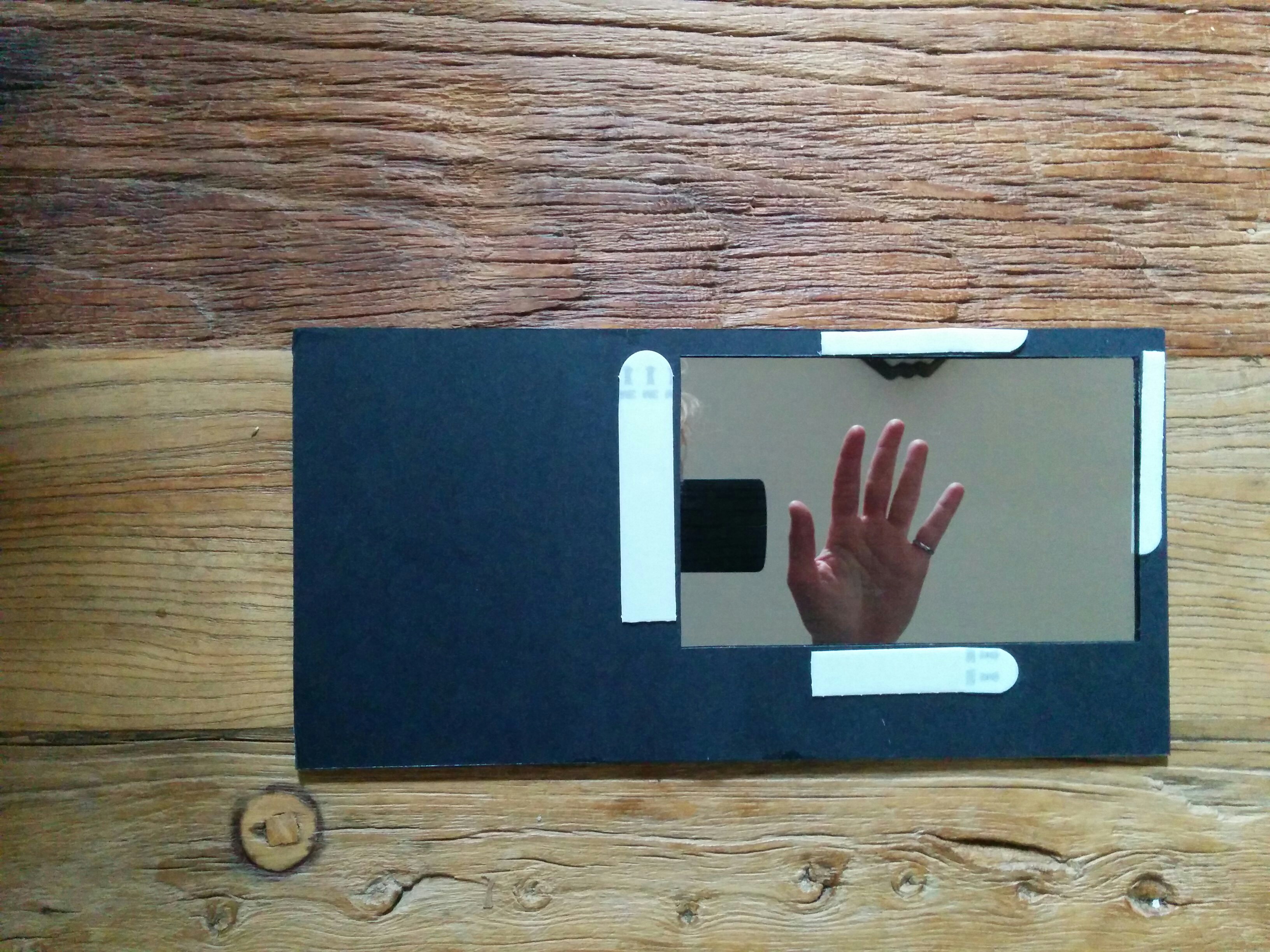
5. Adhesion
Fire up the app on the device.
Put the adhesive along the bezel or edges of the device. Line up the mirror and stick it on there.
6. Wall spot
You probably want a long usb cable. Find a wall spot where you can keep the device plugged in.
Put a bunch of adhesive on the back of the device, and stick it on there.
Links
At the heart of this project, is 'put a mirror on it'. Check out alternative mirror projects and feel free to add your own reflections
Extension points exported contracts — how you extend this code
browse all types & interfaces →
Core symbols most depended-on inside this repo
Shape
Languages
Modules by API surface
For agents
$ claude mcp add HomeMirror \
  -- python -m otcore.mcp_server <graph>