github.com/HackPlan/AndroidCharts @v1.0.4
Chat with this repoWhat it actually does AI analysis from the code graph — generated when you open this
README
AndroidCharts
A simple Android charts library.
Known Uses in
Including in Your Project
Eclipse
- Import
/AndroidChartsfolder. - Move
/javafolder to/srcfolder. mkdir libs, copyandroid-support-v4.jarto/libs.
Gradle
repositories {
    jcenter()
}
compile 'im.dacer:AndroidCharts:1.0.4'
Usage
Line Chart

<HorizontalScrollView>
        <view
            android:layout_width="wrap_content"
            android:layout_height="300dp"
            class="im.dacer.androidcharts.LineView"
            android:id="@+id/line_view" />
</HorizontalScrollView>
LineView lineView = (LineView)findViewById(R.id.line_view);
lineView.setDrawDotLine(false); //optional
lineView.setShowPopup(LineView.SHOW_POPUPS_MAXMIN_ONLY); //optional
LineView.setBottomTextList(strList);
lineView.setColorArray(new int[]{Color.BLACK,Color.GREEN,Color.GRAY,Color.CYAN});
lineView.setDataList(dataLists); //or lineView.setFloatDataList(floatDataLists)
Bar Chart
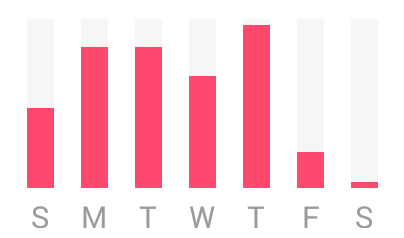
<HorizontalScrollView>
        <view
            android:layout_width="wrap_content"
            android:layout_height="300dp"
            class="im.dacer.androidcharts.BarView"
            android:id="@+id/bar_view" />
</HorizontalScrollView>
BarView barView = (BarView)findViewById(R.id.bar_view);\
barView.setBottomTextList(strList);
barView.setDataList(dataList,100);
Clock Pie Chart
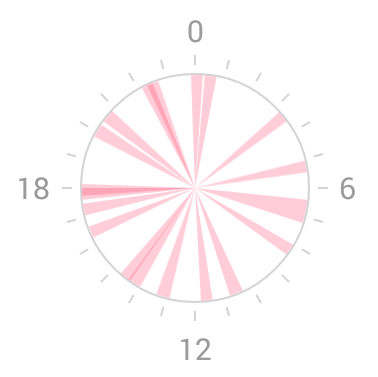
<view
    android:layout_width="300dp"
    android:layout_height="wrap_content"
    class="im.dacer.androidcharts.ClockPieView"
    android:id="@+id/clock_pie_view" />
ClockPieView pieView = (ClockPieView)findViewById(R.id.clock_pie_view);
ArrayList<ClockPieHelper> pieHelperArrayList = new ArrayList<ClockPieHelper>();
pieView.setDate(pieHelperArrayList);
Pie Chart
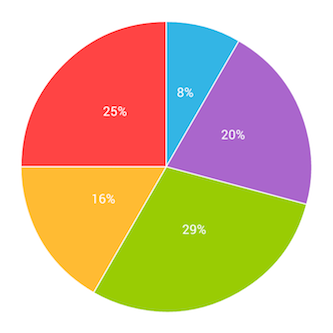
<view
    android:layout_width="300dp"
    android:layout_height="wrap_content"
    class="im.dacer.androidcharts.PieView"
    android:id="@+id/pie_view" />
PieView pieView = (PieView)findViewById(R.id.pie_view);
ArrayList<PieHelper> pieHelperArrayList = new ArrayList<PieHelper>();
pieView.setDate(pieHelperArrayList);
pieView.selectedPie(2); //optional
pieView.setOnPieClickListener(listener) //optional
pieView.showPercentLabel(false); //optional
License
The MIT License (MIT)
Copyright (c) 2013 Ding Wenhao
Permission is hereby granted, free of charge, to any person obtaining a copy of this software and associated documentation files (the "Software"), to deal in the Software without restriction, including without limitation the rights to use, copy, modify, merge, publish, distribute, sublicense, and/or sell copies of the Software, and to permit persons to whom the Software is furnished to do so, subject to the following conditions:
The above copyright notice and this permission notice shall be included in all copies or substantial portions of the Software.
THE SOFTWARE IS PROVIDED "AS IS", WITHOUT WARRANTY OF ANY KIND, EXPRESS OR IMPLIED, INCLUDING BUT NOT LIMITED TO THE WARRANTIES OF MERCHANTABILITY, FITNESS FOR A PARTICULAR PURPOSE AND NONINFRINGEMENT. IN NO EVENT SHALL THE AUTHORS OR COPYRIGHT HOLDERS BE LIABLE FOR ANY CLAIM, DAMAGES OR OTHER LIABILITY, WHETHER IN AN ACTION OF CONTRACT, TORT OR OTHERWISE, ARISING FROM, OUT OF OR IN CONNECTION WITH THE SOFTWARE OR THE USE OR OTHER DEALINGS IN THE SOFTWARE.
Contributing
Please fork this repository and contribute back using pull requests.
Any contributions, large or small, major features, bug fixes, additional language translations, unit/integration tests are welcomed
Extension points exported contracts — how you extend this code
NavigationDrawerCallbacks (Interface)Core symbols most depended-on inside this repo
dip2pxShape
Languages
Modules by API surface
For agents
$ claude mcp add AndroidCharts \
  -- python -m otcore.mcp_server <graph>