github.com/GreenSlimeStudios/midi-recorder @main
Chat with this repoBrowse by type
What it actually does AI analysis from the code graph — generated when you open this
README
midi-recorder
A program that prints out the notes in your terminal & graphicly like in a nice visual representation
For video previews of the program in action go to VIDEO_EXAMPLES
Usage
Run cargo run --release then pick your input midi device with a number.
This will open up the program in a graphical representation in a seperate window.
Arguments:
t, terminal         -displays the notes visually in the terminal
n, no-graphical     -removes the graphical representation window
d, debug            -prints info about pressed notes
Themes
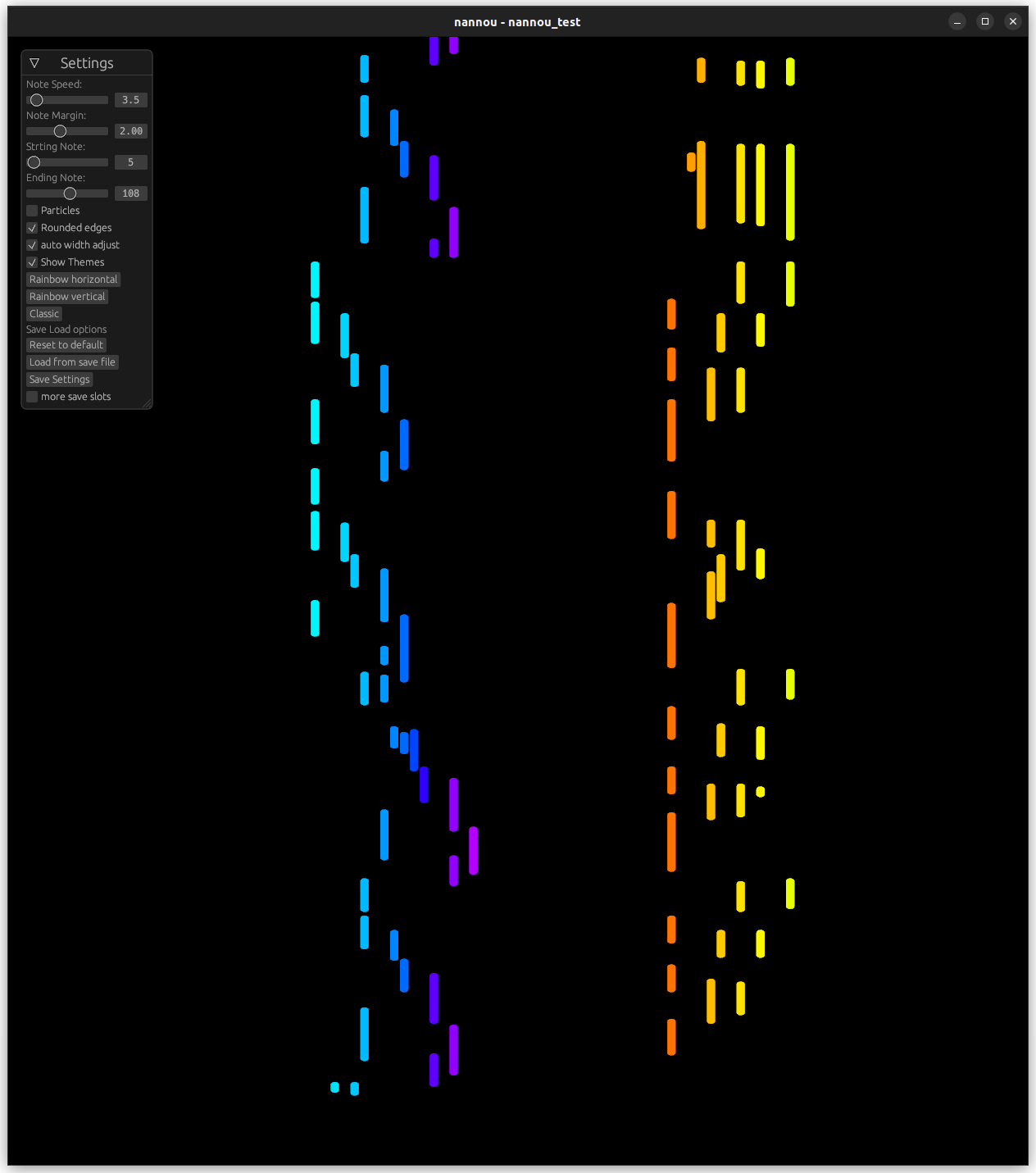
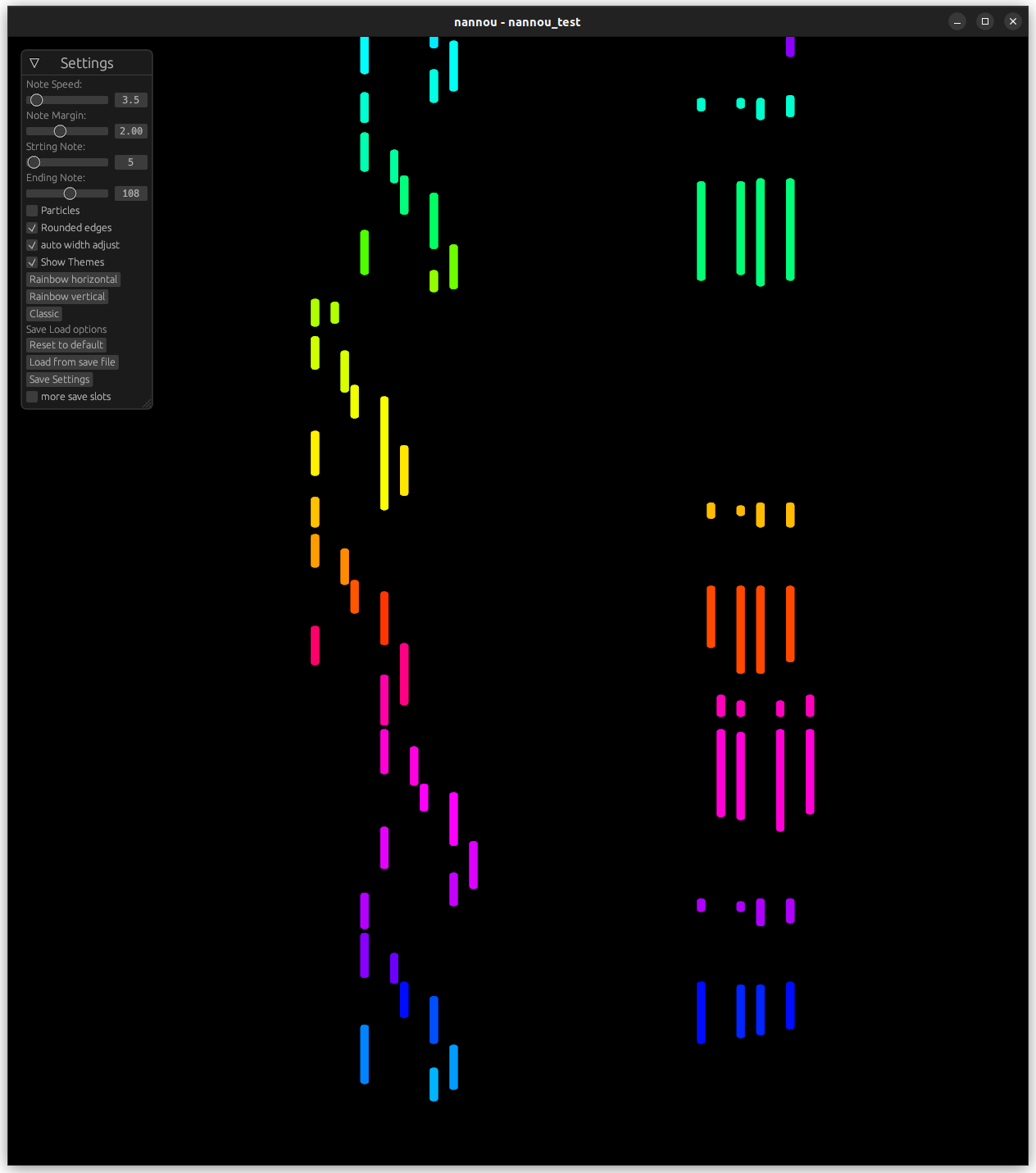
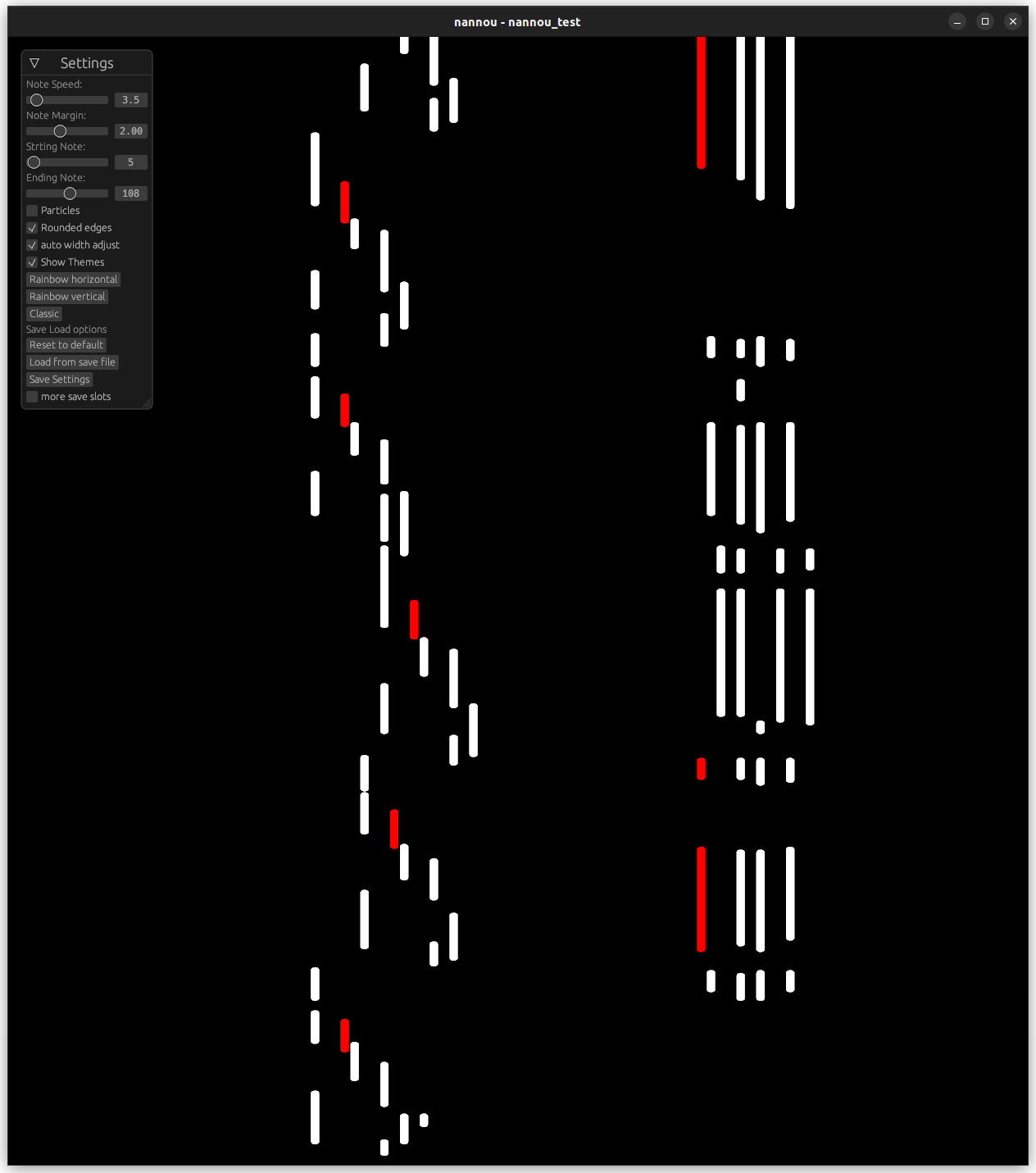
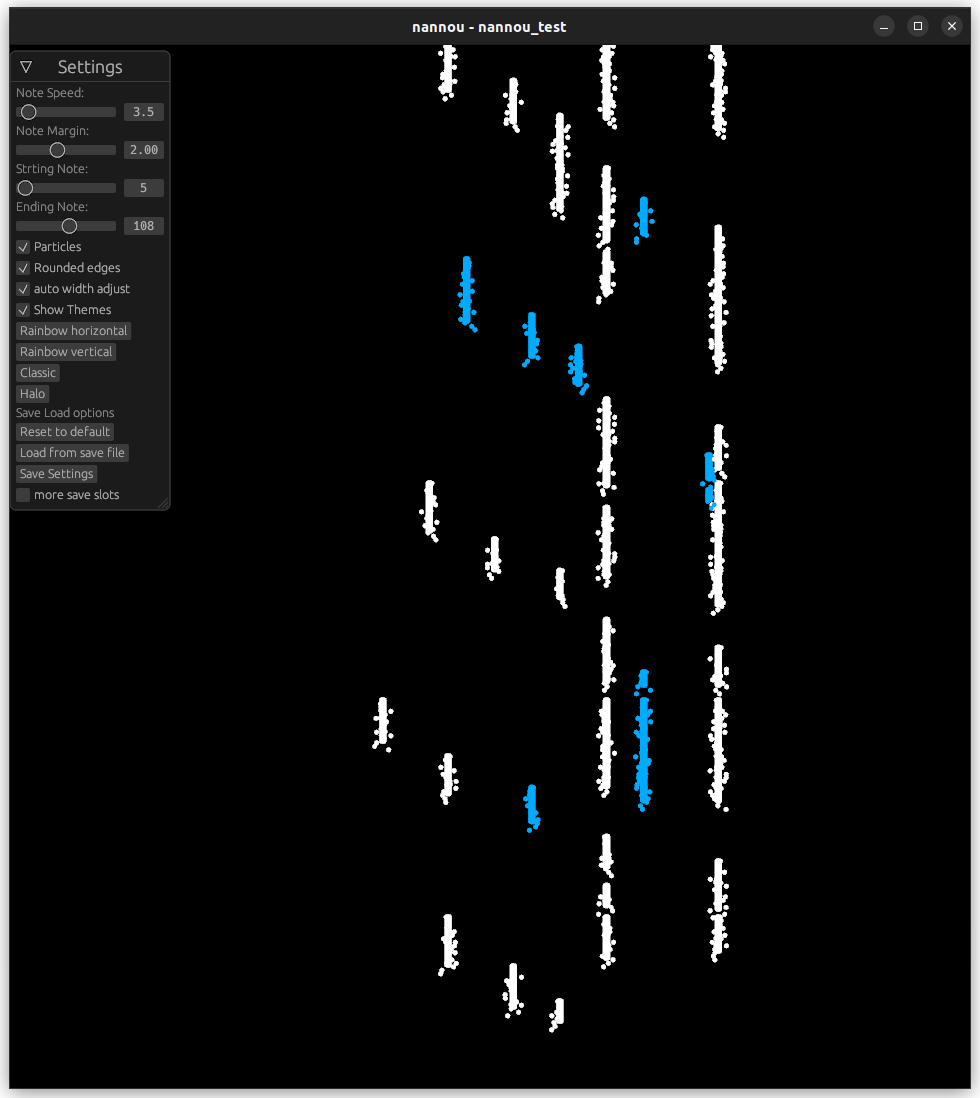
Here are some example themes screenshots for the program
rinbow_horizontal
rainbow_vertical
classic (black notes on piano are red)
 halo (black notes on piano are aqua)
There are more!
Saving config files
Explore all of the options to fit your needs! (including particles, speed, margin and others)
You can configure options inside the expandable ui in the window or go into and configure the config_user.txt file.
this configuration loads on startup but you can create up to 6 other files in config_slot_<0-5>.txt
The configuration you get when clicking reset to defaults is coming from the config1.txt file
example file
note_speed: 5
starting_note: 21
ending_note: 108
note_margin: 2
use_width_adjust: true
note_width: 10
use_particles: false
theme: rainbow_horizontal
use_rounded_edges: true
Notes in the terminal
You can also have a visual representation in the terminal if you want to check that out run cargo run --release terminal or cargo run --release tand if you want to get rid of the seperate window run cargo run --release terminal no-graphical or cargo run --release t n.
After that there will start apperaing notes in the first terminal.
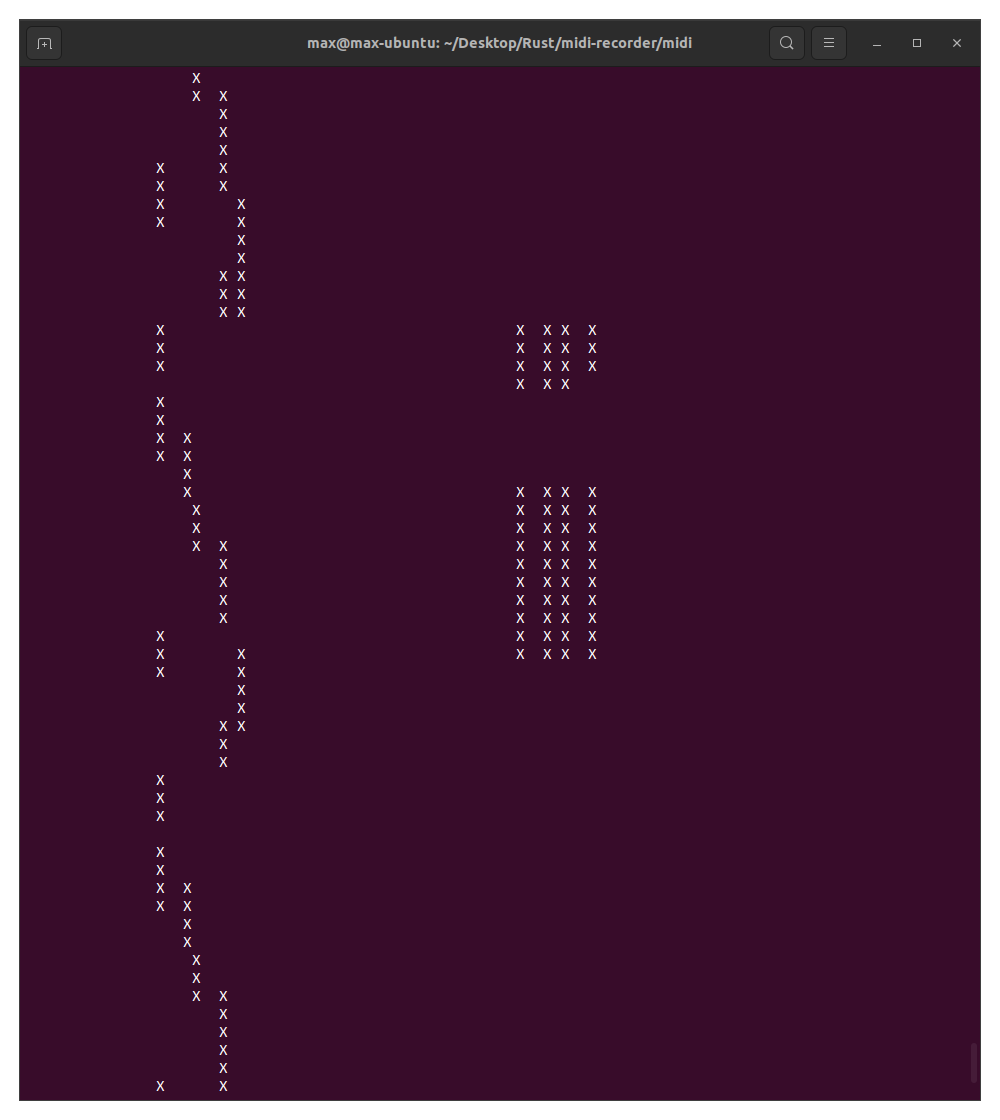 Thats all have fun!
Troubleshooting
If the notes from your midi device do noty show up either in the graphical way nor the terminal way and you are sure that your device is connected and turned on than this might help.
Go to the midi folder and run cargo run --release d n or cargo run --release debug no-graphical this will turn on debug mode now if you press a note you should see something like this popping up:
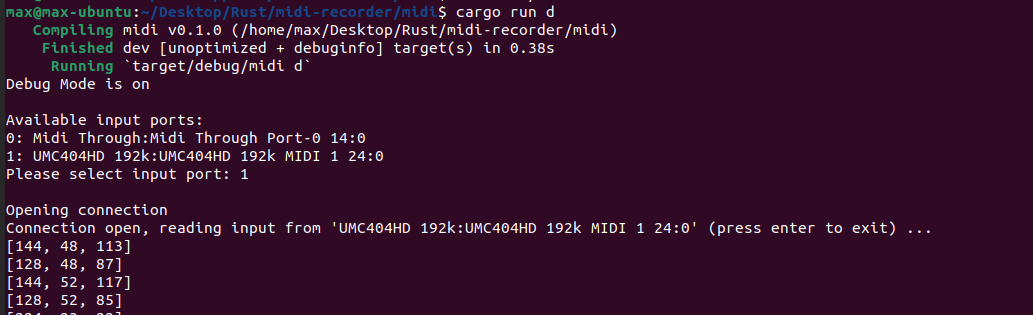 Now you need to remember those first numbers of the rows that appear WHEN YOU PRESS AND RELEASE A NOTE it will show you 2 diffrent ones on press and on release.
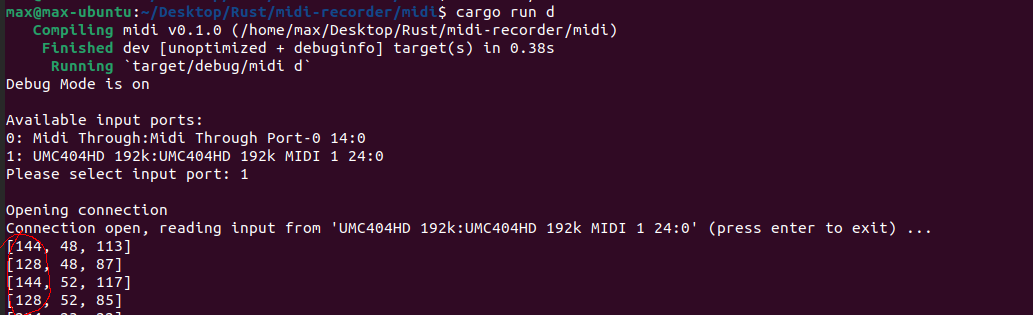 After that go to the
 midi/whitelist.txt file and put those numbers in there.
example of whitelist.txt
128
144
After that run the program normally with the normal steps located above this section. I hope that helps.
Core symbols most depended-on inside this repo
Shape
Languages
Modules by API surface
For agents
$ claude mcp add midi-recorder \
  -- python -m otcore.mcp_server <graph>