github.com/GraftingRayman/Comfyui-reactor-node @main
Chat with this repoBrowse by type
What it actually does AI analysis from the code graph — generated when you open this
README



<sup>
  Support This Project
</sup>





English | Русский
ReActor Node for ComfyUI
The Fast and Simple Face Swap Extension Node for ComfyUI, based on ReActor SD-WebUI Face Swap Extension
By using this Node you understand the responsibility)
What's new | Installation | Usage | Troubleshooting | Updating | Disclaimer | Credits | Note!

What's new in the latest update
0.5.2 ALPHA1
- New node "Unload ReActor Models" - is useful for complex WFs when you need to free some VRAM utilized by ReActor
- Support of ORT CoreML and ROCM EPs, just install onnxruntime version you need
- Install script improvements to install latest versions of ORT-GPU
0.5.1
- Support of GPEN 1024/2048 restoration models (available in the HF dataset https://huggingface.co/datasets/Gourieff/ReActor/tree/main/models/facerestore_models)
- ReActorFaceBoost Node - an attempt to improve the quality of swapped faces. The idea is to restore and scale the swapped face (according to the
face_sizeparameter of the restoration model) BEFORE pasting it to the target image (via inswapper algorithms), more information is here (PR#321)


- Sorting facemodels alphabetically
- A lot of fixes and improvements
0.5.0 BETA4
- Spandrel lib support for GFPGAN
0.5.0 BETA3
- Fixes: "RAM issue", "No detection" for MaskingHelper
0.5.0 BETA2
- You can now build a blended face model from a batch of face models you already have, just add the "Make Face Model Batch" node to your workflow and connect several models via "Load Face Model"
- Huge performance boost of the image analyzer's module! 10x speed up! Working with videos is now a pleasure!
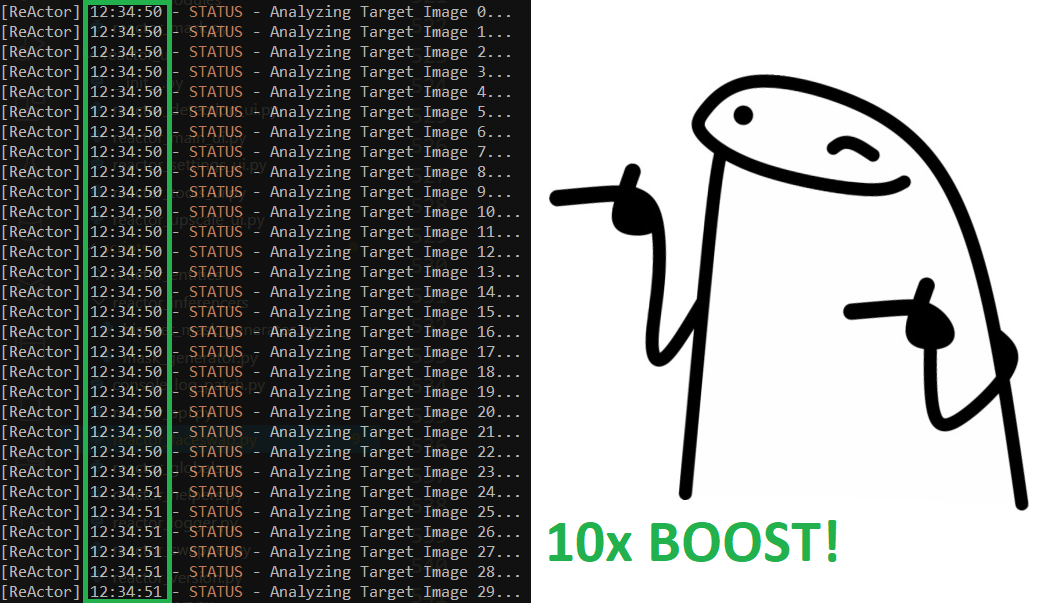
0.5.0 BETA1
- SWAPPED_FACE output for the Masking Helper Node
- FIX: Empty A-channel for Masking Helper IMAGE output (causing errors with some nodes) was removed
0.5.0 ALPHA1
- ReActorBuildFaceModel Node got "face_model" output to provide a blended face model directly to the main Node:
Basic workflow 💾
- Face Masking feature is available now, just add the "ReActorMaskHelper" Node to the workflow and connect it as shown below:
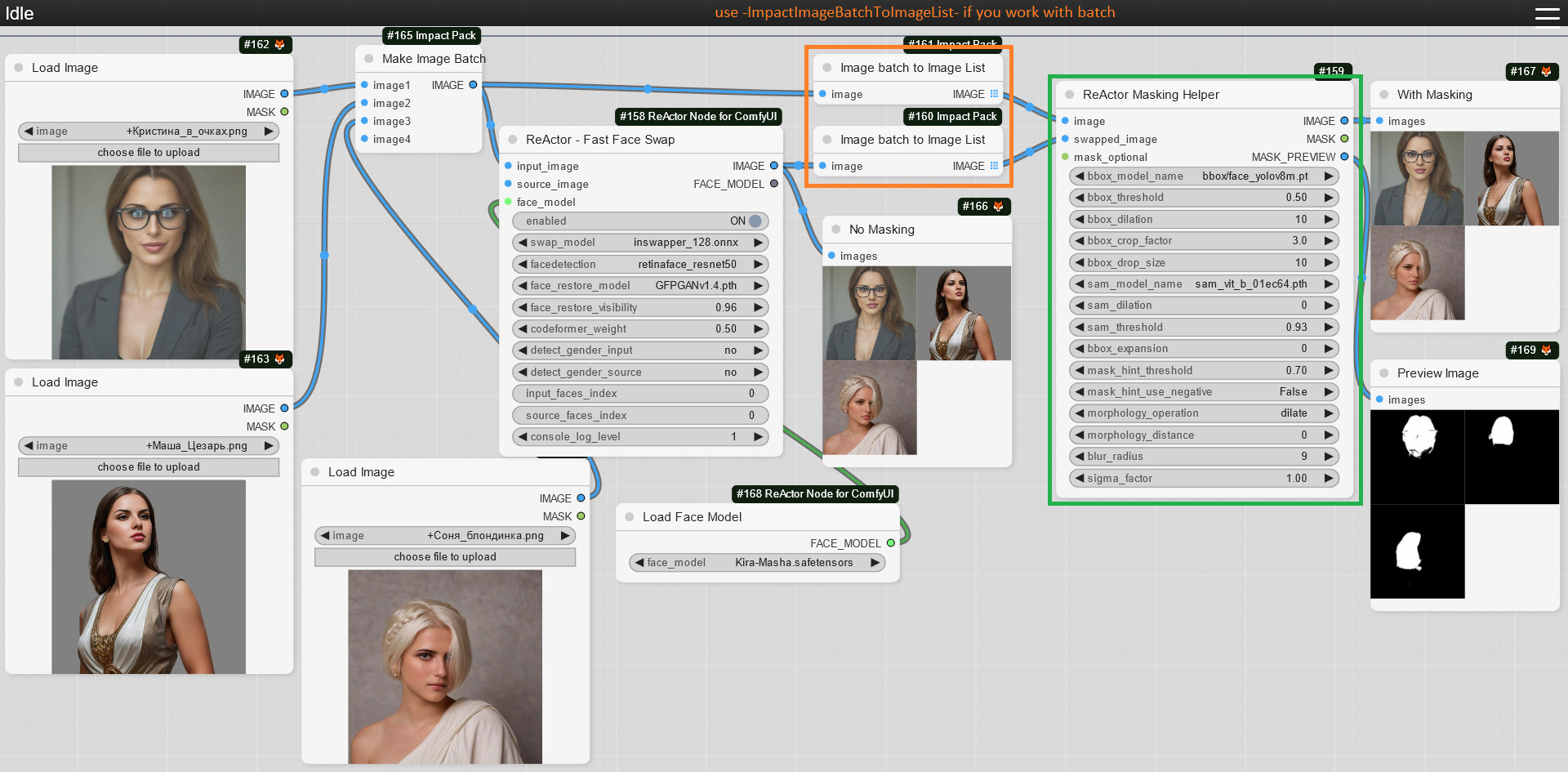
If you don't have the "face_yolov8m.pt" Ultralytics model - you can download it from the Assets and put it into the "ComfyUI\models\ultralytics\bbox" directory
As well as "sam_vit_b_01ec64.pth" model - download (if you don't have it) and put it into the "ComfyUI\models\sams" directory;
Use this Node to gain the best results of the face swapping process:

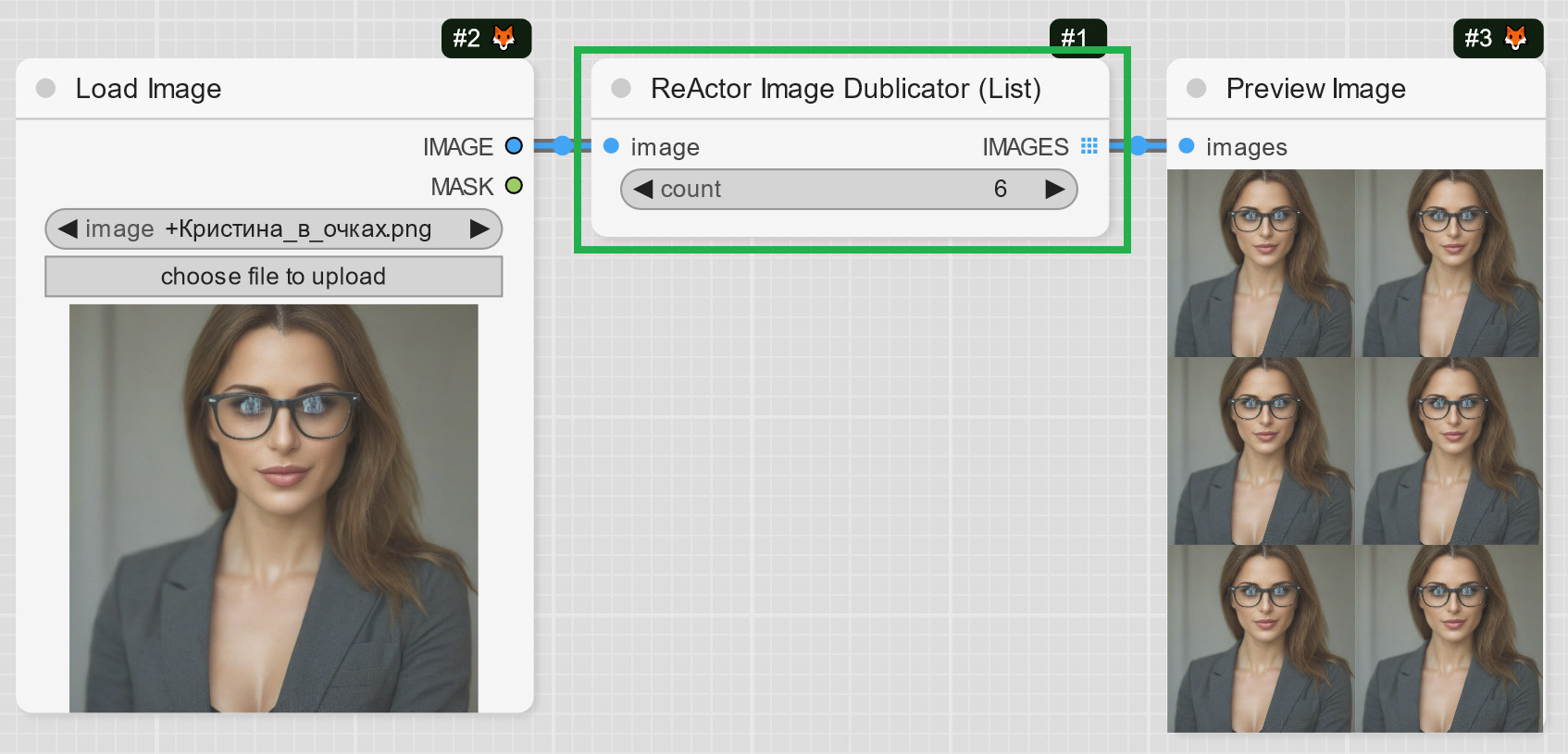
- ReActorImageDublicator Node - rather useful for those who create videos, it helps to duplicate one image to several frames to use them with VAE Encoder (e.g. live avatars):
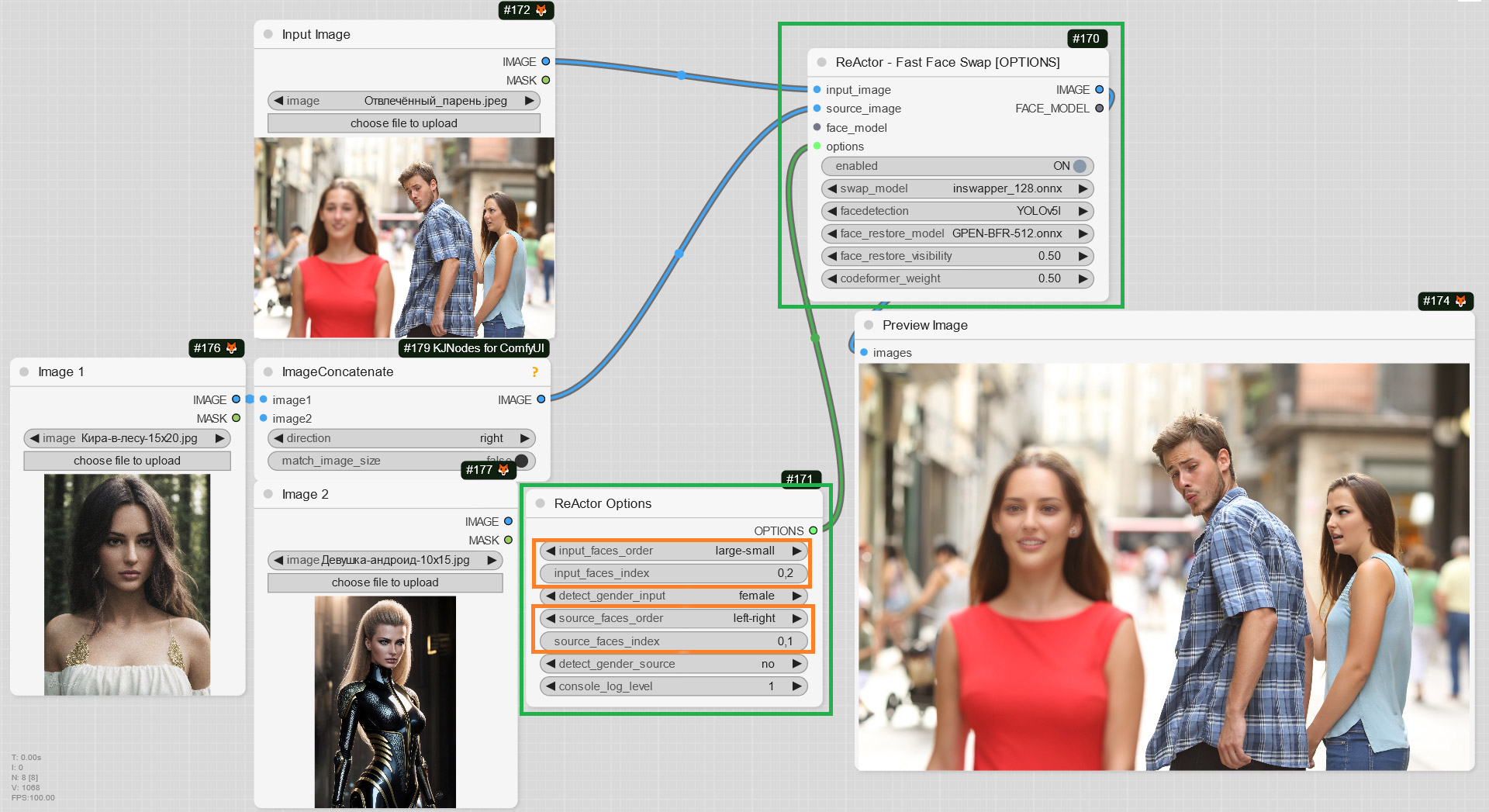
- ReActorFaceSwapOpt (a simplified version of the Main Node) + ReActorOptions Nodes to set some additional options such as (new) "input/source faces separate order". Yes! You can now set the order of faces in the index in the way you want ("large to small" goes by default)!
- Little speed boost when analyzing target images (unfortunately it is still quite slow in compare to swapping and restoring...)
0.4.2
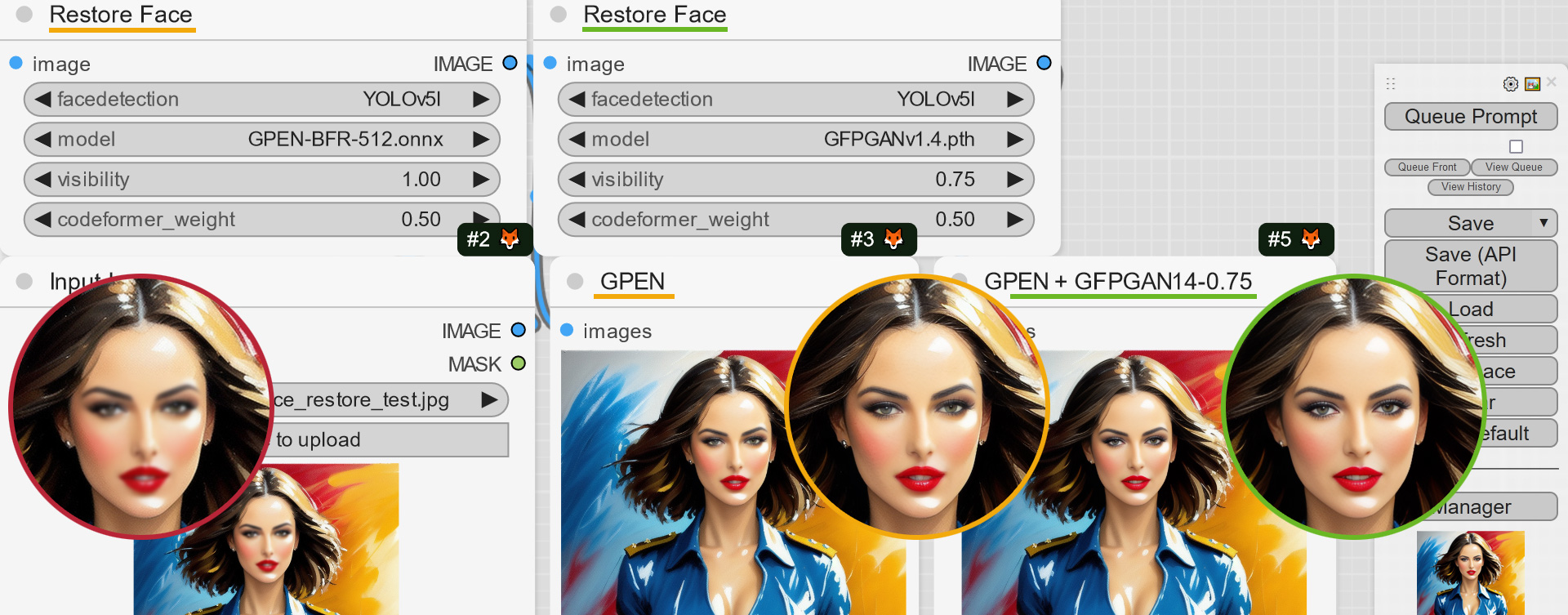
- GPEN-BFR-512 and RestoreFormer_Plus_Plus face restoration models support
You can download models here: https://huggingface.co/datasets/Gourieff/ReActor/tree/main/models/facerestore_models
Put them into the ComfyUI\models\facerestore_models folder
- Due to popular demand - you can now blend several images with persons into one face model file and use it with "Load Face Model" Node or in SD WebUI as well;
Experiment and create new faces or blend faces of one person to gain better accuracy and likeness!
Just add the ImpactPack's "Make Image Batch" Node as the input to the ReActor's one and load images you want to blend into one model:
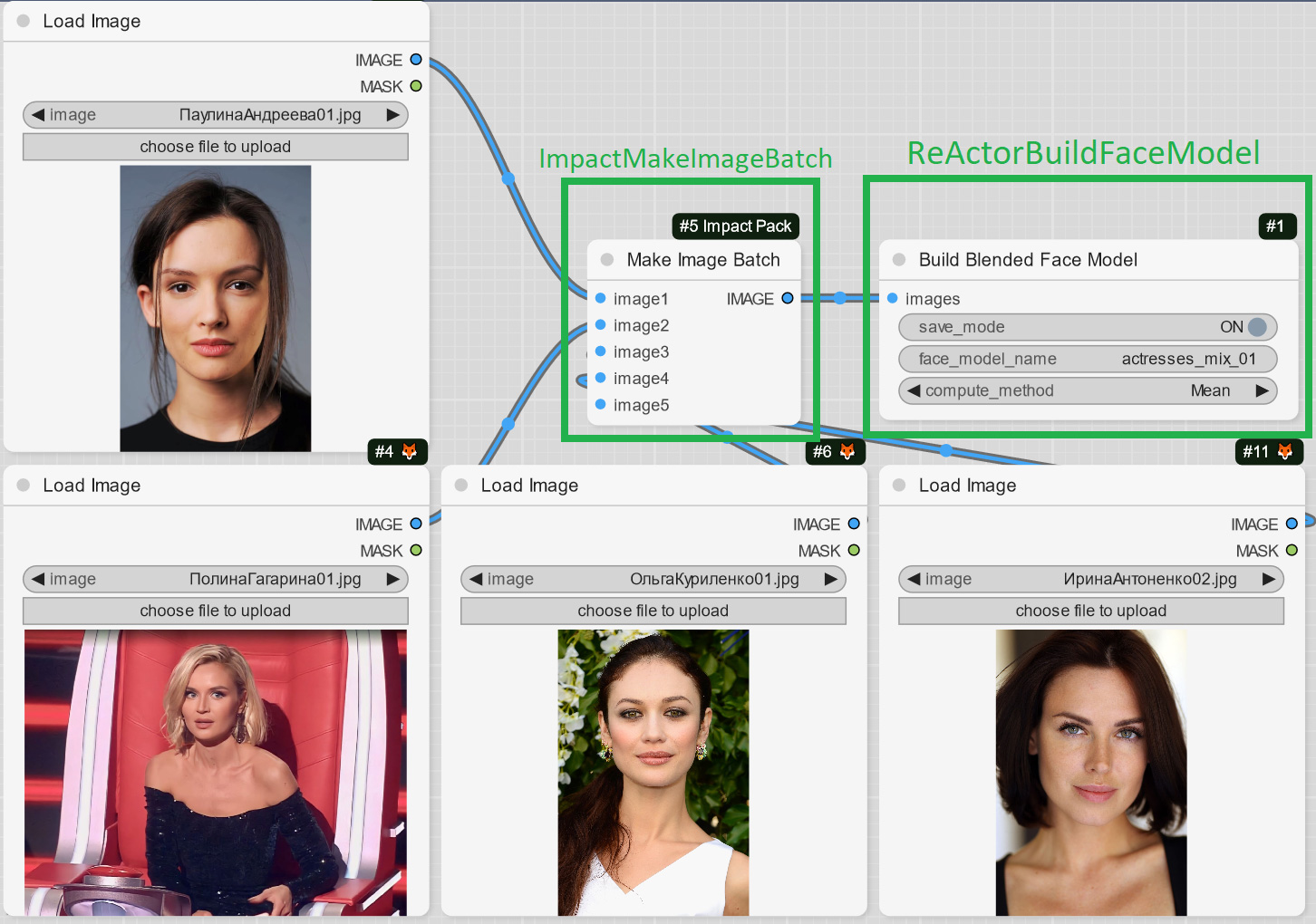
Result example (the new face was created from 4 faces of different actresses):

Basic workflow 💾
0.4.1
- CUDA 12 Support - don't forget to run (Windows)
install.bator (Linux/MacOS)install.pyfor ComfyUI's Python enclosure or try to install ORT-GPU for CU12 manually (https://onnxruntime.ai/docs/install/#install-onnx-runtime-gpu-cuda-12x) -
Issue https://github.com/Gourieff/comfyui-reactor-node/issues/173 fix
-
Separate Node for the Face Restoration postprocessing (FR https://github.com/Gourieff/comfyui-reactor-node/issues/191), can be found inside ReActor's menu (RestoreFace Node)
- (Windows) Installation can be done for Python from the System's PATH
-
Different fixes and improvements
-
Face Restore Visibility and CodeFormer Weight (Fidelity) options are now available! Don't forget to reload the Node in your existing workflow

0.4.0
- Input "input_image" goes first now, it gives a correct bypass and also it is right to have the main input first;
- You can now save face models as "safetensors" files (
ComfyUI\models\reactor\faces) and load them into ReActor implementing different scenarios and keeping super lightweight face models of the faces you use:
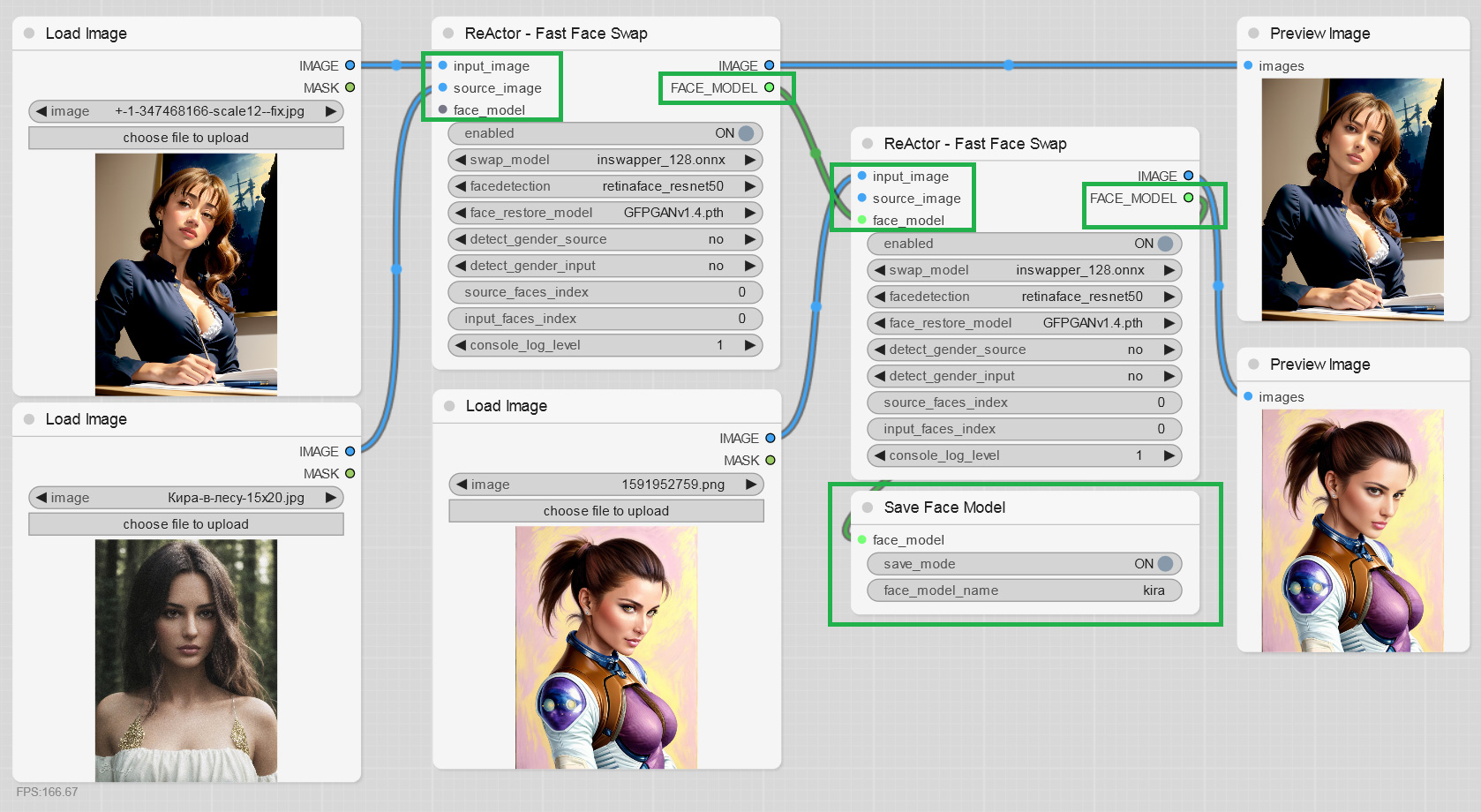

- Ability to build and save face models directly from an image:

- Both the inputs are optional, just connect one of them according to your workflow; if both is connected -
imagehas a priority. - Different fixes making this extension better.
Thanks to everyone who finds bugs, suggests new features and supports this project!
Installation
SD WebUI: AUTOMATIC1111 or SD.Next
- Close (stop) your SD-WebUI/Comfy Server if it's running
- (For Windows Users):
- Install Visual Studio 2022 (Community version - you need this step to build Insightface)
- OR only VS C++ Build Tools and select "Desktop Development with C++" under "Workloads -> Desktop & Mobile"
- OR if you don't want to install VS or VS C++ BT - follow this steps (sec. I)
- Go to the
extensions\sd-webui-comfyui\ComfyUI\custom_nodes - Open Console or Terminal and run
git clone https://github.com/Gourieff/ComfyUI-ReActor - Go to the SD WebUI root folder, open Console or Terminal and run (Windows users)
.\venv\Scripts\activateor (Linux/MacOS)venv/bin/activate python -m pip install -U pipcd extensions\sd-webui-comfyui\ComfyUI\custom_nodes\comfyui-reactor-nodepython install.py- Please, wait until the installation process will be finished
- (From the version 0.3.0) Download additional facerestorers models from the link below and put them into the
extensions\sd-webui-comfyui\ComfyUI\models\facerestore_modelsdirectory:
https://huggingface.co/datasets/Gourieff/ReActor/tree/main/models/facerestore_models
11. Run SD WebUI and check console for the message that ReActor Node is running:

- Go to the ComfyUI tab and find there ReActor Node inside the menu
ReActoror by using a search: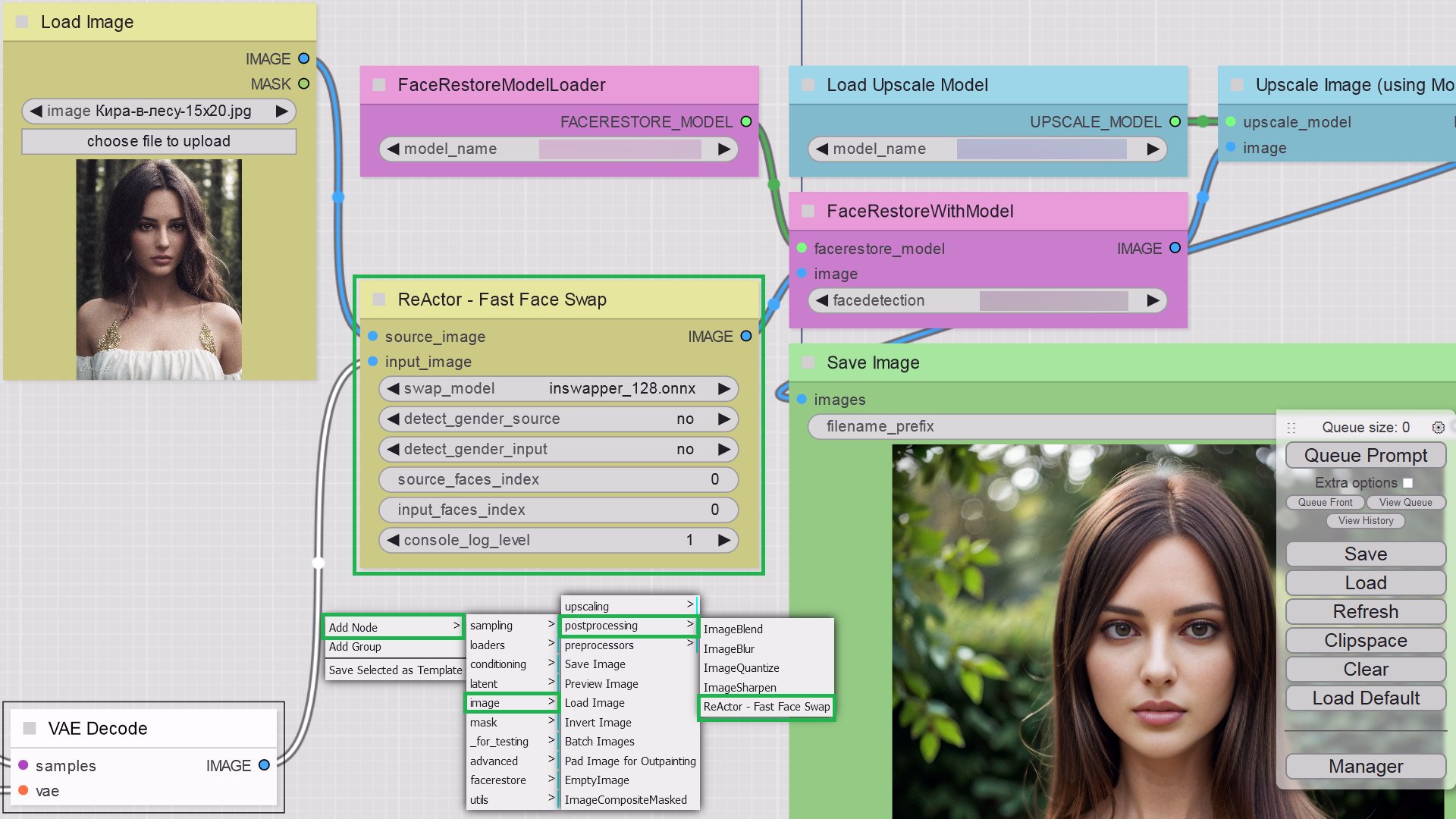

Standalone (Portable) ComfyUI for Windows
- Do the following:
- Install Visual Studio 2022 (Community version - you need this step to build Insightface)
- OR only VS C++ Build Tools and select "Desktop Development with C++" under "Workloads -> Desktop & Mobile"
- OR if you don't want to install VS or VS C++ BT - follow this steps (sec. I)
- Choose between two options:
- (ComfyUI Manager) Open ComfyUI Manager, click "Install Custom Nodes", type "ReActor" in the "Search" field and then click "Install". After ComfyUI will complete the process - please restart the Server.
- (Manually) Go to
ComfyUI\custom_nodes, open Console and rungit clone https://github.com/Gourieff/ComfyUI-ReActor - Go to
ComfyUI\custom_nodes\comfyui-reactor-nodeand runinstall.bat - If you don't have the "face_yolov8m.pt" Ultralytics model - you can download it from the Assets and put it into the "ComfyUI\models\ultralytics\bbox" directory
As well as one or both of "Sams" models from here - download (if you don't have them) and put into the "ComfyUI\models\sams" directory
5. Run ComfyUI and find there ReActor Nodes inside the menu ReActor or by using a search
Core symbols most depended-on inside this repo
Shape
Languages
Modules by API surface
For agents
$ claude mcp add Comfyui-reactor-node \
  -- python -m otcore.mcp_server <graph>