github.com/GoodLuckAlien/react-keepalive-router @1.1.3
Chat with this repoWhat it actually does AI analysis from the code graph — generated when you open this
README
react-keepalive-router
一 介绍
基于react 16.8+ ,react-router 4+ 开发的react缓存组件,可以用于缓存页面组件,类似vue的keepalive包裹vue-router的效果功能。
采用react hooks全新api,支持缓存路由,手动解除缓存,增加了缓存的状态周期,监听函数等。
后续版本会完善其他功能。
demo
缓存组件 + 监听
二 快速上手
下载
npm install react-keepalive-router --save
# or
yarn add react-keepalive-router
使用
1 基本用法
KeepaliveRouterSwitch
KeepaliveRouterSwitch可以理解为常规的Switch,也可以理解为 keepaliveScope,我们确保整个缓存作用域,只有一个 KeepaliveRouterSwitch 就可以了。
常规用法
import { BrowserRouter as Router, Route, Redirect ,useHistory  } from 'react-router-dom'
import { KeepaliveRouterSwitch ,KeepaliveRoute ,addKeeperListener } from 'react-keepalive-router'

const index = () => {
  useEffect(()=>{
    /* 增加缓存监听器 */
    addKeeperListener((history,cacheKey)=>{
      if(history)console.log('当前激活状态缓存组件:'+ cacheKey )
    })
  },[])
  return


      <Router  >
      <Meuns/>
      <KeepaliveRouterSwitch>
          <Route path={'/index'} component={Index} ></Route>
          <Route path={'/list'} component={List} ></Route>
          { /* 我们将详情页加入缓存 */ }
          <KeepaliveRoute path={'/detail'} component={ Detail } ></KeepaliveRoute>
          <Redirect from='/*' to='/index' />
       </KeepaliveRouterSwitch>
      </Router>


}
这里应该注意⚠️的是对于复杂的路由结构。或者KeepaliveRouterSwitch 包裹的子组件不是Route ,我们要给 KeepaliveRouterSwitch 增加特有的属性 withoutRoute 就可以了。如下例子🌰🌰🌰:
例子一
<KeepaliveRouterSwitch withoutRoute >


     <Route path="/a" component={ComponentA}  />
     <Route path="/b" component={ComponentB}  />
     <KeepaliveRoute path={'/detail'} component={ Detail } ></KeepaliveRoute>


</KeepaliveRouterSwitch>
例子二
或者我们可以使用 renderRoutes 等api配合 KeepliveRouterSwitch 使用 。
import {renderRoutes} from "react-router-config"
<KeepliveRouterSwitch withoutRoute  >{ renderRoutes(routes) }</KeepliveRouterSwitch>
KeepaliveRoute
KeepaliveRoute 基本使用和 Route没有任何区别。
在当前版本中⚠️⚠️⚠️如果 KeepaliveRoute 如果没有被 KeepaliveRouterSwitch包裹就会失去缓存作用。
效果
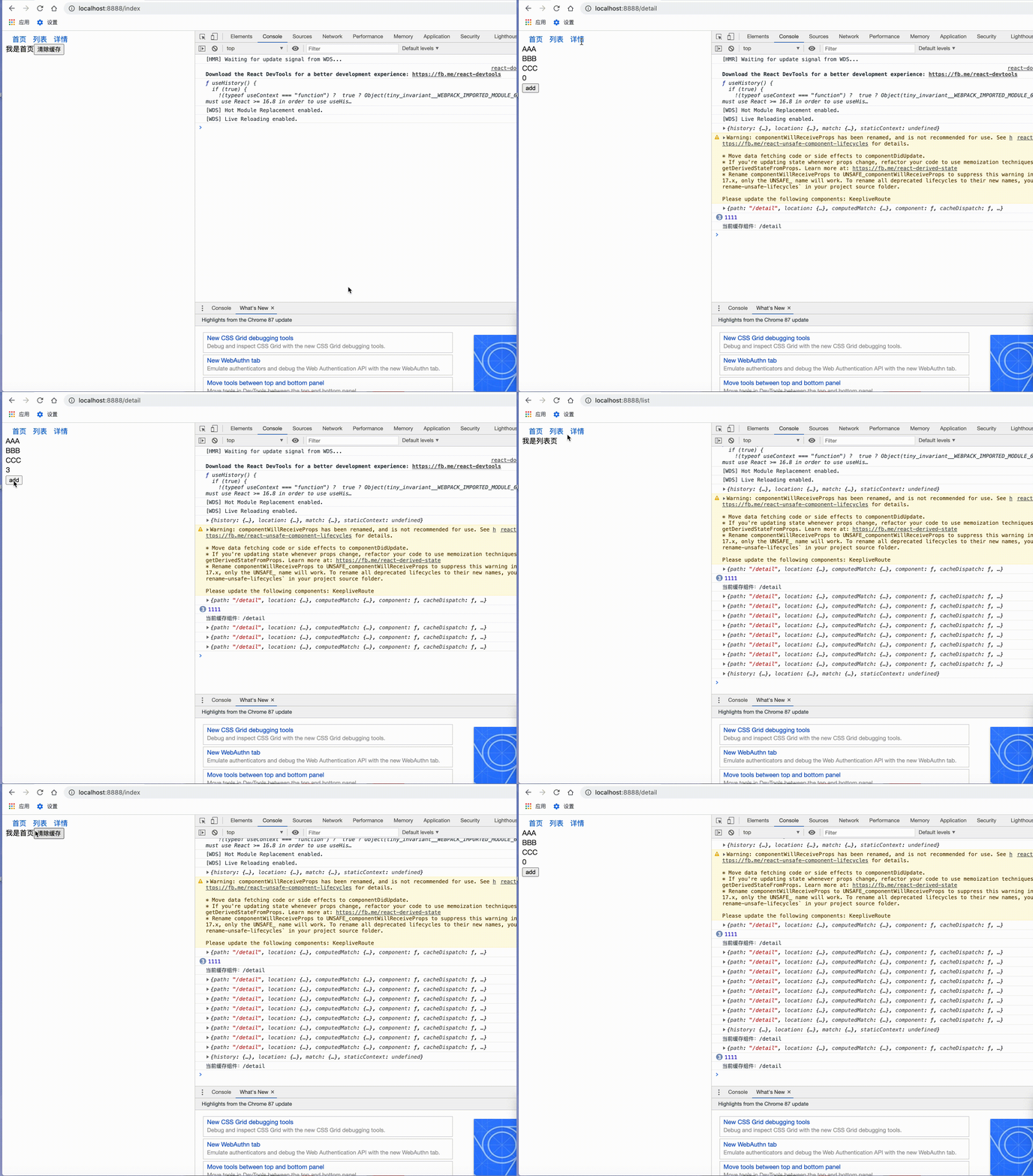
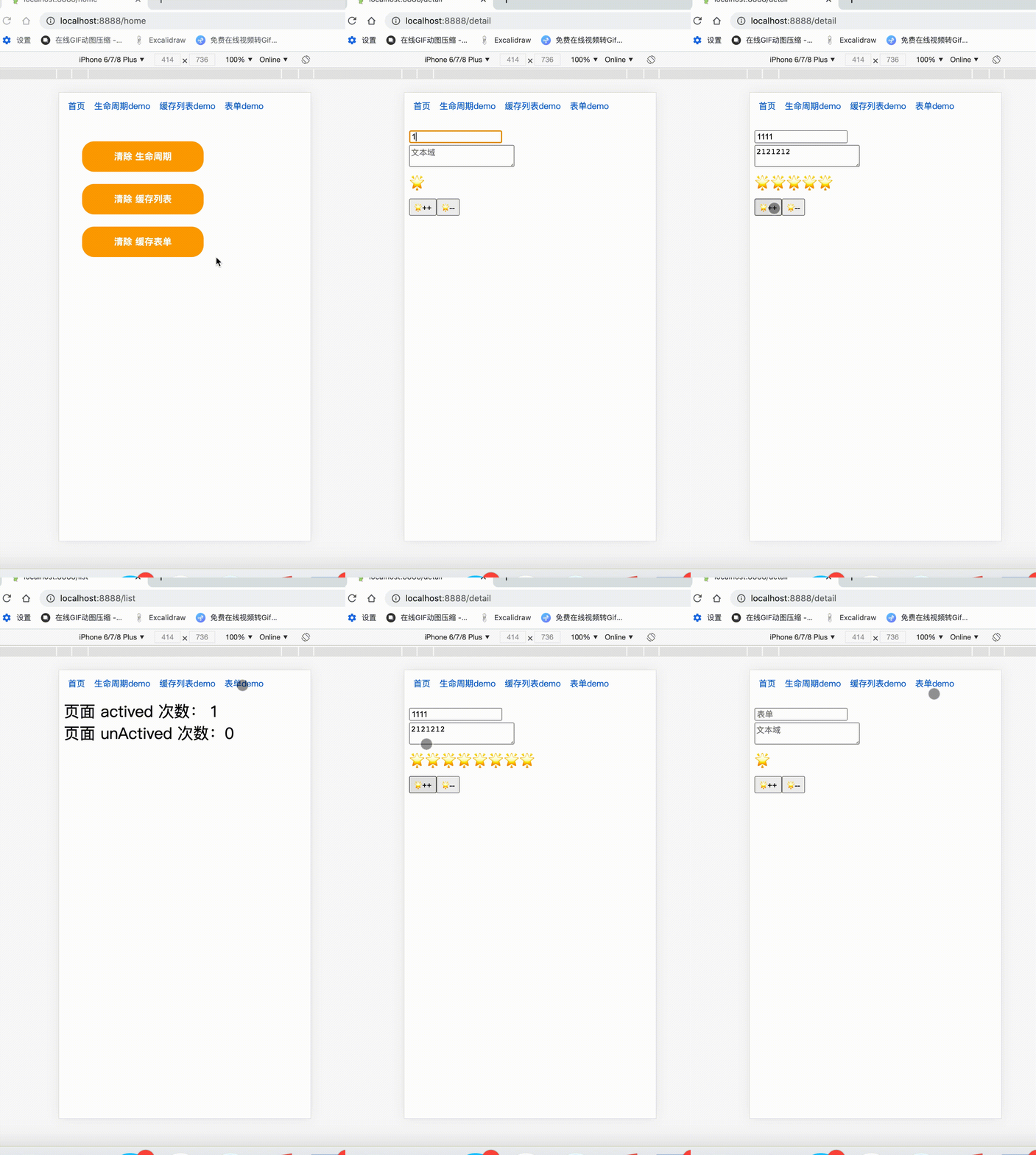
2 其他功能
1 缓存组件激活监听器
如果我们希望对当前激活的组件,有一些额外的操作,我们可以添加监听器,用来监听缓存组件的激活状态。
addKeeperListener((history,cacheKey)=>{
  if(history)console.log('当前激活状态缓存组件:'+ cacheKey )
})
第一个参数未history对象,第二个参数为当前缓存路由的唯一标识cacheKey
2 清除缓存
缓存的组件,或是被route包裹的组件,会在props增加额外的方法cacheDispatch用来清除缓存。
如果props没有cacheDispatch方法,可以通过
import React from 'react'
import { useCacheDispatch } from 'react-keepalive-router'

function index(){
    const cacheDispatch = useCacheDispatch()
    return

我是首页
        <button onClick={()=> cacheDispatch({ type:'reset' }) } >清除缓存</button>


}

export default index
1 清除所有缓存
cacheDispatch({ type:'reset' })
2 清除单个缓存
cacheDispatch({ type:'reset',payload:'cacheId' })
3 清除多个缓存
cacheDispatch({ type:'reset',payload:['cacheId1','cacheId2'] })
3 缓存scroll ,增加缓存滚动条功能
如果我们想要缓存列表 scrollTop 的位置 ,我们可以在 KeepaliveRoute 动态添加 scroll 属性 ( 目前仅支持y轴 )。 为什么加入scroll,我们这里考虑到,只有在想要缓存scroll的y值的时候,才进行缓存,避免不必要的事件监听和内存开销。
<KeepaliveRoute path={'/list2'} component={List2} scroll />
效果
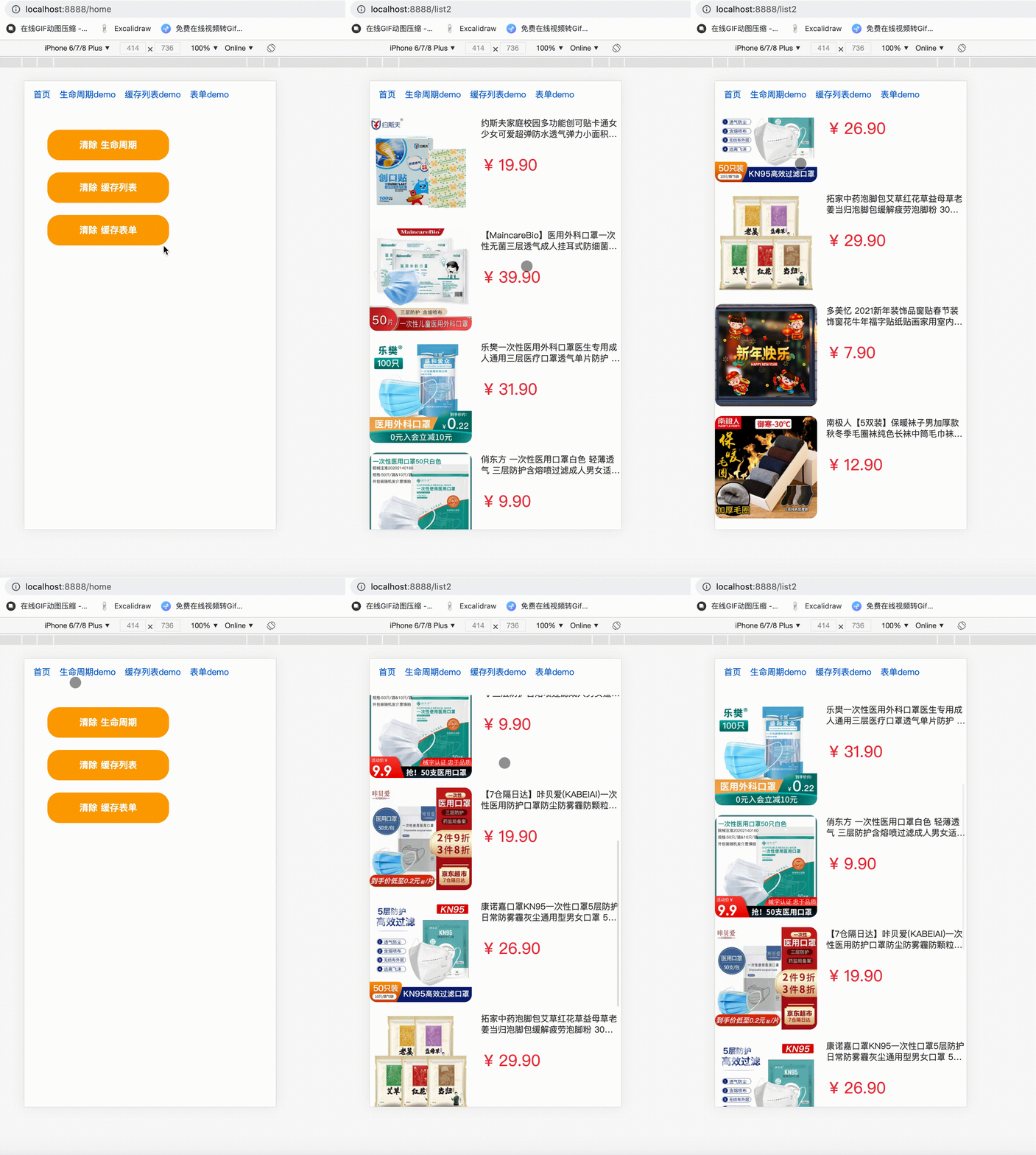
4 生命周期
react-keepalive-router加入了全新的页面组件生命周期 actived 和 unActived, actived 作为缓存路由组件激活时候用,初始化的时候会默认执行一次 , unActived作为路由组件缓存完成后调用。但是生命周期需要用一个HOC组件keepaliveLifeCycle包裹。
使用:
import React   from 'react'

import { keepaliveLifeCycle } from 'react-keepalive-router'
import './style.scss'

@keepaliveLifeCycle
class index extends React.Component<any,any>{

    state={
        activedNumber:0,
        unActivedNumber:0
    }
    actived(){
        this.setState({
            activedNumber:this.state.activedNumber + 1
        })
    }
    unActived(){
        this.setState({
            unActivedNumber:this.state.unActivedNumber + 1
        })
    }
    render(){
        const { activedNumber , unActivedNumber } = this.state
        return


 页面 actived 次数: { activedNumber }


 页面 unActived 次数:{ unActivedNumber  }


    }
}

export default index
效果:
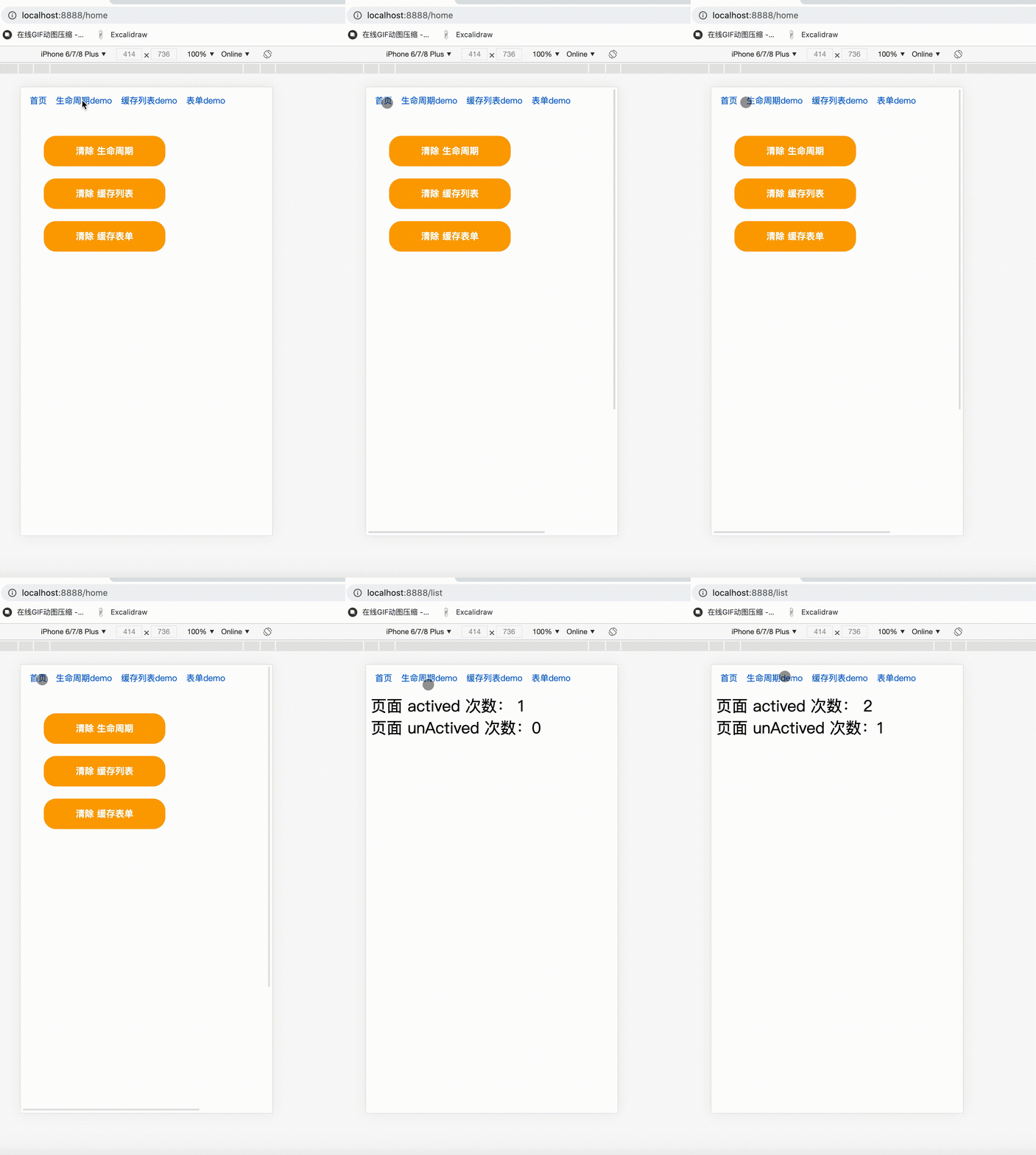
这里注意的是 keepaliveLifeCycle 要是组件最近的 Hoc。
比如
装饰器模式下: 🙅错误做法
@keepaliveLifeCycle
@withStyles(styles)
@withRouter
class Index extends React.Componen{

}
🙆正确做法
@withStyles(styles)
@withRouter
@keepaliveLifeCycle
class Index extends React.Componen{

}
非装饰器模式下: 🙅错误做法
class Index extends React.Componen{

}

export default keepaliveLifeCycle( withRouter(Index) )
🙆正确做法
class Index extends React.Componen{

}

export default withRouter( keepaliveLifeCycle(Index) )
Core symbols most depended-on inside this repo
isFuntionShape
Languages
Modules by API surface
For agents
$ claude mcp add react-keepalive-router \
  -- python -m otcore.mcp_server <graph>