github.com/GoTestTools/gotestfmt @v2.5.0
Chat with this repoWhat it actually does AI analysis from the code graph — generated when you open this
README
gotestfmt: go test output for humans
⚠️ Action required: gotestfmt has moved to the
GoTestToolsorganization and you need to update your references. Please see the announcement. The old repository will be deleted on January 1, 2023.
Are you tired of scrolling through endless Golang test logs in GitHub Actions (or other CI systems)?
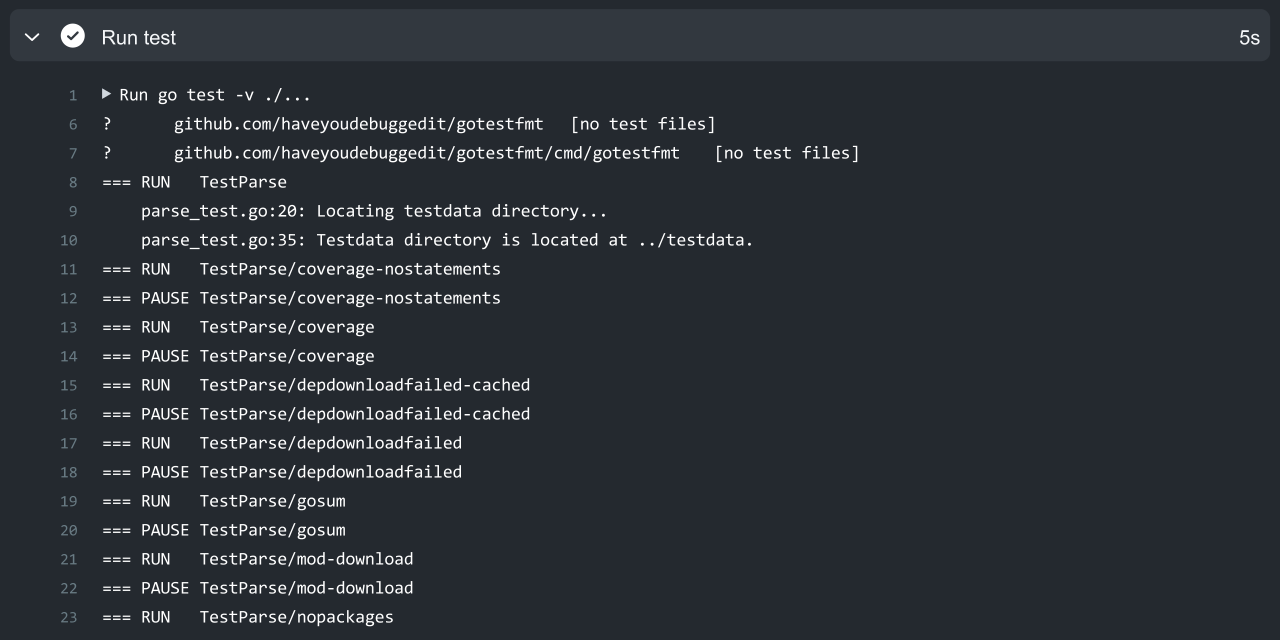
Then this is the tool for you. Run it locally, or in any CI system with the following command line like this:
set -euo pipefail
go test -json -v ./... 2>&1 | tee /tmp/gotest.log | gotestfmt
Tadam, your tests will now show up in a beautifully formatted fashion. Plug it into your CI and you're done. Installation is also easy:
Note: Please always save the original log. You will need it if you have to file a bug report for gotestfmt.
Table of Contents
- Installing
- Setting it up in your CI system
- GitHub Actions
- GitLab CI
- CircleCI
- Add your own CI
- FAQ
- Architecture
- Building
- License
Installing
You can install gotestfmt using the following methods.
Manually
You can download the binary manually from the releases section. The binaries have no dependencies and should run without any problems on any of the listed operating systems.
Using go install
You can install gotestfmt using the go install command:
go install github.com/gotesttools/gotestfmt/v2/cmd/gotestfmt@latest
You can then use the gotestfmt command, provided that your Go bin directory is added to your system path.
Using a container
You can also run gotestfmt in a container. For example:
go test -json ./... | docker run ghcr.io/gotesttools/gotestfmt:latest
If you have a high volume of requests you may want to mirror the image to your own registry.
Setting it up in your CI system
We have support for several CI systems, and you can also customize the output to match your system. Gotestfmt detects the CI system based on environment variables. If it can't detect the CI system it will try to create a generic colored test output. You can force the CI output with the -ci github|gitlab|... option.
GitHub Actions
For GitHub Actions we provide gotestfmt-action, making it easy to use. Here's how you can set it up:
jobs:
  build:
    name: Test
    runs-on: ubuntu-latest
    steps:
      # Checkout your project with git
      - name: Checkout
        uses: actions/checkout@v2

      # Install Go on the VM running the action.
      - name: Set up Go
        uses: actions/setup-go@v2
        with:
          go-version: 1.16

      # Install gotestfmt on the VM running the action.
      - name: Set up gotestfmt
        uses: gotesttools/gotestfmt-action@v2
        with:
          # Optional: pass GITHUB_TOKEN to avoid rate limiting.
          token: ${{ secrets.GITHUB_TOKEN }}

      # Alternatively, install using go install
      - name: Set up gotestfmt
        run: go install github.com/gotesttools/gotestfmt/v2/cmd/gotestfmt@latest

      # Run tests with nice formatting. Save the original log in /tmp/gotest.log
      - name: Run tests
        run: |
          set -euo pipefail
          go test -json -v ./... 2>&1 | tee /tmp/gotest.log | gotestfmt

      # Upload the original go test log as an artifact for later review.
      - name: Upload test log
        uses: actions/upload-artifact@v2
        if: always()
        with:
          name: test-log
          path: /tmp/gotest.log
          if-no-files-found: error
Gotestfmt provides specialized output for GitHub Actions based on the presence of the GITHUB_WORKFLOW environment variable. You can also set gotestfmt to run in GitHub Actions mode by providing the -ci github option.
In GitHub Actions mode gotestfmt will look for the rendering templates in the .gotestfmt/github and .gotestfmt folders, which can be customized.
GitLab CI
There are multiple ways to run gotestfmt in GitLab CI. You can simply download it from the releases section and use it that way, but we would recommend creating a custom container image to run the tests as follows:
# Include gotestfmt as a base image for building
FROM ghcr.io/gotesttools/gotestfmt:latest AS gotestfmt

# Use the golang base image
FROM golang
# Copy gotestfmt into the golang image
COPY --from gotestfmt /gotestfmt /usr/local/bin/
You can then run the tests within this image with the following command:
go test -json -v ./... | /usr/local/bin/gotestfmt
To put it all together, you can use the following .gitlab-ci.yaml:
docker-build:
  image: docker:latest
  stage: build
  services:
    - docker:dind
  before_script:
    - docker login -u "$CI_REGISTRY_USER" -p "$CI_REGISTRY_PASSWORD" $CI_REGISTRY
  script:
    - |
      docker build -t gotestfmt .
      docker run \
        -v $(pwd):/source \
        -v /tmp:/tmp |
        -e GITLAB_CI=${GITLAB_CI} \
        gotestfmt \
        /bin/sh -c "cd /source; go test -json -v ./... 2>&1 | tee /tmp/gotest.log | /usr/local/bin/gotestfmt"
  artifacts:
    paths:
      - /tmp/gotest.log
    expire_in: 1 week
  rules:
    - if: $CI_COMMIT_BRANCH
      exists:
        - Dockerfile
You can, of course, customize this to your liking. We also recommend mirroring the gotestfmt image to your local registry to avoid rate limiting errors. See the GitLab blog on how to do this.
Gotestfmt detects running in GitLab CI based on the GITLAB_CI environment variable. You can also force gotestfmt to run in GitLab CI mode by passing the -c gitlab option.
CircleCI
There is no special template for CircleCI since it doesn't support advanced features like log folding. You can set up Circle CI by using the gotestfmt container directly:
version: 2
jobs:
  test:
    docker:
      - image: circleci/golang:1.16
    steps:
      - checkout
      - setup_remote_docker:
          version: 19.03.13
      - run:
          name: Run tests
          command: go test -json -v ./... 2>&1 | tee /tmp/gotest.log | docker run -i ghcr.io/gotesttools/gotestfmt:latest
      - store_artifacts:
          path: /tmp/gotest.log
          destination: gotest.log
workflows:
  version: 2
  build-workflow:
    jobs:
      - test
Add your own CI
You can, of course, customize the output to match your CI system. You can do this creating a folder named .gotestfmt in your project and adding the go template files below. You can find the default templates in the .gotestfmt folder in this repository.
When running on a well-known CI system, such as GitHub Actions, gotestfmt will detect that and look in the specific subfolder. If you think a specific CI system should have a custom template, please send us a pull request to this repository.
downloads.tpl
This file contains the output fragment showing the package downloads in the Go template format. It has the following variables available:
| Variable | Type | Description |
|---|---|---|
.Failed |
bool |
Indicates an overall failure. |
.Packages |
[]Package |
A list of packages that have been processed. |
.StartTime |
*time.Time |
The time the first download line was seen. May be empty. |
.EndTime |
*time.Time |
The time the last download line was seen. May be empty. |
.Reason |
string |
If an extra reason is given for the failure, the text is included here. |
.Settings |
RenderSettings |
The render settings (what to hide, etc, see below). |
The Package items have the following format:
| Variable | Type | Description |
|---|---|---|
.Package |
string |
Name of the package. (e.g. github.com/gotesttools/gotestfmt) |
.Version |
string |
Version of the package. (e.g. v1.0.0) |
.Failed |
bool |
If the package download has failed. |
.Reason |
string |
Text explaining the failure. |
package.tpl
This template is the output format for the results of a single package and the tests in it. If multiple packages are tested, this template is called multiple times in a row. It has the following fields:
| Variable | Type | Description |
|---|---|---|
.Name |
string |
Name of the package under test. |
.Result |
string |
Result of all tests in this package. Can be PASS, FAIL, or SKIP. |
.Duration |
time.Duration |
Duration of all test runs in this package. |
.Coverage |
*float64 |
If coverage data was provided, this indicates the code coverage percentage. |
.Output |
string |
Additional output from failures. (e.g. syntax error indications) |
.TestCases |
[]TestCase |
A list of test case results. |
.Reason |
string |
Text explaining the failure. Empty in most cases. |
.StartTime |
*time.Time |
A pointer to a time object when the package was first seen in the output. May be nil. |
.EndTime |
*time.Time |
A pointer to the time object when the package was last seen in the output. May be nil. |
.Settings |
RenderSettings |
The render settings (what to hide, etc, see below). |
Test cases have the following format:
| Variable | Type | Description |
|---|---|---|
.Name |
string |
Name of the test case. May contain slashes (/) if subtests are run. |
.Result |
string |
Result of the test. Can be PASS, FAIL, or SKIP. |
.Duration |
time.Duration |
Duration of all test runs in this package. |
.Output |
string |
Log output from the test. |
.StartTime |
*time.Time |
A pointer to a time object when the test case was first seen in the output. May be nil. |
.EndTime |
*time.Time |
A pointer to the time object when the test case was last seen in the output. May be nil. |
Render settings
Render settings are available in all templates. They have the following fields:
| Variable | Type | Description |
|---|---|---|
.HideSuccessfulDownloads |
bool |
Hide successful package downloads from the output. |
.HideSuccessfulPackages |
bool |
Hide all packages that have only successful tests from the output. |
.HideEmptyPackages |
bool |
Hide the packages from the output that have no test cases. |
.HideSuccessfulTests |
bool |
Hide all tests from th |
Extension points exported contracts — how you extend this code
GoTestFmt (Interface)Core symbols most depended-on inside this repo
ensurePackageShape
Languages
Modules by API surface
For agents
$ claude mcp add gotestfmt \
  -- python -m otcore.mcp_server <graph>