github.com/GeminiLight/gen-mentor @main
Chat with this repoBrowse by type
What it actually does AI analysis from the code graph — generated when you open this
README
<img src="https://github.com/GeminiLight/gen-mentor/raw/main/resources/logo.png" alt="GenMentor Logo" width="300"/>
LLM-powered & Goal-oriented Tutoring System
<a href="https://www.tianfuwang.tech/gen-mentor">Website</a> ·
<a href="https://arxiv.org/pdf/2501.15749">Paper</a> ·
<a href="https://gen-mentor.streamlit.app/">Demo</a> ·
<a href="https://youtu.be/vTdtGZop-Zc">Video</a>
[!IMPORTANT]
:sparkles: Welcome to visit the GenMentor website to learn more about our work!
This is official code of our paper "LLM-powered Multi-agent Framework for Goal-oriented Learning in Intelligent Tutoring System", accepted by WWW 2025 (Industry Track) as an Oral Presentation.
In this paper, we propose GenMentor, a large language model (LLM)-powered multi-agent framework designed for goal-oriented learning in Intelligent Tutoring Systems (ITS). This framework emphasizes personalization, adaptive learning, and goal-aligned content delivery, making it a robust solution for professional and lifelong learning scenarios.
🏫 ITS Paradigm Comparison
<img src="https://github.com/GeminiLight/gen-mentor/raw/main/resources/its-paradigms.png" alt="GenMentor Overview" width="500" style="box-shadow: 0 8px 24px rgba(0,0,0,0.15); border-radius: 8px;"/>
| Paradigm | Typical characteristics | Primary focus |
|---|---|---|
| 🏫 Traditional MOOC | Static syllabus; pre-recorded lectures; fragmented learning | Broad access, low personalization |
| 🤖 Chatbot ITS | Reactive Q&A; rule/LLM-driven; session-based help | Instant support, limited long-term adaptation |
| 🎯 Goal-oriented ITS | Proactive planning; personalized paths; goal-aligned assessments | Targeted skill acquisition, continual adaptation |
🤖 Key Agent Modules
<img src="https://github.com/GeminiLight/gen-mentor/raw/main/resources/genmentor-framework.png" alt="GenMentor Overview" width="700" style="box-shadow: 0 8px 24px rgba(0,0,0,0.15); border-radius: 8px;"/>
- 🧭
Skill Gap Identifier: Analyzes learner's current knowledge to identify gaps. - 👤
Adaptive Learner Modeler: Builds and updates learner profiles based on interactions. - 🗓️
Learning Path Scheduler: Creates personalized learning paths and schedules. - 📝
Tailored Content Generator: Produces customized learning materials and assessments. - 🧑🏫
AI Chatbot Tutor: Engages learners in dialogue, answering questions and providing support.
Key Demo Interfaces
<img src="https://github.com/GeminiLight/gen-mentor/raw/main/resources/genmentor_demo_1.png" alt="GenMentor Demo Interface-1" width="400" style="box-shadow: 0 8px 24px rgba(0,0,0,0.15); border-radius: 8px; margin: 8px;"/>
<img src="https://github.com/GeminiLight/gen-mentor/raw/main/resources/genmentor_demo_2.png" alt="GenMentor Demo Interface-2" width="400" style="box-shadow: 0 8px 24px rgba(0,0,0,0.15); border-radius: 8px; margin: 8px;"/>
<img src="https://github.com/GeminiLight/gen-mentor/raw/main/resources/genmentor_demo_3.png" alt="GenMentor Demo Interface-3" width="400" style="box-shadow: 0 8px 24px rgba(0,0,0,0.15); border-radius: 8px; margin: 8px;"/>
<img src="https://github.com/GeminiLight/gen-mentor/raw/main/resources/genmentor_demo_4.png" alt="GenMentor Demo Interface-4" width="400" style="box-shadow: 0 8px 24px rgba(0,0,0,0.15); border-radius: 8px; margin: 8px;"/>
<img src="https://github.com/GeminiLight/gen-mentor/raw/main/resources/genmentor_demo_5.png" alt="GenMentor Demo Interface-5" width="400" style="box-shadow: 0 8px 24px rgba(0,0,0,0.15); border-radius: 8px; margin: 8px;"/>
🚀 Quick start
Here, we briefly describe how to set up and run the GenMentor system locally. Please see more details in the respective backend/ and frontend/ directories.
🛠️ Installation
- Backend environment setup
cd backend
uv venv
source .venv/bin/activate  # on Windows: .venv\Scripts\activate
uv pip install -r requirements.txt
- Frontend environment setup
cd frontend
uv venv
source .venv/bin/activate  # on Windows: .venv\Scripts\activate
uv pip install -r requirements.txt
⚙️ Configuration
- Configure LLM secrets (at least one) for backend
Option A: update a .env file in backend/
# Example for OpenAI:
OPENAI_API_KEY="your-openai-api-key"

# Example for DeepSeek:
DEEPSEEK_API_KEY="your-deepseek-api-key"
Option B: export environment variables in your shell
# Example for OpenAI:
export OPENAI_API_KEY="your-openai-api-key"

# Example for DeepSeek:
export DEEPSEEK_API_KEY="your-deepseek-api-key"
DEEPSEEK_API_KEY="your-deepseek-api-key"
- Configure api endpoint for frontend
If you would like to run the backend on a different host/port, update it either
in the running app via Settings (⚙️) → Backend endpoint, or in
frontend/config.py:
backend_endpoint = "http://127.0.0.1:5000/"
Optional:
TAVILY_API_KEYinbackend/.envswitches web search from DuckDuckGo to Tavily — noticeably faster content generation (seebackend/README.md).
▶️ Running Locally
[!NOTE] The default ports are 5000 for backend, 8501 for frontend by default
Option A: Manual (preferred when using separate venvs)
# start backend
cd backend
source .venv/bin/activate  # on Windows: .venv\Scripts\activate
uvicorn main:app --reload --port 5000
# start frontend
cd frontend
source .venv/bin/activate  # on Windows: .venv\Scripts\activate
streamlit run main.py --server.port 8501
Option B: Helper scripts (single shell; assumes uvicorn/streamlit on PATH)
# start backend
bash ./scripts/start_backend.sh [PORT]

# start frontend
bash ./scripts/start_frontend.sh [PORT]

# stop all
bash ./scripts/stop_all.sh
🌐 Accessing the App
Finally, you can access:
- Backend API: http://127.0.0.1:5000/
- Frontend UI: http://127.0.0.1:8501/
🚀 Demo Version of Web Application
Welcome to explore the demo version of the GenMentor web application:
This interactive demo showcases GenMentor's core functionalities, including:
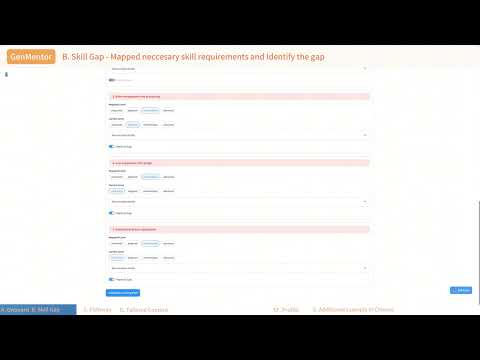
- Skill Gap Identification: Precisely map learner goals to required skills.
- Adaptive Learner Modeling: Capture learner progress and preferences.
- Personalized Content Delivery: Generate tailored learning resources.
You could also watch the demo video for a quick overview (click the image below):
📚 Citation
@inproceedings{wang2025llm,
  title={LLM-powered Multi-agent Framework for Goal-oriented Learning in Intelligent Tutoring System},
  author={Wang, Tianfu and Zhan, Yi and Lian, Jianxun and Hu, Zhengyu and Yuan, Nicholas Jing and Zhang, Qi and Xie, Xing and Xiong, Hui},
  booktitle={Companion Proceedings of the ACM Web Conference},
  year={2025}
}
Core symbols most depended-on inside this repo
Shape
Languages
Modules by API surface
For agents
$ claude mcp add gen-mentor \
  -- python -m otcore.mcp_server <graph>