github.com/GauriSP10/streamlit_login_auth_ui @v0.2.0
Chat with this repoWhat it actually does AI analysis from the code graph — generated when you open this
README
Streamlit Login/ Sign Up Library 
The streamlit_login_auth_ui library is meant for streamlit application developers. It lets you connect your streamlit application to a pre-built and secure Login/ Sign-Up page.
You can customize specific parts of the page without any hassle!
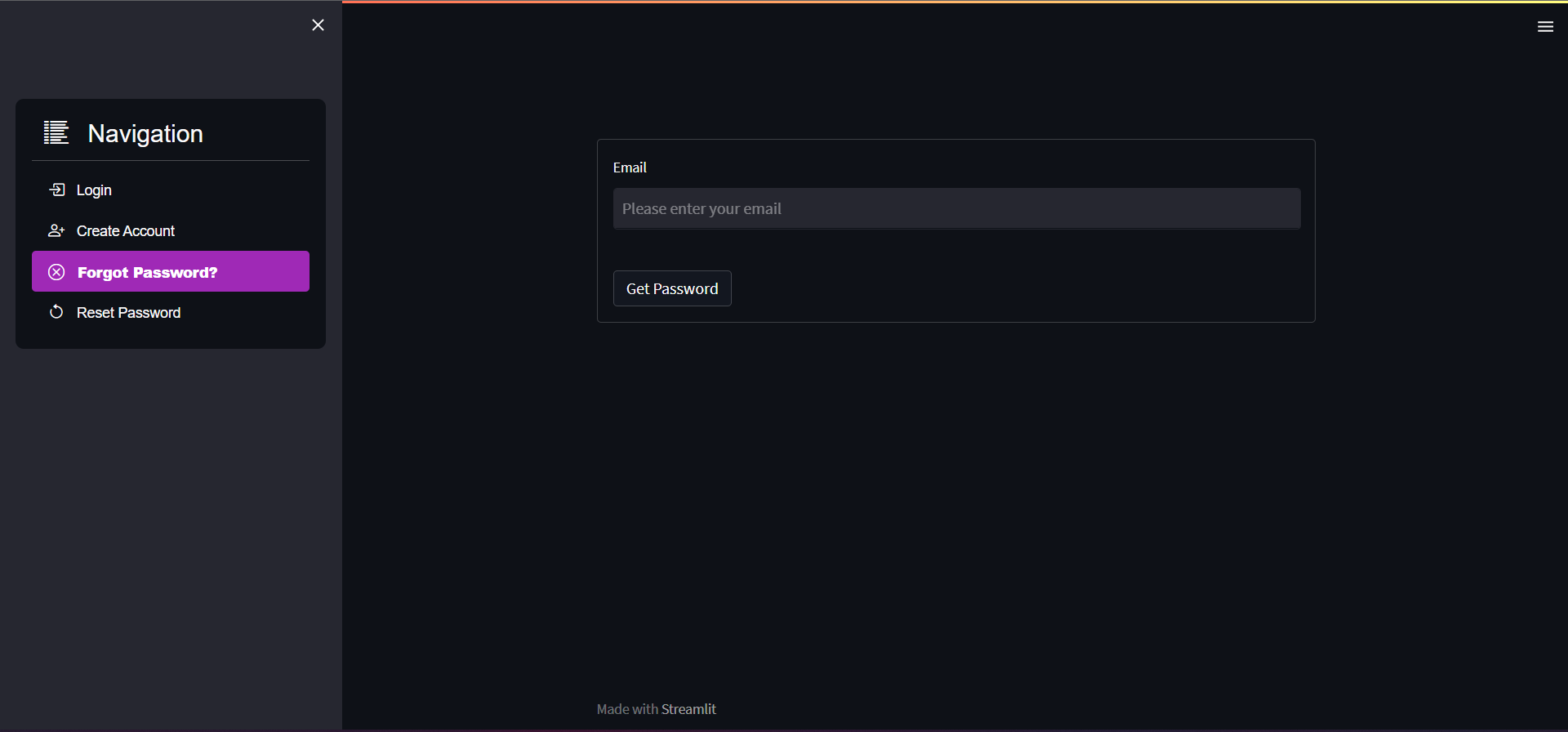
The library grants users an option to reset their password, users can click on Forgot Password? after which an Email is triggered containing a temporary, randomly generated password.
The library also sets encrypted cookies to remember and automatically authenticate the users without password. \
The users can logout using the Logout button.
Authors
PyPi
https://pypi.org/project/streamlit-login-auth-ui/
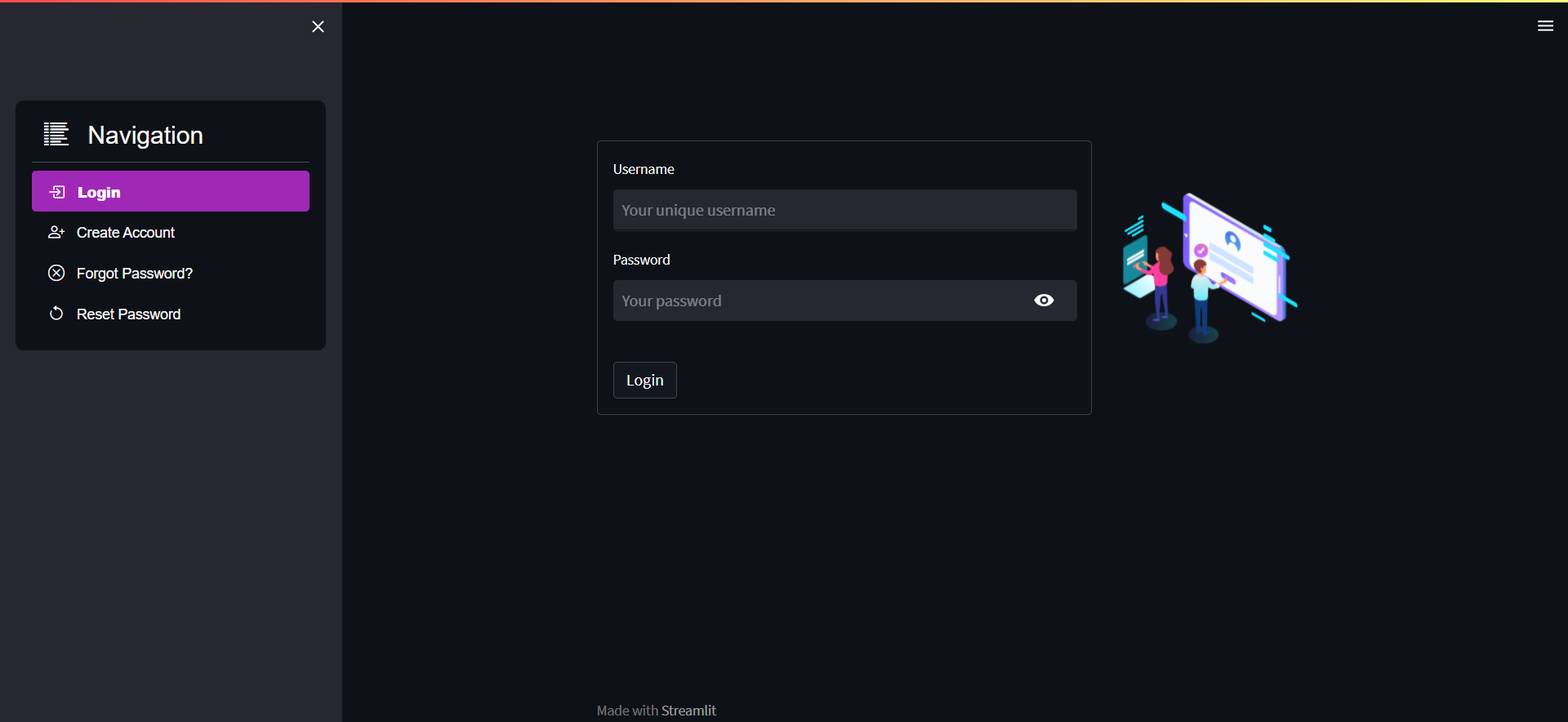
The UI:
Installation
pip install streamlit-login-auth-ui
How to implement the library?
To import the library, just paste this at the starting of the code:
from streamlit_login_auth_ui.widgets import __login__
All you need to do is create an object for the __login__ class and pass the following parameters:
1. auth_token : The unique authorization token received from - https://www.courier.com/email-api/
2. company_name : This is the name of the person/ organization which will send the password reset email.
3. width : Width of the animation on the login page.
4. height : Height of the animation on the login page.
5. logout_button_name : The logout button name.
6. hide_menu_bool : Pass True if the streamlit menu should be hidden.
7. hide_footer_bool : Pass True if the 'made with streamlit' footer should be hidden.
8. lottie_url : The lottie animation you would like to use on the login page. Explore animations at - https://lottiefiles.com/featured
Mandatory Arguments:
auth_tokencompany_namewidthheight
Non Mandatory Arguments:
logout_button_name[default = 'Logout']hide_menu_bool[default = False]hide_footer_bool[default = False]lottie_url[default = https://assets8.lottiefiles.com/packages/lf20_ktwnwv5m.json]
Example:
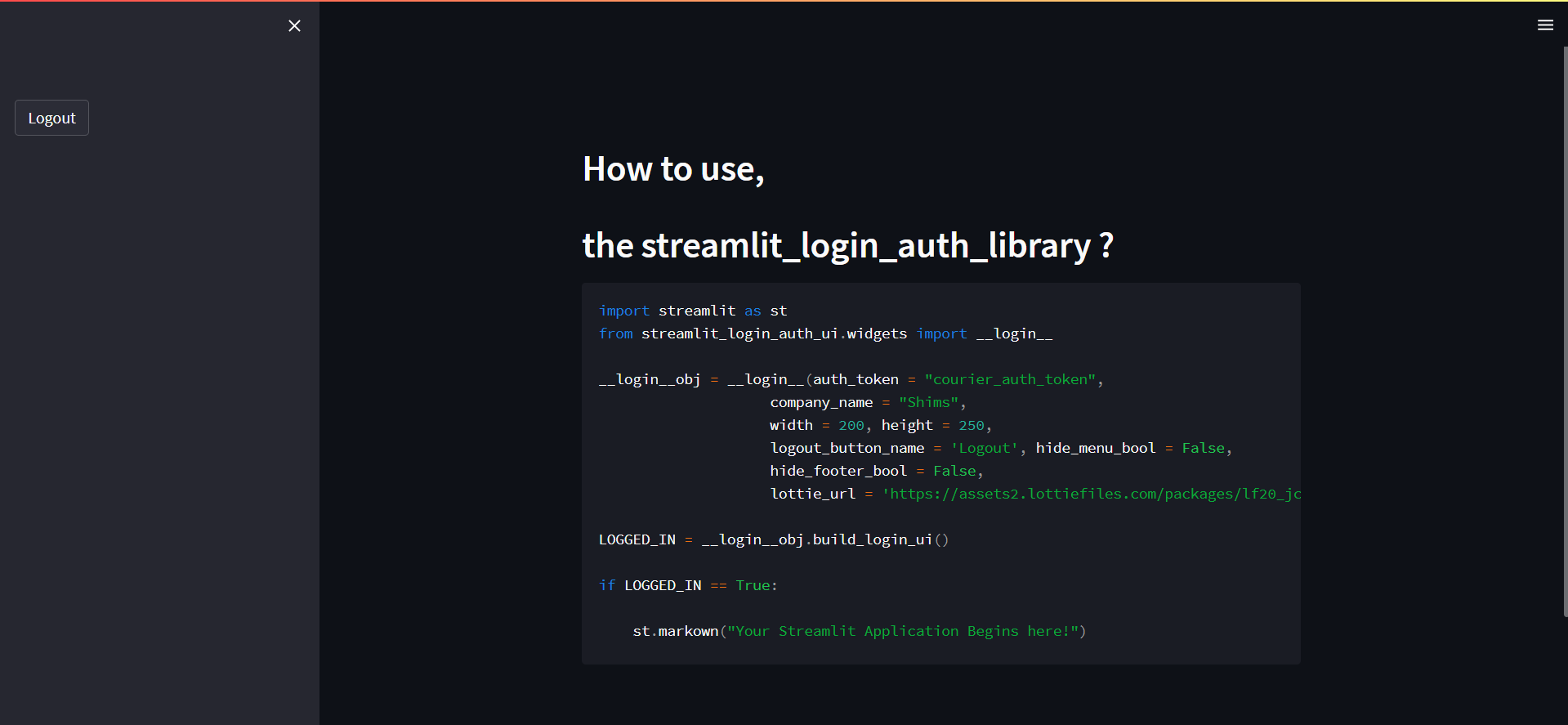
import streamlit as st
from streamlit_login_auth_ui.widgets import __login__

__login__obj = __login__(auth_token = "courier_auth_token",
                    company_name = "Shims",
                    width = 200, height = 250,
                    logout_button_name = 'Logout', hide_menu_bool = False,
                    hide_footer_bool = False,
                    lottie_url = 'https://assets2.lottiefiles.com/packages/lf20_jcikwtux.json')

LOGGED_IN = __login__obj.build_login_ui()

if LOGGED_IN == True:

    st.markown("Your Streamlit Application Begins here!")
That's it! The library handles the rest. \
Just make sure you call/ build your application indented under if st.session_state['LOGGED_IN'] == True:, this guarantees that your application runs only after the user is securely logged in.
Explanation
Login page
The login page, authenticates the user.
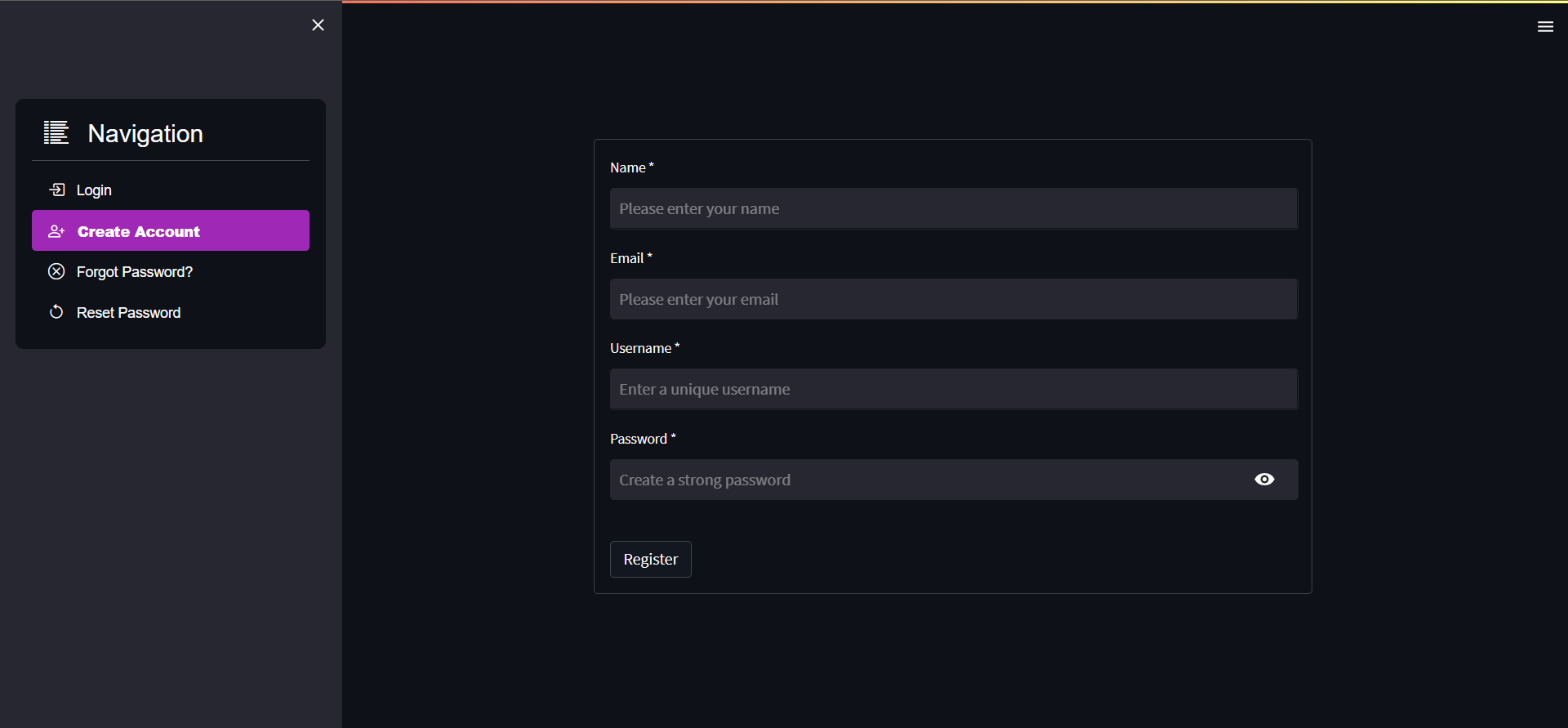
Create Account page
Stores the user info in a secure way in the _secret_auth_.json file. \
Forgot Password page
After user authentication (email), triggers an email to the user containing a random password. \
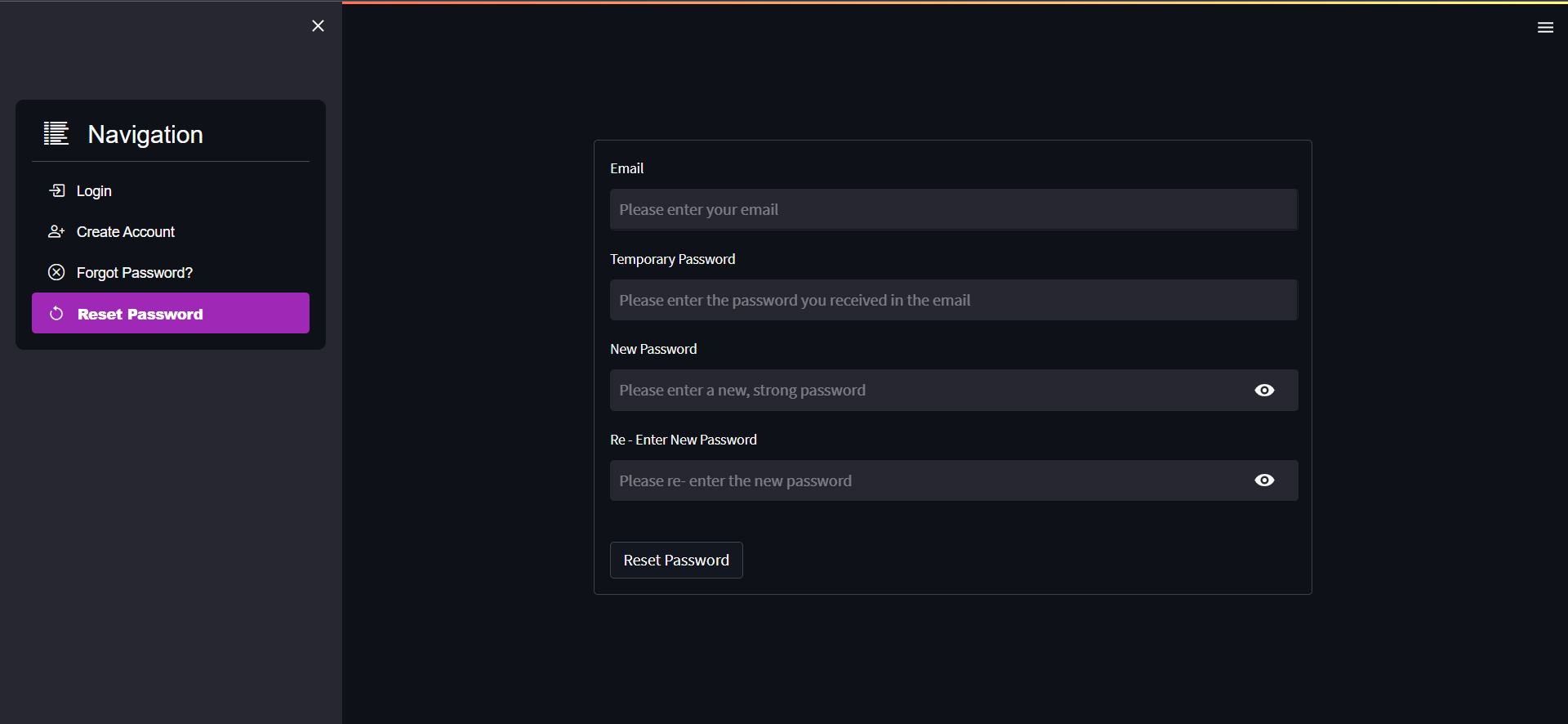
Reset Password page
After user authentication (email and the password shared over email), resets the password and updates the same \
in the _secret_auth_.json file. \
Logout button
Generated in the sidebar only if the user is logged in, allows users to logout. \
Version
v0.2.0
License
Core symbols most depended-on inside this repo
check_email_existsShape
Languages
Modules by API surface
For agents
$ claude mcp add streamlit_login_auth_ui \
  -- python -m otcore.mcp_server <graph>