github.com/Fincept-Corporation/FinceptTerminal @v4.2.0
Chat with this repoBrowse by type
What it actually does AI analysis from the code graph — generated when you open this
README
[!IMPORTANT] Maintenance notice — June 2026 Due to funding constraints, the public Fincept Terminal is moving to one update per month and is no longer maintained on a daily basis. The team is now focused on a subscription-based private edition of the terminal and a new project, Quantcept. This open-source repo stays public and will not be deleted.
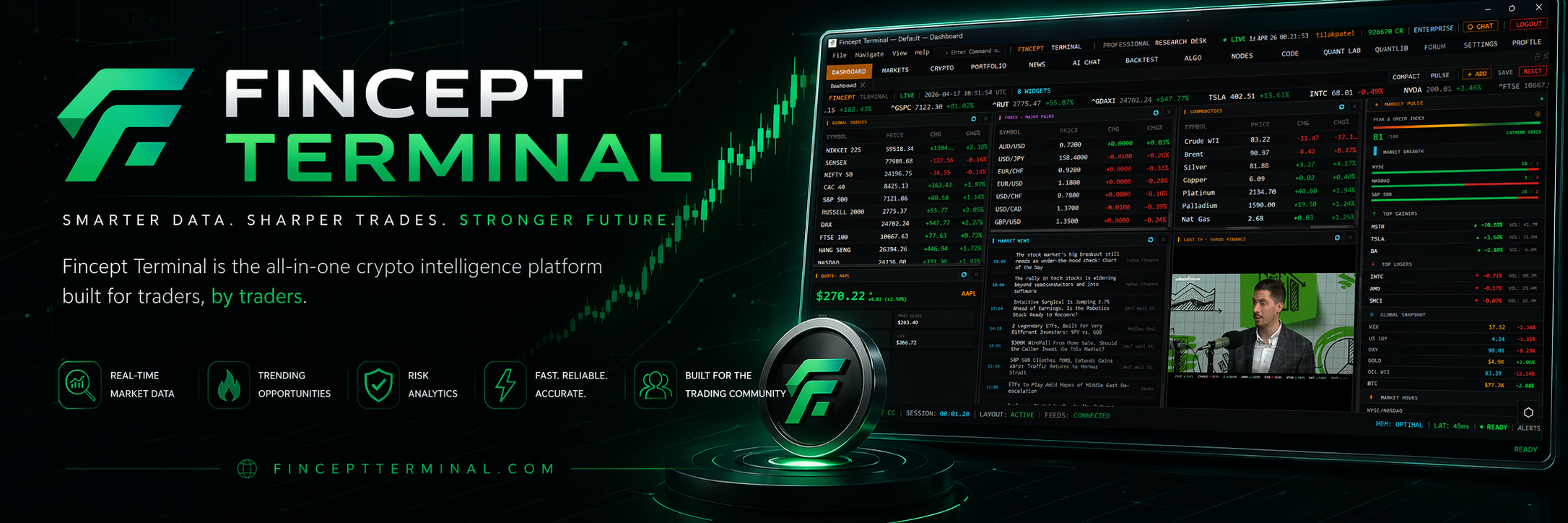
Fincept Terminal










Your Thinking is the Only Limit. The Data Isn't.
State-of-the-art financial intelligence platform with institutional-grade financial analytics, AI automation, and unlimited data connectivity.
📥 Download · ⚖️ License · 💬 Discussions · 💬 Discord · 🤝 Partner
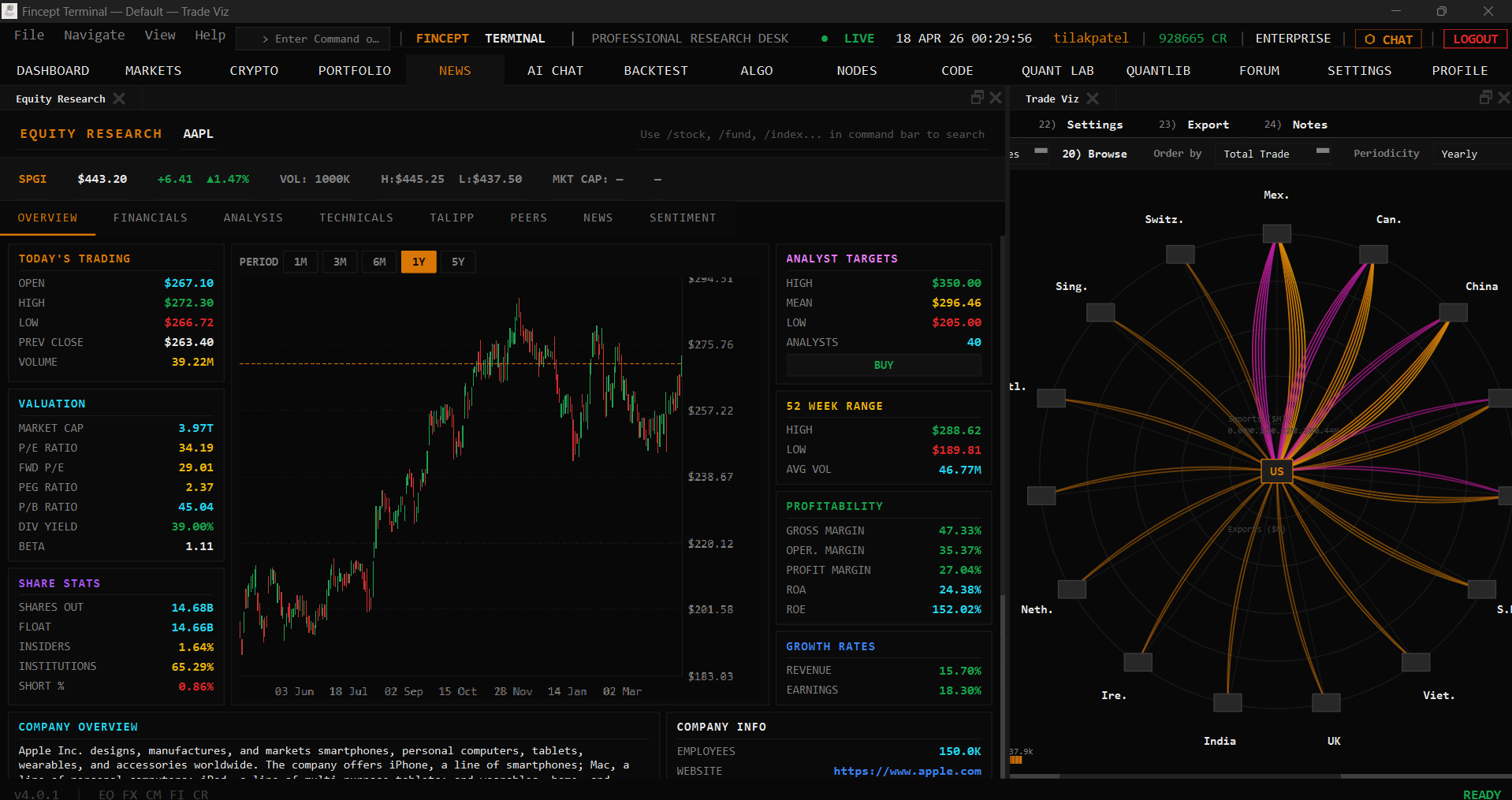 Equity Research
 |
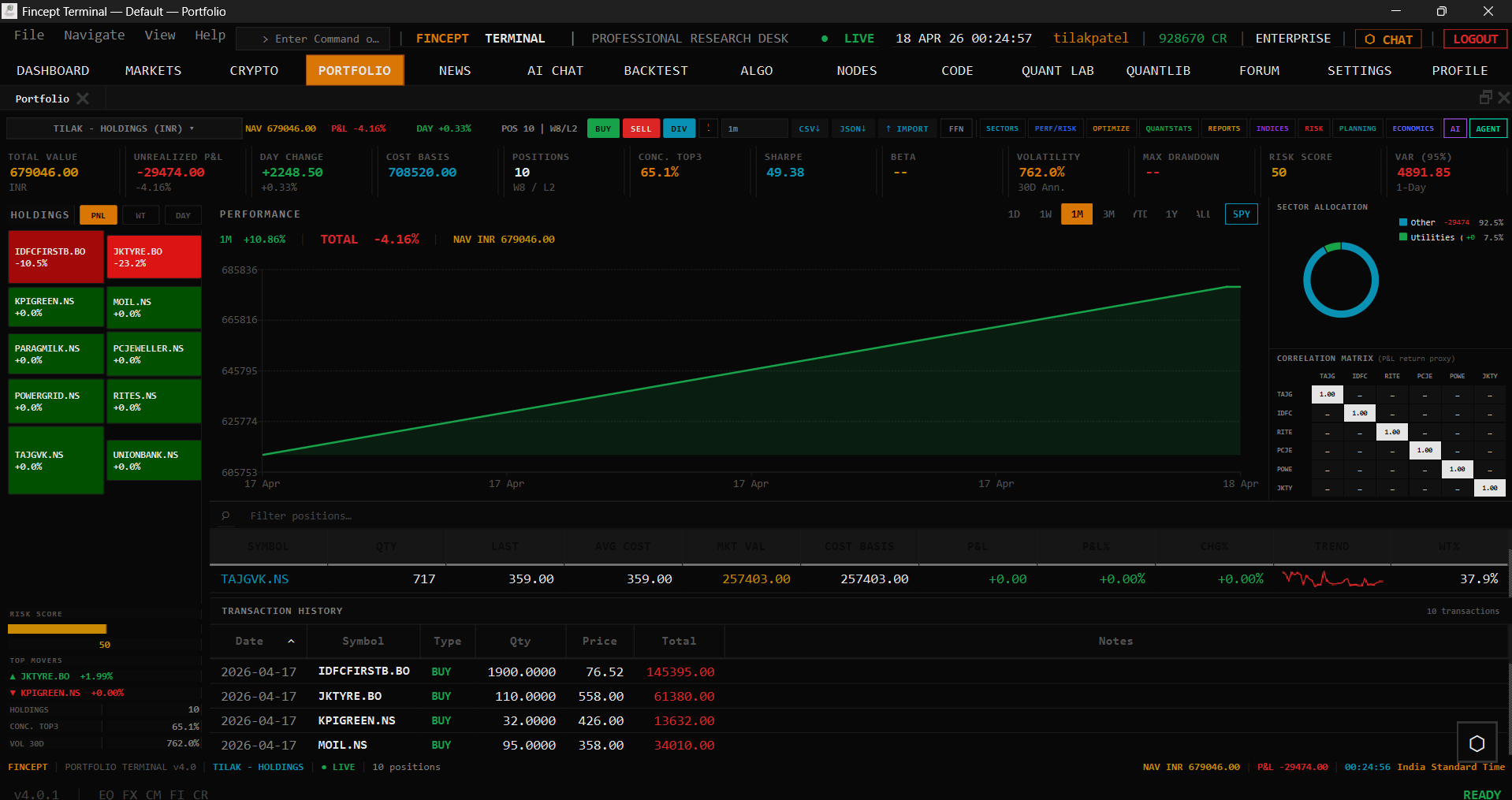 Portfolio
 |
 News
News |
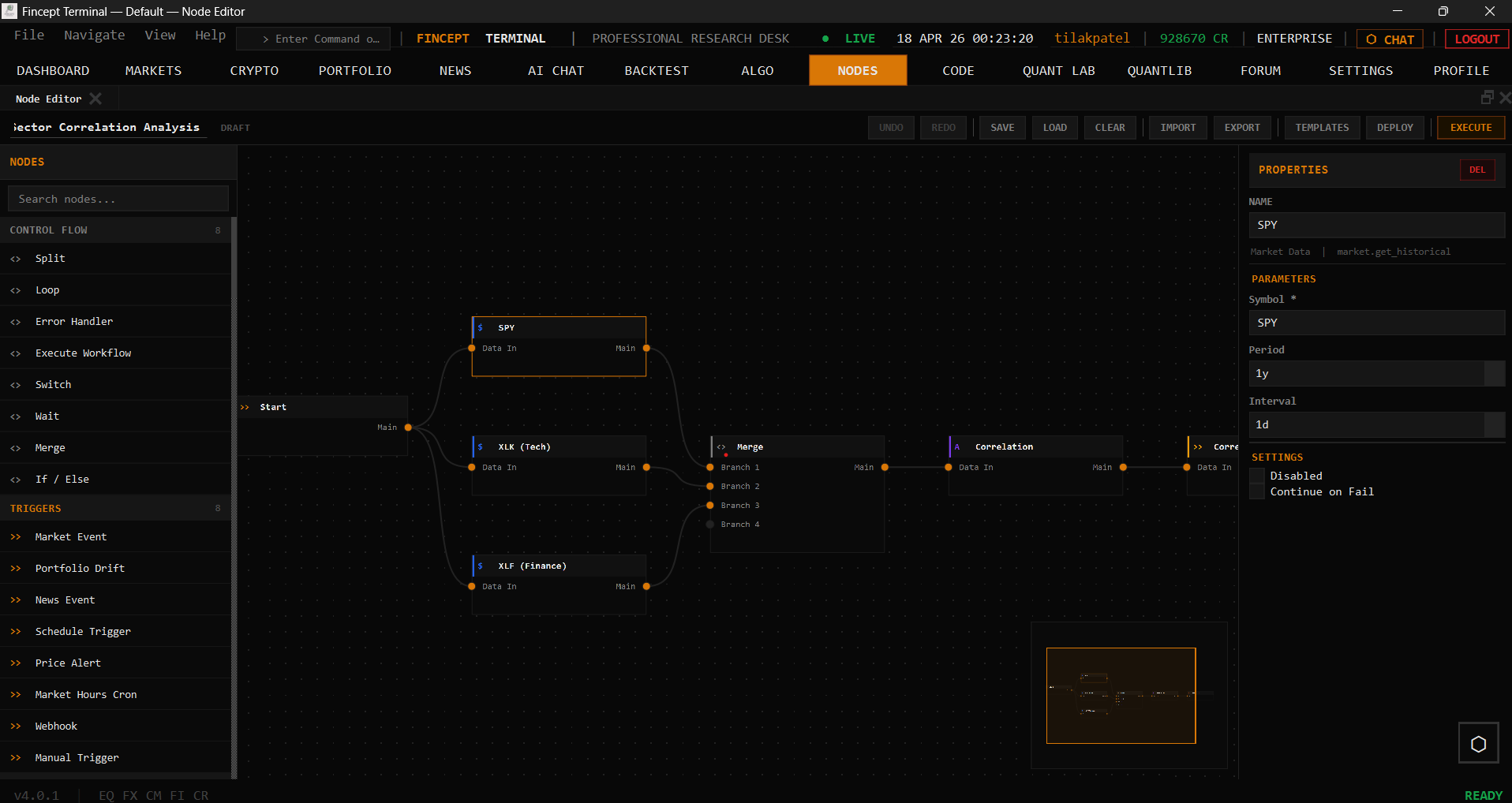 Node Editor
 |
About
Fincept Terminal v4 is a pure native C++20 desktop application. It uses Qt6 for UI and rendering, embedded Python for analytics, and delivers professional terminal-class performance in a single native binary.
Features
| Feature | Description |
|---|---|
| 📊 Multi-Asset Analytics | DCF models, portfolio optimization, risk metrics (VaR, Sharpe), derivatives pricing across equity, fixed income, derivatives, portfolio, and alternatives via embedded Python |
| 🤖 AI Agents | 37 agents across Trader/Investor (Buffett, Graham, Lynch, Munger, Klarman, Marks…), Economic, and Geopolitics frameworks; local LLM support; multi-provider (OpenAI, Anthropic, Gemini, Groq, DeepSeek, MiniMax, OpenRouter, Ollama) |
| 🌐 100+ Data Connectors | DBnomics, Polygon, Kraken, Yahoo Finance, FRED, IMF, World Bank, AkShare, government APIs, plus optional alternative-data overlays such as Adanos market sentiment for equity research |
| 📈 Real-Time Trading | Crypto (Kraken/HyperLiquid WebSocket), equity, algo trading, paper trading engine, 16 broker integrations (Zerodha, Angel One, Upstox, Fyers, Dhan, Groww, Kotak, IIFL, 5paisa, AliceBlue, Shoonya, Motilal, IBKR, Alpaca, Tradier, Saxo) |
| 🔬 QuantLib Suite | 18 quantitative analysis modules — pricing, risk, stochastic, volatility, fixed income |
| 🚢 Global Intelligence | Maritime tracking, geopolitical analysis, relationship mapping, satellite data |
| 🎨 Visual Workflows | Node editor for automation pipelines, MCP tool integration |
| 🧠 AI Quant Lab | ML models, factor discovery, HFT, reinforcement learning trading |
Installation
Option 1 — Download Installer (Recommended)
Latest release: v4.2.0 — View all releases
| Platform | Download | Run |
|---|---|---|
| Windows x64 | FinceptTerminal-Windows-x64-setup.exe | Run installer → launch FinceptTerminal.exe |
| Linux x64 | FinceptTerminal-Linux-x64.run | chmod +x → run installer |
| macOS Apple Silicon | FinceptTerminal-macOS-arm64.dmg | Open DMG → drag to Applications |
Option 2 — Quick Start (One-Click Build)
Clone and run the setup script — it installs all dependencies and builds the app automatically:
# Linux / macOS
git clone https://github.com/Fincept-Corporation/FinceptTerminal.git
cd FinceptTerminal
chmod +x setup.sh && ./setup.sh
The script handles: compiler check, CMake, Qt6, Python, build, and launch.
Windows: No setup script — use the manual build steps in Option 4 below. It's just two commands.
Option 3 — Docker (CI / Developer Environments)
Note: Docker is intended for CI/CD testing and development environments only. For the best experience, use the pre-built installers in Option 1 above. Docker requires Linux with X11. Windows and macOS are not supported.
# Build from source (Linux + X11 required)
git clone https://github.com/Fincept-Corporation/FinceptTerminal.git
cd FinceptTerminal
docker build -t fincept-terminal .
docker run --rm -e DISPLAY=$DISPLAY -v /tmp/.X11-unix:/tmp/.X11-unix fincept-terminal
Option 4 — Build from Source (Manual)
Versions are pinned. Use the exact versions below. Newer or older versions are unsupported and may fail to build or produce unstable binaries.
Prerequisites (exact versions)
| Tool | Pinned Version | Notes |
|---|---|---|
| Git | latest | — |
| CMake | 3.27.7 | Download |
| Ninja | 1.11.1 | Download |
| C++ compiler | MSVC 19.38 (VS 2022 17.8) / GCC 12.3 / Apple Clang 15.0 (Xcode 15.2) | C++20 required |
| Qt | 6.8.3 | Qt Online Installer |
| Python | 3.11.9 | python.org |
| Platform SDK | Win10 SDK 10.0.22621.0 / macOS SDK 14.0 (deploy 11.0+) / glibc 2.31+ | — |
Install Qt 6.8.3
Windows: Qt Online Installer → select Qt 6.8.3 > MSVC 2022 64-bit (install path: C:/Qt/6.8.3/msvc2022_64)
Linux: Qt Online Installer → Qt 6.8.3 > Desktop gcc 64-bit (install path: ~/Qt/6.8.3/gcc_64). Or for system packages, install qt6-base-dev qt6-charts-dev qt6-tools-dev qt6-base-private-dev libqt6websockets6-dev libgl1-mesa-dev — note system packages may be a different 6.x minor.
macOS: Qt Online Installer → Qt 6.8.3 > macOS (install path: ~/Qt/6.8.3/macos)
Build (using CMake presets — recommended)
git clone https://github.com/Fincept-Corporation/FinceptTerminal.git
cd FinceptTerminal/fincept-qt
Step 1 — Configure (one-time, or after CMakeLists.txt changes):
cmake --preset win-release      # Windows (PowerShell)
cmake --preset linux-release    # Linux
cmake --preset macos-release    # macOS
Step 2 — Compile (run this for every code change):
cmake --build --preset win-release      # Windows
cmake --build --preset linux-release    # Linux
cmake --build --preset macos-release    # macOS
Older or RAM-constrained machines: add
--parallel 4(or any small number) to cap concurrent compile jobs. The default saturates every core, which can overheat older CPUs and slow the rest of your system. Example:cmake --build --preset macos-release --parallel 4.
Debug variants: replace release with debug (e.g. win-debug, linux-debug, macos-debug).
Windows prerequisite: The PowerShell profile at
~/Documents/PowerShell/Microsoft.PowerShell_profile.ps1auto-initializes VS 2022 on every new terminal — open a fresh PowerShell and cmake works directly.
Build (manual — if presets can't resolve your Qt path)
# Windows (PowerShell)
cmake -B build/win-release -G Ninja -DCMAKE_BUILD_TYPE=Release `
  -DCMAKE_PREFIX_PATH="C:/Qt/6.8.3/msvc2022_64"
cmake --build build/win-release
# Linux
cmake -B build/linux-release -G Ninja -DCMAKE_BUILD_TYPE=Release \
  -DCMAKE_PREFIX_PATH="$HOME/Qt/6.8.3/gcc_64"
cmake --build build/linux-release

# macOS
cmake -B build/macos-release -G Ninja -DCMAKE_BUILD_TYPE=Release \
  -DCMAKE_OSX_DEPLOYMENT_TARGET=11.0 \
  -DCMAKE_PREFIX_PATH="$HOME/Qt/6.8.3/macos"
cmake --build build/macos-release
Run
./build/<preset>/FinceptTerminal         # Linux / macOS (preset build)
.\build\<preset>\FinceptTerminal.exe     # Windows (preset build)
Troubleshooting
- "Could not find Qt6 6.8.3" — verify
CMAKE_PREFIX_PATHpoints to the Qt 6.8.3 install, not 6.5/6.6/6.8. - MSVC version error — use VS 2022 17.8+ (MSVC 19.38+). Check with
cl /?. - Need to unblock with a different Qt minor? Pass
-DFINCEPT_ALLOW_QT_DRIFT=ON(local testing only — never for releases or CI). - Clean rebuild: delete
build/<preset>/and re-run configure.
What Sets Us Apart
Fincept Terminal is an open-source financial platform built for those who refuse to be limited by traditional software. We compete on analytics depth and data accessibility — not on insider info or exclusive feeds.
Recent builds also support optional Adanos Market Sentiment connectivity in Data Sources → Alternative Data. When configured, Equity Research can surface cross-source retail sentiment snapshots across Reddit, X, finance news, and Polymarket. Without an active Adanos connection, the feature remains dormant and the rest of the app behaves exactly as before.
- Native performance — C++20 with Qt6, no Electron/web overhead
- Single binary — no Node.js, no browser runtime, no JavaScript bundler
- Full buy-side analyst toolkit — equity, portfolio, derivatives, fixed income, corporate finance, alternatives
- 100+ data connectors — from Yahoo Finance to government databases
Core symbols most depended-on inside this repo
Shape
Languages
Modules by API surface
Datastores touched
For agents
$ claude mcp add FinceptTerminal \
  -- python -m otcore.mcp_server <graph>