github.com/FSGModding/FSG_Mod_Assistant @v5.9.96
Chat with this repoWhat it actually does AI analysis from the code graph — generated when you open this
README
FSG Mod Assistant






This is a mod folder switcher with extra tools
- Check mods to ensure that they (probably) work in game
- Check a collection against a save game to see what is used and what is not
- Resolve version differences of mods between collections
NOTE: This will only run under Windows 10 or 11 - If you are still using Windows 7/8/8.1, you really should fix that, but in the meantime, you can run the last version that was supported, v2.1.4
What this does
At it's core functionality, this is a file manager, and it has the ability to edit FS22's gameSettings.xml file to set one of your mod collections as the mod location the game reads.
At A Glance

What is a Broken Mod?
- If a mod file is named incorrectly and won't load in the game.
- Suggest it might be a copy if the name looks like a copy
-
Suggest you extract it if it looks like a collection of mods
-
If a mod is not properly zipped.
- Suggest that you zip it up
- Suggest you move the contents of the folder if it looks like a mod pack
-
Suggest you remove the folder if it looks like garbage
-
If a mod is not intended for FS22 (e.g. FS19 & FS17 mods)
-
Warn that you can't use it with this version
-
If a file exists that is not a mod at all
- Suggest you remove the file
Usage
Download the installer for your platform from the Releases page - the program will install with 1-click, and auto-run when it's ready.
Download options
Builds are available for the following:
- win x64 Installer : with auto updating
- win x64 Portable : no need to install, but no auto updating
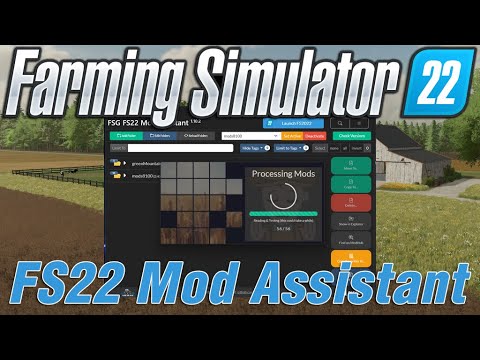
Install Video
Updating
Either download the new version and install over top, or, the program will self-update itself every time you start it (downloads silently, installs on demand or at exit)
Translations and Localizations
Some effort has been made to produce a version of Mod Assistant in your preferred language, but as the creators only speak english, we need help on this. We accept we have an active CrowdIn project
Core symbols most depended-on inside this repo
keysShape
Languages
Modules by API surface
For agents
$ claude mcp add FSG_Mod_Assistant \
  -- python -m otcore.mcp_server <graph>