github.com/FREEZONEX/Tier0-Edge @v2.1.1
Chat with this repoWhat it actually does AI analysis from the code graph — generated when you open this
README
TIER0: The Unified Namespace Software



Tier0 is an open-source industrial data integration platform built on the Unified Namespace (UNS) methodology and powered by production-grade open-source technologies.

Architecture Overview

-
Source Flow
Serves as the connection pipeline to devices and systems. It handles real-time protocol translation into JSON payloads. Built entirely on Node-RED. @@ -20,10 +20,9 @@ The core of Tier0. A semantic MQTT broker and parser that models data using topic hierarchies and structured JSON payloads. -
Sink
The storage layer of Tier0. - Time-series Namespace values are stored in TimescaleDB.
-
Relational Namespace values (e.g., CRM data) are stored in PostgreSQL.
This enables efficient querying and compression. -
Event Flow
Orchestrates Namespaces into higher-level event/information flows. Supports merging JSON payloads and appending system-generated prompts for LLM-powered optimization.
Hardware Requirements
| Minimum Requirement | Recommended Requirement | |
|---|---|---|
| CPU | 4 cores | 8 cores |
| Memory | 8 GB | 16 GB |
| Disk | 100 GB, 1000 IOPS (30% random write) | 1 TB, 2000 IOPS (30% random write) |
| Browser | Chrome 89, Edge 89, Firefox 89, Safari 15 | Chrome 89, Edge 89, Firefox 89, Safari 15 |
Deployment
For detailed guides and advanced examples, see the Tier0 Community Docs.
1.Linux
1.1 Operating Environment
- Operating System: Currently tested on Ubuntu Server 24.04 with Docker. We welcome feedback on other OS distributions.
- Docker: We assume you have Docker (with
docker composeandbuildx) installed. Our tested versions: - Docker Engine - Community: 27.4.0
- Docker Buildx: v0.19.2
- Docker Compose: v2.31.0
- containerd: 1.7.24
1.2 Installing Tier0
- Clone the project.
bash git clone <this repo> - Navigate to the
Tier0directory and edit environment variables in the.envfile.bash cd Tier0-Edge/deploy vi .env.default - Update
VOLUMES_PATH(directory for storing project data). - Update
ENTRANCE_DOMAIN(frontend entry domain/IP address). - Modify other variables as needed.
- Install Tier0.
bash
   bash bin/install.sh
2.Windows
2.1 Operating Environment
- Install the latest version of Docker Desktop and Git on Windows 10 or Windows 11.
- It is recommended to perform all operations in Git Bash for better compatibility.
2.2 Installing Tier0
- Clone the project using Git Bash.
bash git clone <this repo> - Navigate to the
Tier0directory and edit environment variables in the.envfile.bash cd Tier0-Edge/deploy vi .env.default - Update
OS_PLATFORM_TYPE= windows - Update
VOLUMES_PATH(directory for storing project data). - Update
ENTRANCE_DOMAIN(Do not use 127.0.0.1 or localhost, otherwise login and authentication functions will NOT work.) - Modify other variables as required by the system.
- Install Tier0.
bash
   bash bin/install.sh
3. Access the Platform
- Visit
http://<YOUR-DOMAIN>:<YOUR-PORT>in your browser (based on ENTRANCE_DOMAIN and ENTRANCE_PORT in.env). - Sign in to Tier0 with default account and password:
tier0/tier0.
Important Startup Operations
1. UNS Data Model Creation
1.1 Building Models Manually
Factory/workshop/equipment/CNCwill be used as an example, in whichFactory,workshopandequipmentare paths andCNCis a topic. 1. Log in to Tier0, and then select UNS > Namespace. 2. Under Topic, clickto add a path (e.g.
factory).

- Select equipment, and then click
 to add a topic (e.g.
CNC) under it.

- Enter the information of the topic, and then click Save.
1.2 Importing Models
- Log in to Tier0, and then select UNS > Namespace.
- Click Import at the upper-right corner.
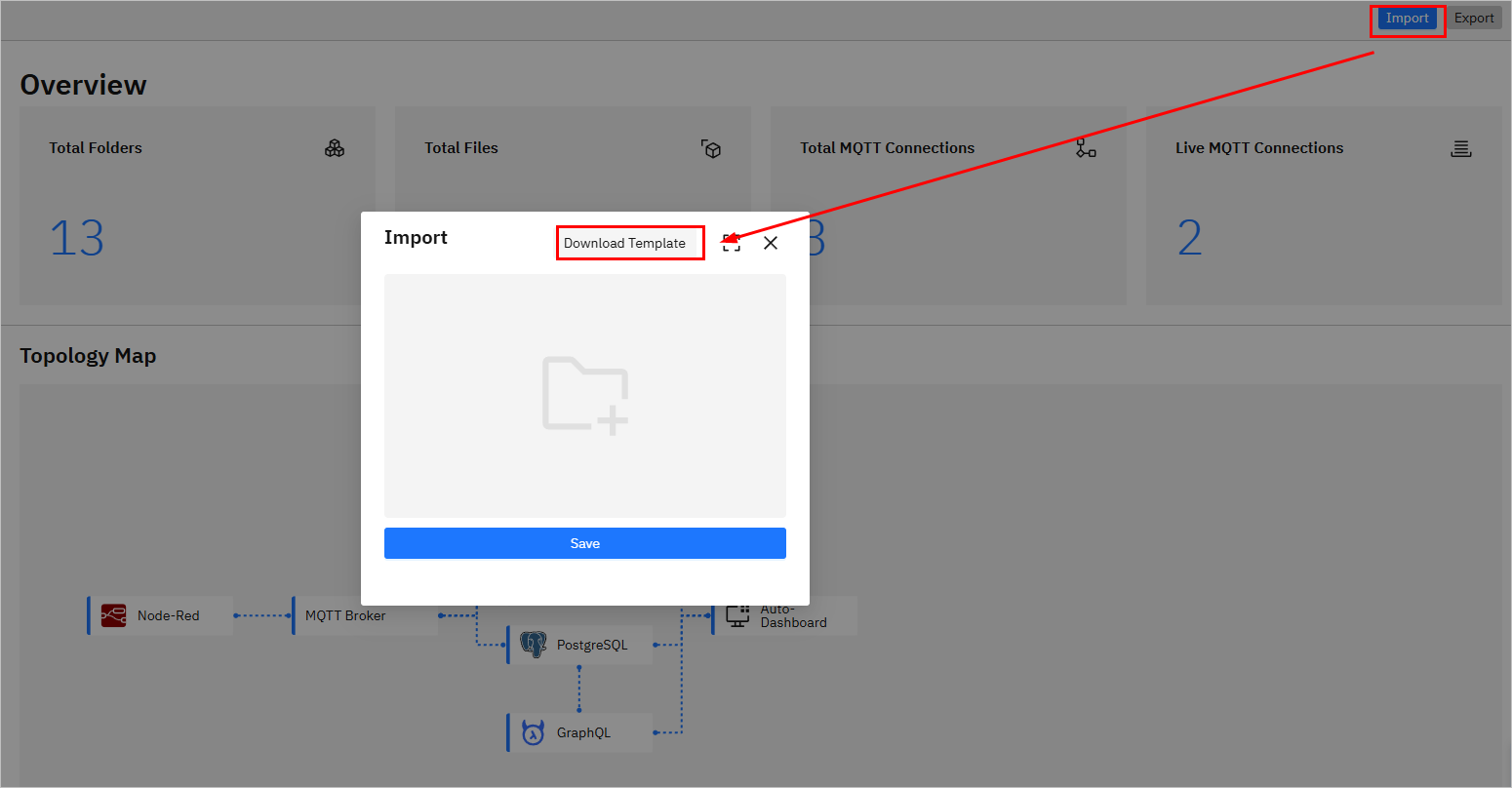
- Import JSON to create models.
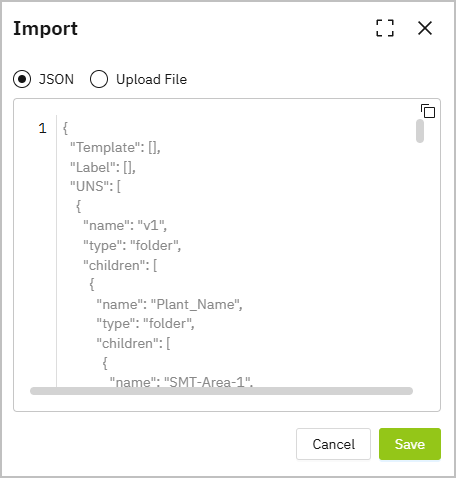
- Directly enter JSON.
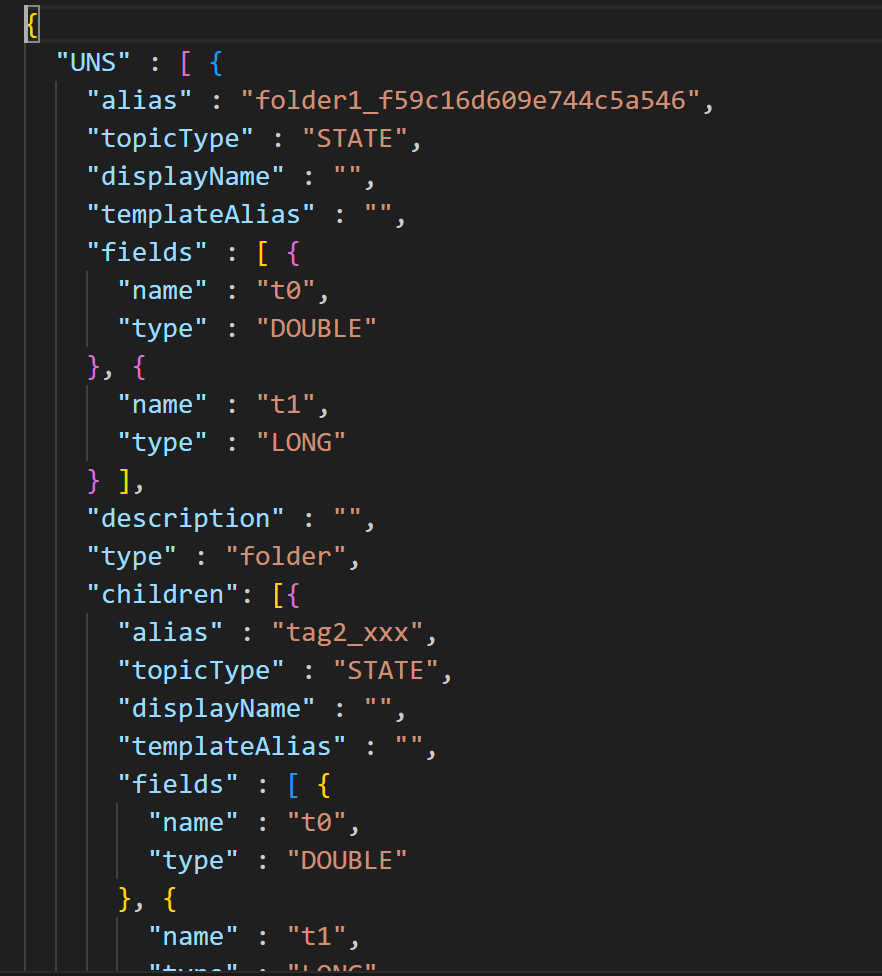
- Click Upload File to download the template and enter the model content according to template rules.
You can manually add a path and topic, export it and use it as an example for import.
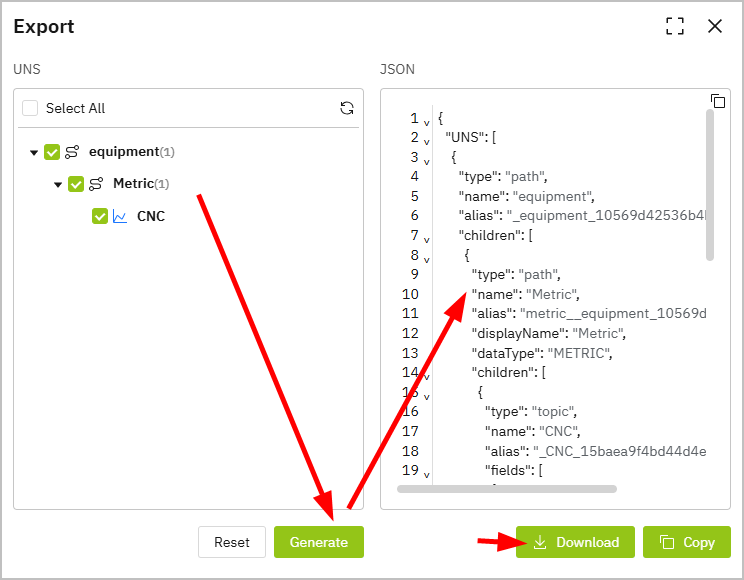
- Save the template file, and then click Import on the Namespace page.
- Select the template, and then click Save.
2. Model Data Source Connection
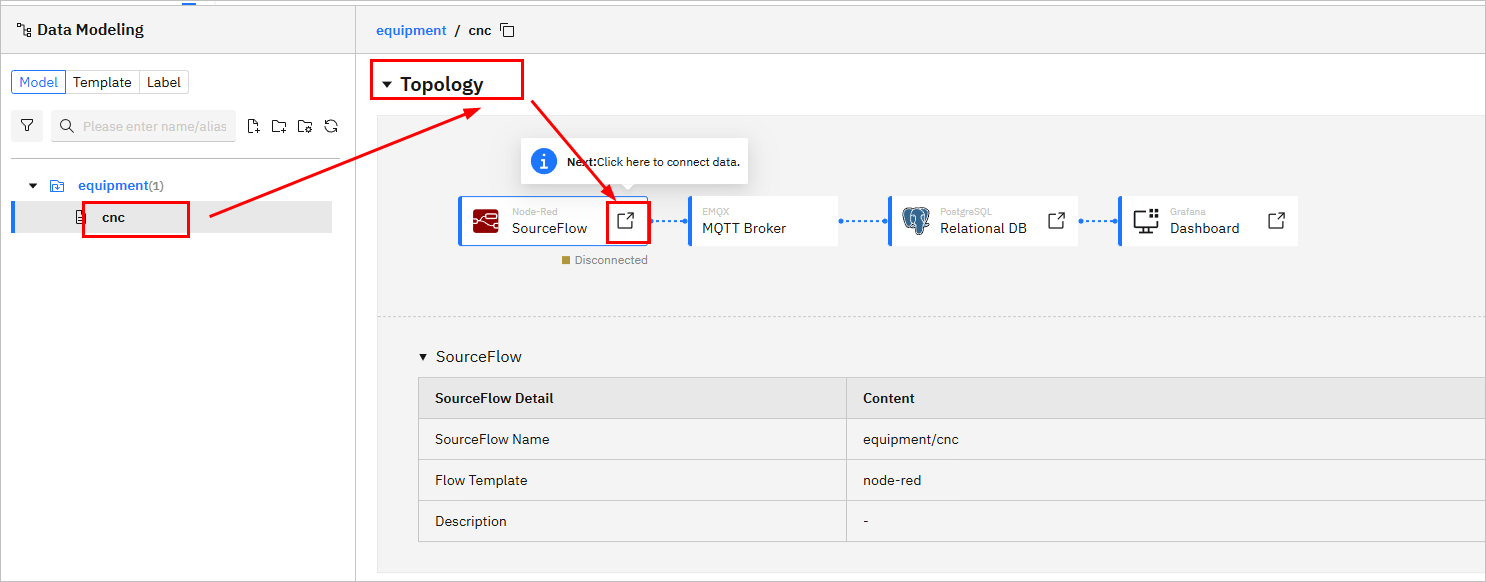
Connect real data to make models alive. 1. Log in to Tier0, go to UNS > Namespace, and under the Topic tab, select a file. 2. Scroll down to Topology, click the icon on Source Flow to redirect to the generated data flow.
- Change the data source of the generated flow.
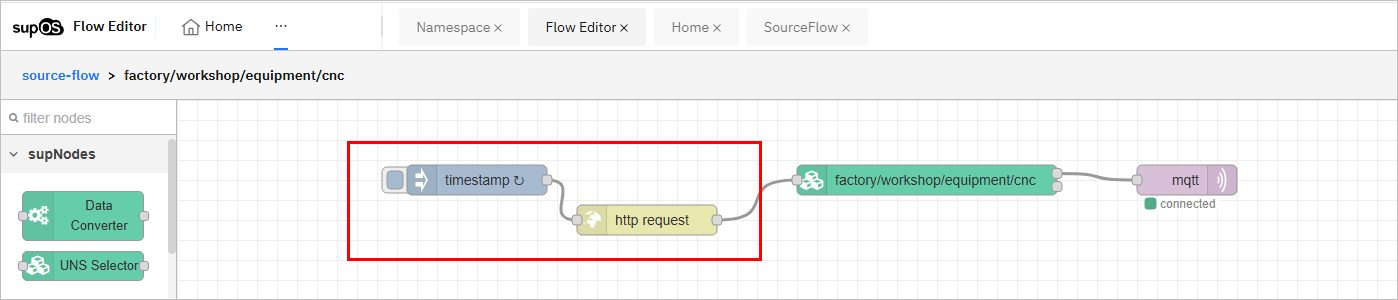
4. Deploy and trigger the flow.
License
This project is licensed under the Apache 2.0 License.
Support & Contact
Contributors
We gratefully acknowledge the following individuals for their contributions to Tier0:
Wenhao Yu, Liebo, Weipeng Dong, Kangxi, Lifang Sun, Minghe Zhuang,
Wangji Xin, Fayue Zheng & Yue Yang, Yanqiu Liu, Dongdong An, Jianan Zhu
Extension points exported contracts — how you extend this code
UnsDetail (Interface)Core symbols most depended-on inside this repo
AppendShape
Languages
Modules by API surface
Datastores touched
For agents
$ claude mcp add Tier0-Edge \
  -- python -m otcore.mcp_server <graph>