github.com/DonTizi/rlama @v0.1.39
Chat with this repoWhat it actually does AI analysis from the code graph — generated when you open this
README



RLAMA - User Guide
RLAMA is a powerful AI-driven question-answering tool for your documents, seamlessly integrating with your local Ollama models. It enables you to create, manage, and interact with Retrieval-Augmented Generation (RAG) systems tailored to your documentation needs.
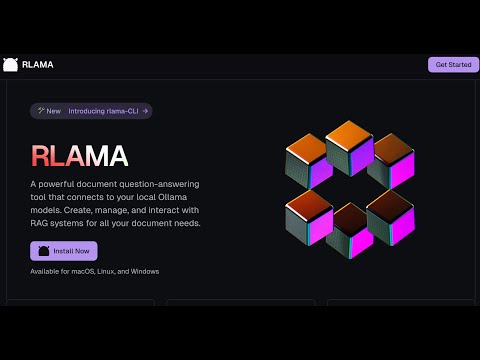
Table of Contents
- Vision & Roadmap
- Installation
- Available Commands
- rag - Create a RAG system
- crawl-rag - Create a RAG system from a website
- wizard - Create a RAG system with interactive setup
- watch - Set up directory watching for a RAG system
- watch-off - Disable directory watching for a RAG system
- check-watched - Check a RAG's watched directory for new files
- web-watch - Set up website monitoring for a RAG system
- web-watch-off - Disable website monitoring for a RAG system
- check-web-watched - Check a RAG's monitored website for updates
- run - Use a RAG system
- api - Start API server
- list - List RAG systems
- delete - Delete a RAG system
- list-docs - List documents in a RAG
- list-chunks - Inspect document chunks
- view-chunk - View chunk details
- add-docs - Add documents to RAG
- crawl-add-docs - Add website content to RAG
- update-model - Change LLM model
- update - Update RLAMA
- version - Display version
- hf-browse - Browse GGUF models on Hugging Face
- run-hf - Run a Hugging Face GGUF model
- Uninstallation
- Supported Document Formats
- Troubleshooting
- Using OpenAI Models
Vision & Roadmap
RLAMA aims to become the definitive tool for creating local RAG systems that work seamlessly for everyone—from individual developers to large enterprises. Here's our strategic roadmap:
Completed Features ✅
- ✅ Basic RAG System Creation: CLI tool for creating and managing RAG systems
- ✅ Document Processing: Support for multiple document formats (.txt, .md, .pdf, etc.)
- ✅ Document Chunking: Advanced semantic chunking with multiple strategies (fixed, semantic, hierarchical, hybrid)
- ✅ Vector Storage: Local storage of document embeddings
- ✅ Context Retrieval: Basic semantic search with configurable context size
- ✅ Ollama Integration: Seamless connection to Ollama models
- ✅ Cross-Platform Support: Works on Linux, macOS, and Windows
- ✅ Easy Installation: One-line installation script
- ✅ API Server: HTTP endpoints for integrating RAG capabilities in other applications
- ✅ Web Crawling: Create RAGs directly from websites
- ✅ Guided RAG Setup Wizard: Interactive interface for easy RAG creation
- ✅ Hugging Face Integration: Access to 45,000+ GGUF models from Hugging Face Hub
Small LLM Optimization (Q2 2025)
- [ ] Prompt Compression: Smart context summarization for limited context windows
- ✅ Adaptive Chunking: Dynamic content segmentation based on semantic boundaries and document structure
- ✅ Minimal Context Retrieval: Intelligent filtering to eliminate redundant content
- [ ] Parameter Optimization: Fine-tuned settings for different model sizes
Advanced Embedding Pipeline (Q2-Q3 2025)
- [ ] Multi-Model Embedding Support: Integration with various embedding models
- [ ] Hybrid Retrieval Techniques: Combining sparse and dense retrievers for better accuracy
- [ ] Embedding Evaluation Tools: Built-in metrics to measure retrieval quality
- [ ] Automated Embedding Cache: Smart caching to reduce computation for similar queries
User Experience Enhancements (Q3 2025)
- [ ] Lightweight Web Interface: Simple browser-based UI for the existing CLI backend
- [ ] Knowledge Graph Visualization: Interactive exploration of document connections
- [ ] Domain-Specific Templates: Pre-configured settings for different domains
Enterprise Features (Q4 2025)
- [ ] Multi-User Access Control: Role-based permissions for team environments
- [ ] Integration with Enterprise Systems: Connectors for SharePoint, Confluence, Google Workspace
- [ ] Knowledge Quality Monitoring: Detection of outdated or contradictory information
- [ ] System Integration API: Webhooks and APIs for embedding RLAMA in existing workflows
- [ ] AI Agent Creation Framework: Simplified system for building custom AI agents with RAG capabilities
Next-Gen Retrieval Innovations (Q1 2026)
- [ ] Multi-Step Retrieval: Using the LLM to refine search queries for complex questions
- [ ] Cross-Modal Retrieval: Support for image content understanding and retrieval
- [ ] Feedback-Based Optimization: Learning from user interactions to improve retrieval
- [ ] Knowledge Graphs & Symbolic Reasoning: Combining vector search with structured knowledge
RLAMA's core philosophy remains unchanged: to provide a simple, powerful, local RAG solution that respects privacy, minimizes resource requirements, and works seamlessly across platforms.
Installation
Prerequisites
- Ollama installed and running
Installation from terminal
curl -fsSL https://raw.githubusercontent.com/dontizi/rlama/main/install.sh | sh
Tech Stack
RLAMA is built with:
- Core Language: Go (chosen for performance, cross-platform compatibility, and single binary distribution)
- CLI Framework: Cobra (for command-line interface structure)
- LLM Integration: Ollama API (for embeddings and completions)
- Storage: Local filesystem-based storage (JSON files for simplicity and portability)
- Vector Search: Custom implementation of cosine similarity for embedding retrieval
Architecture
RLAMA follows a clean architecture pattern with clear separation of concerns:
rlama/
├── cmd/                  # CLI commands (using Cobra)
│   ├── root.go           # Base command
│   ├── rag.go            # Create RAG systems
│   ├── run.go            # Query RAG systems
│   └── ...
├── internal/
│   ├── client/           # External API clients
│   │   └── ollama_client.go # Ollama API integration
│   ├── domain/           # Core domain models
│   │   ├── rag.go        # RAG system entity
│   │   └── document.go   # Document entity
│   ├── repository/       # Data persistence
│   │   └── rag_repository.go # Handles saving/loading RAGs
│   └── service/          # Business logic
│       ├── rag_service.go      # RAG operations
│       ├── document_loader.go  # Document processing
│       └── embedding_service.go # Vector embeddings
└── pkg/                  # Shared utilities
    └── vector/           # Vector operations
Data Flow
- Document Processing: Documents are loaded from the file system, parsed based on their type, and converted to plain text.
- Embedding Generation: Document text is sent to Ollama to generate vector embeddings.
- Storage: The RAG system (documents + embeddings) is stored in the user's home directory (~/.rlama).
- Query Process: When a user asks a question, it's converted to an embedding, compared against stored document embeddings, and relevant content is retrieved.
- Response Generation: Retrieved content and the question are sent to Ollama to generate a contextually-informed response.
Visual Representation
┌─────────────┐     ┌─────────────┐     ┌─────────────┐
│  Documents  │────>│  Document   │────>│  Embedding  │
│  (Input)    │     │  Processing │     │  Generation │
└─────────────┘     └─────────────┘     └─────────────┘
                                              │
                                              ▼
┌─────────────┐     ┌─────────────┐     ┌─────────────┐
│   Query     │────>│  Vector     │<────│ Vector Store│
│  Response   │     │  Search     │     │ (RAG System)│
└─────────────┘     └─────────────┘     └─────────────┘
       ▲                   │
       │                   ▼
┌─────────────┐     ┌─────────────┐
│   Ollama    │<────│   Context   │
│    LLM      │     │  Building   │
└─────────────┘     └─────────────┘
RLAMA is designed to be lightweight and portable, focusing on providing RAG capabilities with minimal dependencies. The entire system runs locally, with the only external dependency being Ollama for LLM capabilities.
Available Commands
You can get help on all commands by using:
rlama --help
Global Flags
These flags can be used with any command:
--host string       Ollama host (default: localhost)
--port string       Ollama port (default: 11434)
--num-thread int    Number of threads for Ollama to use (default: 0, use Ollama default)
Performance Optimization:
- Use --num-thread 16 (or your CPU core count) to potentially improve processing speed
- Ollama often uses half the available cores by default
- Setting this to your full core count can significantly speed up text generation and embeddings
Usage Examples:
# Use 16 threads for better performance
rlama --num-thread 16 run my-docs

# Create a RAG with optimized thread usage
rlama --num-thread 16 rag llama3 documentation ./docs

# Run with custom host and thread settings
rlama --host 192.168.1.100 --port 11434 --num-thread 16 run my-rag
Custom Data Directory
RLAMA stores data in ~/.rlama by default. To use a different location:
-
Command-line flag (highest priority):
bash # Use with any command rlama --data-dir /path/to/custom/directory run my-rag -
Environment variable:
bash
   # Set the environment variable
   export RLAMA_DATA_DIR=/path/to/custom/directory
   rlama run my-rag
The precedence order is: command-line flag > environment variable > default location.
rag - Create a RAG system
Creates a new RAG system by indexing all documents in the specified folder.
rlama rag [model] [rag-name] [folder-path]
Parameters:
- model: Name of the Ollama model to use (e.g., llama3, mistral, gemma) or a Hugging Face model using the format hf.co/username/repository[:quantization].
- rag-name: Unique name to identify your RAG system.
- folder-path: Path to the folder containing your documents.
Example:
# Using a standard Ollama model
rlama rag llama3 documentation ./docs

# Using a Hugging Face model
rlama rag hf.co/bartowski/Llama-3.2-1B-Instruct-GGUF my-rag ./docs

# Using a Hugging Face model with specific quantization
rlama rag hf.co/mlabonne/Meta-Llama-3.1-8B-Instruct-abliterated-GGUF:Q5_K_M my-rag ./docs
crawl-rag - Create a RAG system from a website
Creates a new RAG system by crawling a website and indexing its content.
rlama crawl-rag [model] [rag-name] [website-url]
Parameters:
- model: Name of the Ollama model to use (e.g., llama3, mistral, gemma).
- rag-name: Unique name to identify your RAG system.
- website-url: URL of the website to crawl and index.
Options:
- --max-depth: Maximum crawl depth (default: 2)
- --concurrency: Number of concurrent crawlers (default: 5)
- --exclude-path: Paths to exclude from crawling (comma-separated)
- --chunk-size: Character count per chunk (default: 1000)
- --chunk-overlap: Overlap between chunks in characters (default: 200)
- --chunking-strategy: Chunking strategy to use (options: "fixed", "semantic", "hybrid", "hierarchical", default: "hybrid")
Chunking Strategies
RLAMA offers multiple advanced chunking strategies to optimize document retrieval:
- Fixed: Traditional chunking with fixed size and overlap, respecting sentence boundaries when possible.
- Semantic: Intelligently splits documents based on semantic boundaries like headings, paragraphs, and natural topic shifts.
- Hybrid: Automatically selects the best strategy based on document type and content (markdown, HTML, code, or plain text).
- Hierarchical: For very long documents, creates a two-level chunking structure with major sections and sub-chunks.
The system automatically adapts to different document types: - Markdown documents: Split by headers and sections - HTML documents: Split by semantic HTML elements - Code documents: Split by functions, classes, and logical blocks - Plain text: Split by paragraphs with contextual overlap
Extension points exported contracts — how you extend this code
Tool (Interface)Core symbols most depended-on inside this repo
RunShape
Languages
Modules by API surface
For agents
$ claude mcp add rlama \
  -- python -m otcore.mcp_server <graph>