github.com/DevExpress/testcafe @v3.7.5
README

<a href="https://testcafe.io">
    <img src="https://raw.githubusercontent.com/DevExpress/testcafe/master/media/testcafe-logo.svg?sanitize=true" alt="testcafe" />
</a>



Automate end-to-end web testing with TestCafe, a Node.js-based testing framework.
TestCafe is free and as easy to use as 1-2-3:
1. Write your tests in JS or TypeScript.
2. Execute your tests.
3. View test results.
Homepage • Documentation • FAQ • Support
- Works on all popular environments: TestCafe runs on Windows, MacOS, and Linux. It supports desktop, mobile, remote and cloud browsers (UI or headless).
- 1 minute to set up: You do not need WebDriver or any other testing software. Install TestCafe with one command, and you are ready to test:
npm install -g testcafe - Free and open source: TestCafe is free to use under the MIT license. Plugins provide custom reports, integration with other tools, launching tests from IDE, etc. You can use the plugins made by the GitHub community or create your own.
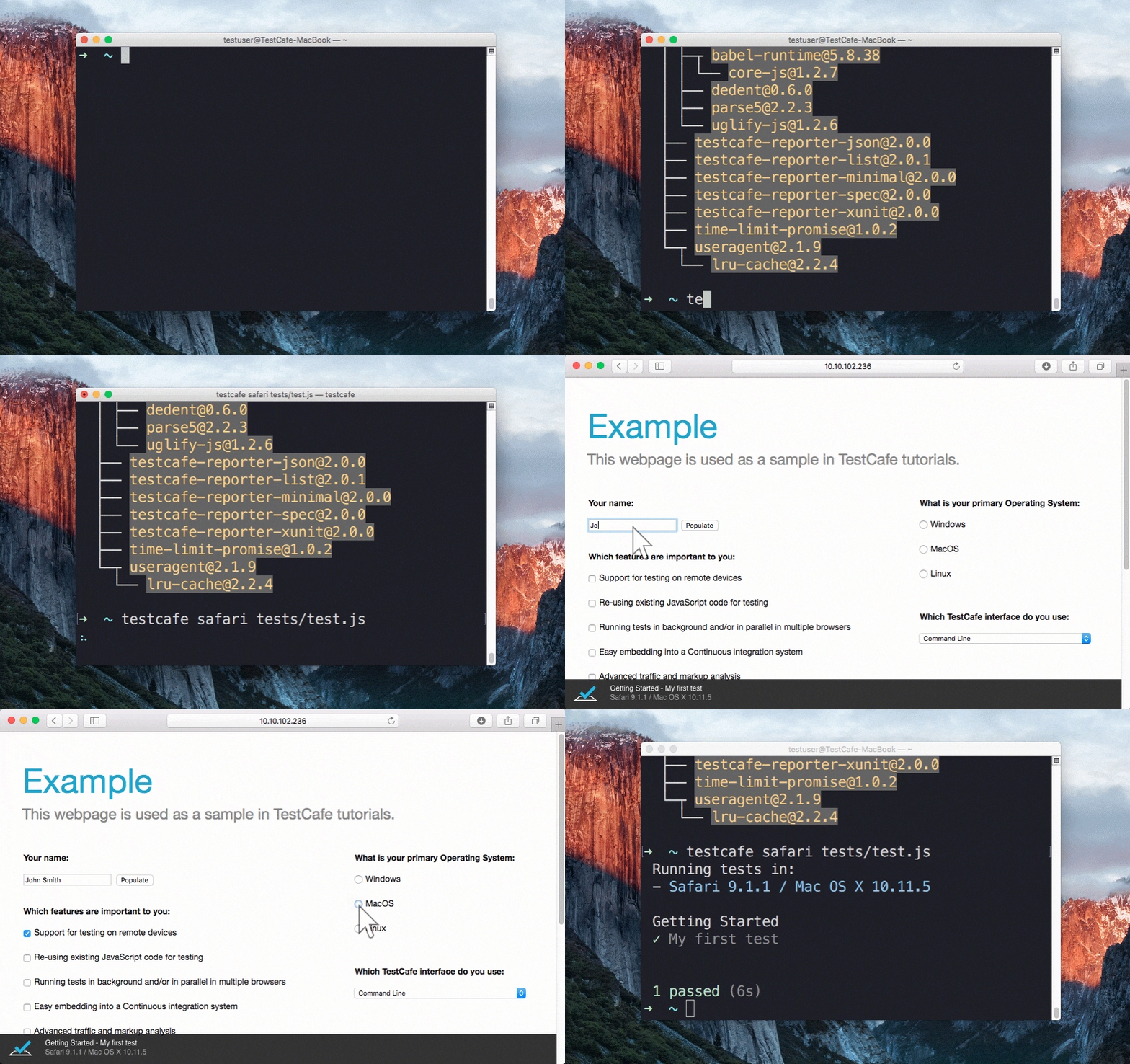
Running a sample test in Safari
Table of contents
- Features
- TestCafe Studio: IDE for End-to-End Web Testing
- Getting Started
- Documentation
- Get Help
- Issue Tracker
- Stay in Touch
- Contributing
- Plugins
- Different Versions of TestCafe
- Badge
- License
- Creators
Features
Stable tests and no manual timeouts
TestCafe automatically waits for page loads and XHRs before the test starts and after each action. It also features smart test actions and assertions that wait for page elements to appear. You can change the maximum wait time. If elements load faster, tests skip the timeout and continue.
Rapid test development tool
When you enable live mode, changes to test code immediately restart the test, and you instantly see the results.
Latest JS and TypeScript support
TestCafe supports the most recent JavaScript-related features, including ES2017 (async/await). You can also use TypeScript if you prefer a strongly typed language instead.
Detects JS errors in your code
TestCafe reports JS errors that it locates on a given webpage. Tests automatically fail if TestCafe encounters such errors.
You can, however, disable this option.
Concurrent test launch
TestCafe can open multiple instances of the same browser and run parallel tests (to help decrease test execution time).
PageObject pattern support
The TestCafe's Test API includes a high-level selector library, assertions, etc. You can combine them to implement readable tests with the PageObject pattern.
const macOSInput = Selector('.column').find('label').withText('MacOS').child('input');
Easy to include in a continuous integration system
You can run TestCafe from a console, and its reports can be viewed within CI systems (TeamCity, Jenkins, Travis & etc.)
Love TestCafe Open-source Edition? Want to Record Tests without Writing JavaScript or TypeScript Code?
TestCafe Studio: IDE for End-to-End Web Testing
TestCafe is the perfect choice for JavaScript developers and experienced Q&A teams. If you’d like to delegate testing to QA engineers and are looking for a code-free way to record and maintain tests compatible with your existing infrastructure, check out TestCafe Studio - a testing IDE built atop the open-source version of TestCafe.
Review the following article to learn how TestCafe Studio can fit into any workflow: What's Better than TestCafe? TestCafe Studio.
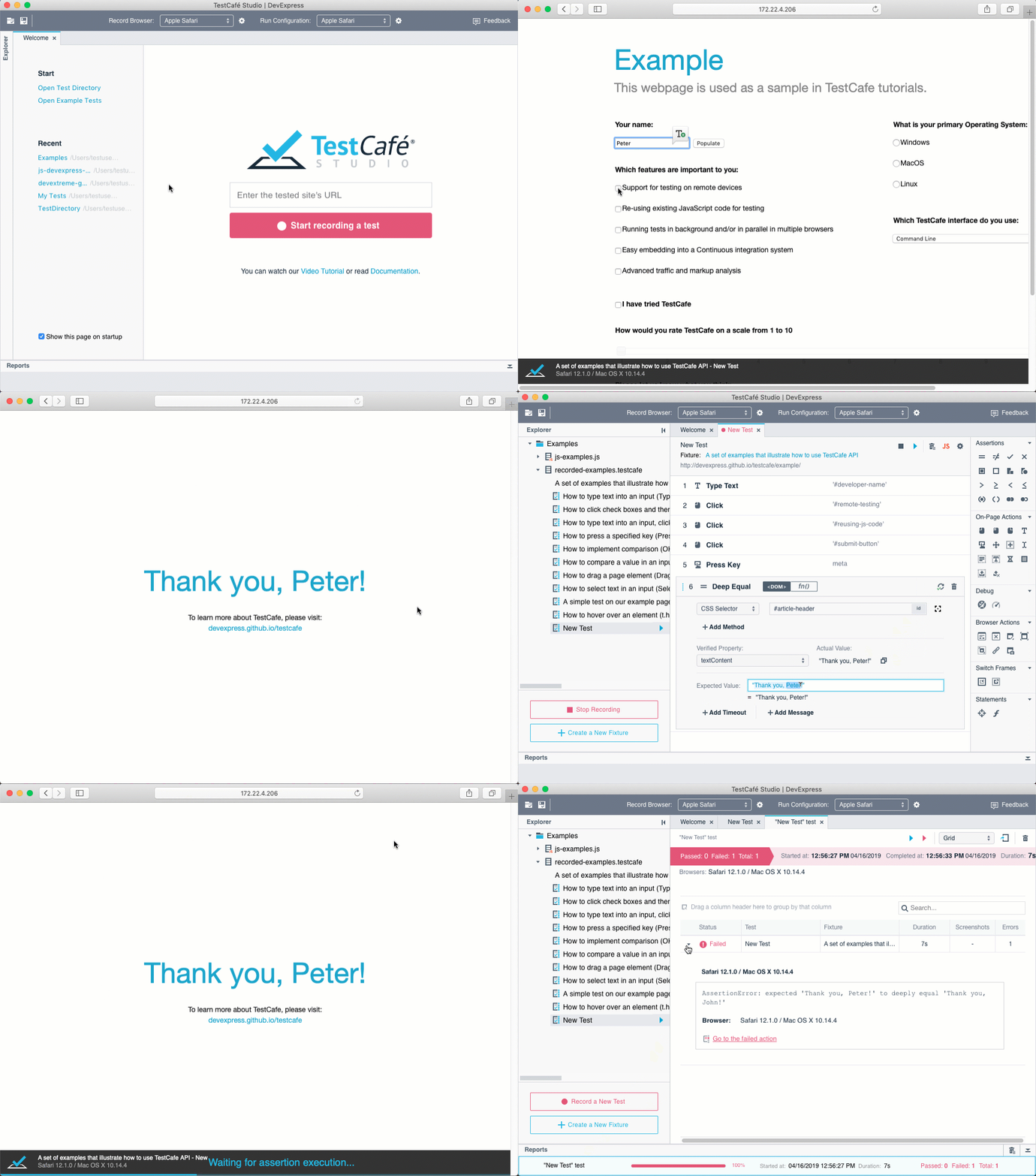
Record and Run a Test in TestCafe Studio
Getting Started
Installation
Ensure that you run Node.js version 16 or higher, and run the following command:
npm install -g testcafe
Creating the Test
For this simple example, we will test the following page: https://devexpress.github.io/testcafe/example
Create a .js or .ts file on your computer. Remember that a .js or .ts file must maintain a specific structure: tests must be organized into fixtures. You can paste the following code to see the test in action:
import { Selector } from 'testcafe'; // first import testcafe selectors

fixture `Getting Started`// declare the fixture
    .page `https://devexpress.github.io/testcafe/example`;  // specify the start page


//then create a test and place your code within it
test('My first test', async t => {
    await t
        .typeText('#developer-name', 'John Smith')
        .click('#submit-button')

        // Use the assertion to check if actual header text equals expected text
        .expect(Selector('#article-header').innerText).eql('Thank you, John Smith!');
});
Running the Test
Call the following command in a command shell. Specify the target browser and file path.
testcafe chrome test1.js
TestCafe opens the browser and begins test execution.
Important: Make certain the browser tab that runs tests stays active. Do not minimize the browser window. Inactive tabs and minimized browser windows switch to lower resource consumption mode. In low consumption mode, tests may not execute correctly.
Viewing the Results
TestCafe outputs results into a command shell by default. See Reporters for more information. You can also use plugins to customize reports.
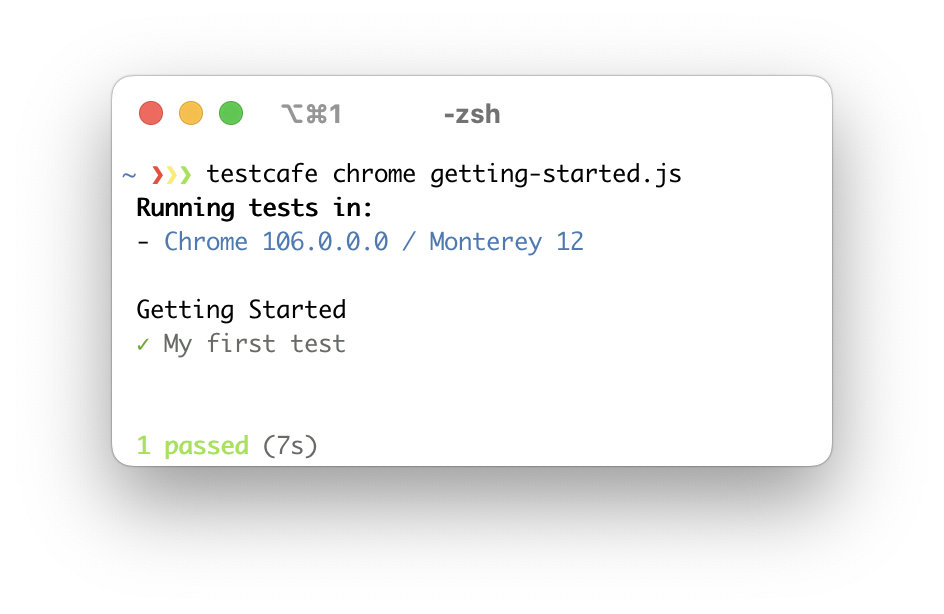
Read the Getting Started page for additional assistance.
Documentation
Visit the following webpage to review our online help system: Documentation.
Get Help
Join the TestCafe community on Stack Overflow. Ask and answer questions using the TestCafe tag.
Issue Tracker
Use our GitHub issues page to report bugs and suggest enhancements.
Stay in Touch
Follow us on Twitter. We post TestCafe news and updates.
Contributing
Read our Contributing Guide to learn how to contribute to the project.
To create your own plugin for TestCafe, you can use these plugin generators:
- Build a browser provider to set up tests on your on-premises server farm, to use a cloud testing platform, or to start your local browsers in a special way. Use this Yeoman generator to write only a few lines of code.
- To build a custom reporter with your formatting and style, check out this generator.
If you want your plugin to be listed below, send us a note in a Github issue.
Thanks to all of our contributors – We appreciate your commitment to the TestCafe community.
 |
 |
 |
 |
 |
 |
|---|---|---|---|---|---|
| aha-oretama | ai | aleks-pro | Aleksey28 | AlexanderMoiseev | AlexanderMoskovkin |
 |
 |
 |
 |
 |
 |
|---|---|---|---|---|---|
| alexey-lin | AlexKamaev | alexphilin | AlexSkorkin | alexwybraniec | AnastasiaIvanova8 |
 |
 |
 |
 |
 |
 |
|---|---|---|---|---|---|
| andrewbranch | AndreyBelym | AndyWendt | AnnaKondratova | anthophobiac | Artem-Babich |


Extension points exported contracts — how you extend this code
Automation (Interface)Core symbols most depended-on inside this repo
eqlShape
Languages
Modules by API surface
Used by 3 indexed graphs manifest dependencies, hub-wide
Dependencies from manifests, versioned
For agents
$ claude mcp add testcafe \
  -- python -m otcore.mcp_server <graph>