github.com/DearVikki/obsidian-cloze-plugin @0.1.18
Chat with this repoWhat it actually does AI analysis from the code graph — generated when you open this
README
Cloze - Obsidian Plugin
简体中文 | English
什么是 Cloze?简而言之,就是完型填空。熟悉 Anki 的朋友们绝对不陌生的!记忆单词、句型、语录时,超好用。
这款干净的 Obsidian 插件支持高亮文本、粗体文本、下划线文本、斜体文本等以及任何自选文本区域的 cloze 化。不过仅在阅读模式 reading mode 下才可有效交互哦!
p.s.刚发现 Spaced Repetition 这款插件简直就是 Obsidian 版本的 Anki,并且也支持 cloze card! 相较起来,Cloze plugin 更适合页面/整篇文章回顾的场景。
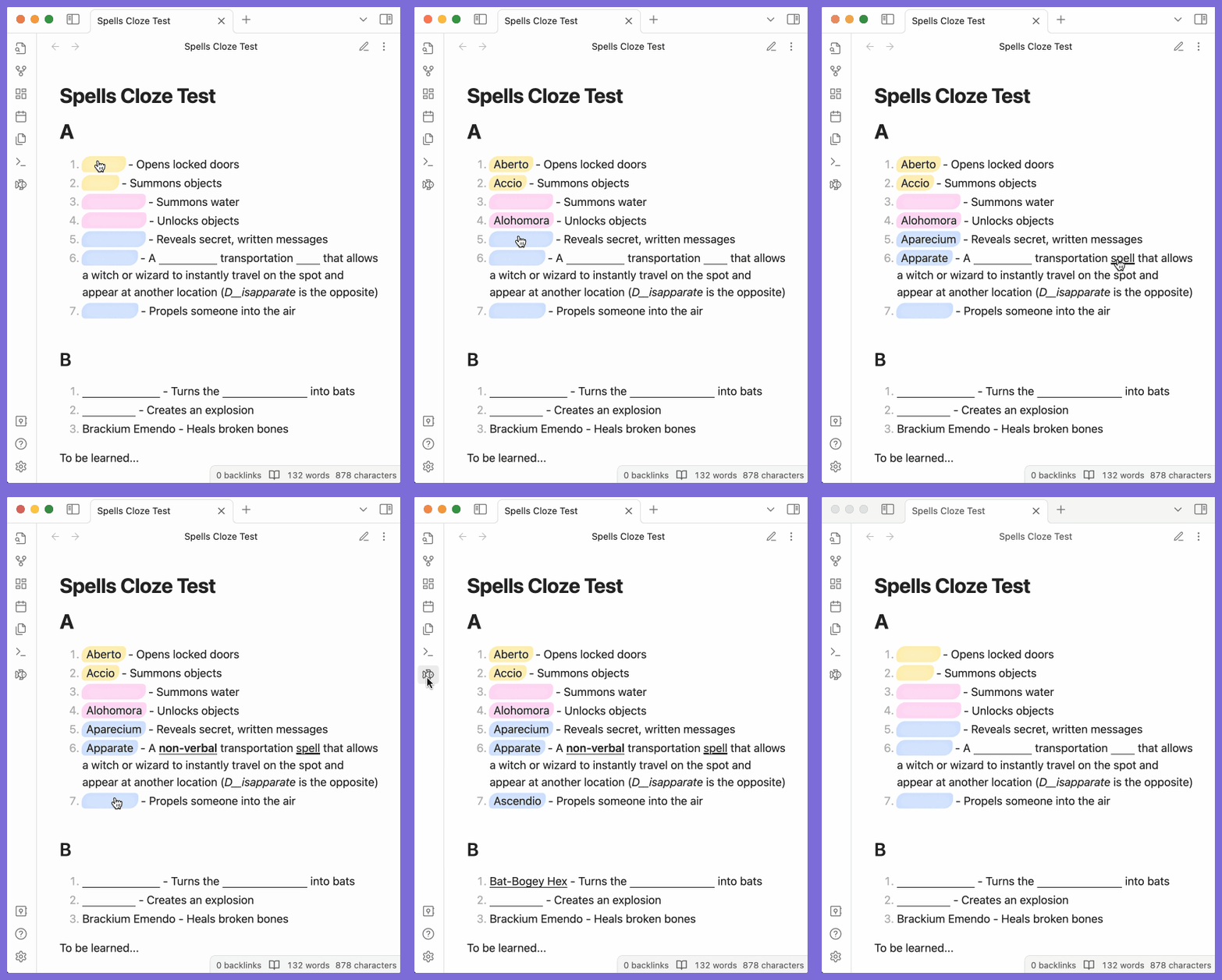
使用
基本
自动转换
在「设置」里开启高亮文本、粗体文本、下划线文本、括号文本等的自动转换后,在阅读模式下,它们便会自动转换为填空。

自定义填空
选中文本,点击右键唤出编辑器菜单。
- 创建填空: 将所选区域转换为填空.
- 创建带提示的填空: 会弹出弹框,以便于先录入提示. 提示后续会显示在填空中。
- 移除填空: 移除选中文本里的所有填空.

然后在预览模式下,点击填空切换显隐。点击侧边 ribbon icon 小鱼,可以切换当页所有填空的显隐。注意新开阅读页面的默认显隐也会受此小鱼的状态影响。
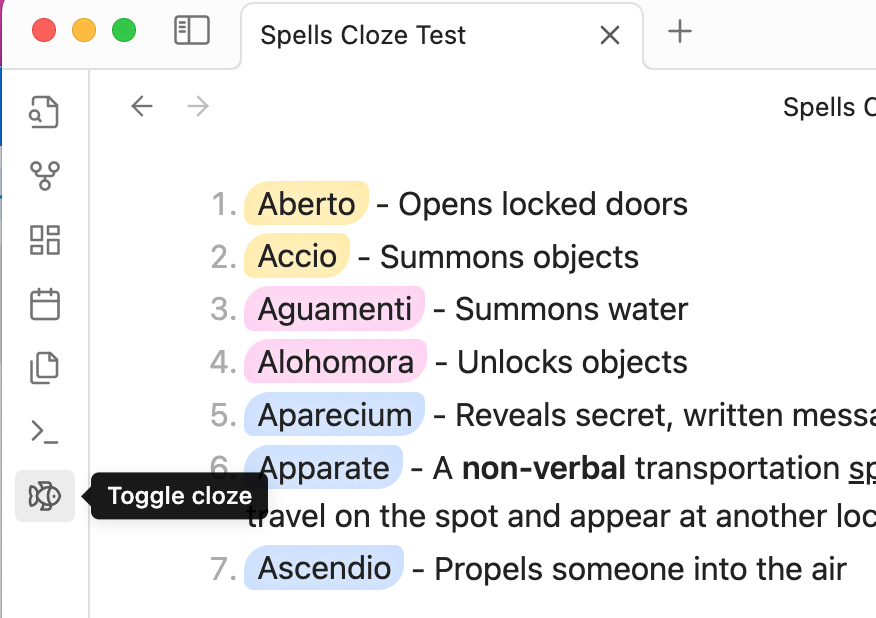
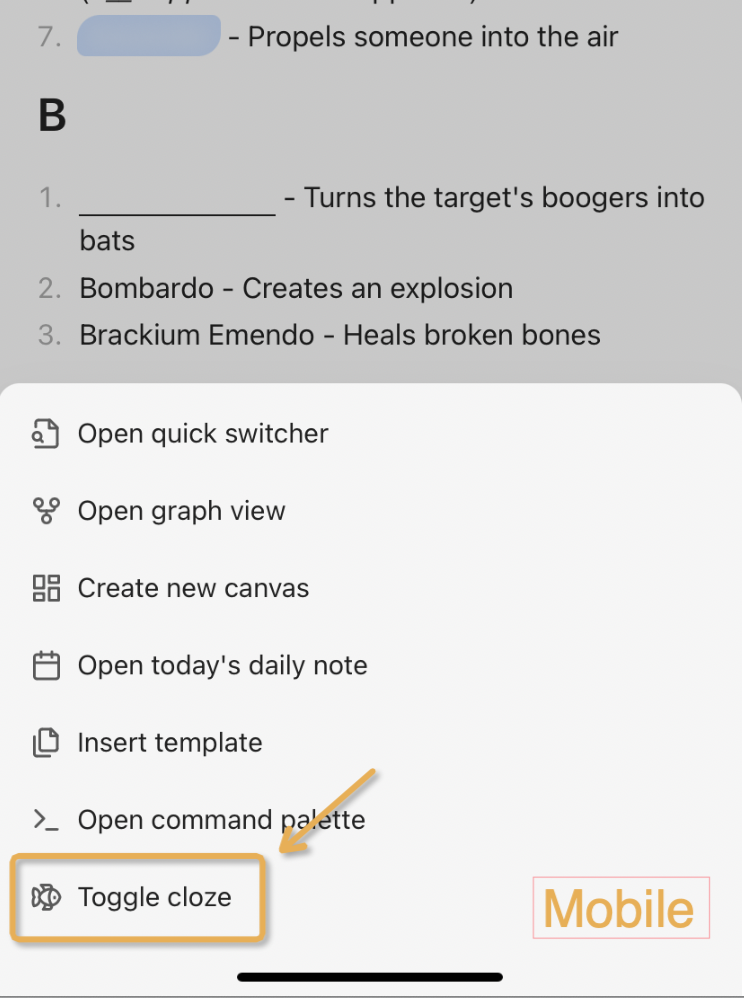
其他功能
鼠标悬停展示
在设置里开启 鼠标悬停显示 后,鼠标悬浮在填空上时,也会展示其隐藏内容。
填空提示
填空提示是填空在隐藏状态下的灰色文字,可起到提示作用(好废话😂

可以通过下列两种方式默认显示填空提示:
- 针对自动转化的填空:
你可以在设置里开启填空提示,可按填空原文的「字符长度」或「字符百分比」自动显示。

- 针对自定义填空:
通过“创建带提示的填空”创建填空,或者在填空的 span 标签里添加 data-cloze-hint="提示内容",e.g. <span class="cloze-span" data-cloze-hint="提示内容"></span>
🔥 新功能:在填空的隐藏状态下,你还可以右键单击填空,再点击弹出的「更多提示」,来展现填空背后的部分文本哦!
固定填空长度
在设置里开启 固定填空长度 后,所有的填空长度将会保持一致,不随文本内容变化。可以通过自定义样式自定义固定填空长度。

特定页面启用
通过设置里的「作用标签」设置标签后,该插件将仅作用于带有该标签的笔记上,默认空则作用于所有笔记。

自定义右键菜单
在设置里可以自定义右键菜单选项。

自定义样式
可以通过自定义 CSS 和 CSS 变量自定义样式。
| CSS变量 | 描述 |
|---|---|
| --cloze-underline-color | 填空下划线颜色 |
| --cloze-underline-width | 填空下划线宽度 |
| --cloze-underline-style | 填空下划线样式 |
| --cloze-hint-color | 填空提示颜色 |
| --cloze-hint-font-size | 填空提示文字大小 |
| --cloze-fixed-width | 填空固定宽度 (如果开启了固定宽度的话) |
示例:
body {
    --cloze-underline-color: pink;
    --cloze-underline-width: 2px;
    --cloze-underline-style: dashed;
    --cloze-hint-color: blue;
    --cloze-hint-font-size: 30px;
    --cloze-fixed-width: 10px;
}
最佳实践
- 将「添加填空」操作添加为 Obsidian 热键可以大大节省时间!


- 页面温习好助手:Spaced Repetition #review 标签
Q&As
页面导出为 PDF时,填空的显隐状态如何控制?
目前只能为“全显”或是“全隐”。
- reading mode下,点击小鱼, 全局隐藏 --> 导出的 pdf 也隐
- reading mode下,点击小鱼, 全局显示 --> 导出的 pdf 显示
安装
插件市场(可能需要科学上网)搜索 Cloze 即可。
手动安装的话,可以参考这里。
Extension points exported contracts — how you extend this code
Ilangs (Interface)Core symbols most depended-on inside this repo
saveSettingsShape
Languages
Modules by API surface
For agents
$ claude mcp add obsidian-cloze-plugin \
  -- python -m otcore.mcp_server <graph>