github.com/DavideViolante/Angular-Full-Stack @v21.2.1
Chat with this repoWhat it actually does AI analysis from the code graph — generated when you open this
README
Angular Full Stack



Angular Full Stack is a project to easly get started with the latest Angular using a real backend and database. Whole stack is in TypeScript, from frontend to backend, giving you the advantage to code in one single language throughout the all stack.
This project uses the MEAN stack: * Mongoose.js (MongoDB): database * Express.js: backend framework * Angular: frontend framework * Node.js: runtime environment
Other tools and technologies used: * Angular CLI: frontend scaffolding * Bootstrap: layout and styles * Font Awesome: icons * JSON Web Token: user authentication * Angular 2 JWT: JWT helper for Angular * Bcrypt.js: password encryption
Prerequisites
- Install Node.js and MongoDB Community Edition
- Install Angular CLI:
npm i -g @angular/cli - From project root folder install all the dependencies:
npm i
Run
Development mode with files watching
npm run dev: concurrently execute MongoDB, Angular build, TypeScript compiler and Express server.
A window will automatically open at localhost:4200. Angular and Express files are being watched. Any change automatically creates a new bundle, restart Express server and reload your browser.
Production mode
npm run prod: run the project with a production bundle listening at localhost:3000
Manual mode
- Build frontend:
npm run build:devfor dev ornpm run buildfor prod - Build backend:
npm run predev - Run MongoDB:
mongod - Run the app:
npm start
Docker
sudo docker-compose up- Go to localhost:3000
AWS EC2
- Create a EC2 Linux machine on AWS
- Edit the EC2 Security Group and add TCP port
3000as an Inbound rule for Source0.0.0.0/0 - Clone this repo into the EC2 machine
- If you use a remote MongoDB instance, edit
.envfile - Run
npm ci - Run
npm run build - Run
npm start - The app is now running and listening on port 3000
- You can now visit the public IP of your AWS EC2 followed by the port, eg:
12.34.56.78:3000 - Tip: use pm2 to run the app instead of
npm start, eg:pm2 start dist/server/app.js
Preview
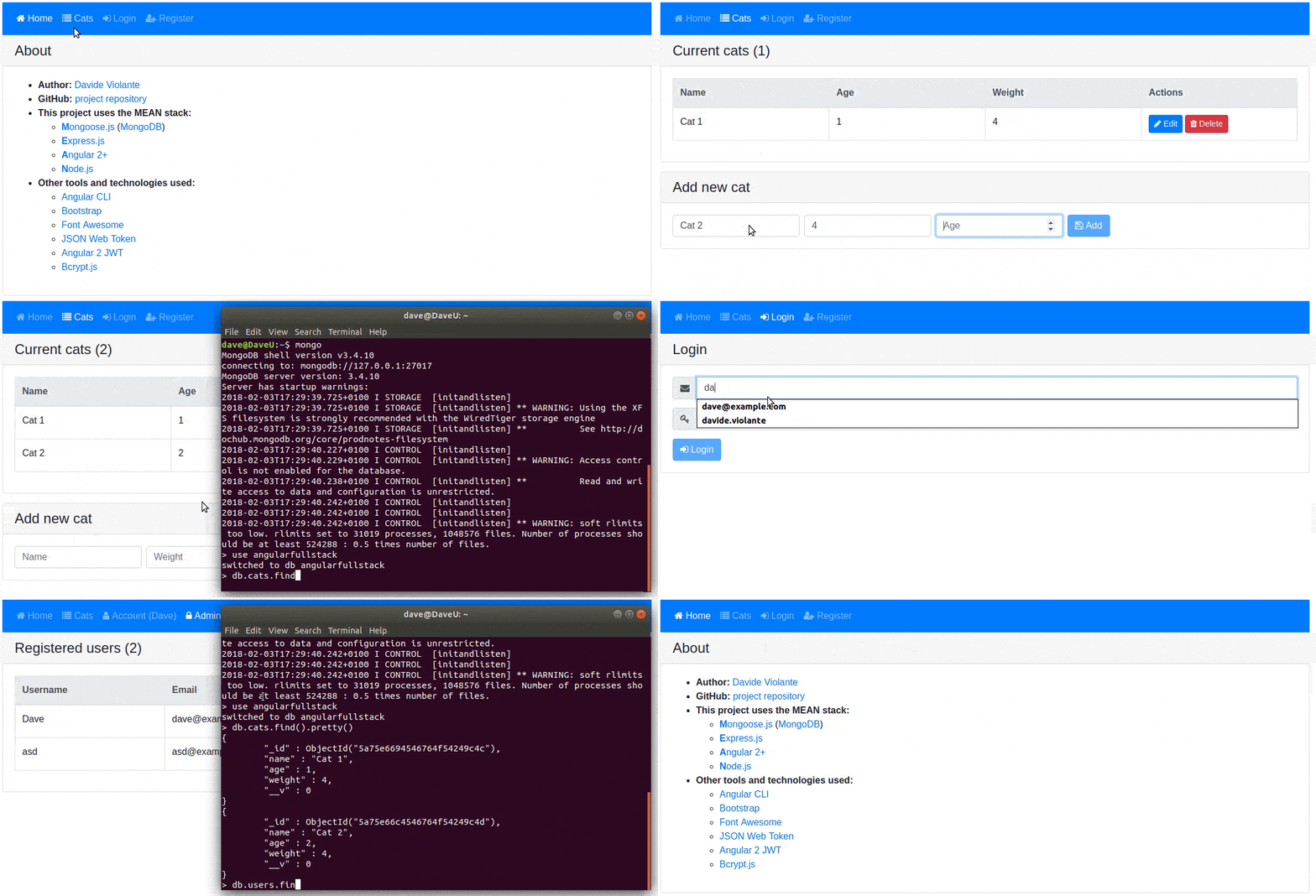
Please open an issue if
- you have any suggestion to improve this project
- you noticed any problem or error
Running tests
Run ng test to execute the frontend unit tests via Vitest.
Run npm run test:be to execute the backend tests via Jest (it requires mongod already running).
Running linters
Run npm run lint to execute Angular ESLint, HTML linting.
Wiki
To get more help about this project, visit the official wiki.
Further help
To get more help on the angular-cli use ng --help or go check out the Angular-CLI README.
Author
Extension points exported contracts — how you extend this code
ToastReq (Interface)Core symbols most depended-on inside this repo
setMessageShape
Languages
Modules by API surface
Datastores touched
For agents
$ claude mcp add Angular-Full-Stack \
  -- python -m otcore.mcp_server <graph>