github.com/CarelessCourage/Moonbow @v0.8.5
Chat with this repoBrowse by type
What it actually does AI analysis from the code graph — generated when you open this
README
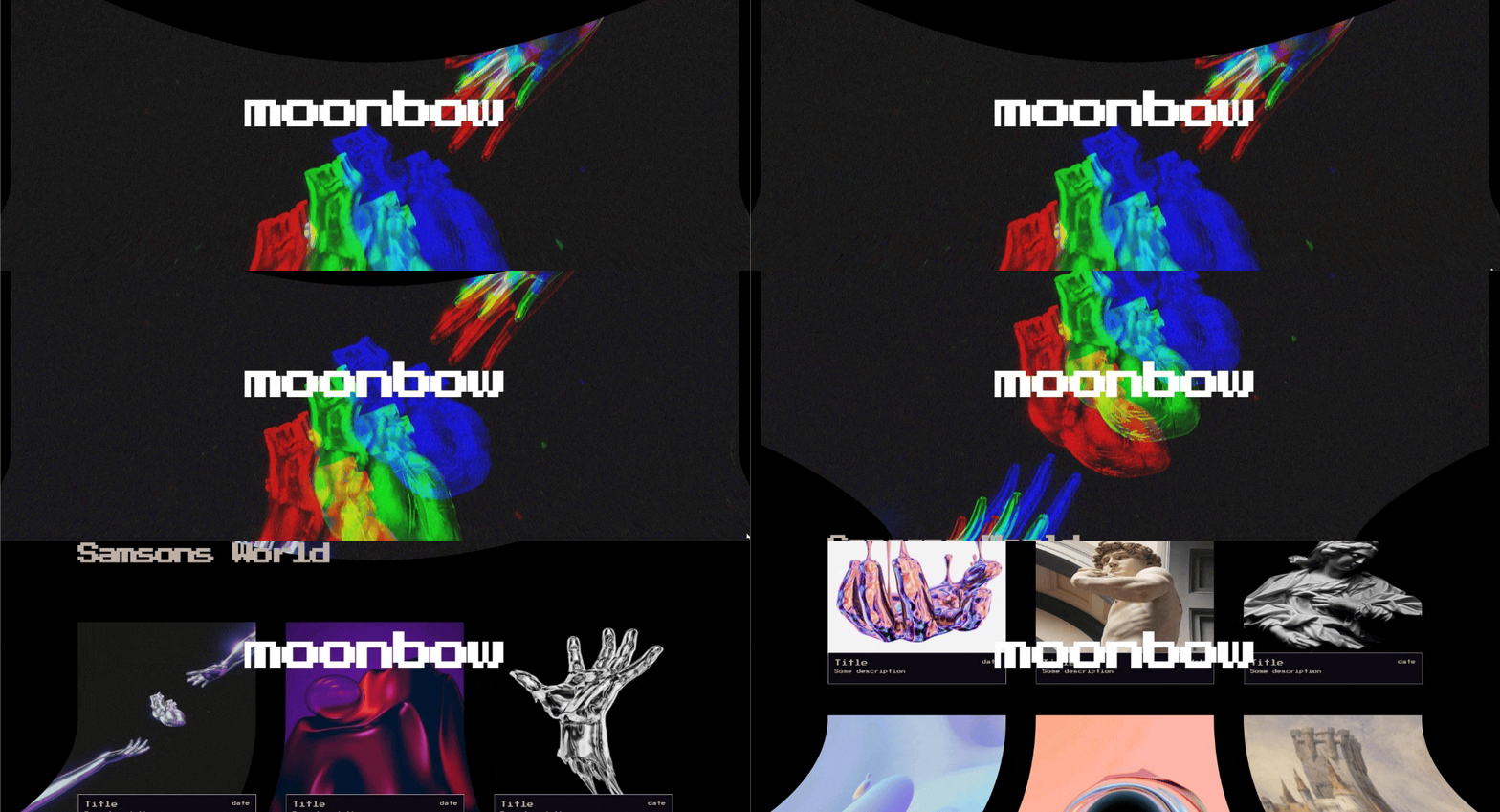
Moonbow :new_moon_with_face:+:rainbow:
Vue img component for adding GLSL to images :fire::fire::fire:
:warning: This package is in very early alpha and is therefore most suited for experimentation. Expect issues
:alembic: How it works
Moonbow leverages three.js to create a 3D space in webGL. It creates a 3 dimensional plane for each image and sticks it to the size and position of the proxy HTML img element. It re-attatches this plane to the img element on every animation frame to keep it consistent with the layout. But it saves on performance by only attaching the planes that are inside the viewport. It does this by using an intersection observer to check for images in view.
- :kissing_cat: Simple - Just a simple image component needed. Nothing more
- :muscle: Flexible - Flexible primitives underneath that let you build your own logic
- :telescope: Typesafe - Written fully in typescript
- :hammer_and_wrench: Maintainable - HTML stays descriptive of content letting canvas images flows with the HTML elements
- :man_in_manual_wheelchair: Accessible - Since canvas elements have their HTML counterparts you dont lose accessibility controls like other approaches would
:test_tube: Benefits of this approach
This apprach lets you take advantage of GLSL for your images while keeping the DOM descriptive of your content. Images get created in webGL with a HTML proxy element in the DOM taking up space and flowing with your layout. This is also great for accessibility since it means we can accomplish complex image manipulation without sacrificing on the browser inbuilt accessibility tools.
:scroll: Resources
Learn how to write GLSL: Book of Shaders
:package: Installation
npm install moonbow
:building_construction: Setup
You can inject GLSL as a string but if you want to actually use it you're going to want to store GLSL in files that you can import. In order to do that you need to let Vite know how to handle GLSL files though. Import the vite-plugin-glsl package and register it as a plugin in your vite.config file.
import { defineConfig } from 'vite'
import vue from '@vitejs/plugin-vue'
import glsl from 'vite-plugin-glsl'

export default defineConfig({
  plugins: [vue(), glsl()],
})
:crystal_ball: Usage
Simple example using default GLSL
<script setup>
import { Moon } from "moonbow"
import "moonbow/dist/style.css"
const imageURL = "https://images.unsplash.com/photo-1642059893618"
</script>

<template>
  <Moon :src="https://github.com/CarelessCourage/Moonbow/raw/v0.8.5/imageURL"/>
</template>
Adding your own custom GLSL
<script setup>
import { Moon } from "moonbow"
import "moonbow/dist/style.css"

import vertexShader from '../shaders/scrollDeform/vertex.glsl'
import fragmentShader from '../shaders/scrollDeform/fragment.glsl'
</script>

<template>
  <Moon
    src="https://images.unsplash.com/photo-1642059893618"
    :vertexShader="vertexShader"
    :fragmentShader="fragmentShader"
  />
</template>
Adding custom uniforms and changing uniforms dynamically from JavaScript
<script setup>
import { watch } from 'vue'
import { Moon, useScroll } from "moonbow"
import "moonbow/dist/style.css"

import vertexShader from '../shaders/scrollDeform/vertex.glsl'
import fragmentShader from '../shaders/scrollDeform/fragment.glsl'

let uniforms = {
  uVelocity: { value: 0 },
}

const velocity = useScroll()
const uniformControls = {
  vertexShader,
  fragmentShader,
  uniforms,
  uniformAction: (material) => {
    watch(velocity, (velocity) => {
      material.uniforms.uVelocity.value = velocity
    })
  }
}
</script>

<template>
  <Moon
    src="https://images.unsplash.com/photo-1642059893618"
    v-bind="uniformControls"
  />
</template>
Most of the time you will probably want more than one image. And these multiple images probably will use the same effect, sometimes maybe even in different files. Setting the same shader object over and over can be cumbersome. So I've provided a function for setting the default shader for all images. Just set this once and never worry about setting it again unless you want to overwrite the defaults on a specific image.
<script setup>
import { watch } from 'vue'
import { Moon, useScroll, defaultGLSL } from "moonbow"
import "moonbow/dist/style.css"

import vertexShader from '../shaders/scrollDeform/vertex.glsl'
import fragmentShader from '../shaders/scrollDeform/fragment.glsl'

let uniforms = {
  uVelocity: { value: 0 },
}

const scroll = useScroll()
function uniformAction(material: any) {
  watch(scroll, (s) => {
    material.uniforms.uVelocity.value = s
  })
}

defaultGLSL({
  uniforms,
  vertexShader,
  fragmentShader,
  uniformAction
})
</script>

<template>
  <Moon src="https://images.unsplash.com/photo-1642059893618"/>
  <Moon src="https://images.unsplash.com/photo-1642059893618"/>
  <Moon src="https://images.unsplash.com/photo-1642059893618"/>
  <Moon src="https://images.unsplash.com/photo-1642059893618"/>
  <Moon src="https://images.unsplash.com/photo-1642059893618"/>
</template>
:dna: Primitives
Moonbow exposes the underlying primitives developed to make the Moon image component. You can easily use these primitives to build your own solution. Below is the entire code for the Moon component showcasing the way it uses the primities.
<script setup>
import { ref, onMounted  } from "vue"
import { useShader, scene, useImage, syncProxyHTML } from "moonbow";

const imageRef = ref(null)

onMounted(() => {
  const shader = {
    vertexShader: props.vertexShader,
    fragmentShader: props.fragmentShader,
    uniforms: props.uniforms
  }

  const material = useShader(imageRef.value, shader)
  const proxy = useImage({
    scene: scene.value,
    element: imageRef.value,
    material
  })

  syncProxyHTML({
    proxy,
    src: props.src,
  })
})
</script>

<template>


    <img :src="https://github.com/CarelessCourage/Moonbow/raw/v0.8.5/src" ref="imageRef"/>


</template>
Postprocessing function to let you apply GLSL to all elements uniformly. Example with plain GLSL without dynamic uniforms
<script setup>
import { postProcessing } from '../composables/canvas'

import vertexShader from '../shaders/bottomScale/vertex.glsl';
import fragmentShader from '../shaders/bottomScale/fragment.glsl';

const postUniforms = {
  uExample: { value: 0 },
}

postProcessing({
  uniforms: defaultUniforms,
  vertexShader: vertexShader2,
  fragmentShader: fragmentShader2,
})
</script>
Postprocessing function with uniformAction/dynamic uniforms example.
<script setup>
import { postProcessing } from '../composables/canvas'

import vertexShader from '../shaders/bottomScale/vertex.glsl';
import fragmentShader from '../shaders/bottomScale/fragment.glsl';

const postUniforms = {
  uExample: { value: 0 },
}

const shader = {
  uniforms: postUniforms,
  vertexShader: vertexShader,
  fragmentShader: fragmentShader,
}

postProcessing(shader, (m) => {
  watch(velocity, (velocity) => {
    m.uniforms.uVelocity.value = velocity
  })
})
</script>
Extension points exported contracts — how you extend this code
browse all types & interfaces →
Core symbols most depended-on inside this repo
Shape
Languages
Modules by API surface
For agents
$ claude mcp add Moonbow \
  -- python -m otcore.mcp_server <graph>