github.com/Binaryify/vue-tetris @v1.0.2
Chat with this repoWhat it actually does AI analysis from the code graph — generated when you open this
README
中文介绍
请查看 README.md
Use Vue, Vuex, Immutable to code Tetris.
Inspired by react-tetris, cause I prefer Vue to React, so I use Vue to code it, my idea is to think of components and methods as functions, to ensure that an input (props/params) gets a determined output (view/return value), and use Vuex instead of Redux.
Open http://binaryify.github.io/vue-tetris/ to play!
Responsive
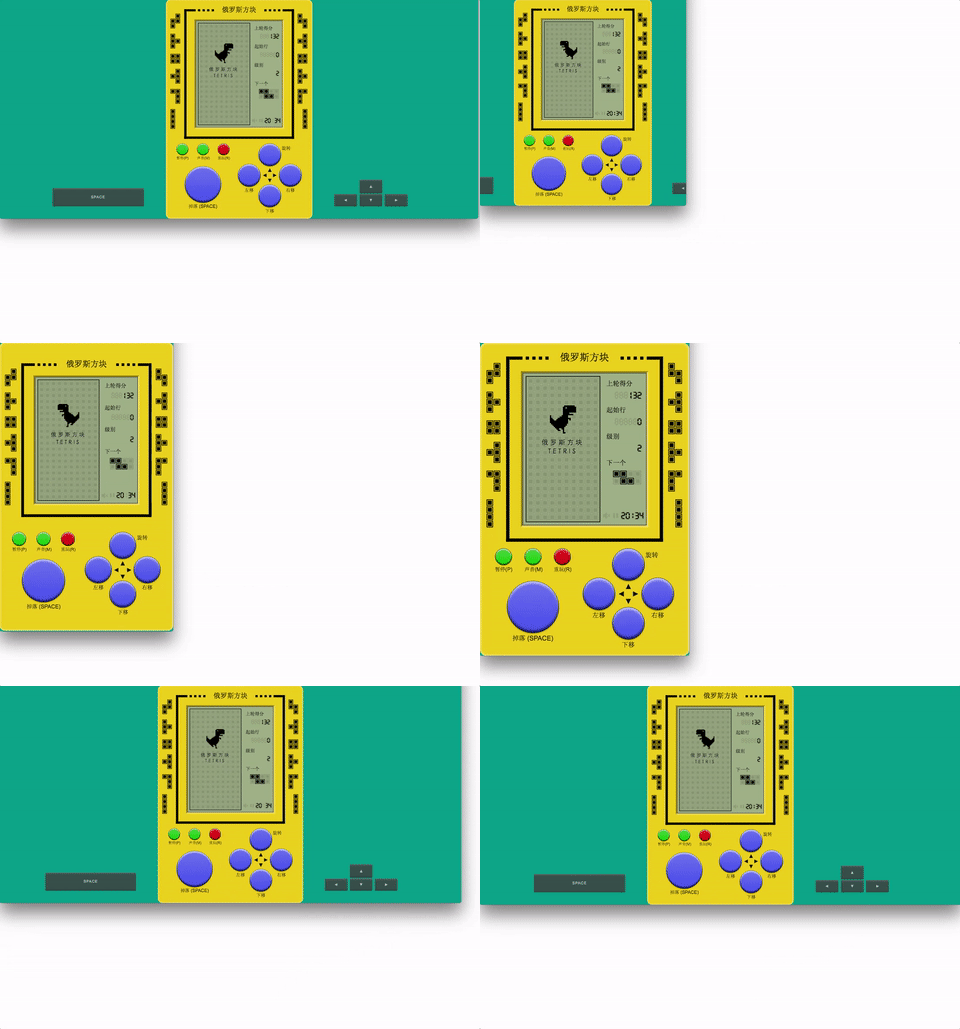
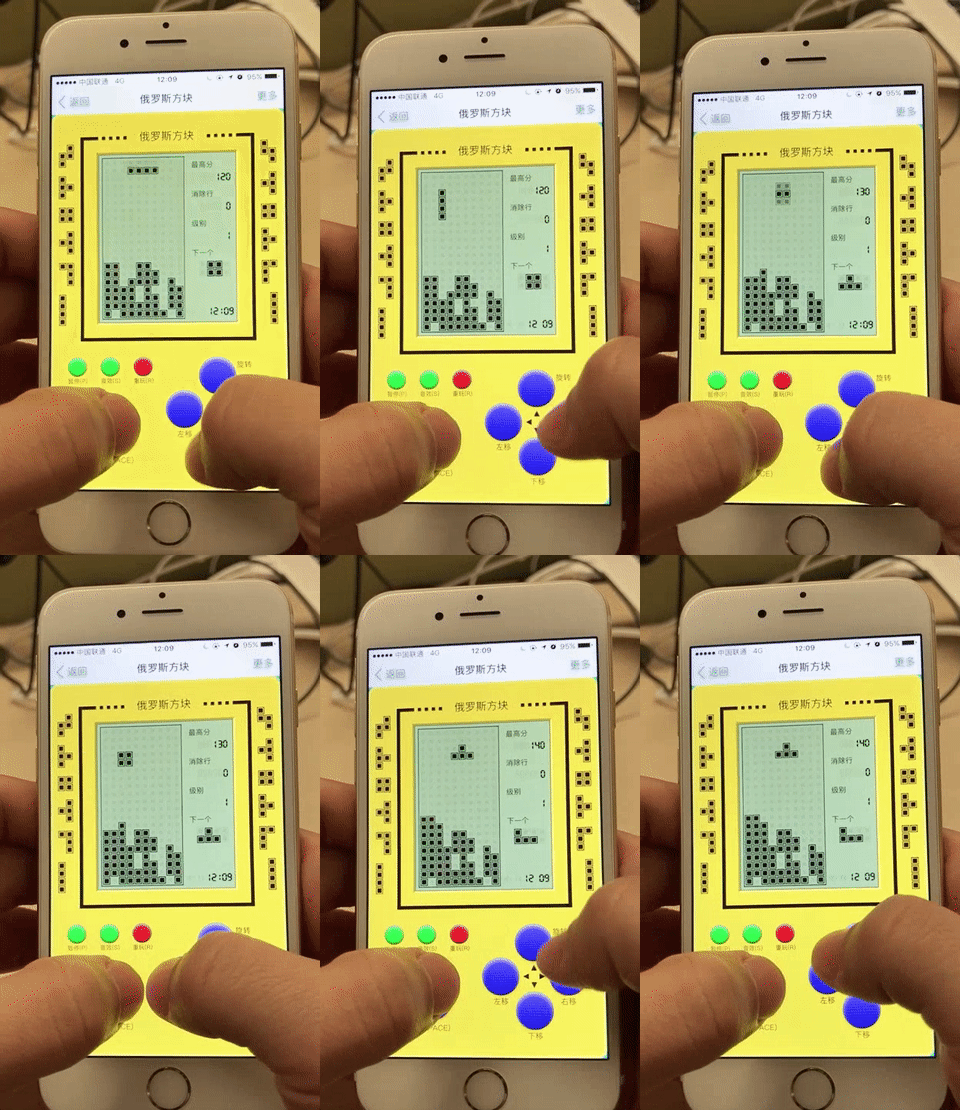
Not only refers to the screen adaptation, but the change of input depending on your platform, use of the keyboard in the PC and in the phone using the touch as input:
Data persistence
What's the worst can happen when you're playing stand-alone games? Power outage. The state is stored in the localStorage by subscribing to store.subscribe, which records exactly all the state. Web page refreshes, the program crashes, the phone is dead, just re-open the connection and you can continue playing.
Vuex state preview (Vue DevTools extension)

Vuex manages all the state that should be stored, which is a guarantee to be persisted as mentioned above.
The Game framework is the use of Vue + Vuex, together with Immutable.js.
1. What is Immutable.js?
Immutable is data that can not be changed once it is created. Any modification or addition to or deletion of an Immutable object returns a new Immutable object.
Acquaintance:
Let's look at the following code:
function keyLog(touchFn) {
  let data = { key: 'value' };
  f(data);
  console.log(data.key); // Guess what will be printed?
}
If we do not look at f, and do not know what it did to data, we can not confirm what will be printed. But if data is Immutable, you can be sure that data haven't changed and value is printed:
function keyLog(touchFn) {
  let data = Immutable.Map({ key: 'value' });
  f(data);
  console.log(data.get('key'));  // value
}
JavaScript uses a reference assignment, meaning that the new object simply refers to the original object, changing the new will also affect the old:
foo = {a: 1};  bar = foo;  bar.a = 2;
foo.a // 2
Although this can save memory, when the application is complex, it can result in the state not being controllable, posing a big risk. The advantages of saving memory, in this case, become more harm than good.
With Immutable.js the same doesn't happen:
foo = Immutable.Map({ a: 1 });  bar = foo.set('a', 2);
foo.get('a') // 1
About “===”:
We know that === operator for the Object and Array compares the reference to the address of the object rather than its "value comparison", such as:
{a:1, b:2, c:3} === {a:1, b:2, c:3}; // false
[1, 2, [3, 4]] === [1, 2, [3, 4]]; // false
To achieve the above we could only deepCopy and deepCompare to traverse the objects, but this is not only cumbersome it also harms performance.
Let's check Immutable.js approach!
map1 = Immutable.Map({a:1, b:2, c:3});
map2 = Immutable.Map({a:1, b:2, c:3});
Immutable.is(map1, map2); // true

// List1 = Immutable.List([1, 2, Immutable.List[3, 4]]);
List1 = Immutable.fromJS([1, 2, [3, 4]]);
List2 = Immutable.fromJS([1, 2, [3, 4]]);
Immutable.is(List1, List2); // true
Immutable learning materials: * Immutable.js
2. Web Audio Api
There are many different sound effects in the game, but in fact we keep only a reference to a sound file: /build/music.mp3. With the help of Web Audio Api, you can play audio in millisecond precision, with a high frequency, which is not possible with the <audio> tag. Press the arrow keys to move the box while the game is in progress, you can hear high-frequency sound.
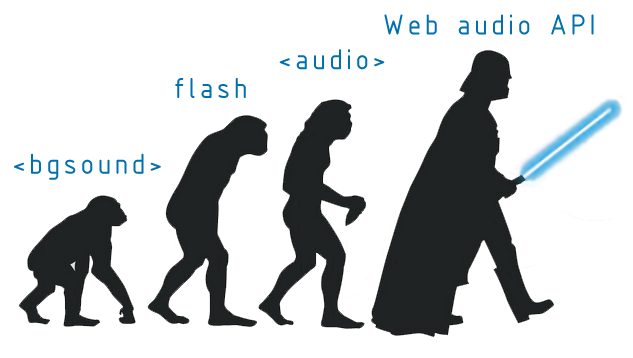
WAA is a new set of relatively independent interface system, the audio file has a higher processing power and more professional built-in audio effects, is the W3C recommended interface, can deal with professional "sound speed, volume, environment, sound visualization, High-frequency, sound to " and other needs. The following figure describes the use of WAA process.
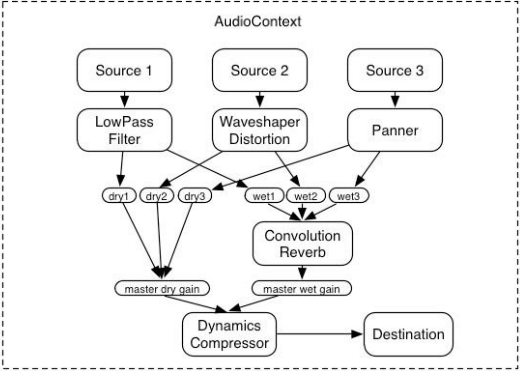
Where Source represents an audio source, Destination represents the final output. Multiple Sources compose the Destination.
Source Code:/src/unit/music.js. To achieve ajax loading mp3, and to WAA, control the playback process.
WAA is supported in the latest 2 versions of each browser(CanIUse)

IE and Android lack support though.
Web Audio Api learning materials: * Web audio concepts and usage| MDN * Getting Started with Web Audio API
3. Game on the experience of optimization
- Experience:
- Press the arrow keys to move vertically and horizontally. The trigger frequency is different, the game can define the trigger frequency, instead of the original event frequency, the source code:/src/unit/event.js ;
- Left and right to move the delay can drop the speed, but when moving in the wall smaller delay; in the speed of 6 through the delay will ensure a complete horizontal movement in a row;
- The
touchstartandmousedownevents are also registered for the button for responsive games. Whentouchstartoccurs,mousedownis not triggered, and whenmousedownoccurs, themouseupsimulatormouseupwill also be listened to asmouseup, since the mouse-removed event element can not fire. Source Code:/src/components/keyboard/index.js; - The
visibilitychangeevent, when the page is hidden\switch, the game will not proceed, switch back and it will continue, thefocusstate has also been written into the Redux. So when playing with the phone and the phone has acall, the progress of the game will be saved; PC open the game do not hear any other gameover, which is a bit likeiosapplication switch; - In the game
anytime you refresh the page, (such as the closing the tab or the end of the game) can restore the current state; - The only pictures used in the game are
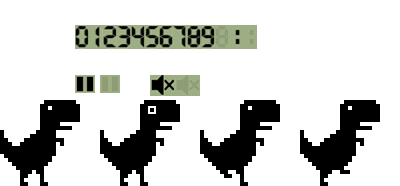 , all the rest is CSS;
 - Game compatible with Chrome, Firefox, IE9 +, Edge, etc .;
- Rules:
- You can specify the initial board (ten levels) and speed (six levels) before the start of the game;
- 100 points for 1 line, 300 points for 2 lines, 700 points for 3 lines, 1500 points for 4 lines;
- The drop speed of the box increases with the number of rows eliminated (one level for every 20 lines);
4. Experience in Development
The Vue version and the React version of the core code are essentially the same, but there are a few problems when writing components, such as:
-
React version store uses the immutable data structure, the store on the vuex if you use the immutable structure, not use to monitor data changes, so all the data in the store to use the common data, in the place where need these data provided by immutable fromJS conversion, where need common data is converted to common data, through the immutable toJS in the process of actual refactoring, I try to stay away from the core game logic, actually I didn't understand the game implementation logic is in the reconstruction of the complete, just ensure the consistency of input and output method, just be patience
-
How to rewrite the React components into the Vue, my train of thought is to put the components as a function, ensure that an input (props) can get a certain output (view), and then do the same with different methods is also, React setState would trigger the render method, so can be defined in the methods from the render method to manually trigger the render method after the state change
-
Life cycle, in simple terms, the React of corresponding Vue componentWillMount beforeMount, React componentDidMount corresponding Vue mounted, React to optimize the performance of shouldComponentUpdate in Vue does not need, does not need manual optimization is one of the reason that I like the Vue
-
Vue does not have the React component of componentWillReceiveProps' life cycle, and my solution is to use watch to work with deep: true to listen for changes in props such as:
  watch: {
    $props: {
      deep: true,
      handler(nextProps) {
        //xxx
      }
    }
  }
- Usx jsx and 'render' functions when necessary, yes, Vue support jsx, in this project, matrix component logic is more complex, the use of template template to render components has been inappropriate, React each setState will trigger 'render' method, so we can customize the 'render' method in the methods customizing the 'render' method after the state changes, but this method will become cumbersome for components with complex logic, and my solution is through the Vue jsx conversion Plugin babel-plugin-transform-vue-jsx to use the jsx syntax to render the page, when the props or state changes automatically trigger 'render' method, the other to note that the Vue jsx and React jsx write a little difference , the template syntax will be invalidated when the 'render' method exists. The 'render' function is a useful utility in developing a file like a React-log that does not need to render html only need to execute some methods. , Because this time does not need to render dom, and if the 'render' function, simply in the 'render' function in the return False on the line, such as: React-log
5、Architectural differences
Redux of the state of the data flow is through the store 'mapStateToProps' into props and then through the 'connect' function into the root component, the root component put these props into different components, when the state of the store, the root component will render again, update the props on the subcomponents, child components according to the new props render again
And Vuex train of thought, on the other hand, any component can at any time through this. $store. State. XXX access to the data on the store, more freedom, from store example reads the state of the simplest method is to return to a state in computational attributes:
computed: {
    keyboard () {
      return this.store.state.keyboard
    }
  }
Call 'store.commit' submit payload to modify the data store or dispatch submit mutation indirectly modify the data on the store, commit and dispatch the difference between the commit for synchronous modifying state, dispatch for asynchronous modifying state, asynchronous completion need to invoke the commit, generally simple demand only need to commit a payload, as long as the data on the store changed, component automatically render again
6. Development
Install
npm install
Run
npm run dev
The browser will go to http://localhost:8080
multi-language
In the i18n.jsonis the configuration for the multi-language environment. You can change the language by passing the url parameter lan like this: https://Binaryify.github.io/vue-tetris/?lan=en
Build
npm run build
Will build the application in the 'dist' folder.
Core symbols most depended-on inside this repo
setShape
Languages
Modules by API surface
For agents
$ claude mcp add vue-tetris \
  -- python -m otcore.mcp_server <graph>