github.com/Anjok07/ultimatevocalremovergui @v5.6 sqlite
README
Ultimate Vocal Remover GUI v5.6


About
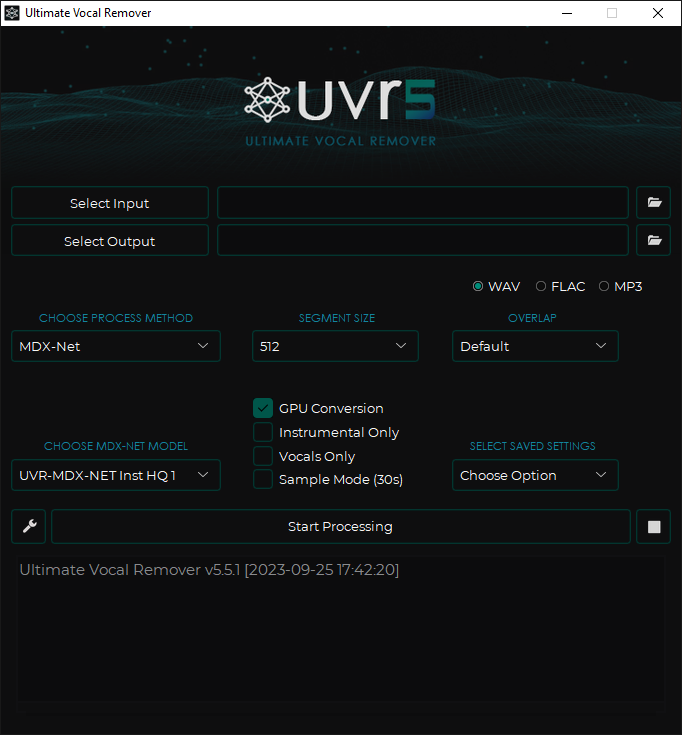
This application uses state-of-the-art source separation models to remove vocals from audio files. UVR's core developers trained all of the models provided in this package (except for the Demucs v3 and v4 4-stem models).
Installation
These bundles contain the UVR interface, Python, PyTorch, and other dependencies needed to run the application effectively. No prerequisites are required.
Windows Installation
-
Please Note:
- This installer is intended for those running Windows 10 or higher.
- Application functionality for systems running Windows 7 or lower is not guaranteed.
- Application functionality for Intel Pentium & Celeron CPUs systems is not guaranteed.
- You must install UVR to the main C:\ drive. Installing UVR to a secondary drive will cause instability.
-
Download the UVR installer for Windows via the link below:
- Update Package instructions for those who have UVR already installed:
- If you already have UVR installed you can install this package over it or download it straight from the application.
Windows Manual Installation
Manual Windows Installation
- Download and extract the repository here
- Download and install Python here
- Make sure to check "Add python.exe to PATH" during the install
- Run the following commands from the extracted repo directory:
python.exe -m pip install -r requirements.txt
If you have a compatible Nvidia GPU, run the following command:
python.exe -m pip install --upgrade torch --extra-index-url https://download.pytorch.org/whl/cu117
If you do not have FFmpeg or Rubber Band installed and want to avoid going through the process of installing them the long way, follow the instructions below.
FFmpeg Installation
- Download the precompiled build here
- From the archive, extract the following file to the UVR application directory:
ffmpeg-5.1.2-essentials_build/bin/ffmpeg.exe
Rubber Band Installation
In order to use the Time Stretch or Change Pitch tool, you'll need Rubber Band.
- Download the precompiled build here
- From the archive, extract the following files to the UVR application directory:
rubberband-3.1.2-gpl-executable-windows/rubberband.exerubberband-3.1.2-gpl-executable-windows/sndfile.dll
MacOS Installation
-
Please Note:
- This bundle is intended for those running macOS Catalina and above.
- Application functionality for systems running macOS Mojave or lower is not guaranteed.
- Application functionality for older or budget Mac systems is not guaranteed.
- Once everything is installed, the application may take up to 5-10 minutes to start for the first time (depending on your Macbook).
-
Download the UVR dmg for MacOS via one of the links below:
- Mac M1 (arm64) users:
- Main Download Link
-
Mac Intel (x86_64) users:
- Main Download Link
- Main Download Link mirror
MacOS Users: Having Trouble Opening UVR?
Due to Apples strict application security, you may need to follow these steps to open UVR.
First, run the following command via Terminal.app to allow applications to run from all sources (it's recommended that you re-enable this once UVR opens properly.)
bash
sudo spctl --master-disable
Second, run the following command to bypass Notarization:
bash
sudo xattr -rd com.apple.quarantine /Applications/Ultimate\ Vocal\ Remover.app
Manual MacOS Installation
Manual MacOS Installation
- Download and save this repository here
- Download and install Python 3.10 here
- From the saved directory run the following -
pip3 install -r requirements.txt
- If your Mac is running with an M1, please run the following command next. If not, skip this step. -
cp /Library/Frameworks/Python.framework/Versions/3.10/lib/python3.10/site-packages/_soundfile_data/libsndfile_arm64.dylib /Library/Frameworks/Python.framework/Versions/3.10/lib/python3.10/site-packages/_soundfile_data/libsndfile.dylib
FFmpeg Installation
- Once everything is done installing, download the correct FFmpeg binary for your system here and place it into the main application directory.
Rubber Band Installation
In order to use the Time Stretch or Change Pitch tool, you'll need Rubber Band.
- Download the precompiled build here
- From the archive, extract the following files to the UVR/lib_v5 application directory:
rubberband-3.1.2-gpl-executable-macos/rubberband
This process has been tested on a MacBook Pro 2021 (using M1) and a MacBook Air 2017 and is confirmed to be working on both.
Linux Installation (Updated Instructions)
See Linux Installation Instructions
These installation instructions are for Debian & Arch-based Linux systems.
Step 1: Download the Repository
- Download and save this repository from GitHub.
- Extract the downloaded file to a directory of your choice.
Step 2: Install Dependencies
Use the following commands based on your system type:
For Debian-based systems (Ubuntu, Mint, etc.):
sudo apt update && sudo apt upgrade
sudo apt-get install -y ffmpeg python3-pip python3-tk
For Arch-based systems (EndeavourOS):
sudo pacman -Syu
sudo pacman -S ffmpeg python-pip tk
Step 3: Set Up a Virtual Environment (Recommended)
Setting up a virtual environment (venv) ensures that the program's dependencies do not interfere with system-wide Python packages.
-
Navigate to the extracted repository directory:
bash cd /path/to/ultimatevocalremovergui -
Create a virtual environment:
bash python3 -m venv venv -
Activate the virtual environment:
-
For Debian-based and Arch-based systems:
bash source venv/bin/activate -
Install dependencies in the virtual environment:
bash
   pip install -r requirements.txt
Step 4: Run the Application
While the virtual environment is activated, start the application:
python UVR.py
Important Notes
-
Avoid Modifying System Files:
Previous instructions suggested deleting the/usr/lib/python3.11/EXTERNALLY-MANAGEDfile, which is dangerous and can break Python package management. Do NOT delete this file. -
Why Use Virtual Environments?
Virtual environments isolate the program's dependencies, preventing conflicts with system Python packages. More information is available here. -
Known Issues and Discussions:
- Issue #1578
- Pull Request #1068
If you encounter issues, refer to the GitHub Issues page for help.
Other Application Notes
- Nvidia RTX 1060 6GB is the minimum requirement for GPU conversions.
- Nvidia GPUs with at least 8GBs of V-RAM are recommended.
- AMD Radeon GPUs are not supported at this time.
- This application is only compatible with 64-bit platforms.
- This application relies on the Rubber Band library for the Time-Stretch and Pitch-Shift options.
- This application relies on FFmpeg to process non-wav audio files.
- The application will automatically remember your settings when closed.
- Conversion times will significantly depend on your hardware.
- These models are computationally intensive.
Performance:
- Model load times are faster.
- Importing/exporting audio files is faster.
Troubleshooting
Common Issues
- If FFmpeg is not installed, the application will throw an error if the user attempts to convert a non-WAV file.
- Memory allocation errors can usually be resolved by lowering the "Chunk Size".
Issue Reporting
Please be as detailed as possible when posting a new issue.
If possible, click the "Settings Button" to the left of the "Start Processing" button and click the "Error Log" button for detailed error information that can be provided to us.
License
The Ultimate Vocal Remover GUI code is MIT-licensed.
- Please Note: For all third-party application developers who wish to use our models, please honor the MIT license by providing credit to UVR and its developers.
Credits
- DilanBoskan - Your contributions at the start of this project were essential to the success of UVR. Thank you!
- Bas Curtiz - Designed the official UVR logo, icon, banner, and splash screen.
- tsurumeso - Developed the original VR Architecture code.
- Kuielab & Woosung Choi - Developed the original MDX-Net AI code.
- Adefossez & Demucs - Developed the original Demucs AI code.
- KimberleyJSN - Advised and aided the implementation of the training scripts for MDX-Net and Demucs. Thank you!
- Hv - Helped implement chunks into the MDX-Net AI code. Thank you!
Contributing
- For anyone interested in the ongoing development of Ultimate Vocal Remover GUI, please send us a pull request, and we will review it.
- This project is 100% open-source and free for anyone to use and modify as they wish.
- We only maintain the development and support for the Ultimate Vocal Remover GUI and the models provided.
References
- [1] Takahashi et al., "Multi-scale Multi-band DenseNets for Audio Source Separation", https://arxiv.org/pdf/1706.09588.pdf
Core symbols most depended-on inside this repo
help_hintsShape
Languages
Modules by API surface
Dependencies from manifests, versioned
For agents
$ claude mcp add ultimatevocalremovergui \
  -- python -m otcore.mcp_server <graph>