github.com/Amery2010/peinture @v1.4.0
Chat with this repoWhat it actually does AI analysis from the code graph — generated when you open this
README
Peinture (Free AI Image Gen)


A sleek, dark-themed AI image generator built with React, TypeScript, and Tailwind CSS. This application leverages powerful generative models from Hugging Face, Gitee AI, Model Scope, and A4F to create high-quality images from text prompts in seconds.
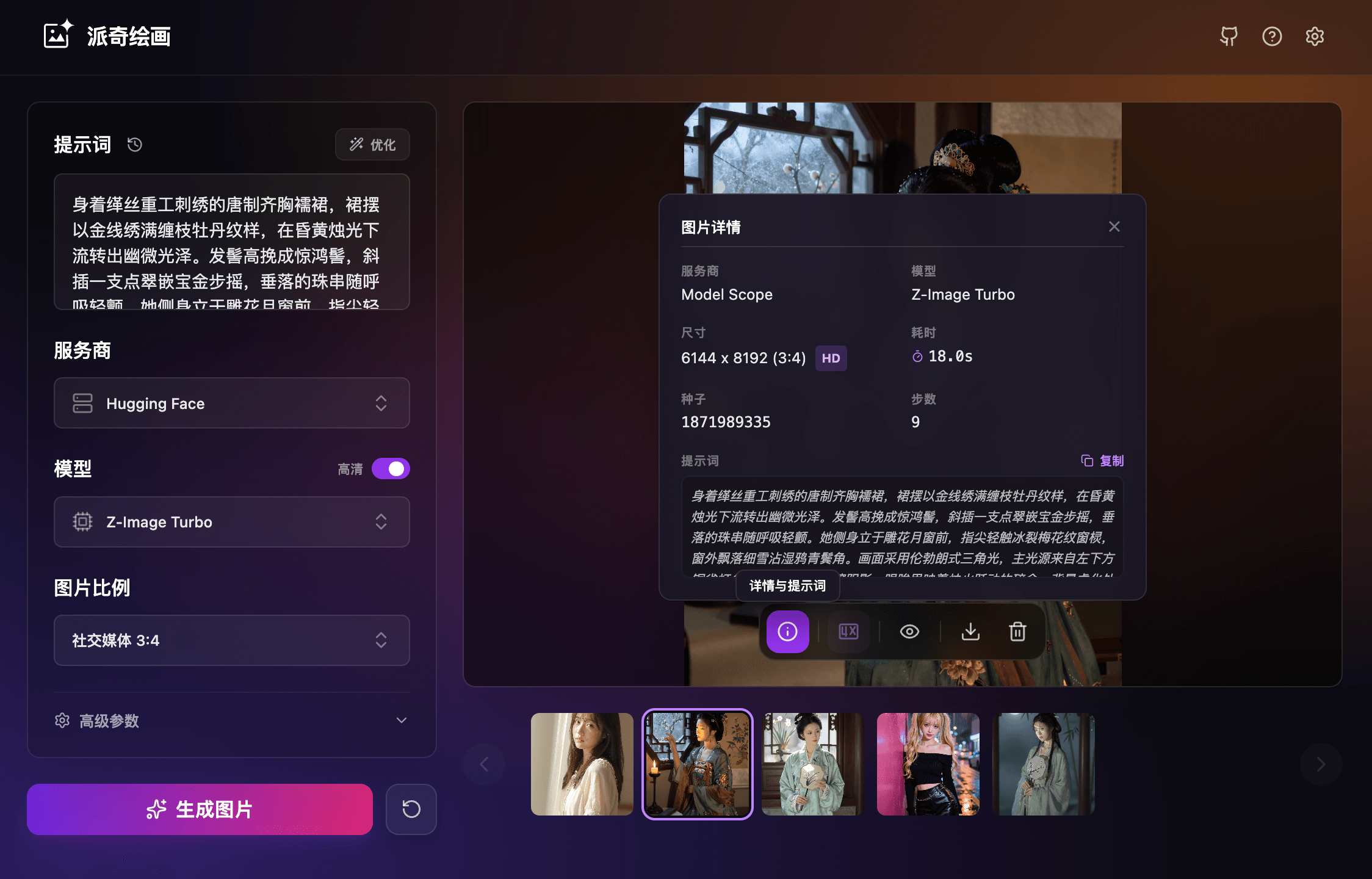
✨ Features
- Multi-Provider Architecture: Seamlessly switch between Hugging Face, Gitee AI, Model Scope, and A4F. You can also add Custom OpenAI-compatible Providers to extend functionality infinitely.
- Diverse Model Ecosystem: Access a wide range of models including:
- Generation:
GPT Image 2,Nano Banana 2,Z-Image Turbo,Qwen Image,Ovis Image,FLUX.1 Schnell/Dev/Krea,FLUX.2. - Text/Optimization:
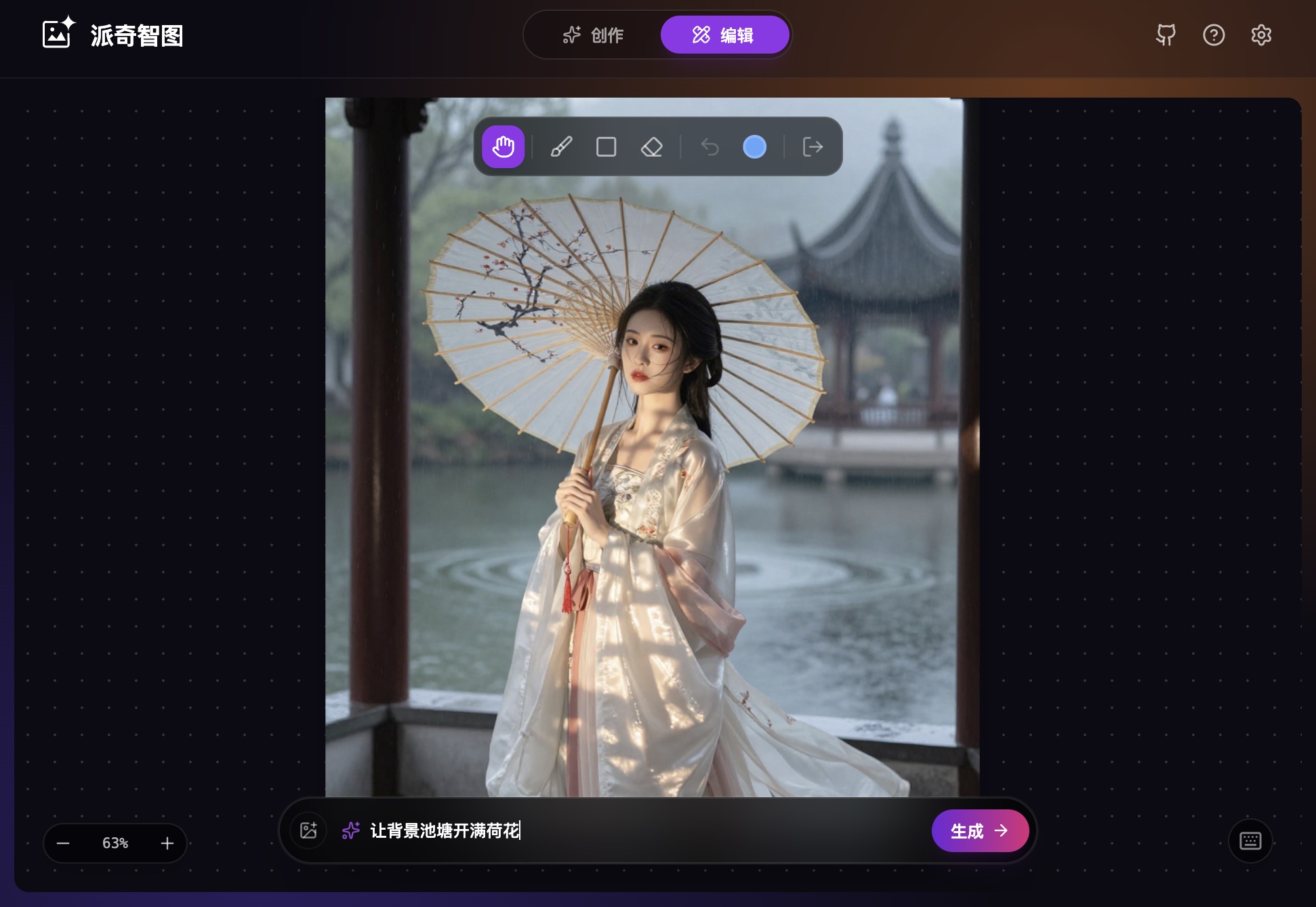
OpenAI 5.4,Gemini 3.1 Pro,DeepSeek V4,Qwen 3. - Professional Image Editor: Modify existing images with precision using the Qwen-Image-Edit model. Features include Brush/Rectangle selection, reference image support (up to 3), and AI-assisted prompt optimization.
- Live Motion (Wan 2.2): Transform static images into dynamic 5-second cinematic videos using the advanced Wan 2.2 model (Supported on Hugging Face & Gitee AI).
- Flexible Storage System:
- Local (OPFS): High-performance, persistent local storage within the browser.
- Cloud: Connect S3-compatible storage (AWS, R2, MinIO) or WebDAV to sync your creations across devices.
- Prompt Engineering: Integrated AI prompt enhancer that expands simple ideas into detailed descriptions. Includes Auto Translation for optimizing prompts for English-centric models like FLUX.
- Advanced Controls: Fine-tune your creations with adjustable inference steps, seed control, guidance scale, and HD Mode (4x Upscaling).
- Service Modes:
- Local: Runs entirely in the browser using public APIs.
- Server: Connects to a private backend for proxying requests.
- Hydration: Hybrid mode combining local logic with server capabilities.
- Privacy Focused: History and credentials are stored locally in your browser's LocalStorage. No user tracking.
🛠 Tech Stack
- Framework: React 19
- Build Tool: Vite
- Styling: Tailwind CSS
- Icons: Lucide React
- State Management: Zustand (with Persistence)
- Storage: OPFS (Origin Private File System)
- APIs: Hugging Face Inference, Gitee AI, Model Scope, A4F, Pollinations.ai, S3 / WebDAV Protocols
🚀 Getting Started
Prerequisites
- Node.js (v18 or higher)
- npm or yarn or pnpm
Installation
- Clone the repository:
bash
   git clone https://github.com/Amery2010/peinture.git
   cd peinture
- Install dependencies:
bash
   npm install
- Start the development server:
bash
   npm run dev
- Open your browser at
http://localhost:5173.
📦 Deployment
This project is a static Single Page Application (SPA), making it easy to deploy on any platform that supports static hosting.
Option 1: Vercel (Recommended)
Vercel is optimized for frontend frameworks and requires zero configuration.
- Install Vercel CLI:
bash
   npm i -g vercel
- Run the deploy command from the project root:
bash
   vercel
- Follow the prompts. Vercel will automatically detect Vite and set the build command to
npm run buildand the output directory todist.
Alternatively, via the Vercel Dashboard:
- Push your code to GitHub.
- Import the repository in Vercel.
- Keep the default "Framework Preset" as
Vite. - Click Deploy.
Option 2: Cloudflare Pages
Cloudflare Pages is the best way to host static assets on the Cloudflare network.
- Push your code to a GitHub repository.
- Log in to the Cloudflare Dashboard and go to Compute (Workers & Pages) > Create Application > Pages > Connect to Git.
- Select your repository.
- In "Build settings":
- Framework preset:
Vite - Build command:
npm run build - Build output directory:
dist - Click Save and Deploy.
Option 3: Static CDN (Nginx, Apache, Netlify, S3)
To host on any standard web server or CDN:
- Build the project locally:
bash
   npm run build
-
This will generate a
distfolder containingindex.htmland bundled assets. -
Upload the contents of the
distfolder to your server's public root directory (e.g.,/var/www/htmlor an S3 bucket). -
Important for SPAs: Ensure your server is configured to redirect all 404 requests to
index.htmlso that React Router (if added in the future) or client-side logic handles the routing.
Option 4: Docker & Docker Compose
We provide an official, lightweight Docker image to easily deploy Peinture on your own server. The built-in Nginx securely handles SPA routing and image CORS proxying.
Using Docker Run:
docker run -d -p 80:80 --name peinture ghcr.io/amery2010/peinture:latest
Using Docker Compose:
Create a docker-compose.yml file:
version: "3.8"

services:
  peinture:
    image: ghcr.io/amery2010/peinture:latest
    container_name: peinture-app
    ports:
      - "80:80"
    restart: unless-stopped
Then start the service:
docker-compose up -d
Your app will be available at http://localhost.
⚙️ Configuration
You can configure API tokens in the app's Settings menu.
Hugging Face Token (Optional)
The application works out-of-the-box using public quotas. However, for heavy usage or during peak times, providing your own token is recommended.
- Get a token from Hugging Face Settings.
- Paste it into the Hugging Face Token field in Settings.
Gitee AI Token (Required for Gitee)
To use the Gitee AI provider, you must provide an API token.
- Get a token from Gitee AI Dashboard.
- Paste it into the Gitee AI Token field in Settings.
- Gitee AI provides a daily free quota for generated images.
Model Scope Token (Required for Model Scope)
To use the Model Scope provider, you must provide an API token.
- Get a token from Model Scope Dashboard.
- Paste it into the Model Scope Token field in Settings.
A4F Token (Required for Gitee)
To use the A4F provider, you must provide an API token.
- Get a token from A4F Dashboard.
- Paste it into the A4F Token field in Settings.
- A4F provides a daily free quota for generated images.
Tokens are stored securely in your browser's localStorage and are strictly used to authenticate requests to the respective Inference endpoints.
Cloud Storage (Optional)
To save your creations to the cloud:
- Go to Settings > Storage.
- Select S3 Storage or WebDAV.
- Enter your credentials (e.g., Access Key/Secret Key for S3, URL/User/Pass for WebDAV).
- Use the "Test Connection" button to verify.
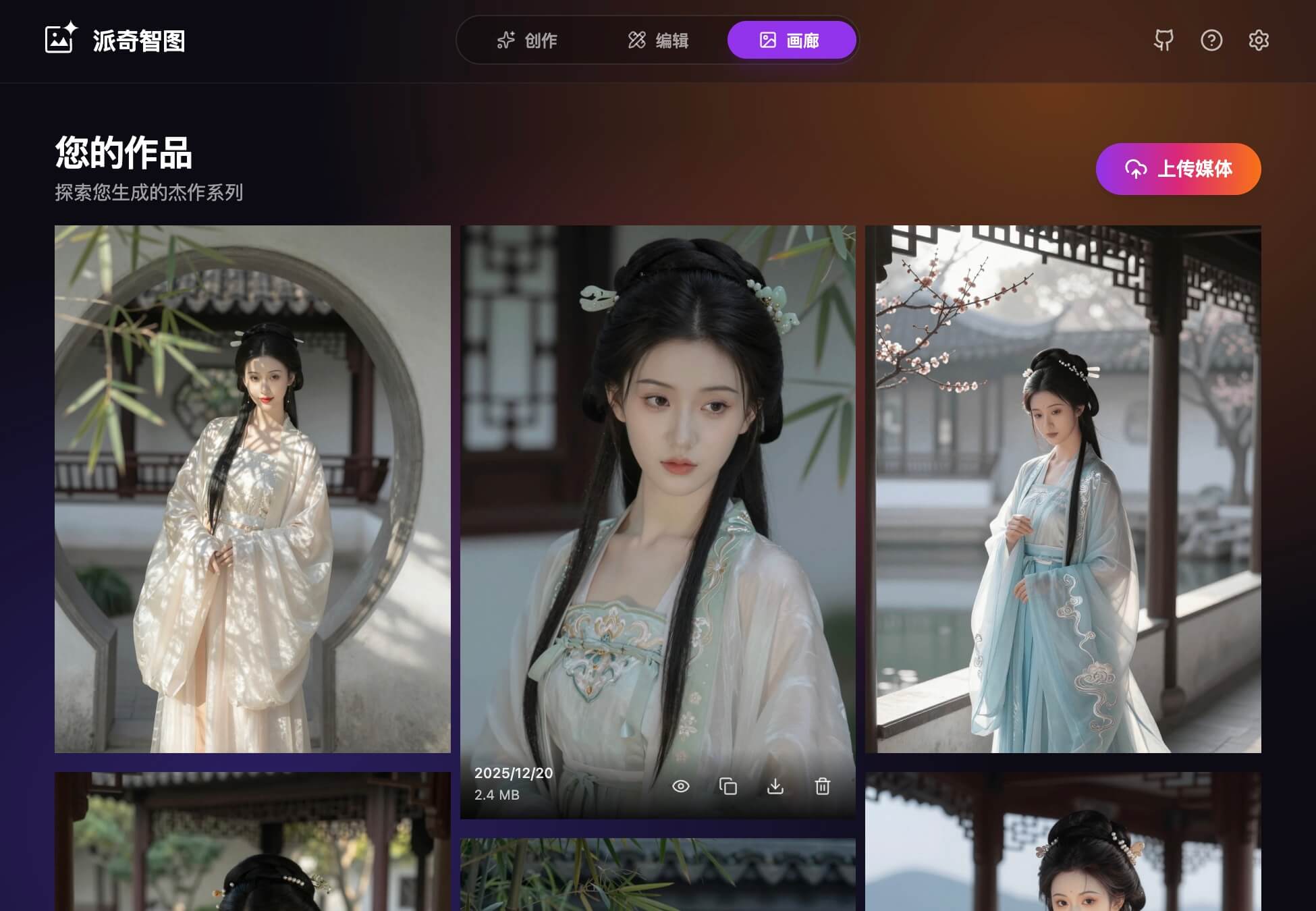
- Once configured, a "Gallery" tab will appear, and you can upload images directly from the Creation or Editor views.
❓ FAQ
Q: Is this service free to use? A: Yes, this project is completely free. It defaults to using public API quotas. Due to potential limits on public quotas during peak times, you can configure your own Hugging Face token in the settings for a more stable generation experience and higher usage quotas. Gitee AI and Model Scope require you to provide a token to use their free quotas.
Q: Is my data and privacy safe? A: Absolutely. We prioritize privacy. All generation history, settings, and tokens are stored locally in your browser (LocalStorage). We do not have a backend database, and we do not collect your personal usage data. Please note: Generated images are kept for 24 hours, so be sure to download your favorites. Prompt history is temporary and clears when you close the page.
Q: How does the multi-token system work? A: You can enter multiple tokens separated by commas. The system automatically creates a pool. If the current token exhausts its daily quota, the system will automatically mark it as exhausted for the day and seamlessly switch to the next available token, ensuring your creation is uninterrupted. This mechanism applies to Hugging Face, Gitee AI, and Model Scope.
Q: Which services power this app? A: Image generation for Hugging Face is powered by Hugging Face, and prompt optimization is provided by Pollinations.ai. Image generation and prompt optimization for Gitee AI are provided by Gitee AI. Image generation and prompt optimization for Model Scope are provided by Model Scope.
Q: What is Live Motion? A: The Live feature transforms static images into dynamic short videos. By leveraging advanced Image-to-Video models (such as Wan2.2), the AI analyzes the scene's composition to generate natural motion and cinematic effects, bringing your creation to life. Currently, only Hugging Face and Gitee AI are supported.
Q: How does the Image Editor work? A: The Image Editor allows you to modify existing images using AI. You can draw on a transparent layer (using Brush or Rectangle tools) to indicate where you want changes, then provide an AI command. The system merges your drawings with the original image and sends them to the Qwen-Image-Edit model. You can also upload up to 3 reference images to guide the AI's artistic style or content.
Q: Can I host this myself? A: Yes! This is an open-source project licensed under MIT. You can fork the repository from GitHub and deploy it to Vercel, Cloudflare Pages, or any static hosting service.
🔄 Keep Your Fork Updated
If you have forked this project, you can use GitHub Actions to automatically sync your repository with the original repository.
- In your forked repository, create a new file at
.github/workflows/sync.yml. - Paste the following content into the file:
name: Upstream Sync

permissions:
  contents: write

on:
  schedule:
    - cron: "0 0 * * *" # Run every day at 00:00 UTC
  workflow_dispatch: # Allow manual triggering

jobs:
  sync_latest_from_upstream:
    name: Sync latest commits from upstream repo
    runs-on: ubuntu-latest
    if: ${{ github.event.repository.fork }}

    steps:
      # Step 1: run a standard checkout action
      - name: Checkout target repo
        uses: actions/checkout@v3

      # Step 2: run the sync action
      - name: Sync upstream changes
        id: sync
        uses: aormsby/Fork-Sync-With-Upstream-action@v3.4
        with:
          upstream_sync_repo: Amery2010/peinture
          upstream_sync_branch: main
          target_sync_branch: main
          target_repo_token: ${{ secrets.GITHUB_TOKEN }} # Automatically generated, no need to set

          # Set test_mode true to run tests instead of the true action!!
          test_mode: false

      - name: Sync check
        if: failure()
        run: |
          echo "[Error] Due to a change in the workflow file of the upstream repository, GitHub has automatically suspended the scheduled automatic update. You need to manually sync your fork."
          exit 1
- Commit the changes. Your fork will now check for updates daily and sync automatically.
🤝 Contributing
Contributions are welcome! Please feel free to submit a Pull Request.
- Fork the project
- Create your feature branch (
git checkout -b feature/AmazingFeature) - Commit your changes (
git commit -m 'Add some AmazingFeature') - Push to the branch (
git push origin feature/AmazingFeature) - Open a Pull Request
Community Support
You can ask questions or share your thoughts and needs regarding Peinture in these communities.
📄 License
Distributed under the MIT License.
Extension points exported contracts — how you extend this code
Core symbols most depended-on inside this repo
Shape
Languages
Modules by API surface
For agents
$ claude mcp add peinture \
  -- python -m otcore.mcp_server <graph>