github.com/AllayMC/Allay @0.13.0
Chat with this repoWhat it actually does AI analysis from the code graph — generated when you open this
README

Allay
The next-generation Minecraft: Bedrock Edition server software aims to be reliable, fast and feature-rich



 ~ 1.26.20%20(Bedrock)-green)


📖 Introduction
Allay is a third-party server software for Minecraft: Bedrock Edition written from scratch, with the goal of being reliable, fast and feature-rich.
🎯 Why Allay?
- Fast: Allay is very fast. Compared to almost all other server software, Allay is far more performant in almost all aspects. The written from scratch codebase allows us to re-examine performance critical points and solve problems in the most efficient way.
- Reliable: Allay is designed to be reliable. To achieve this goal, we have written a lot of unit tests to ensure the stability of the project.
- Hassle-free: Allay is designed to be user-friendly and is ready to use right out of the box. We also have complete documentation to guide you in your deployment.
- Developer-friendly: Our api is seperated from the implementation and is well-documented. No more wasting time looking at the implementation.
- Feature-rich: One of our goal is to be feature-rich. Thanks to the architecture of Allay, adding new features is very easy for us.
- Cross-platform: Benefit from JVM, allay can run on almost any platform.
- Multi-version: Allay has multi-version support. No longer worry about losing your players due to version updates.
🛠️ Getting Started
Allay is written and running in java 21, so you need to install java 21. There are several version of java, and we recommend you to use GraalVM for the best performance. OpenJDK is also a good choice if you want to have a stable experience.
After you have installed java 21, there are two ways to install Allay:
⚡ Use AllayLauncher
AllayLauncher is the launcher for allay. It has some cool features such as auto-updating, daemon mode and java checker. To use it, just run the following command based on your OS:
Linux:
wget -qO- https://raw.githubusercontent.com/AllayMC/AllayLauncher/refs/heads/main/scripts/install_linux.sh | bash
Windows (PowerShell):
Invoke-Expression (Invoke-WebRequest -Uri "https://raw.githubusercontent.com/AllayMC/AllayLauncher/refs/heads/main/scripts/install_windows.ps1").Content
🔨 Install Allay Manually
If you platform does not support AllayLauncher, don't be worry! You can also install Allay manually. Just
download the allay-server-*-shaded.jar file from our release page. Move it to the folder you want and run:
java -jar allay-server-*-shaded.jar
🌟 Plugins
Allay supports running plugins written in Java, Kotlin, Scala (JVM based language).
Use Plugin Template
The quickest way to create a new plugin is to use our plugin template! You can check out the following plugin templates:
Use Allay Gradle Plugin
Allay provides a Gradle plugin to make it much easier to develop Allay plugin. Check out AllayGradle for more information about how to use it.
Use Allay in Existing Project
Allay API is published to the Maven Central. If you have an existing project and want to use Allay in it, simply add the following dependencies to your project:
repositories {
    mavenCentral()
}

dependencies {
    compileOnly(group = "org.allaymc.allay", name = "api", version = "<version>")
}
You can also use the snapshot version that is under development. To fetch the snapshot version, the central snapshot repository needs to be added:
repositories {
    mavenCentral()
    // Add the central snapshot repository
    maven("https://central.sonatype.com/repository/maven-snapshots/")
}

dependencies {
    // Add `-SNAPSHOT` suffix to the version to use the snapshot version, an example is `0.19.0-SNAPSHOT`
    compileOnly(group = "org.allaymc.allay", name = "api", version = "<version>-SNAPSHOT")
}
🙌 Contributing
Contributions are welcomed! And please read CONTRIBUTING.md before contributing. There are several ways you can contribute:
Submitting a Pull Request
We appreciate code contributions. If you've fixed a bug or implemented a new feature, please submit a pull request! Please ensure your code follows our coding standards and include tests where possible.
This project exists thanks to the participation of the following developers:
Feedback
Your feedback can make this project better. If you find a problem/have a new idea, feel free to raise it in the issues page. Ensure to include a detailed description of the bug and steps to reproduce it.
🎫 License
Copyright © 2023-2025 AllayMC, all rights reserved. If not otherwise specified, project content is open source under the LGPL-3.0 license. The contents of the following folders are open-sourced under the MIT license:
- data
- codegen
❤️ Special Thanks
- Endstone: Endstone's build-in DevTools is essential for Allay to dump key data from BDS
- Protocol: The protocol library and implementation of RakNet used by Allay
- df-mc: References for some key API designs
- gophertunnel: The protocol library for reference which is well-documented
- pmmp: Provides a lot of useful information in many ways

YourKit has granted AllayMC team an open-source license to their outstanding Java profiler, allowing us to make our software as performant as it can be!
YourKit supports open source projects with innovative and intelligent tools for monitoring and profiling Java and .NET applications. YourKit is the creator of the YourKit Java Profiler, YourKit .NET Profiler, and YourKit YouMonitor.
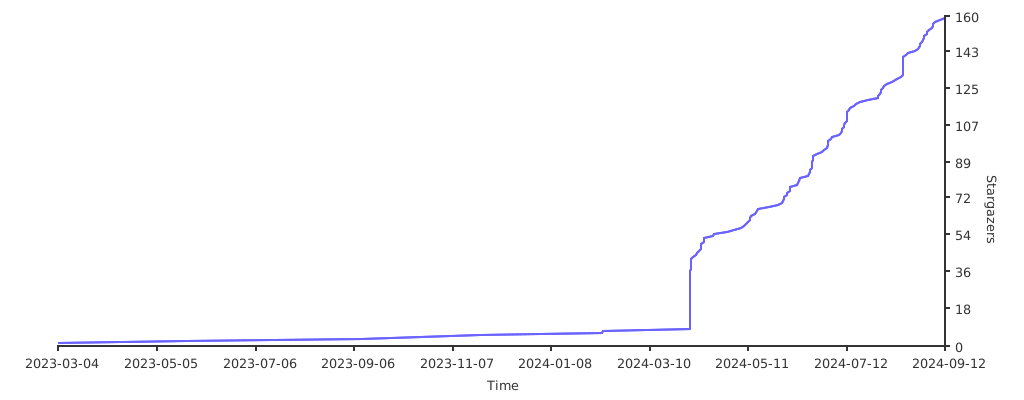
👀 Stargazers over time
Extension points exported contracts — how you extend this code
TaskCreator (Interface)Core symbols most depended-on inside this repo
buildShape
Languages
Modules by API surface
For agents
$ claude mcp add Allay \
  -- python -m otcore.mcp_server <graph>