github.com/8xFF/atm0s-media-server @v0.1.4
Chat with this repoWhat it actually does AI analysis from the code graph — generated when you open this
README




Decentralized Ultra-Low Latency Streaming Server
A decentralized media server designed to handle media streaming on a global scale, making it suitable for large-scale applications but with minimal cost. It is designed with SAN-I/O in mind.
For a deep dive into the technical aspects of network architecture, please refer to our Smart-Routing
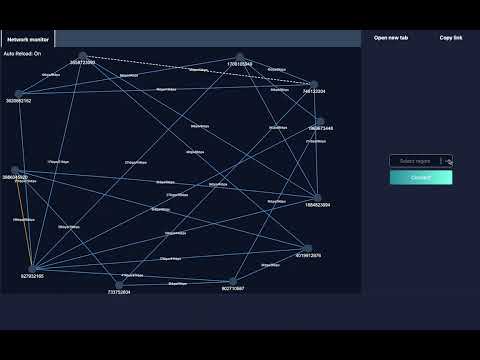
(Above is a demo video of the version used by Bluesea Network)
Features
- 🚀 Powered by Rust with memory safety and performance.
- High availability by being fully decentralized, with no central controller.
- 🛰️ Multi-zone support, high scalability.
- Support encodings: H264, Vp8, Vp9, H265 (Coming soon), AV1 (Coming soon)
- Cross-platform: Linux, macOS, Windows.
- Decentralized WebRTC SFU (Selective Forwarding Unit)
- Modern, full-featured client SDKs
- [x] Vanilla JavaScript
- [x] Rust
- [x] React
- [x] React Native
- [ ] Flutter
- [ ] iOS Native
- [ ] Android Native
- Easy to deploy: single binary, Docker, or Kubernetes
- Advanced features including:
- [x] Audio Mix-Minus (WIP)
- [x] Simulcast/SVC
- [x] SFU
- [x] SFU Cascading (each stream is a global PubSub channel, similar to Cloudflare interconnected network)
- [ ] Recording
- [x] RTMP
- [x] SIP (WIP)
- [x] WebRTC
- [x] Whip/Whep
Getting started
To get started, you can either: - Start from Docker
docker run --net=host 8xff/atm0s-media-server:latest
- Download prebuild
wget https://github.com/8xFF/atm0s-media-server/releases/download/latest/atm0s-media-server-aarch64-apple-darwin
- Build from source
cargo build --release --package atm0s-media-server
- Or using Helm chart
helm repo add 8xff https://8xff.github.io/helm
helm repo update
helm install atm0s-media-stack 8xff/atm0s-media-stack --set gateway.host={host}.{example.com} --namespace atm0s-media --create-namespace
Prepare access token
Any HTTP Request to any server will require an access token. These can be generated using the token-generate service's API.
By default, without specifying the cluster secret, you can use these pre-generated tokens for the default secret.
-
WHIP:
eyJhbGciOiJIUzI1NiJ9.eyJyb29tIjoiZGVtbyIsInBlZXIiOiJwdWJsaXNoZXIiLCJwcm90b2NvbCI6IldoaXAiLCJwdWJsaXNoIjp0cnVlLCJzdWJzY3JpYmUiOmZhbHNlLCJ0cyI6MTcwMzc1MjI5NDEyMn0.EfRZK7eHMZ-TCG23-jst8TAKVfbiQhX21cxB2mSznAM -
WHEP:
eyJhbGciOiJIUzI1NiJ9.eyJyb29tIjoiZGVtbyIsInBlZXIiOm51bGwsInByb3RvY29sIjoiV2hlcCIsInB1Ymxpc2giOmZhbHNlLCJzdWJzY3JpYmUiOnRydWUsInRzIjoxNzAzNzUyMzE1NTgyfQ.6XS0gyZWJ699BUN0rXtlLH-0SvgtMXJeXIDtJomxnig -
RTMP:
eyJhbGciOiJIUzI1NiJ9.eyJyb29tIjoiZGVtbyIsInBlZXIiOiJydG1wIiwicHJvdG9jb2wiOiJSdG1wIiwicHVibGlzaCI6dHJ1ZSwic3Vic2NyaWJlIjpmYWxzZSwidHMiOjE3MDM3NTIzMzU2OTV9.Gj0uCxPwqsFfMFLX8Cufrsyhtb7vedNp3GeUtKQCk3s -
SDK:
eyJhbGciOiJIUzI1NiJ9.eyJyb29tIjoiZGVtbyIsInBlZXIiOm51bGwsInByb3RvY29sIjoiV2VicnRjIiwicHVibGlzaCI6dHJ1ZSwic3Vic2NyaWJlIjp0cnVlLCJ0cyI6MTcwMzc1MjM1NTI2NH0.llwwbSwVTsyFgL_jYCdoPNVdOiC2jbtNb4uxxE-PU7A
Or create with token-generate APIs. To do this, you will need to start the token-generate service by:
atm0s-media-server --http-port 3100 token-generate
After that, you can go to http://localhost:3100/ui/ to access the Swagger dashboard, from there you can choose the appropriate API to generate a token by yourself.
The default cluster secret is insecure, you can specify your own cluster secret using the flag --secret or with env SECRET. For example:
atm0s-media-server --http-port 3000 --secret supersecret gateway
Start a webrtc node only
For simple testing, we can start a single node which supports Webrtc for testing with Whip and Whep
atm0s-media-server --http-port 3200 webrtc
After that, we can access http://localhost:3000/samples to see all embedded samples
Start entire cluster
In cluster mode, each module needs to be on a separate node. This setup can run on a single machine or multiple machines, whether they are connected via a public or private network.
The Gateway node routes user traffic to the most suitable media server node.
atm0s-media-server --node-id 10 --sdn-port 10010 --http-port 3000 gateway
Afterward, the gateway prints out its address in the format: 10@/ip4/127.0.0.1/udp/10010/ip4/127.0.0.1/tcp/10010. This address serves as the seed node for other nodes joining the cluster.
The WebRTC node serves users with either an SDK or a Whip, Whep client.
atm0s-media-server --node-id 21 --http-port 3001 --seeds ABOVE_GATEWAY_ADDR webrtc
The RTMP node serves users with an RTMP broadcaster such as OBS or Streamyard.
atm0s-media-server --node-id 30 --seeds ABOVE_GATEWAY_ADDR rtmp
The SIP module serves users with a SIP endpoint for integration with telephone providers.
atm0s-media-server --node-id 40 --seeds ABOVE_GATEWAY_ADDR sip
You can now access the sample page at the URL: http://localhost:3000/samples/webrtc/. There, you will find two pages: Whip Broadcast and Whep Viewer.
Please note that the inner-gateway selects nodes based on usage, routing to the same media-server instance until it reaches high usage. For testing media exchange between systems, you can start more than one WebRTC module as needed.
atm0s-media-server --node-id 22 --http-port 3002 --seeds ABOVE_GATEWAY_ADDR webrtc
atm0s-media-server --node-id 23 --http-port 3003 --seeds ABOVE_GATEWAY_ADDR webrtc
Afterward, you can directly access the samples on each WebRTC node:
First media-server: http://localhost:3001/samples/ Second media-server: http://localhost:3002/samples/ Third media-server: http://localhost:3003/samples/

Each node also exposes a metric dashboard here:
- Gateway: http://localhost:3000/dashboard/
- Media1: http://localhost:3001/dashboard/
- Media2: http://localhost:3002/dashboard/
- Media3: http://localhost:3003/dashboard/

Start RTMP session
Instead of publishing with the Whip client, we can use any RTMP client, such as OBS, to publish to the following stream:
- Server:
rtmp://RTMP_NODE_IP:1935/live - Stream Key:
above generated rtmp token
The stream codec should be configured with h264, without B-frames, and with the ultra-low latency option, as shown in the screenshot below.

Testing with remote server
Some samples required access to microphone and camera permission, therefore it need to run with https if you want to test with some remote servers. We have 2 options for that:
- Running gateway or media-server under a reverse proxy like NGINX for providing https
- Start gateway or media-server with
--http-tlsfor switching to self-signed https server.
Live Demos
Docs
WIP
Architecture
- Global Gateway
- Inner zone gateway
- Media Server
- Connector (connect to custom logic)
TODO: Diagram
Contributing
The project is continuously being improved and updated. We are always looking for ways to make it better, whether that's through optimizing performance, adding new features, or fixing bugs. We welcome contributions from the community and are always looking for new ideas and suggestions. If you find it interesting or believe it could be helpful, we welcome your contributions to the codebase or consider starring the repository to show your support and motivate our team!
For more information, you can join our Discord channel
Roadmap
The first version will be released together with our Overlay Network. Details on our roadmap can be seen Roadmap.
License
This project is licensed under the MIT License. See the LICENSE file for details.
Acknowledgments
We would like to thank all the contributors who have helped in making this project successful.
Extension points exported contracts — how you extend this code
Core symbols most depended-on inside this repo
Shape
Languages
Modules by API surface
For agents
$ claude mcp add atm0s-media-server \
  -- python -m otcore.mcp_server <graph>