github.com/7sDream/tui-markup @v0.6.0
Chat with this repoWhat it actually does AI analysis from the code graph — generated when you open this
README
tui markup




This crate provides a markup language to quickly write colorful and styled terminal text in plain text.
Usage
use anstyle::{Style, AnsiColor};
use tui_markup::{compile, compile_with, generator::ANSIStringsGenerator};

// Parse markup into some final result for showing
let result = compile::<ANSIStringsGenerator>("You got a <yellow Coin>").unwrap();
// Show it
println!("{}", result);

// With custom tag
let generator = ANSIStringsGenerator::new(|tag: &str| match tag {
    "keyboard" => Some(
        Style::new()
            .fg_color(Some(AnsiColor::Blue.into()))
            .bg_color(Some(AnsiColor::Black.into()))
            .bold(),
    ),
    _ => None,
});
let result = compile_with("Press <keyboard Space> to jump", generator).unwrap();
println!("{}", result);
Result:

Notice the result type and how to show it is vary depends on what Generator you use.
Current available built-in generators:
ansi:ANSIStringsGeneratorfor directly print result in any ANSI compliant terminal.ratatui:RatatuiTextGeneratorfor createTextstruct ofratatuicrate to show the result.crossterm:CrosstermCommandsGeneratorfor create a series of Command ofcrosstermcrate to print the result.
There is also a macro([tui-markup-ansi-macro] crate) to compile markup source into ANSI sequence at compile time, check it if you need.
You can add this markup support for other terminal/library/application easily by create you own generator.
Examples
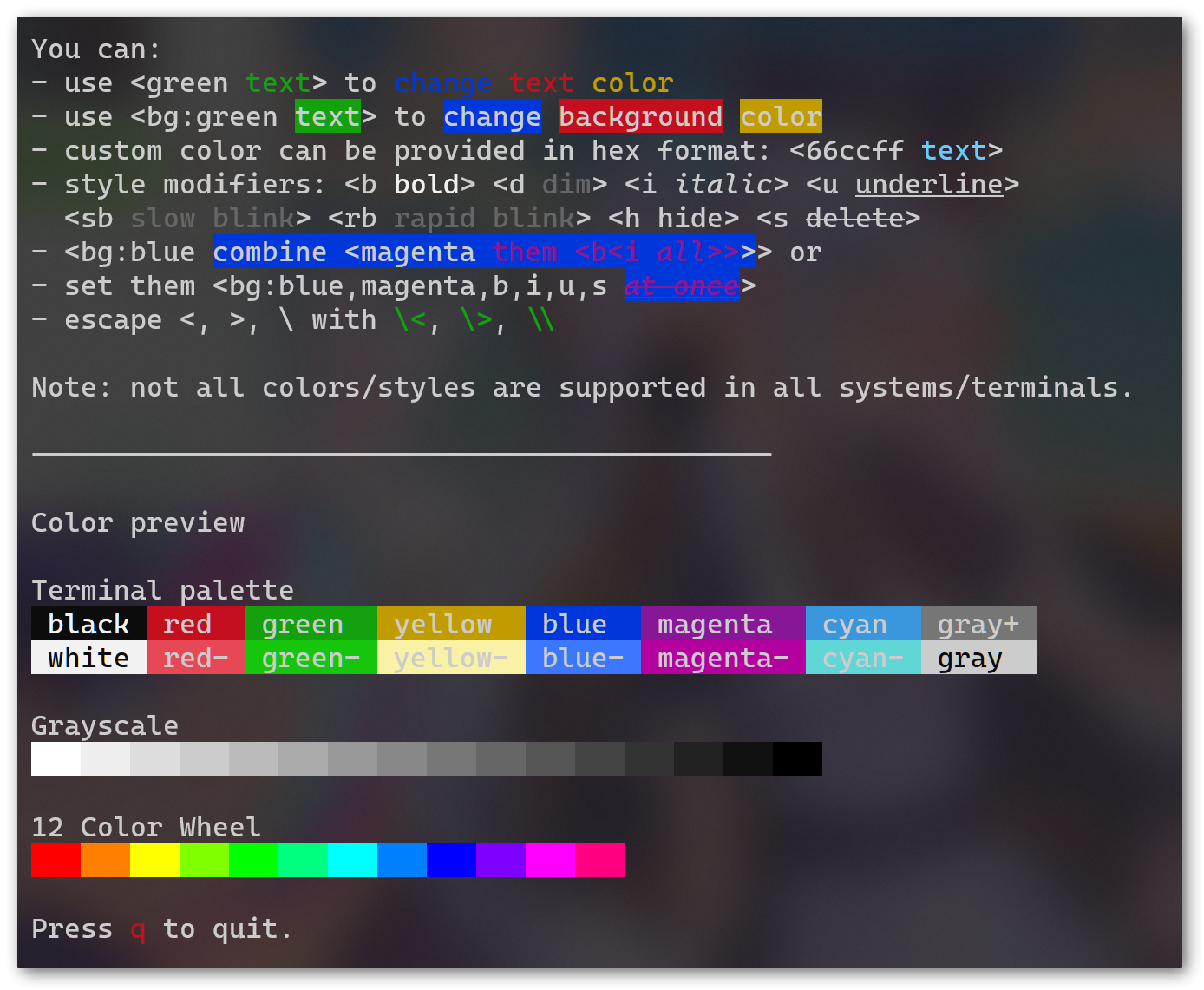
The example is shown in Windows Terminal, using the following command:
cargo run --example ratatui --features ratatui,crossterm -- examples/help.txt
The source markup text of this article can be found in examples/help.txt.
you can change the last argument to your file to render other article, for example examples/indexed.txt for a full xterm256 color chart:
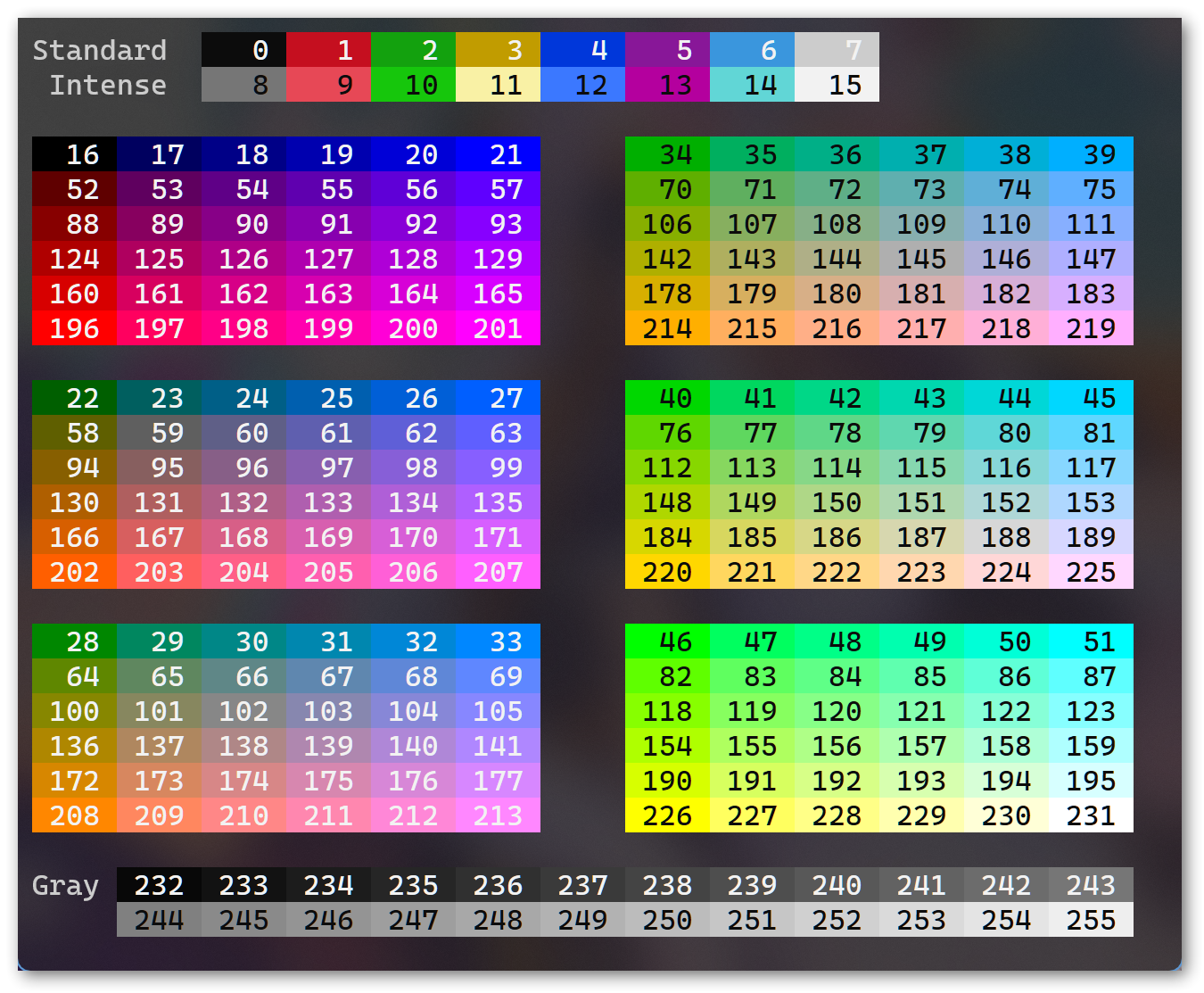
Those two screenshot are using built-in ratatui generator.
Markup syntax
Only one syntax <taglist content> to add style to content.
taglist is a tag list sep by ,.
tag has format of mode:value, available mode are:
fg:for foreground color.bg:for background color.mod:for modifiers.
Mode and : is optional except for bg:, so 66ccff = fg:66ccf , and b = mod:b.
Some examples:
<green text>for a green color text,<66ccff text>for a #66ccff color text.<bg:blue text>for a blue background text,<bg:66ccff text>for a #66ccff background text.<b text>for a bold text,<i text>for a italic/slant text.<bg:blue one<green two>>, is a blue background one followed by a blue background and green foreground two.<bg:blue,green,b,i text>is a blue background, green foreground, bold, italic text.
And you can define your own tag, like example code above.
The formal syntax spec can be found in docs/syntax.ebnf.
Color and modifier supports vary by generator you want to use, see their document for details.
TODO
- [ ] Generator for
termion - [ ] Generator for
ncurses
LICENSE
BSD-3-Clause-Clear, See LICENSE.
Extension points exported contracts — how you extend this code
Core symbols most depended-on inside this repo
Shape
Languages
Modules by API surface
For agents
$ claude mcp add tui-markup \
  -- python -m otcore.mcp_server <graph>