github.com/2shady4u/godot-sqlite @v4.7
Chat with this repoBrowse by type
What it actually does AI analysis from the code graph — generated when you open this
README
NOTE: This branch is compatible with Godot 4.x. Older versions of Godot (3.x) are supported on the godot-3.x-branch as found here.

godot-sqlite
This GDNative script aims to serve as a custom wrapper that makes SQLite3 available in Godot 4.0+. Additionally, it does not require any additional compilation or mucking about with build scripts.
Supported operating systems:
- Mac OS X (universal)
- Linux
- Windows
- Android (arm64)
- iOS (arm64)
- HTML5 (stability depends on browser)
How to install?
Re-building Godot from scratch is NOT required, the proper way of installing this plugin is to either install it through the Asset Library or to just manually download the build files yourself.
Godot Asset Library
Godot-SQLite is available through the official Godot Asset Library, and can be installed in the following way:
- Click on the 'AssetLib' button at the top of the editor.
- Search for 'godot-sqlite' and click on the resulting element.
- In the dialog pop-up, click 'Download'.
- Once the download is complete, click on the install button...
- Once more, click on the 'Install' button.
- Activate the plugin in the 'Project Settings/Plugins'-menu.
- All done!
Manually
It's also possible to manually download the build files found in the releases tab, extract them on your system and run the supplied demo-project. Make sure that Godot is correctly loading the gdsqlite.gdextension-resource and that it is available in the res://-environment.
An example project, named "demo", can also be downloaded from the releases tab.
How to use?
Examples of possible usage can be found in the supplied demo-project as downloadable in the releases tab or the source code can be directly inspected here.
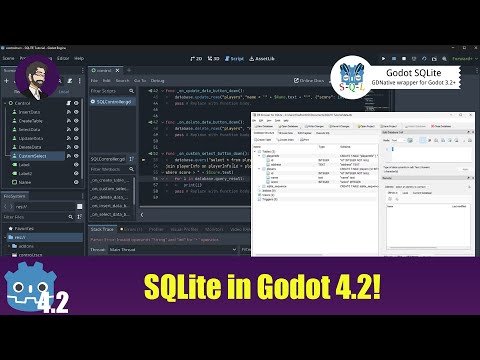
Additionally, a video tutorial by Mitch McCollum (finepointcgi) is available here:
Variables
-
path (String, default="default")
Path to the database, should be set before opening the database with
open_db(). If no database with this name exists, a new one at the supplied path will be created. Bothres://anduser://keywords can be used to define the path. -
error_message (String, default="")
Contains the zErrMsg returned by the SQLite query in human-readable form. An empty string corresponds with the case in which the query executed succesfully.
-
default_extension (String, default="db")
Default extension that is automatically appended to the
path-variable whenever no extension is detected/given.NOTE: If database files without extension are desired, this variable has to be set to "" (= an empty string) as to skip this automatic procedure entirely.
-
foreign_keys (Boolean, default=false)
Enables or disables the availability of foreign keys in the SQLite database.
-
read_only (Boolean, default=false)
Enabling this property opens the database in read-only modus & allows databases to be packaged inside of the PCK. To make this possible, a custom VFS is employed which internally takes care of all the file handling using the Godot API.
-
query_result (Array, default=[])
Contains the results from the latest query by value; meaning that this property is safe to use when looping successive queries as it does not get overwritten by any future queries.
-
query_result_by_reference (Array, default=[])
Contains the results from the latest query by reference and is, as a direct result, cleared and repopulated after every new query.
-
last_insert_rowid (Integer, default=0)
Exposes the
sqlite3_last_insert_rowid()-method to Godot as described here.
Attempting to modify this variable directly is forbidden and throws an error. -
verbosity_level (Integer, default=1)
The verbosity_level determines the amount of logging to the Godot console that is handy for debugging your (possibly faulty) SQLite queries.
Level Description QUIET (0) Don't print anything to the console NORMAL (1) Print essential information to the console VERBOSE (2) Print additional information to the console VERY_VERBOSE (3) Same as VERBOSE NOTE: VERBOSE and higher levels might considerably slow down your queries due to excessive logging.
Methods
-
Boolean success = open_db()
Open a new database connection. Multiple concurrently open connections to the same database are possible.
-
Boolean success = close_db()
Close the current database connection.
-
Boolean success = query( String query_string )
Query the database using the raw SQL statement defined in
query_string. -
Boolean success = query_with_bindings( String query_string, Array param_bindings )
Binds the parameters using nameless variables contained in the
param_bindings-variable to the query. Using this function stops any possible attempts at SQL data injection as the parameters are sanitized. More information regarding parameter bindings can be found here.Example usage:
```gdscript var column_name : String = "name"; var query_string : String = "SELECT %s FROM company WHERE age < ?;" % [column_name] var param_bindings : Array = [24] var success = db.query_with_bindings(query_string, param_bindings)
Executes following query:
SELECT name FROM company WHERE age < 24;
```
Using bindings is optional, except for PackedByteArray (= raw binary data) which has to binded to allow the insertion and selection of BLOB data in the database.
NOTE: Binding column names is not possible due to SQLite restrictions. If dynamic column names are required, insert the column name directly into the
query_string-variable itself (see https://github.com/2shady4u/godot-sqlite/issues/41). -
Boolean success = query_with_named_bindings( String query_string, Dictionary param_bindings )
Binds the parameters using named variables contained in the
param_bindings-variable to the query. This will only work with String or StringName keys in the dictionary. If the named parameter is not found in the dictionary the query will fail. Using this function stops any possible attempts at SQL data injection as the parameters are sanitized. More information regarding parameter bindings can be found here.Example usage:
```gdscript var column_name : String = "name"; var query_string : String = "SELECT %s FROM company WHERE age < :age;" % [column_name] var param_bindings : Dictionary = { "age": 24 } var success = db.query_with_named_bindings(query_string, param_bindings)
Executes following query:
SELECT name FROM company WHERE age < 24;
```
This will support the use of
:,@,$,?as prefixes for the names. These are all treated the same ?age, :age, $age, @age. When passing in the dictionary only provide the word 'age' with no prefix.Using bindings is optional, except for PackedByteArray (= raw binary data) which has to binded to allow the insertion and selection of BLOB data in the database.
NOTE: Binding column names is not possible due to SQLite restrictions. If dynamic column names are required, insert the column name directly into the
query_string-variable itself (see https://github.com/2shady4u/godot-sqlite/issues/41). -
Boolean success = create_table( String table_name, Dictionary table_dictionary )
Each key/value pair of the
table_dictionary-variable defines a column of the table. Each key defines the name of a column in the database, while the value is a dictionary that contains further column specifications.Required fields:
-
"data_type": type of the column variable, following values are valid*:
value SQLite Godot int INTEGER TYPE_INT real REAL TYPE_REAL text TEXT TYPE_STRING char(?)** CHAR(?)** TYPE_STRING blob BLOB TYPE_PACKED_BYTE_ARRAY * Data types not found in this table throw an error and end up finalizing the current SQLite statement.
** with the question mark being replaced by the maximum amount of characters
Optional fields:
-
"not_null" (default = false): Is the NULL value an invalid value for this column?
-
"unique" (default = false): Does the column have a unique constraint?
-
"default": The default value of the column if not explicitly given.
-
"primary_key" (default = false): Is this the primary key of this table?
Multiple columns can be set as a primary key. -
"auto_increment" (default = false): Automatically increment this column when no explicit value is given. This auto-generated value will be one more (+1) than the largest value currently in use.
NOTE: Auto-incrementing a column only works when this column is the primary key and no other columns are primary keys!
-
"foreign_key": Enforce an "exist" relationship between tables by setting this variable to
foreign_table.foreign_column. In other words, when adding an additional row, the column value should be an existing value as found in the column with nameforeign_columnof the table with nameforeign_table.NOTE: Availability of foreign keys has to be enabled by setting the
foreign_keys-variable to true BEFORE opening the database.
Example usage:
```gdscript
Add the row "id" to the table, which is an auto-incremented primary key.
When adding additional rows, this value can either by explicitely given or be unfilled.
table_dictionary["id"] = { "data_type": "int", "primary_key": true, "auto_increment": true } ```
For more concrete usage examples see the
database.gd-file as found in this repository's demo project. -
-
Boolean success = drop_table( String table_name )
Drop the table with name
table_name. This method is equivalent to the following query:db.query("DROP TABLE "+ table_name + ";") -
Boolean success = insert_row( String table_name, Dictionary row_dictionary )
Each key/value pair of the
row_dictionary-variable defines the column values of a single row.Columns should adhere to the table schema as instantiated using the
table_dictionary-variable and are required if their corresponding "not_null"-column value is set toTrue. -
Boolean success = insert_rows( String table_name, Array row_array )
-
Array selected_rows = select_rows( String table_name, String query_conditions, Array selected_columns )
Returns the results from the latest query by value; meaning that this property does not get overwritten by any successive queries.
-
Boolean success = update_rows( String table_name, String query_conditions, Dictionary updated_row_dictionary )
With the
updated_row_dictionary-variable adhering to the same table schema & conditions as therow_dictionary-variable defined previously. -
Boolean success = delete_rows( String table_name, String query_conditions )
-
Boolean success = import_from_json( String import_path )
Drops all database tables and imports the database structure and content present inside of
import_path.json. -
Boolean success = export_to_json( String export_path )
Exports the database structure and content to
export_path.jsonas a backup or for ease of editing. -
Boolean success = import_from_buffer( PackedByteArray input_buffer )
Drops all database tables and imports the database structure and content encoded in JSON-formatted input_buffer.
Can be used together with
export_to_buffer()to implement database encryption. -
PackedByteArray output_buffer = export_to_buffer()
Returns the database structure and content as JSON-formatted buffer.
Can be used together with
import_from_buffer()to implement database encryption. -
Boolean success = create_function( String function_name, FuncRef function_reference, int number_of_arguments )
Bind a scalar SQL function to the database that can then be used in subsequent queries.
-
int autocommit_mode = get_autocommit()
Check if the given database connection is or is not in autocommit mode, see here.
-
int compileoption_used = compileoption_used( String option_name )
Check if the binary was compiled using the specified option, see here.
Mostly relevant for checking if the SQLite FTS5 Extension is enabled, in which case the following lines can be used:
```gdscript db.compileoption_used
Core symbols most depended-on inside this repo
Shape
Languages
Modules by API surface
For agents
$ claude mcp add godot-sqlite \
  -- python -m otcore.mcp_server <graph>