github.com/0xdea/oneiromancer @v0.9.0
Chat with this repoWhat it actually does AI analysis from the code graph — generated when you open this
README
oneiromancer







"A large fraction of the flaws in software development are due to programmers not fully understanding all the possible states their code may execute in." -- John Carmack
"Can it run Doom?" -- https://canitrundoom.org/
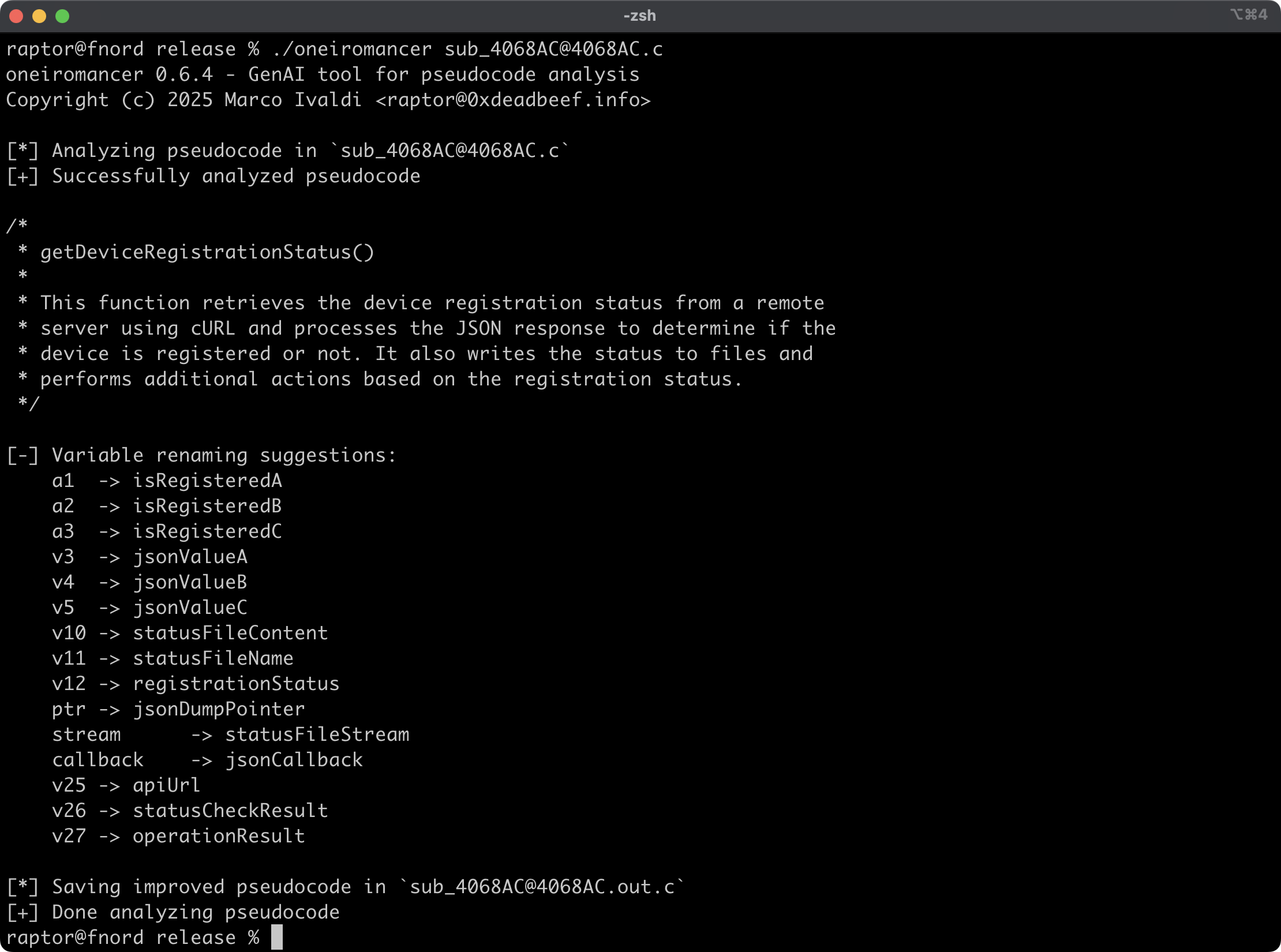
Oneiromancer is a reverse engineering assistant that uses a locally running LLM that has been fine-tuned for Hex-Rays pseudocode to aid with code analysis. It can analyze a function or a smaller code snippet, returning a high-level description of what the code does, a recommended name for the function, and variable renaming suggestions, based on the results of the analysis.
Features
- Cross-platform support for the fine-tuned LLM aidapal based on
mistral-7b-instruct. - Easy integration with the pseudocode extractor haruspex and popular IDEs.
- Code description, recommended function name, and variable renaming suggestions are printed on the terminal.
- Improved pseudocode of each analyzed function is saved in a separate file for easy inspection.
- External crates can invoke
analyze_codeoranalyze_fileto analyze pseudocode and then process analysis results.
Blog post
See also
- https://www.atredis.com/blog/2024/6/3/how-to-train-your-large-language-model
- https://huggingface.co/AverageBusinessUser/aidapal
- https://github.com/atredispartners/aidapal
- https://plugins.hex-rays.com/atredispartners/aidapal
Installing
The easiest way to get the latest release is via crates.io:
cargo install oneiromancer
To install as a library, run the following command in your project directory:
cargo add oneiromancer
Compiling
Alternatively, you can build from source:
git clone https://github.com/0xdea/oneiromancer
cd oneiromancer
cargo build --release
Configuration
- Download and install Ollama.
- Download the fine-tuned weights and the Ollama modelfile from Hugging Face:
sh wget https://huggingface.co/AverageBusinessUser/aidapal/resolve/main/aidapal-8k.Q4_K_M.gguf wget https://huggingface.co/AverageBusinessUser/aidapal/resolve/main/aidapal.modelfile - Configure Ollama by running the following commands within the directory in which you downloaded the files:
sh
   ollama create aidapal -f aidapal.modelfile
   ollama list
Usage
- Run oneiromancer as follows:
sh export OLLAMA_BASEURL=custom_baseurl # if not set, the default will be used export OLLAMA_MODEL=custom_model # if not set, the default will be used oneiromancer <target_file>.c - Find the improved pseudocode in
<target_file>.out.c:sh vim <target_file>.out.c code <target_file>.out.c
[!TIP] For best results, submit one function at a time to be analyzed by the LLM.
Compatibility
Tested with Ollama 0.30.10 on:
- Apple macOS Tahoe 26.4.1
- Ubuntu Linux 24.04.2 LTS
- Microsoft Windows 11 23H2
Credits
- Chris Bellows (@AverageBusinessUser) at Atredis Partners for his fine-tuned LLM
aidapal<3
Changelog
TODO
- Improve output file handling with versioning and/or an output directory.
- Implement other features of the IDAPython
aidapalIDA Pro plugin (e.g., context). - Integrate with haruspex and idalib.
- Implement a "minority report" protocol (i.e., make three queries and select the best responses).
- Consider a refactor of variable renaming to prevent potential code corruption.
- Investigate other use cases for the
aidapalLLM and implement a modular architecture to plug in custom LLMs.
Core symbols most depended-on inside this repo
analyze_codeShape
Languages
Modules by API surface
For agents
$ claude mcp add oneiromancer \
  -- python -m otcore.mcp_server <graph>