hub / github.com/0xdea/haruspex
github.com/0xdea/haruspex @v0.9.3
Chat with this repo
26 symbols
44 edges
5 files
5 documented · 19%
● updated 7d agov0.9.3 · 2026-06-01★ 1282 open issues
What it actually does AI analysis from the code graph — generated when you open this
loading…
README
haruspex








"Hacking is the discipline of questioning all your assumptions all of the time."
-- Dave Aitel
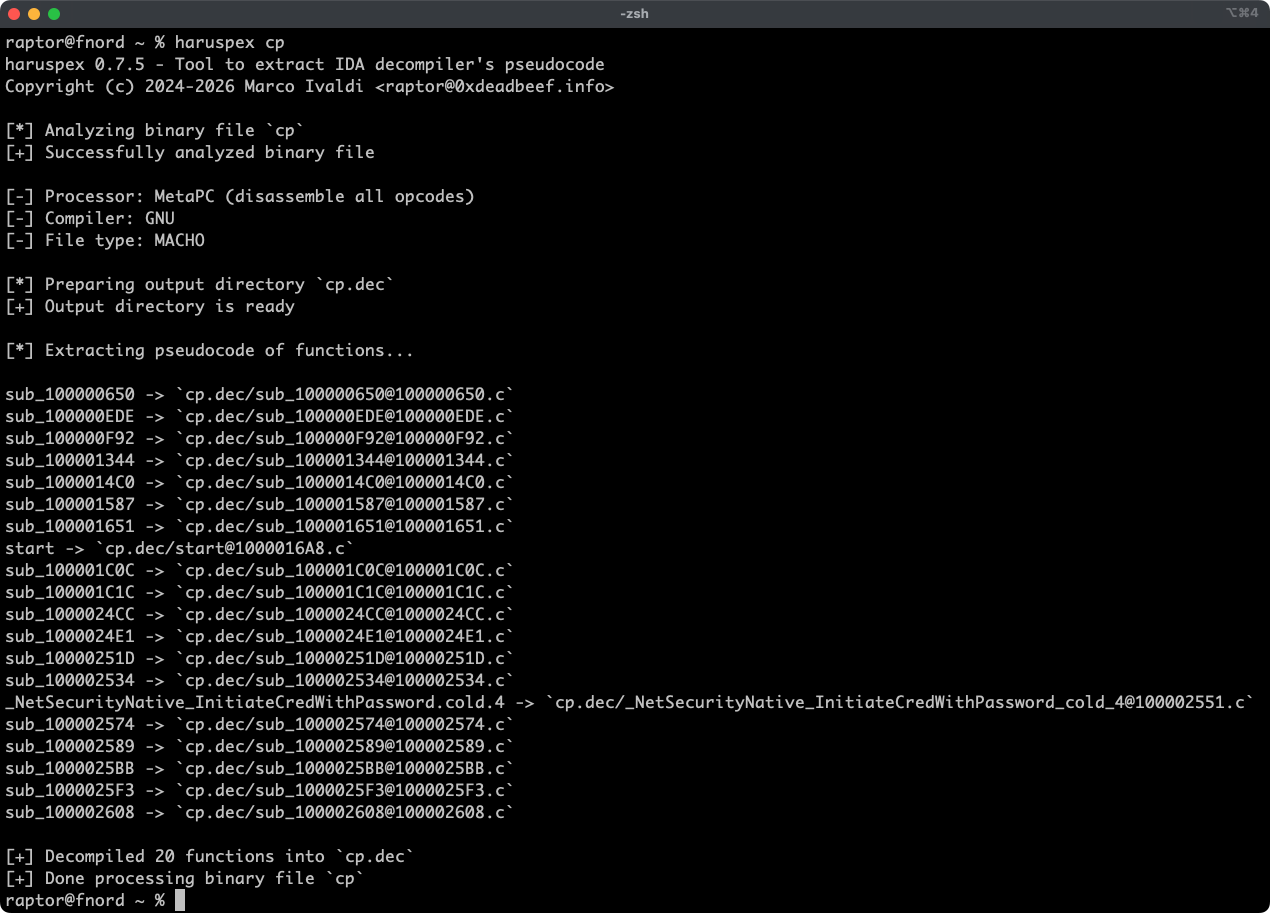
Haruspex is a blazing fast IDA Pro headless plugin that extracts pseudocode generated by IDA Pro's decompiler in a format that should be suitable to be imported into an IDE, or parsed by static analysis tools such as Semgrep, weggli, or oneiromancer.
Features
- Blazing fast, headless user experience courtesy of IDA Pro 9.x and Binarly's idalib Rust bindings.
- Support for binary targets for any architecture implemented by IDA Pro's Hex-Rays decompiler.
- Pseudocode of each function is stored in a separated file in the output directory for easy inspection.
- External crates can invoke [
decompile_to_file] to decompile a function and save its pseudocode to disk.
Blog posts
- https://hex-rays.com/blog/streamlining-vulnerability-research-idalib-rust-bindings
- https://hnsecurity.it/blog/streamlining-vulnerability-research-with-ida-pro-and-rust
See also
- https://github.com/0xdea/ghidra-scripts/blob/main/Haruspex.java
- https://github.com/0xdea/semgrep-rules
- https://github.com/0xdea/weggli-patterns
- https://docs.hex-rays.com/release-notes/9_0#headless-processing-with-idalib
- https://github.com/idalib-rs/idalib
- https://github.com/xorpse/parascope
- https://hnsecurity.it/blog/automating-binary-vulnerability-discovery-with-ghidra-and-semgrep
Installing
The easiest way to get the latest release is via crates.io:
- Download, install, and configure IDA Pro (see https://hex-rays.com/ida-pro).
- Install LLVM/Clang (see https://rust-lang.github.io/rust-bindgen/requirements.html).
- On Linux/macOS, install as follows:
sh
   export IDADIR=/path/to/ida # if not set, the build script will check common locations
   cargo install haruspex
On Windows, instead, use the following commands:powershell $env:LIBCLANG_PATH="\path\to\clang+llvm\bin" $env:PATH="\path\to\ida;$env:PATH" $env:IDADIR="\path\to\ida" # if not set, the build script will check common locations cargo install haruspex
Compiling
Alternatively, you can build from source:
- Download, install, and configure IDA Pro (see https://hex-rays.com/ida-pro).
- Install LLVM/Clang (see https://rust-lang.github.io/rust-bindgen/requirements.html).
- On Linux/macOS, compile as follows:
sh
   git clone --depth 1 https://github.com/0xdea/haruspex
   cd haruspex
   export IDADIR=/path/to/ida # if not set, the build script will check common locations
   cargo build --release
On Windows, instead, use the following commands:powershell git clone --depth 1 https://github.com/0xdea/haruspex cd haruspex $env:LIBCLANG_PATH="\path\to\clang+llvm\bin" $env:PATH="\path\to\ida;$env:PATH" $env:IDADIR="\path\to\ida" # if not set, the build script will check common locations cargo build --release
Usage
- Make sure IDA Pro is properly configured with a valid license.
- Make sure the
IDADIRenvironment variable is set if your IDA Pro installation is in a non-standard location. - Run as follows:
sh haruspex <binary_file> - Find the extracted pseudocode of each decompiled function in the
binary_file.decdirectory:sh vim <binary_file>.dec code <binary_file>.dec
Compatibility
Only the latest IDA Pro release is officially supported, but older versions may work as well. The following table summarizes the latest compatible release for each IDA Pro version:
| IDA Pro version | Latest compatible release |
|---|---|
| v9.0.240925 | v0.2.4 |
| v9.0.241217 | v0.3.5 |
| v9.1.250226 | v0.6.2 |
| v9.2.250908 | v0.7.5 |
| v9.3.260213 | v0.8.1 |
| v9.3.260327 | v0.9.0 |
| v9.3.260421 | current release |
[!NOTE] Check the idalib documentation for additional information.
Changelog
TODO
- Add global and per-function type extraction (see this issue).
- Use the
.cppextension instead of.cto output pseudocode (see this issue)? - Integrate with Semgrep scanning (see https://github.com/0xdea/semgrep-rules).
- Integrate with weggli scanning (see https://github.com/0xdea/weggli-patterns).
- Improve decompiler output in the style of HexRaysPyTools and abyss.
- Implement parallel analysis (see https://github.com/fugue-re/fugue-mptp).
Core symbols most depended-on inside this repo
decompile_to_filecalled by 5
src/lib.rs
run
called by 4
src/lib.rs
prepare_output_dir
called by 4
src/lib.rs
usage
called by 1
src/main.rs
output_path_for_function
called by 1
src/lib.rs
main
called by 0
build.rs
init
called by 0
ida-plugin-stub.py
run
called by 0
ida-plugin-stub.py
Shape
Languages
Rust81%
Python19%
Modules by API surface
src/lib.rs17 symbols
ida-plugin-stub.py5 symbols
src/main.rs2 symbols
tests/main.rs1 symbols
build.rs1 symbols
For agents
$ claude mcp add haruspex \
  -- python -m otcore.mcp_server <graph>